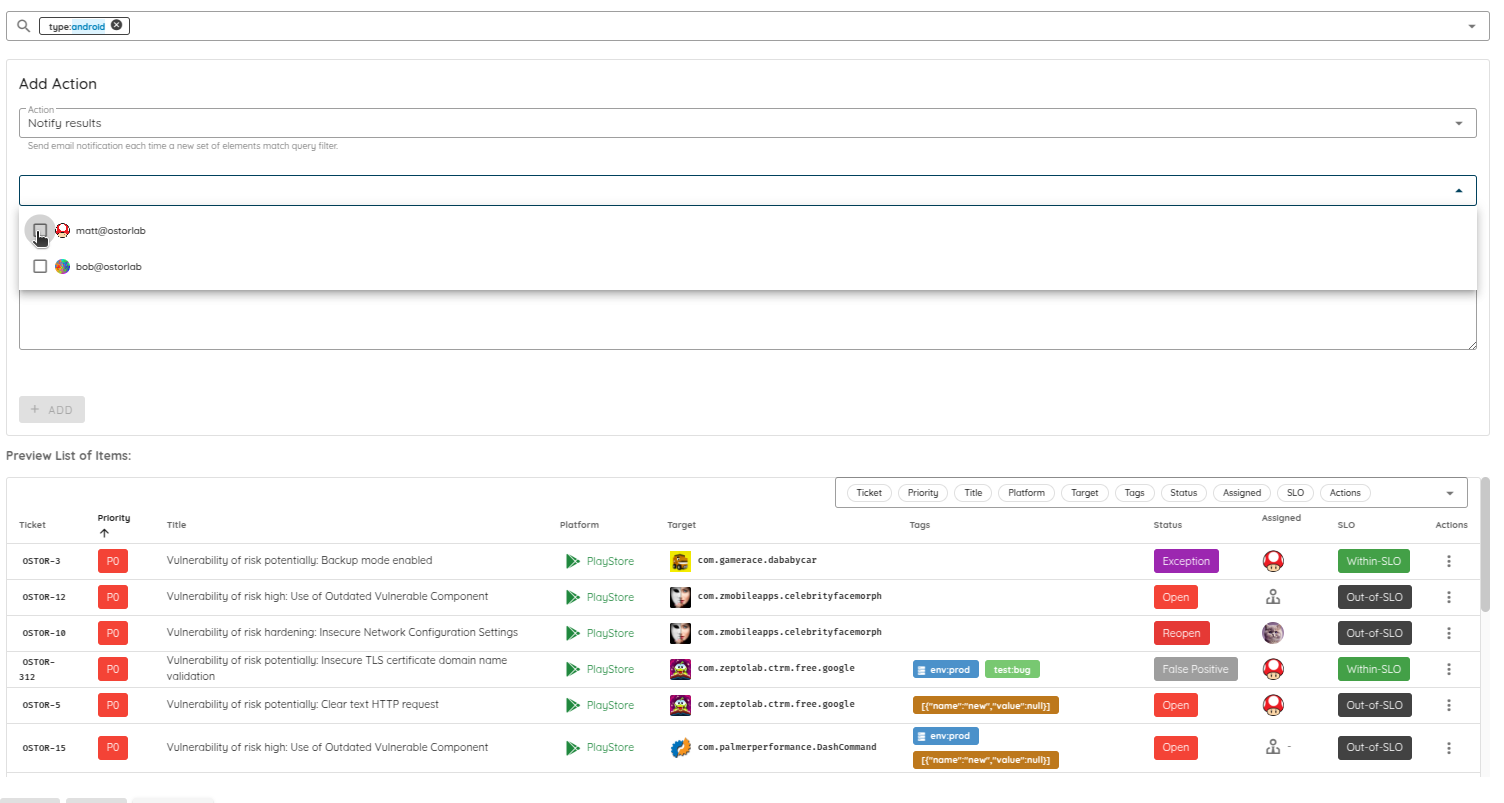
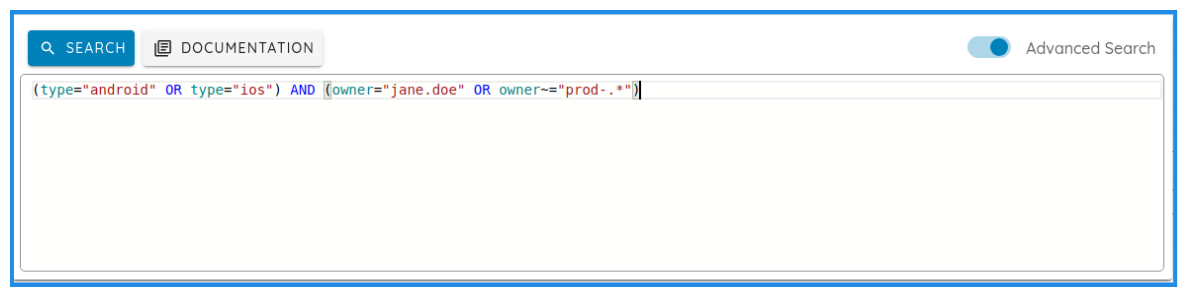
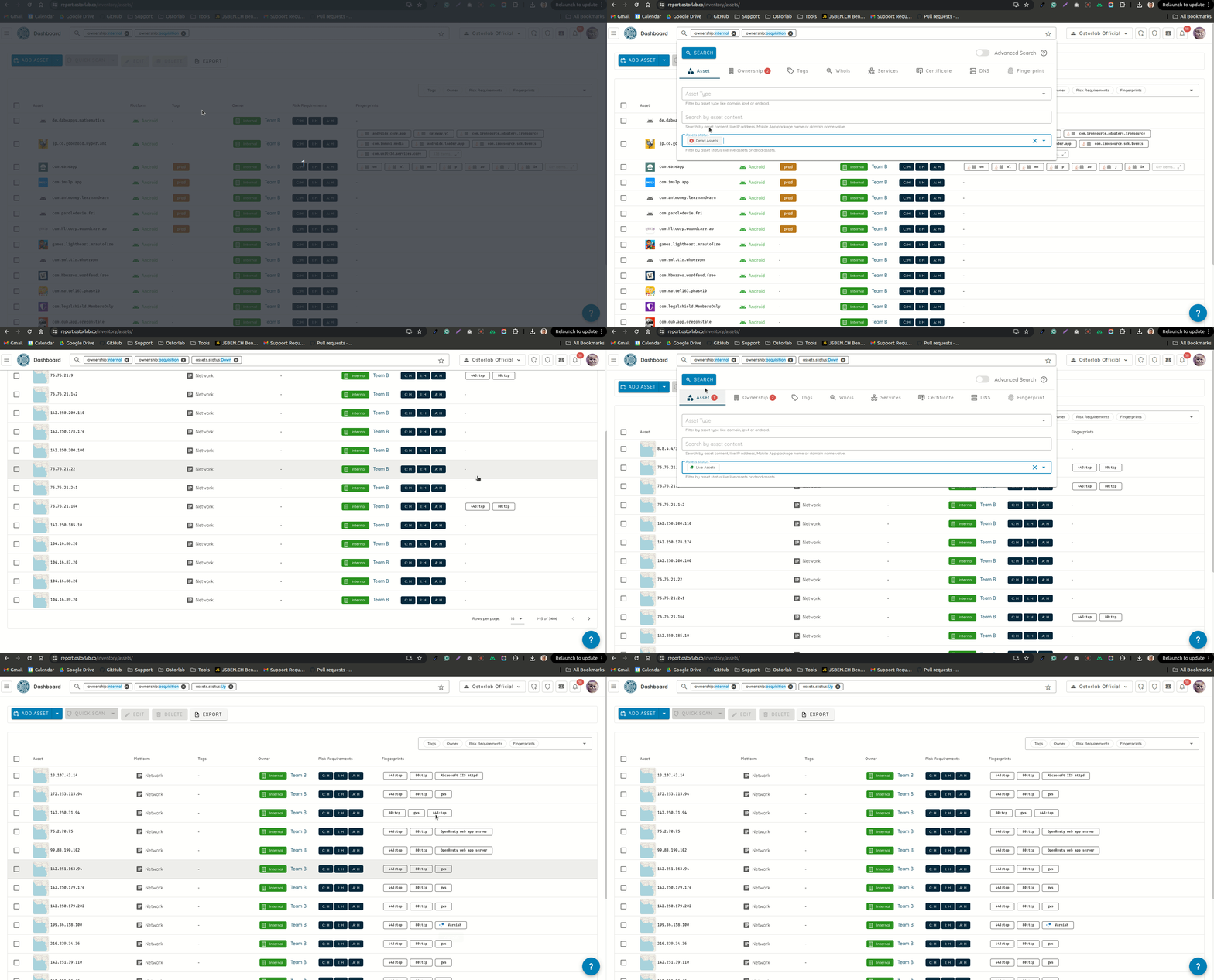
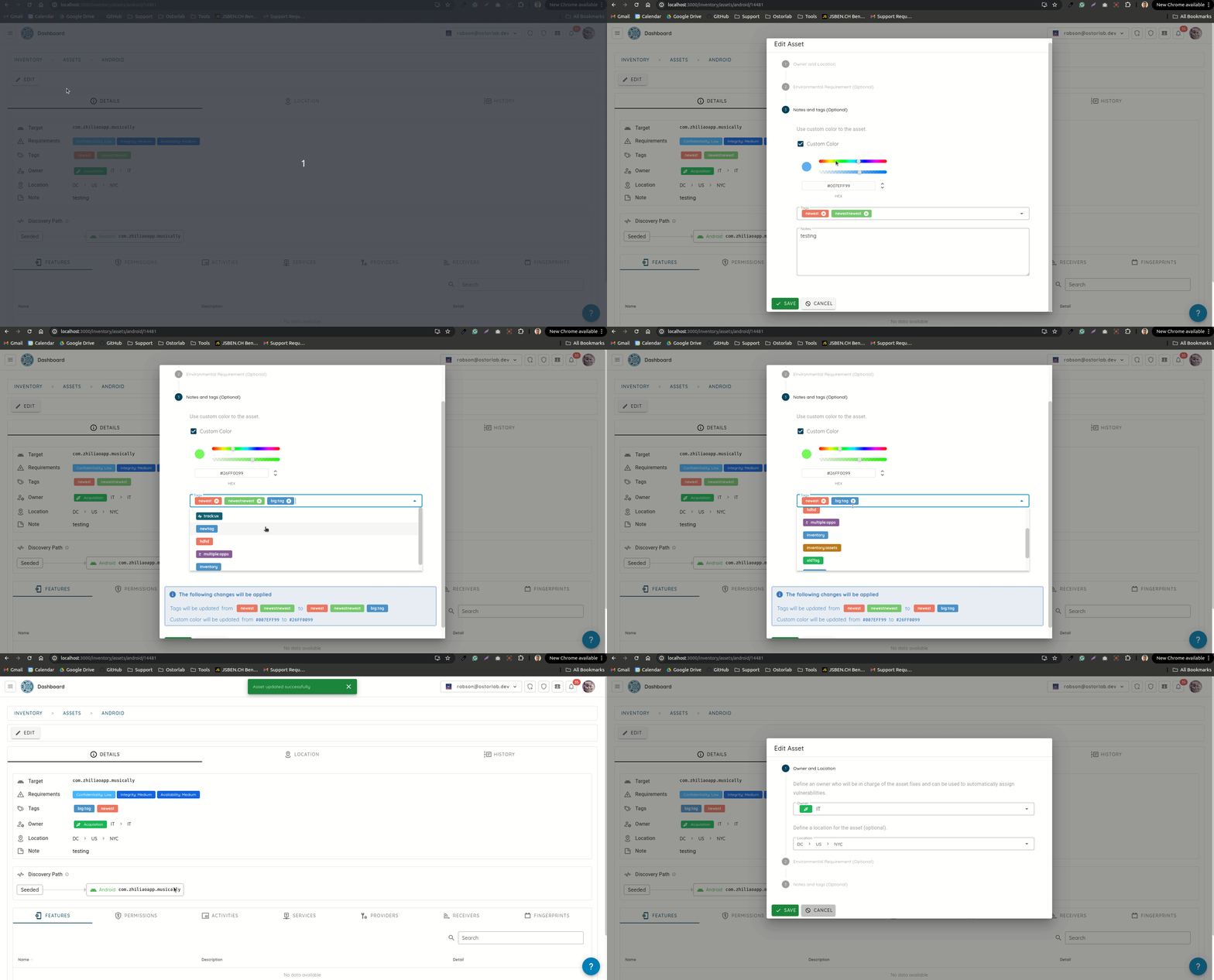
Our RASP is now open source, and Mobile ADR adds it to the apps you already build. We published the 2026 Mobile Banking App Security Report, started disclosing the vulnerabilities we find in open-source software, and shipped risk lineage, iOS taint analysis...
We now publish two changelogs a month. This first November update covers 1 to 17 November and follows the October 31 update.
Our RASP is now open source, and Mobile ADR adds it to a mobile app you have already built. We published the 2026 Mobile Banking App Security Report, and we now find and disclose vulnerabilities in open-source software: 28 CVEs and 6 advisories since 7 October, along with 70 vulnerability deep dives. Scans also get SMS codes for two-factor logins in time, a new overview, risk lineage and taint analysis for iOS apps.
Our RASP is now open source
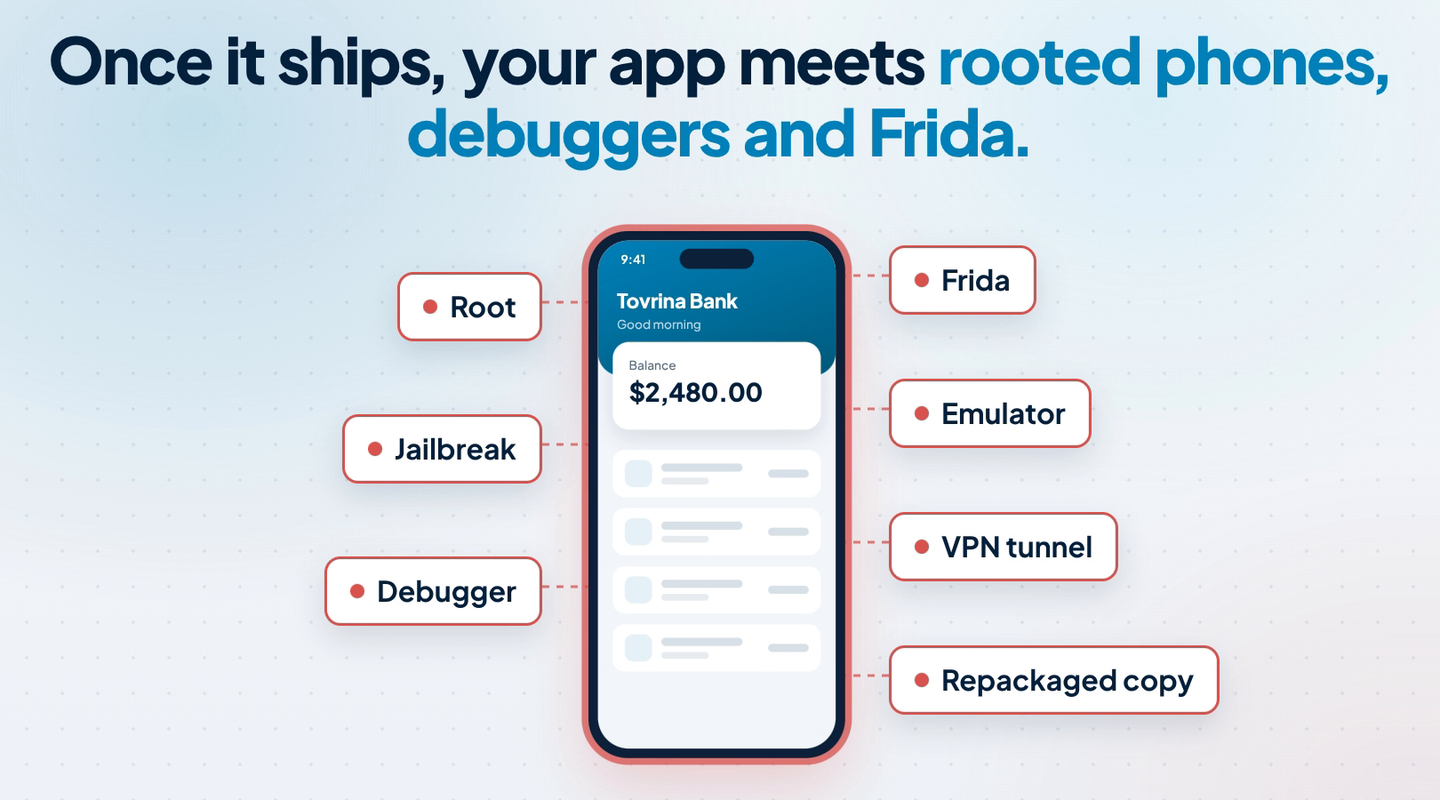
Once a mobile app ships, it runs on devices you don't control. Some are rooted or jailbroken, some run a debugger or Frida, and some route every request through a proxy. RASP (runtime application self-protection) is code inside the app that checks for these conditions while the app runs.
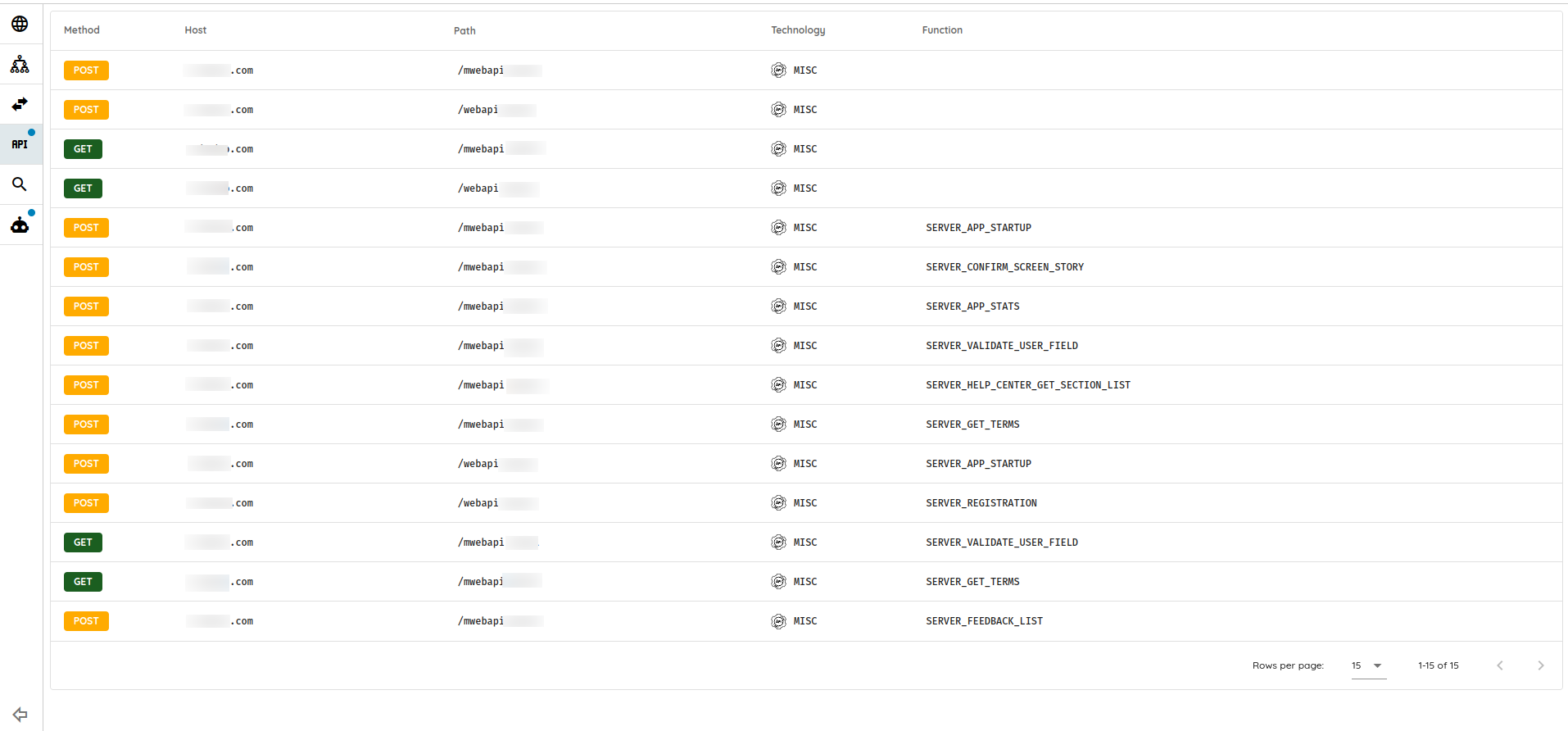
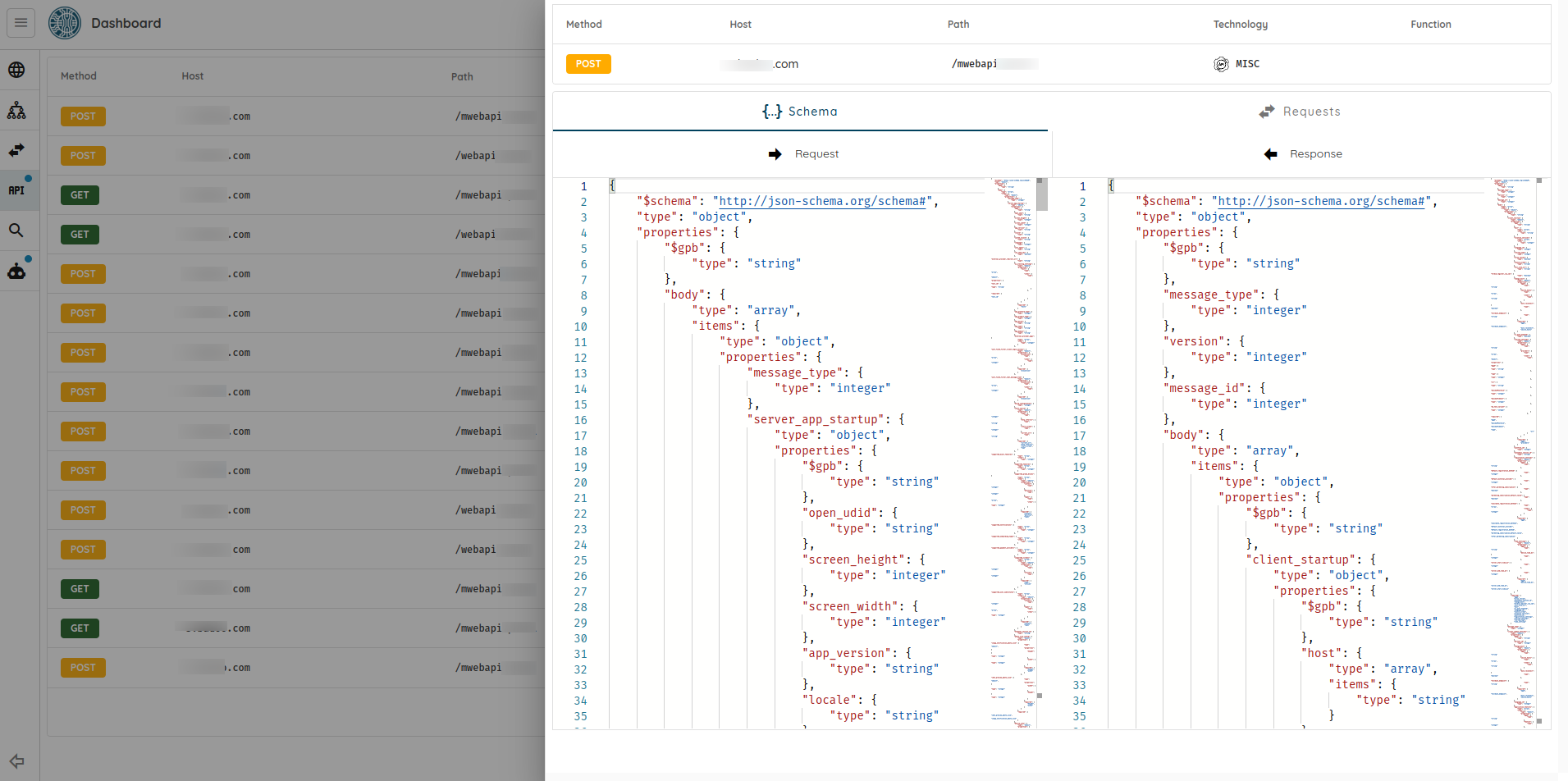
What a shipped app runs into.
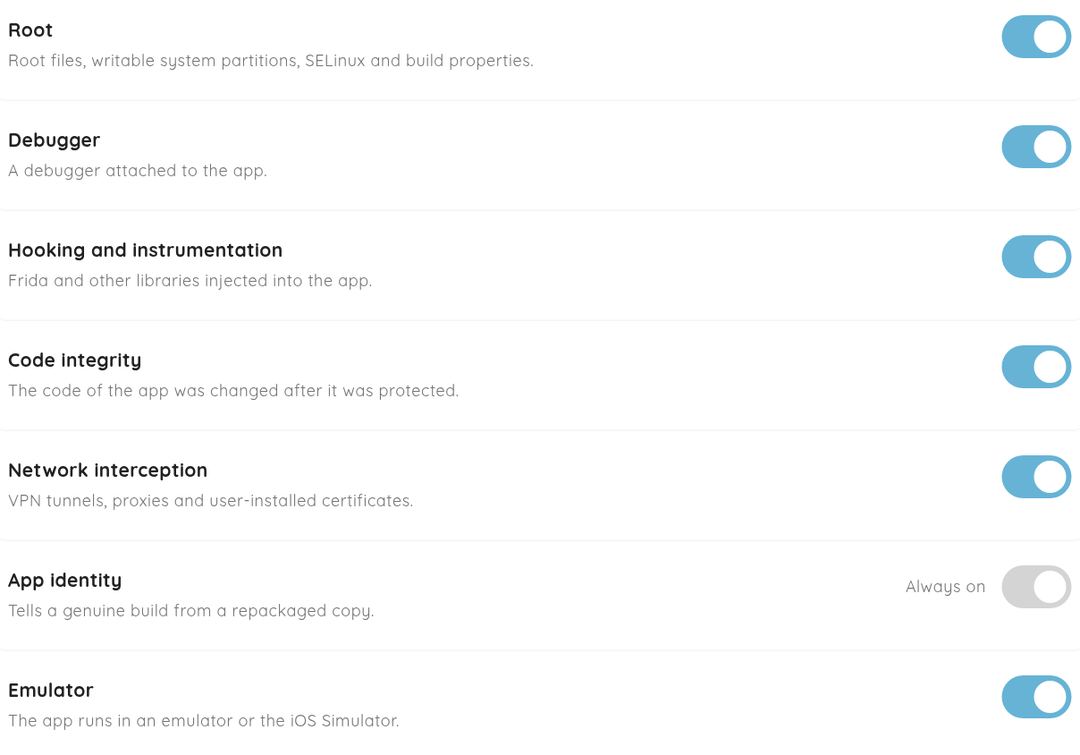
The code that runs inside the protected app is on GitHub under Apache-2.0, so your security team can read the code and build it. It checks for rooted and jailbroken devices, debuggers, Frida and other hooks, emulators and simulators, app cloning, code integrity (Android) and VPNs and proxies (proxies on iOS).
Mobile ADR adds RASP to an app you have already built
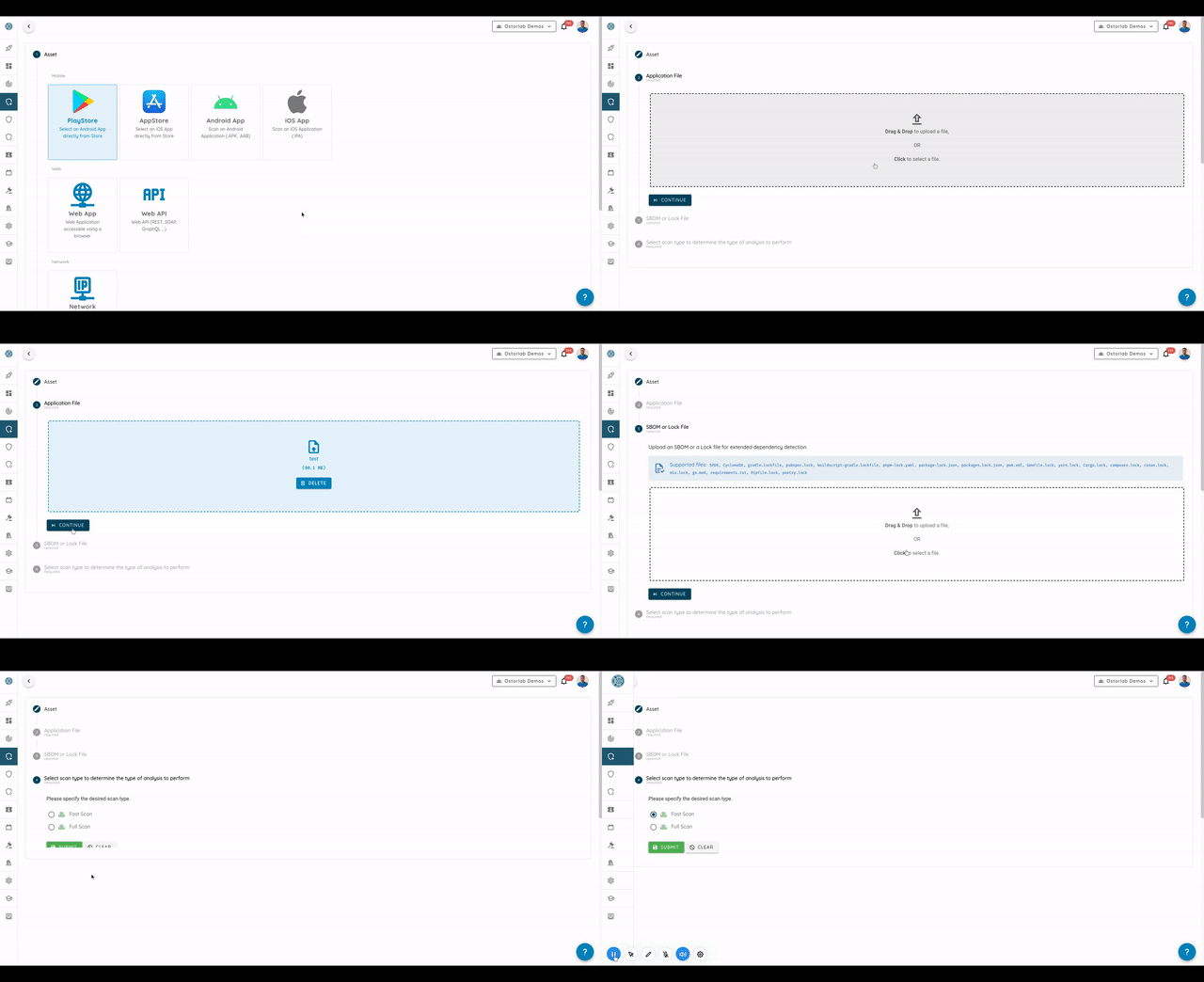
Mobile ADR (Mobile Application Detection & Response) adds RASP to a copy of your app, with no source code and no SDK. Upload the APK, AAB or IPA you would publish, choose the checks, then download the protected copy, sign it and publish it as usual.
Every check is on by default; app identity always runs. Demonstration app.
You choose what runs: turn off the checks that don't fit your users, for example the VPN check for an app whose users all go through a company VPN.
Every install reports: the checks run when the app starts and then about every minute. The Events tab shows which check ran, what it saw and which build reported it.
Platforms: Android 12 and later, on every Android CPU architecture, and iOS 12 and later. The protected Android copy won't install on older devices.
Mobile ADR detects and reports: it doesn't score events or send alerts yet. Read Introducing Mobile ADR for the full launch post.
The 2026 Mobile Banking App Security Report
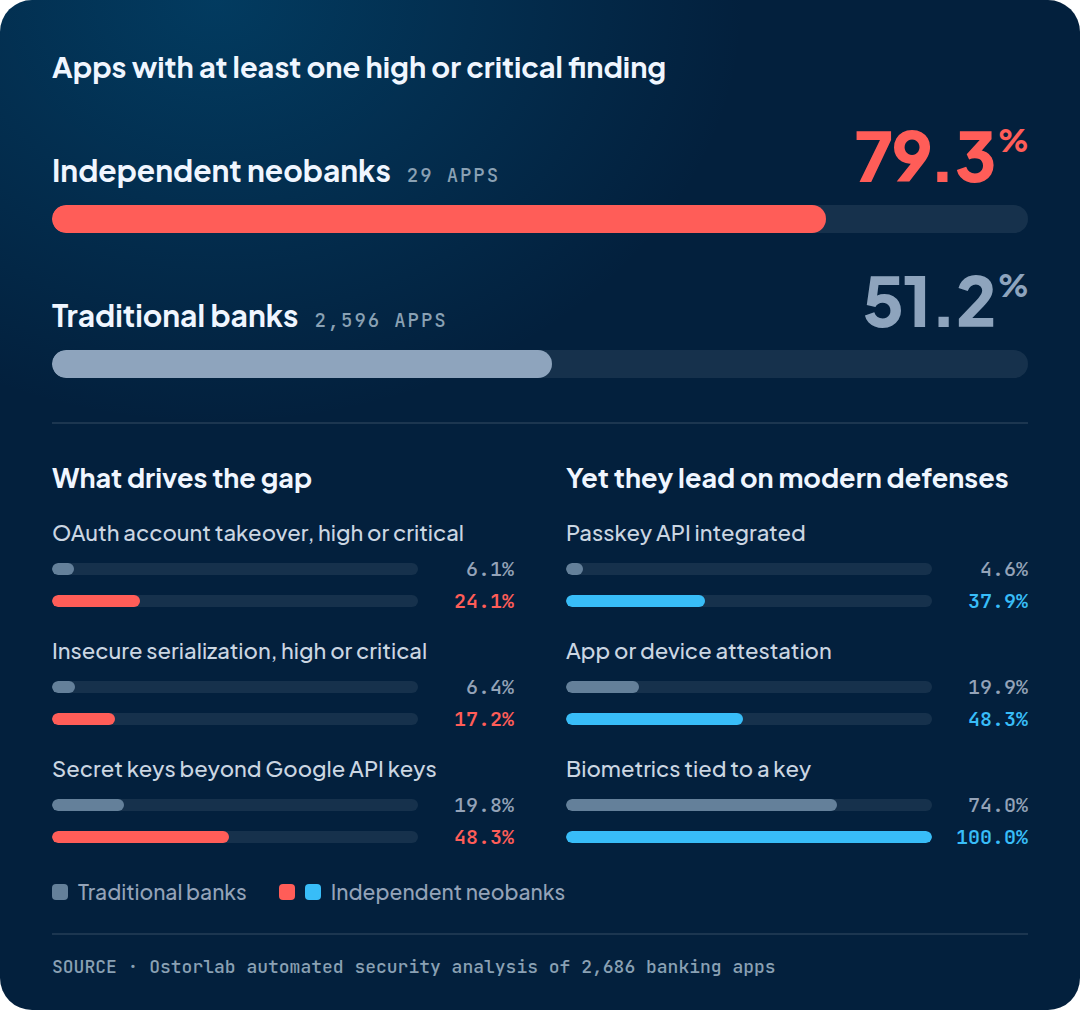
We analysed 2,686 banking apps from the top 500 banks in 64 countries, on Android, iOS and HarmonyOS, as published in the stores. 51.5% of them have at least one high or critical finding.
Source: Ostorlab automated security analysis of 2,686 banking apps.
Independent neobanks lead on passkeys and app attestation, yet 79.3% of their apps have a high or critical finding, against 51.2% of traditional-bank apps. OAuth account takeover, insecure serialization and secret keys shipped in the app drive the gap. These are scanner findings, not proof of exploitability.
We now find and disclose vulnerabilities in open-source software
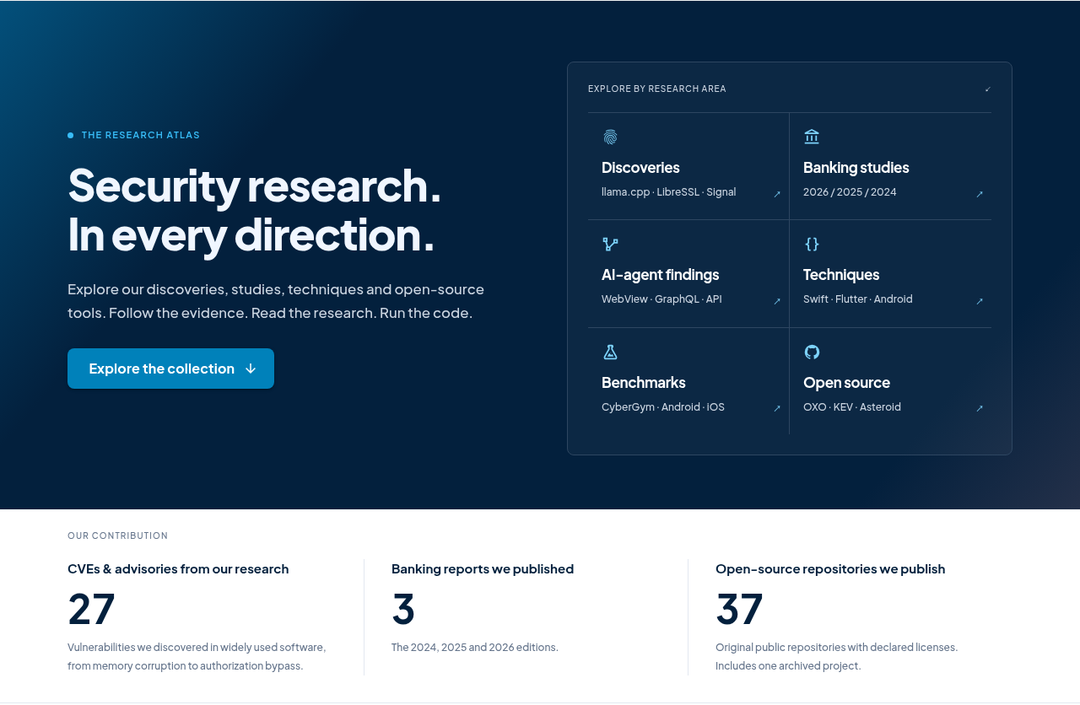
Research is now a regular part of what we ship. Since 7 October we have disclosed 28 CVEs and 6 advisories in 14 widely used open-source projects, published 70 vulnerability deep dives on this blog from 1 to 17 November, and brought our work together on a new research page.
The research page on ostorlab.co: our disclosures, banking studies, AI-agent findings, techniques, benchmarks and open-source tools.
Vulnerabilities we found and disclosed
We report each vulnerability to its maintainers, and publish it on the research page once it is disclosed. Since 7 October:
Project
What we found
Reference
GoPhish
Five vulnerabilities: SSRF, XSS, a rate-limit bypass and object takeover
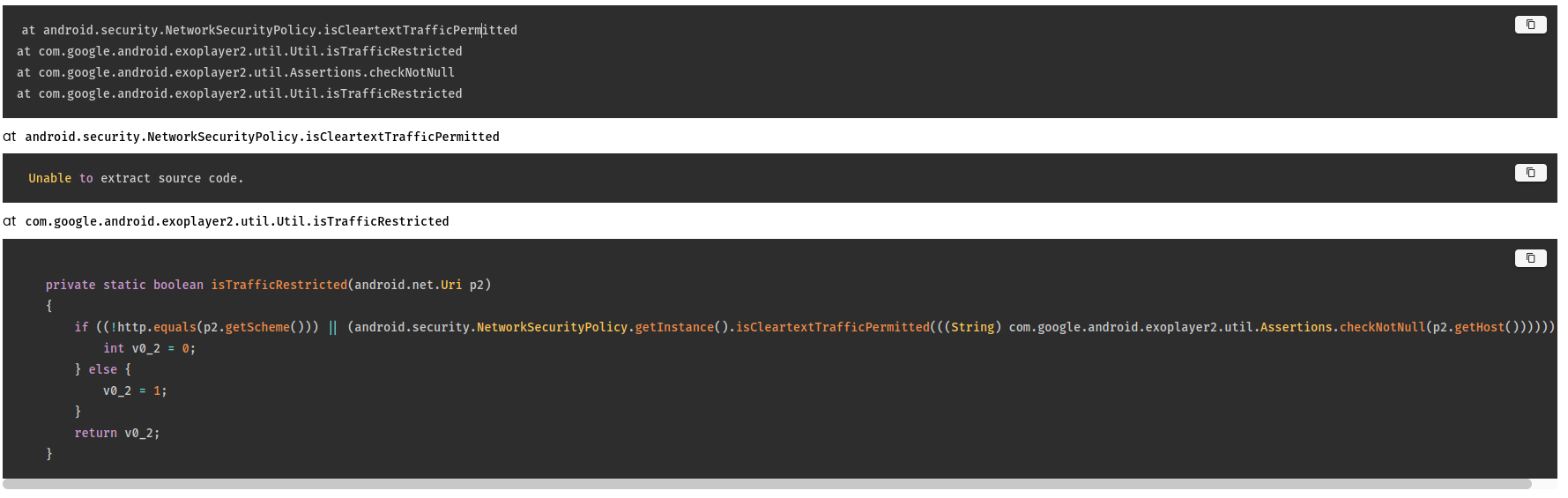
A crash of the host Android app through a malformed download filename, Windows protocol handlers opened without a prompt, and JavaScript injection through injectedJavaScriptObject
More findings are still with their maintainers. We publish each one once it is disclosed.
70 vulnerability deep dives
From 1 to 17 November we published 70 deep dives on newly disclosed and actively exploited vulnerabilities: what is affected, how the attack works and what to do. They include SAP NetWeaver ICM2SHELL, the N-able N-central Able2Shell chain, the Apache HTTP Server HTTP/2 RCE, the Chrome XSLT use-after-free exploited in the wild and the OpenSSH musl password bypass, as well as supply-chain attacks such as the WPPConnect npm backdoor and malicious Hugging Face models.
Testing behind an SMS login no longer needs someone to type the code in time.
Mobile apps: the OTP Relay Android app reads the code from the SMS and sends it to the running scan, which fills it in and carries on. Install it only on a phone whose owner agreed to it, for the duration of an authorized scan.
Web apps: the AI login reads the SMS code from Ostorlab by itself while it signs in.
The 2FA scans guide explains how to set up the credential and the app.
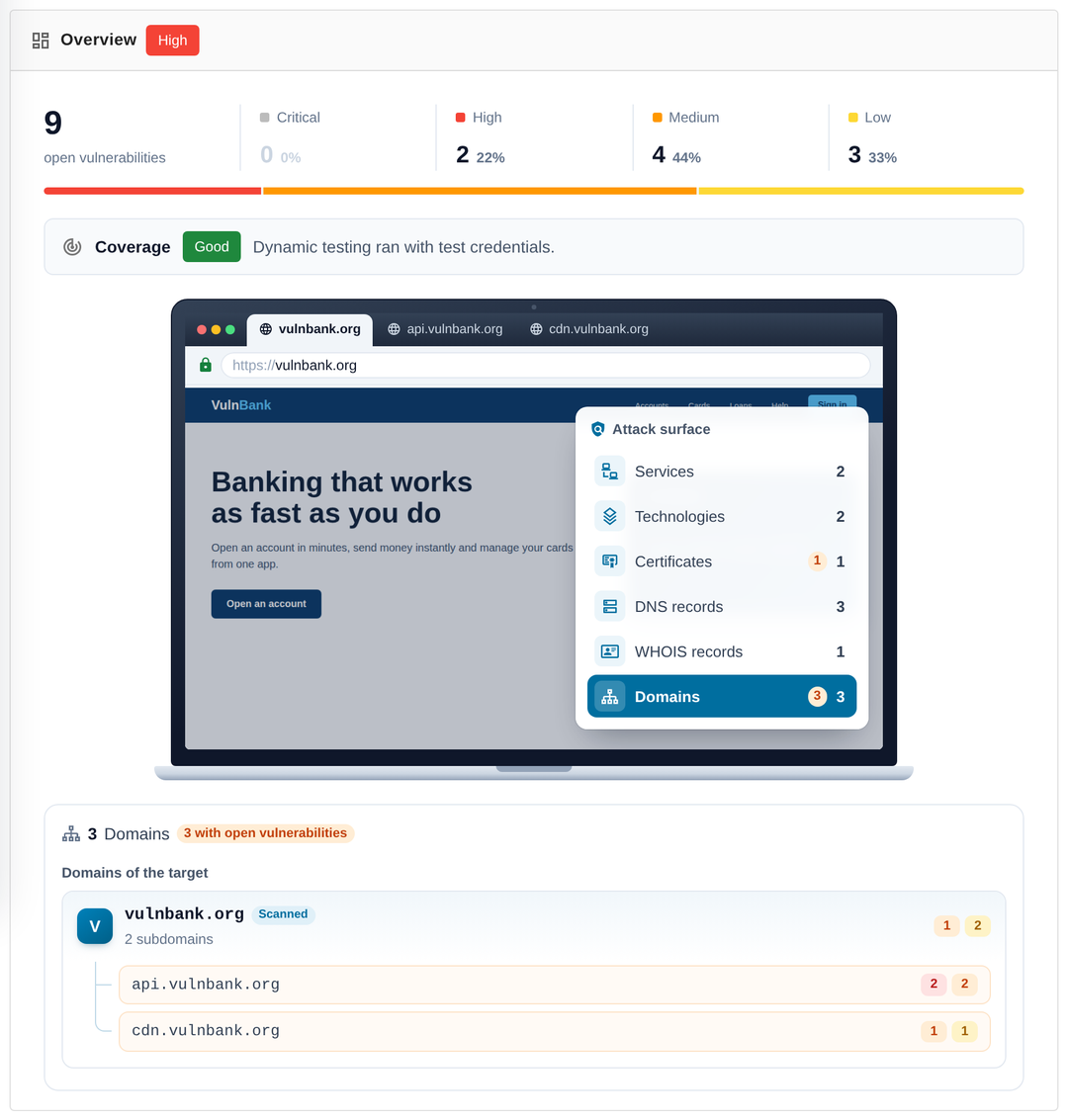
A new overview for every scan
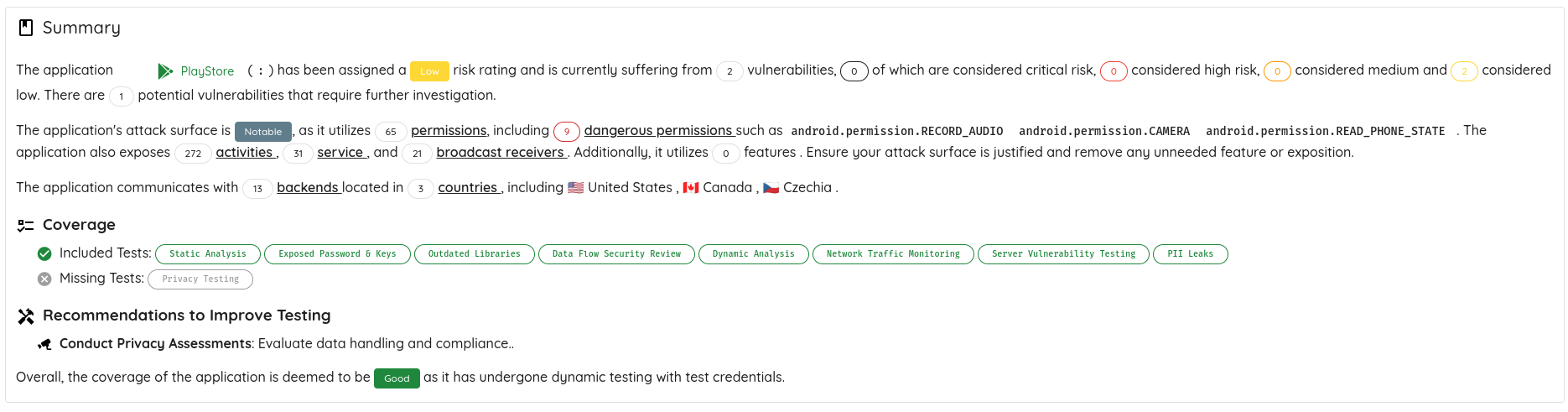
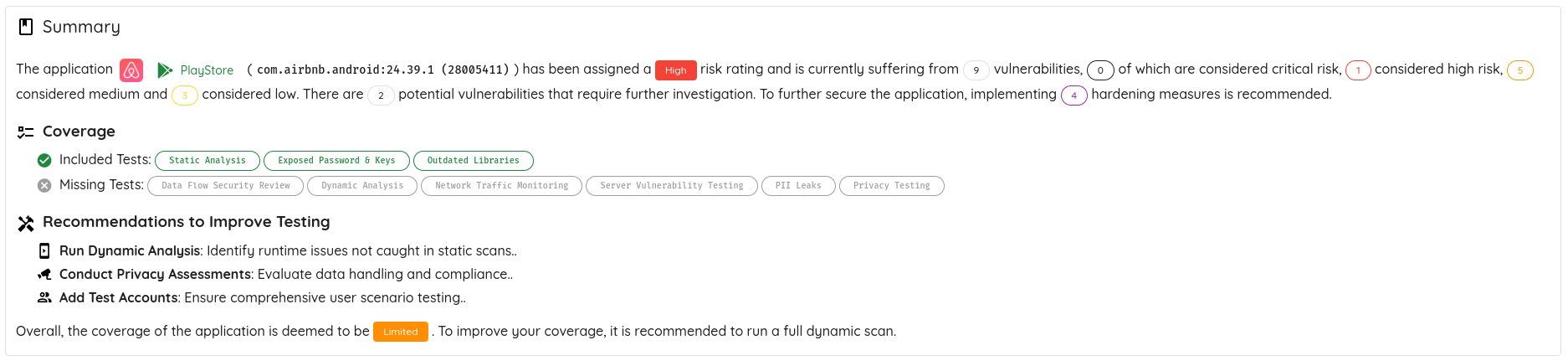
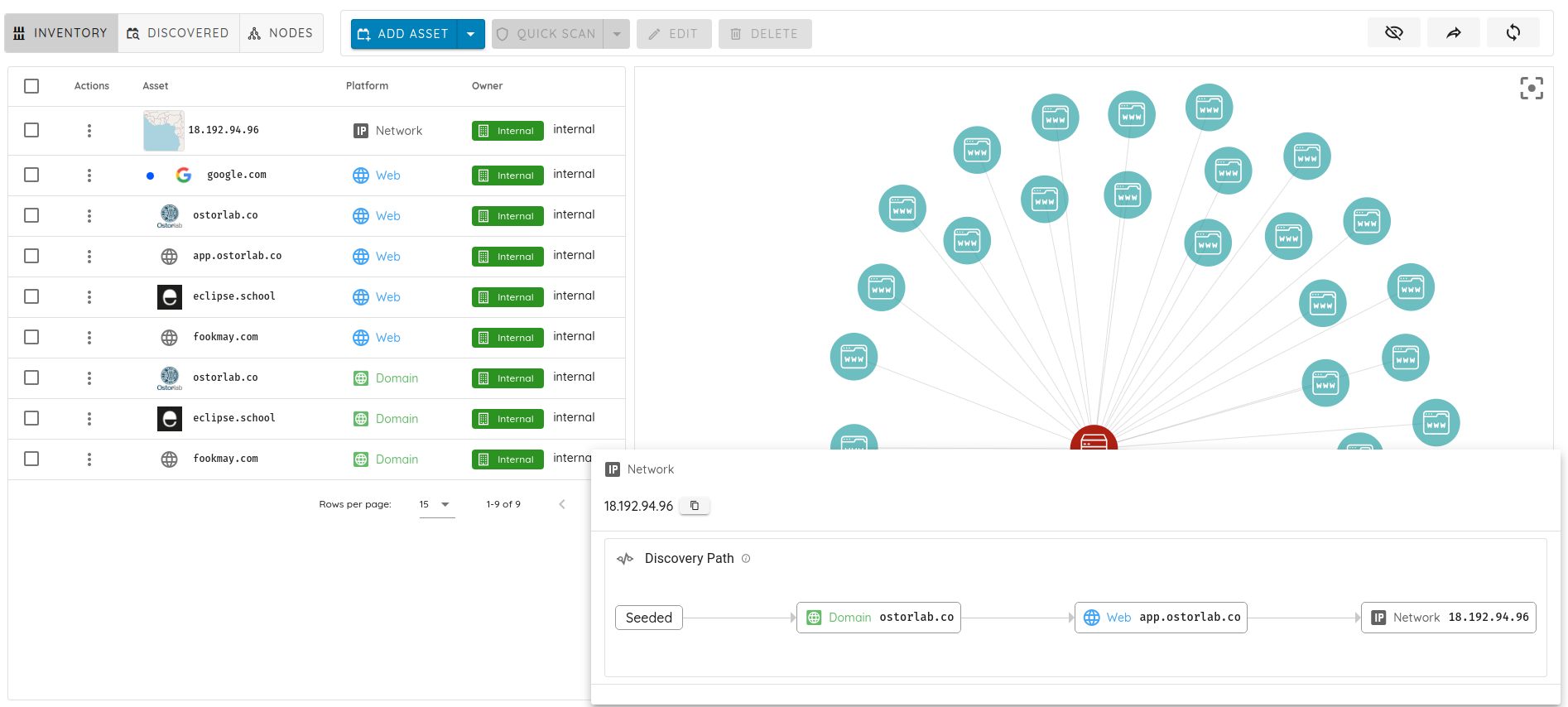
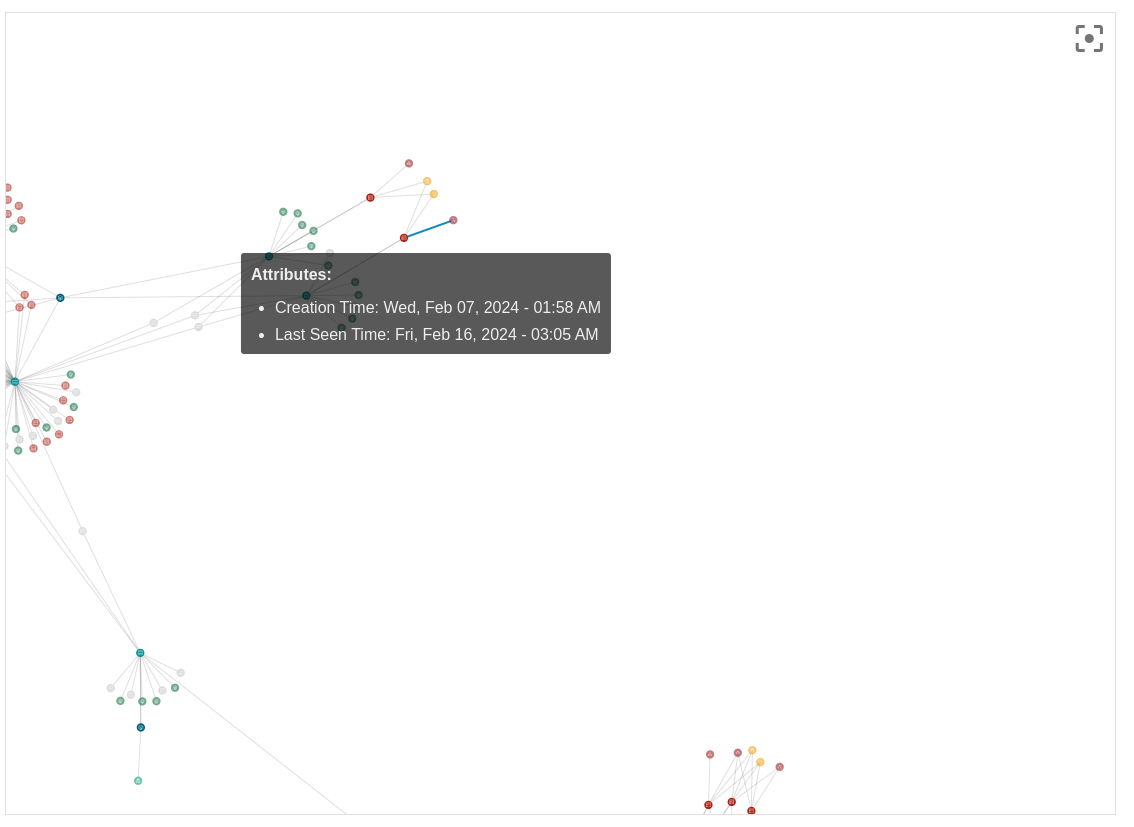
Web, network, repository and multi-asset scans open on a new overview: findings by severity, coverage, the attack surface the scan found and the services it talks to, with a short executive summary on top.
Actual application screenshot with demonstration data.
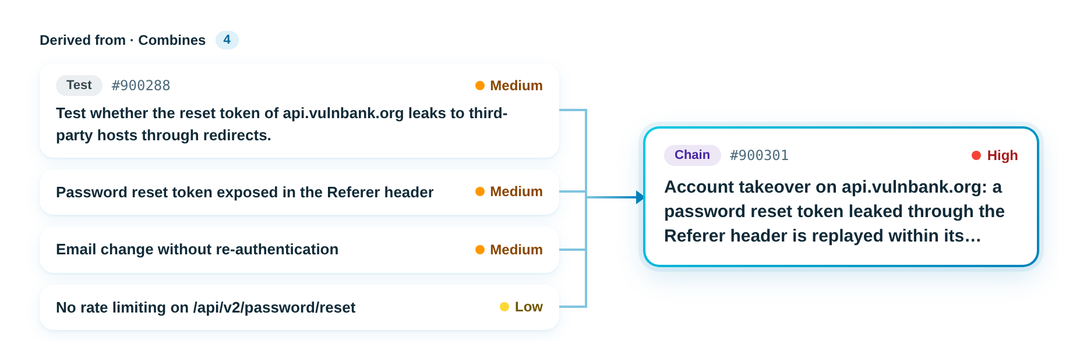
Risk lineage: see what a risk is built from
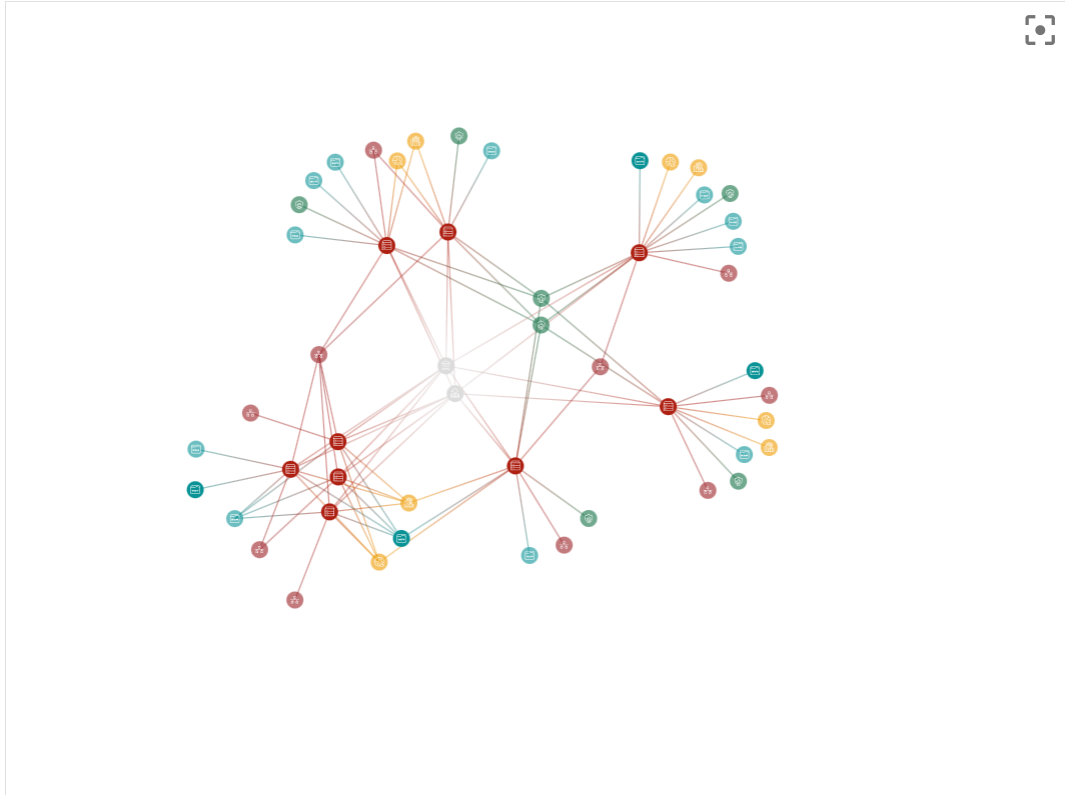
Open a risk and its reasoning now shows the findings behind it: the vulnerabilities an attack chain combines, or the finding a validation checked. You can follow a high-severity chain back to the medium and low findings that make it possible.
Actual application screenshot with demonstration data.
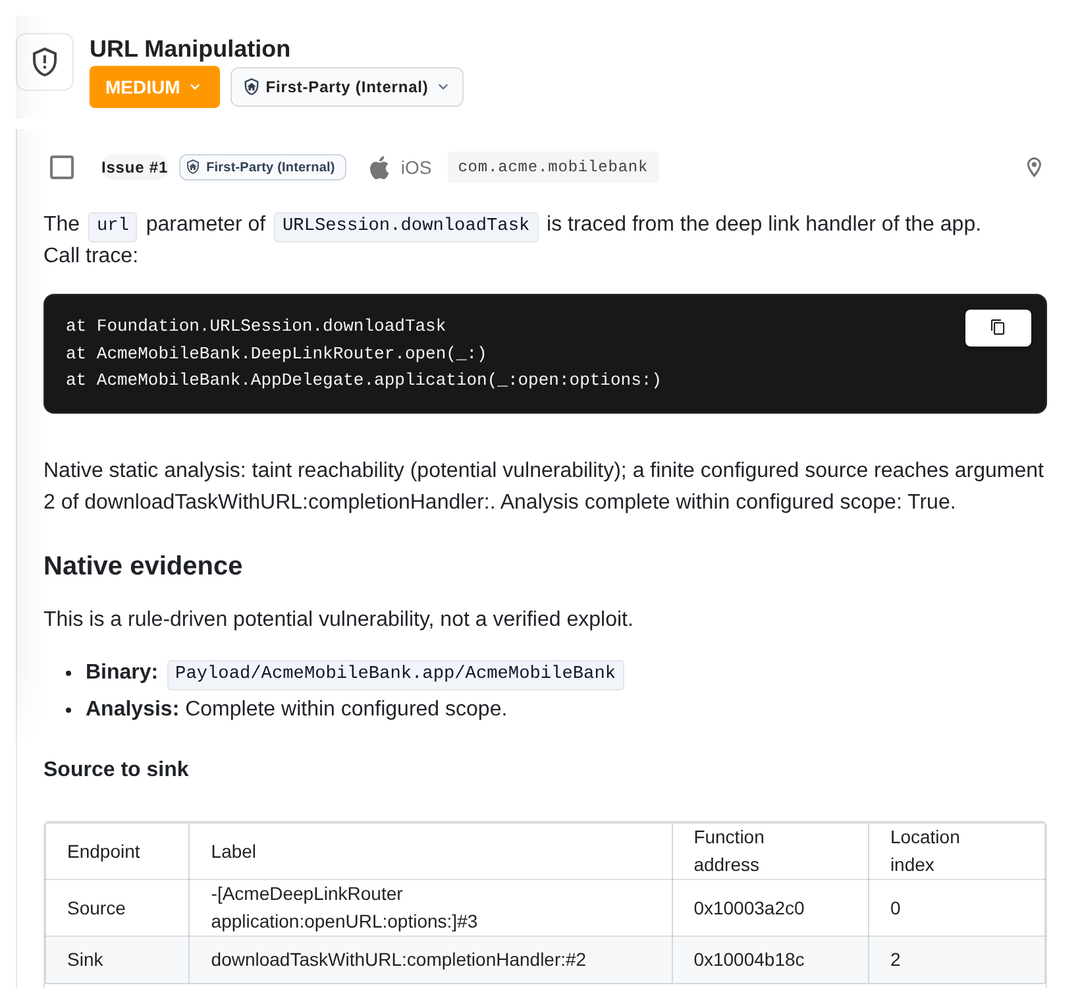
Taint analysis now covers iOS apps
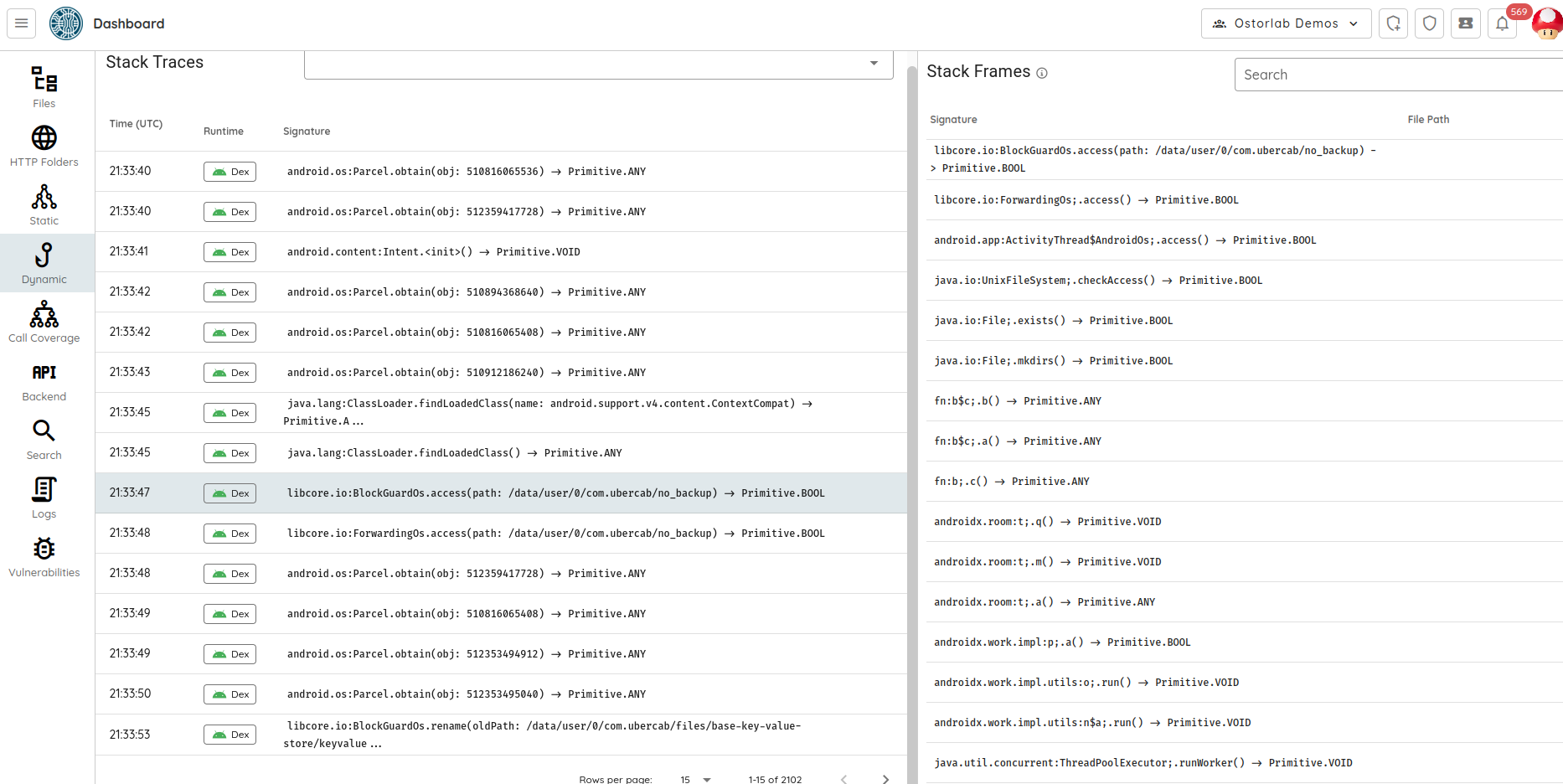
Full and fast mobile scans now run taint analysis on iOS apps too. The engine loads real iOS binaries, including arm64e, and follows data through Swift and Objective-C code, from user input to the call where it causes harm. Native taint findings show the call trace and the source and sink in readable form.
Actual application screenshot with demonstration data.
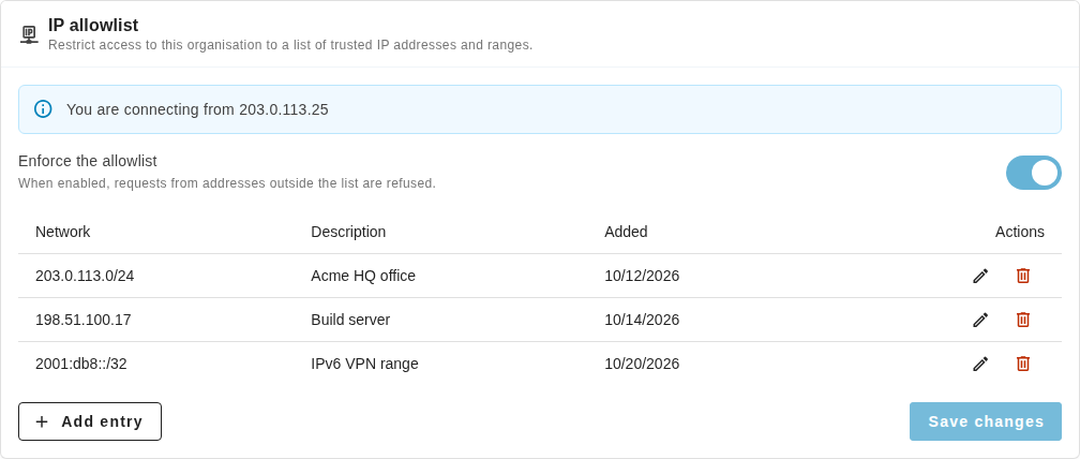
Choose which networks can reach your organisation
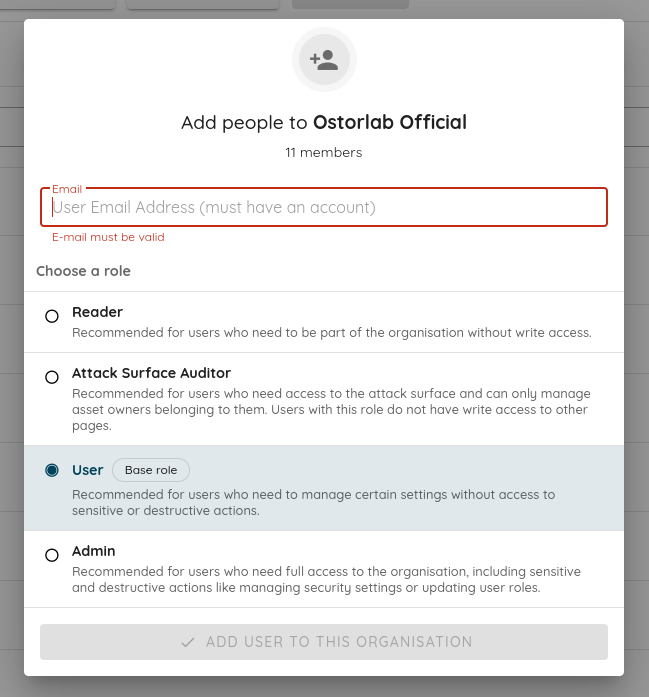
Admins can limit their organisation to a list of trusted IP addresses and ranges. Once the allowlist is on, Ostorlab refuses requests from anywhere else, on the web app, the API, API keys and the MCP server. Shared links stay reachable. The IP allowlist is available on enterprise plans.
Actual application screenshot with demonstration data.
Security auditor API key: a read-only key for your SSPM or security posture tool. It reads your security settings, members, keys and shared links, and can't change anything or read a secret. See the security auditor key.
Audit log over the API: the auditActions query returns logins, MFA checks, password changes, exports and setting changes, each with its client IP. Read it page by page, or poll it from your SIEM. See the audit log.
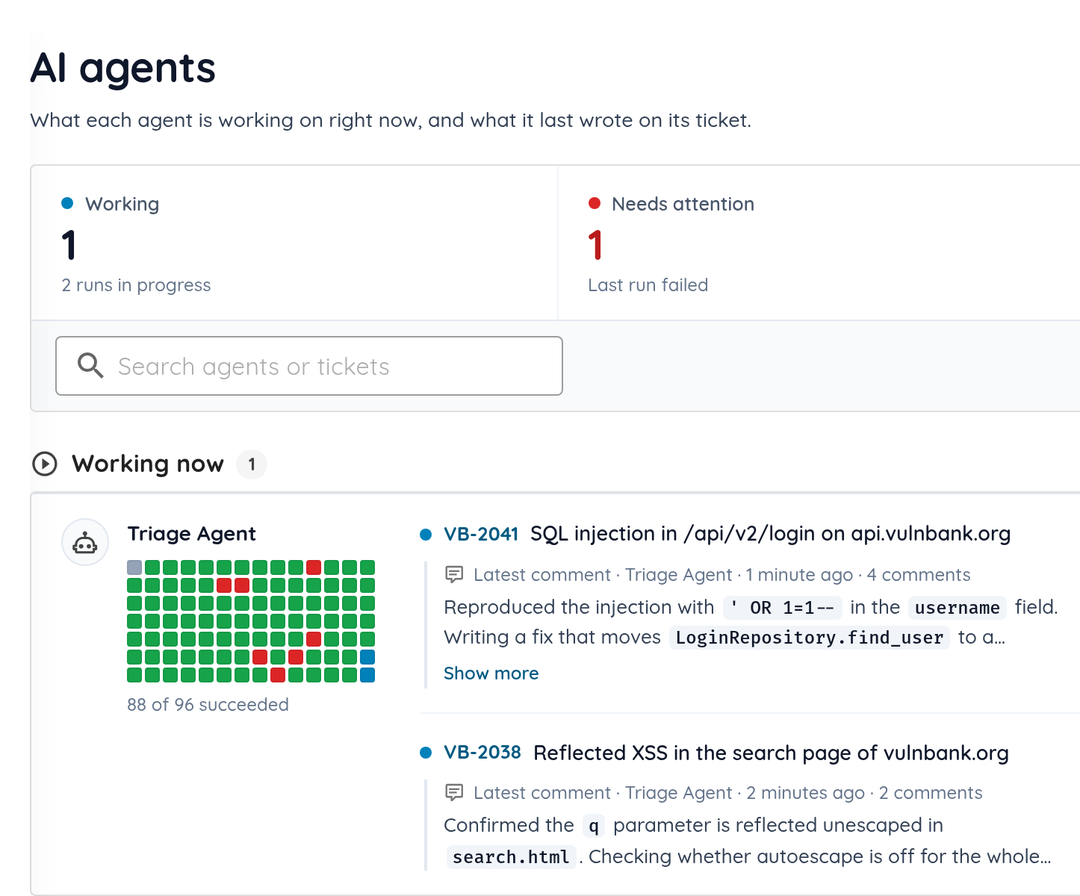
A new Agents view on the dashboard shows each agent's current ticket, its latest comment and how its recent runs went. Agents whose last run failed are listed under Needs attention, so you can open the run and see what went wrong.
Actual application screenshot with demonstration data.
Run an agent now: start a Ticket Agent from its page without waiting for its trigger.
Edit uploaded skills: browse, edit and download the files of a skill you uploaded.
Every run on the ticket: each Ticket Agent run posts its outcome and the pull requests it opened on the ticket.
More changes
Area
What changed
API scans
API scans test every request of a Postman collection (v2.0 and v2.1).
Scan scope
The crawler, Nuclei and the other agents receive the scan's scope, and hosts outside it only get passive checks.
Known exploited vulnerabilities
About 255 new checks for known exploited vulnerabilities.
Finding accuracy
Fewer false positives in secret detection and mobile static analysis.
Appcircle
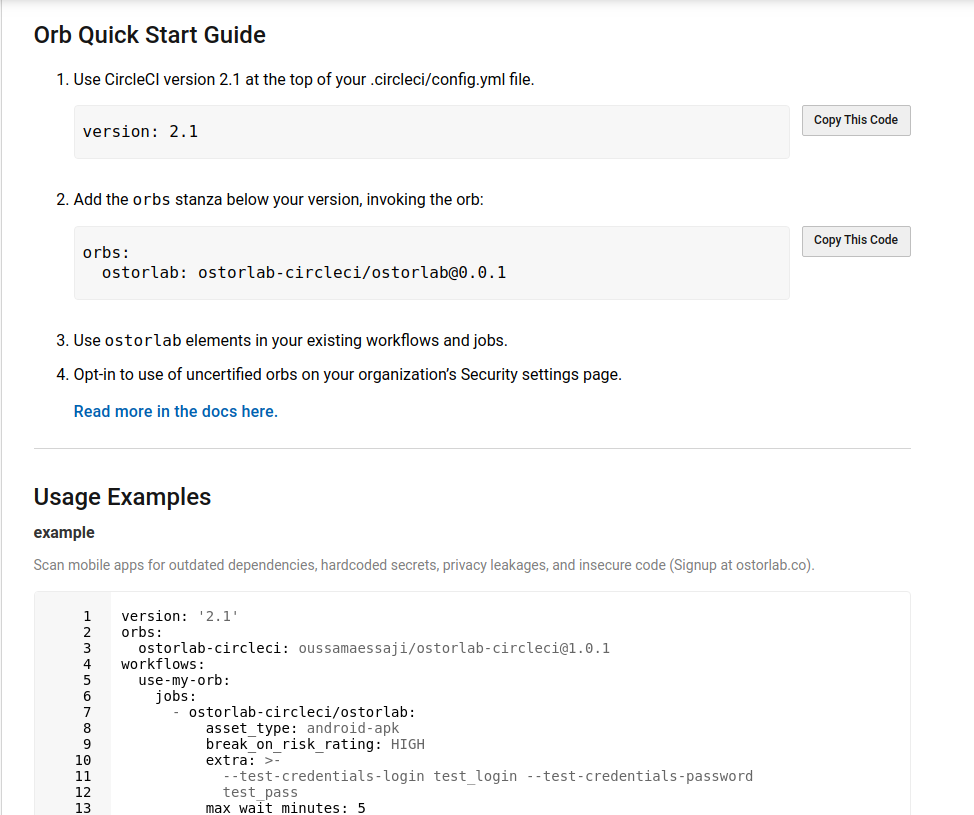
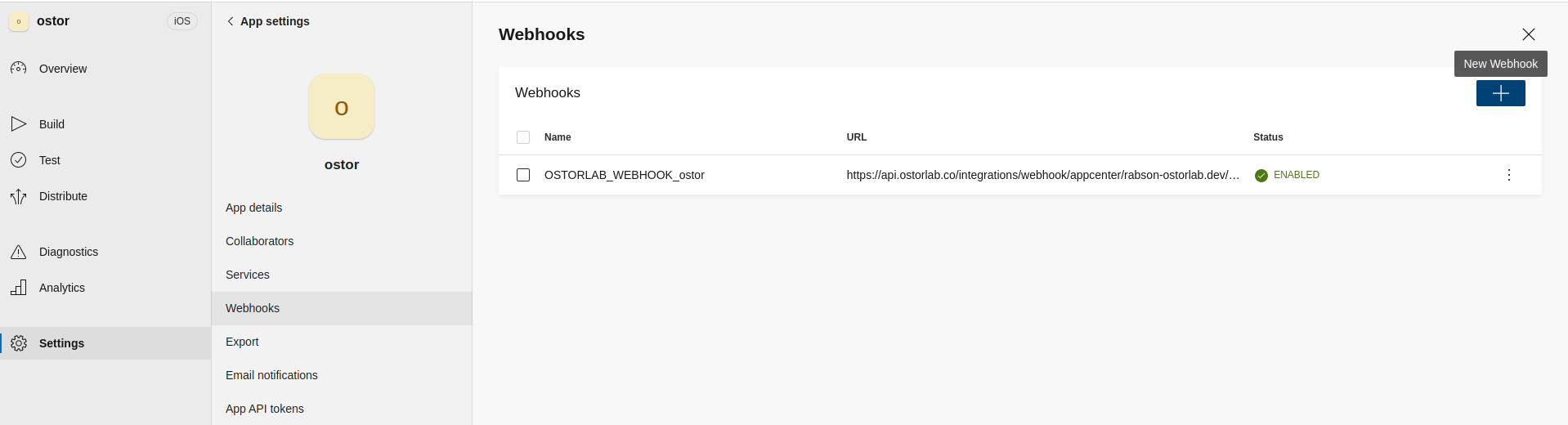
Run Ostorlab as a step of your Appcircle workflow.
Watch the 77-second overview with an actual scan-setup recording, product demonstrations and interface close-ups, music, and English captions. The recorded product interface is in English.
Free web and source-code scans, a clearer scan-creation flow, and more ways to bring applications into testing lead this October follow-up. Cloud inventory, execution windows, investigation replay and backlog assignment connect discovery, testing and remediation.
Following the October 17 update on Ticket Agents and tested fixes, this update adds private TestFlight access and Appcircle build integration. It also restores asset-import and discovery-onboarding workflows and makes Ticket Agents easier to configure.
Free scanning for websites, source code and mobile app vetting
Free scanning now covers a website URL, source code and mobile app cards. Teams can start with Fast Web Scan or Source Code Fast Scan without the corresponding paid plan, while free App Vetting provides a shared app verdict. Each has its own quota and reporting limits.
Fast Web Scan
Launch Fast Web Scan from the dashboard or the public website. Organizations without a paid web plan receive five scans per 24 hours through the UI. It checks one URL with a deliberately narrower configuration and lightweight checks, including crawling, technology identification, certificate inspection and exposed-secret detection. It does not consume a paid web-plan slot.
Source Code Fast Scan
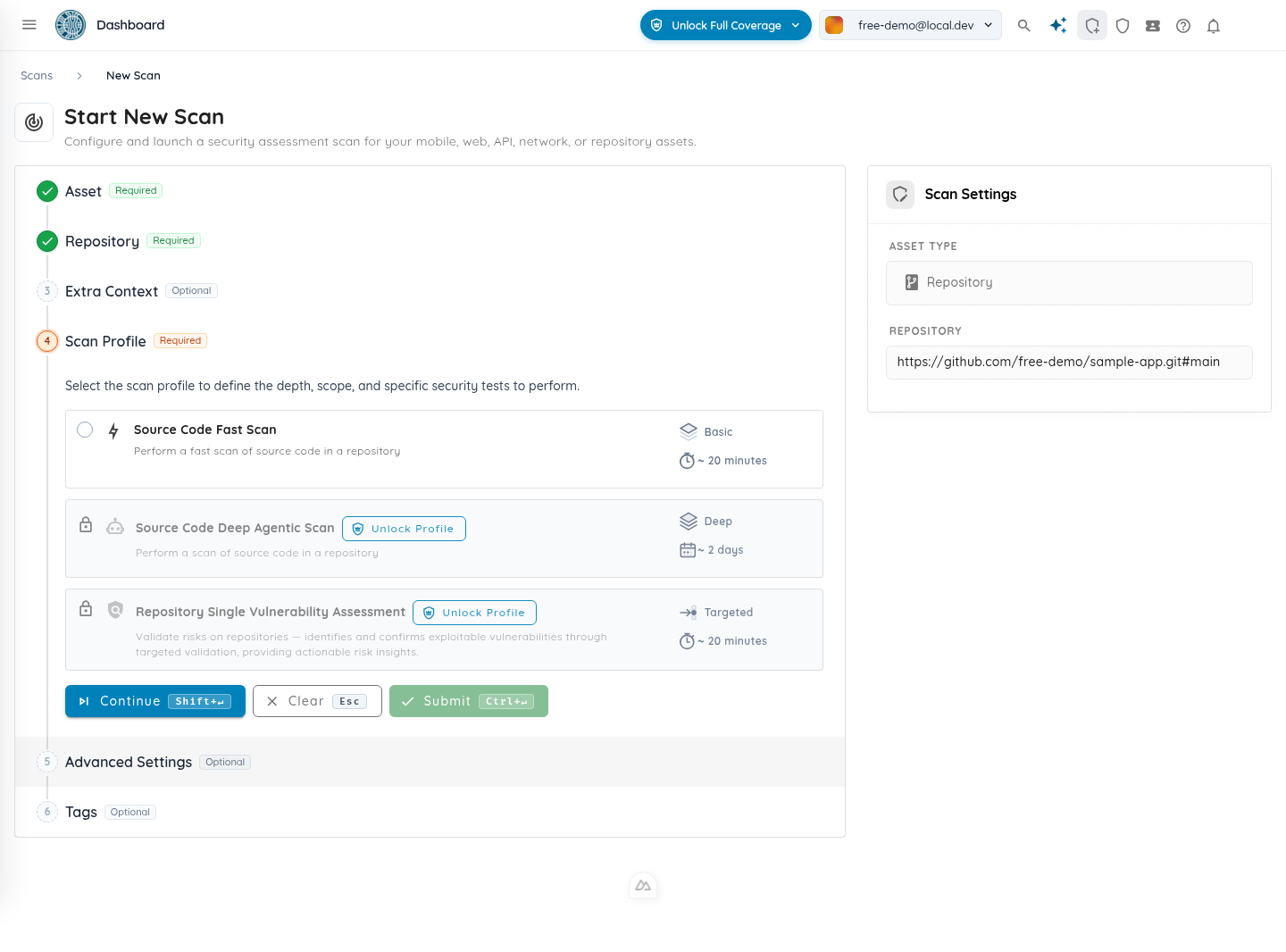
Source Code Fast Scan is available for connected repositories and uploaded archives without a repository plan, with five scans per 24 hours. Visitors without an account can submit an email address and a ZIP on the public website; public ZIP uploads are limited to 50 MB. Existing account holders sign in to run their scans, and repository connections are configured in the console.
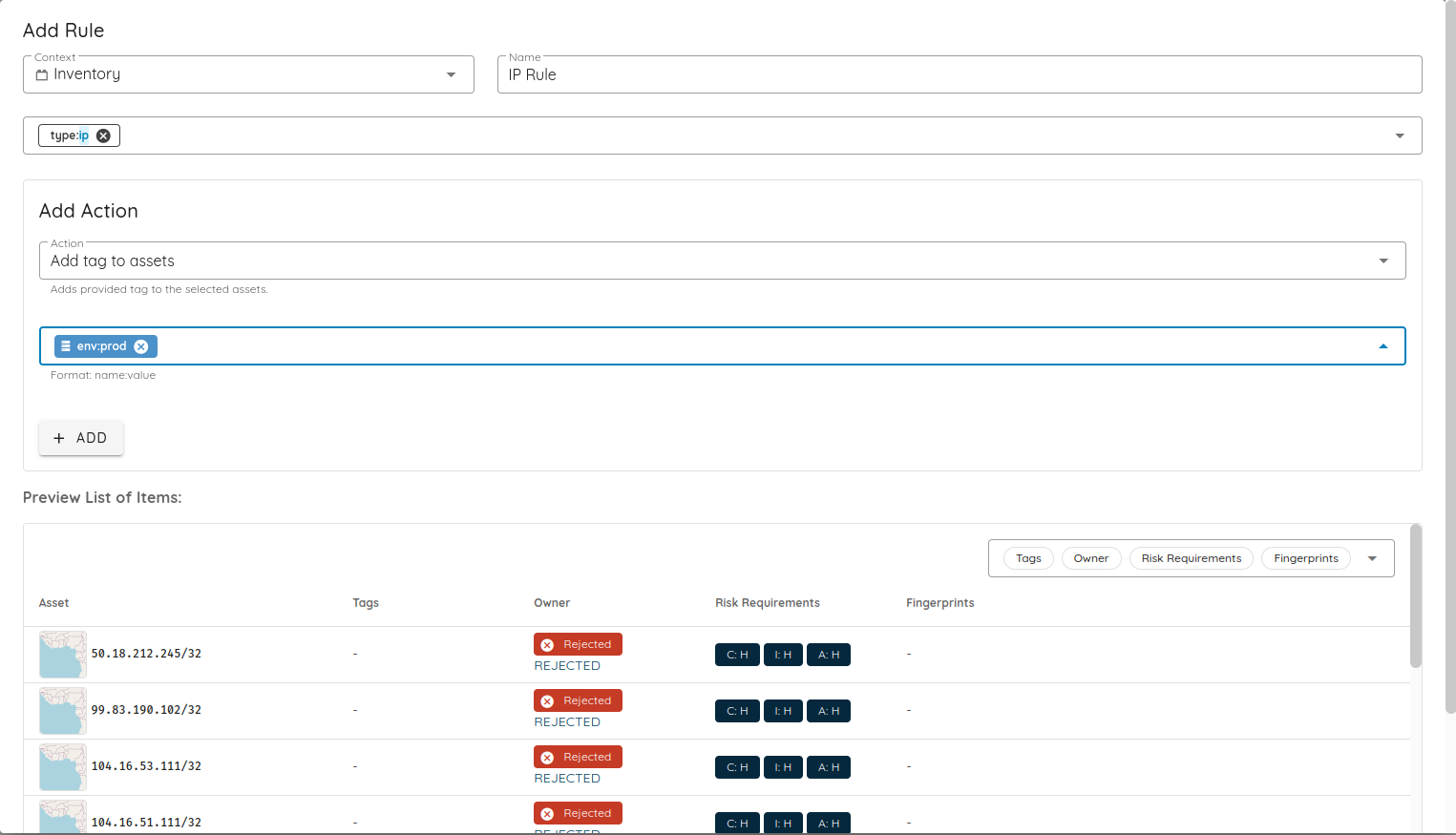
Source Code Fast Scan is available without a repository plan. Actual application screenshot with demonstration data.
Free App Vetting
Free organizations receive five app-card requests per rolling 24 hours. Adding an already scored app to monitoring counts as a request; reopening a card already monitored by the organization does not. Removing a newly added card does not reset that day's quota. Full scan reports remain a paid feature.
A clearer scan setup, from target to Start
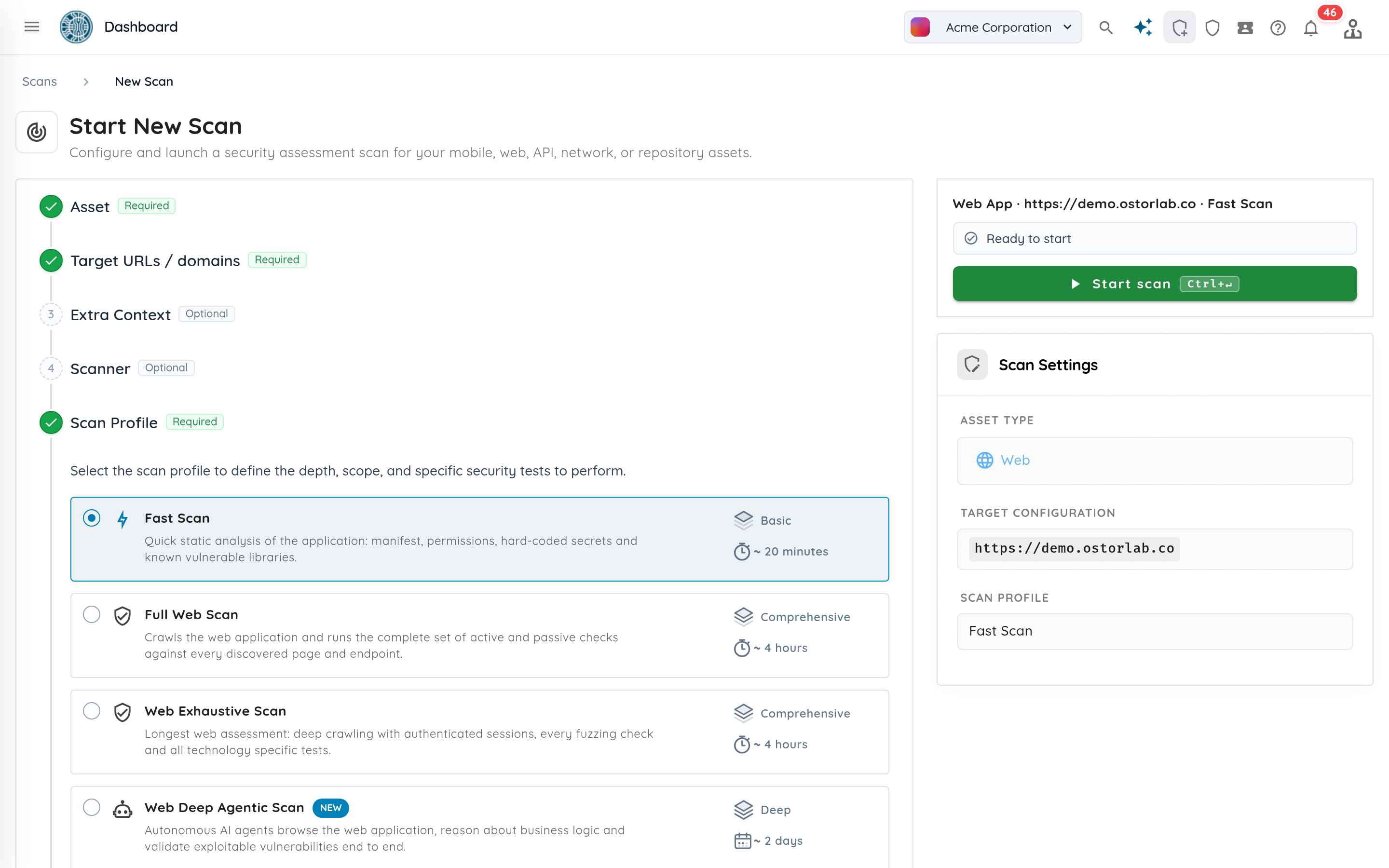
Scan creation now keeps the Start panel visible beside the form, or docked at the bottom on smaller screens. The panel summarizes the target and profile, lists what is missing, and takes you to the step that needs attention. Failed creation keeps your inputs so you can correct the problem and retry.
The Start panel keeps readiness and the launch action beside the scan settings. Demonstration data.
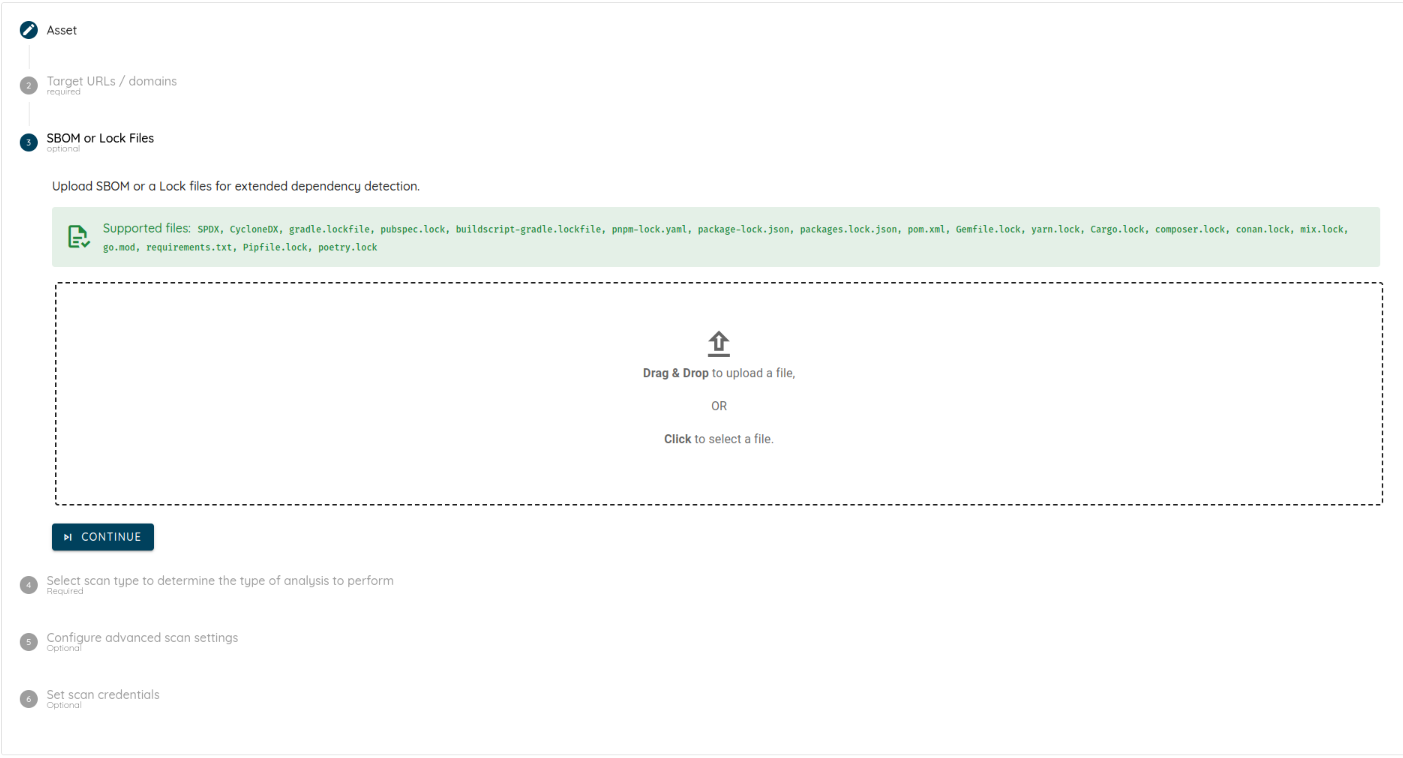
Uploads now show a progress bar, percentage and transferred size, then distinguish upload completion from scan creation. This applies to mobile application files, repository archives, API schemas, SBOMs and multi-asset uploads. Scanner groups with no scanners cannot be selected.
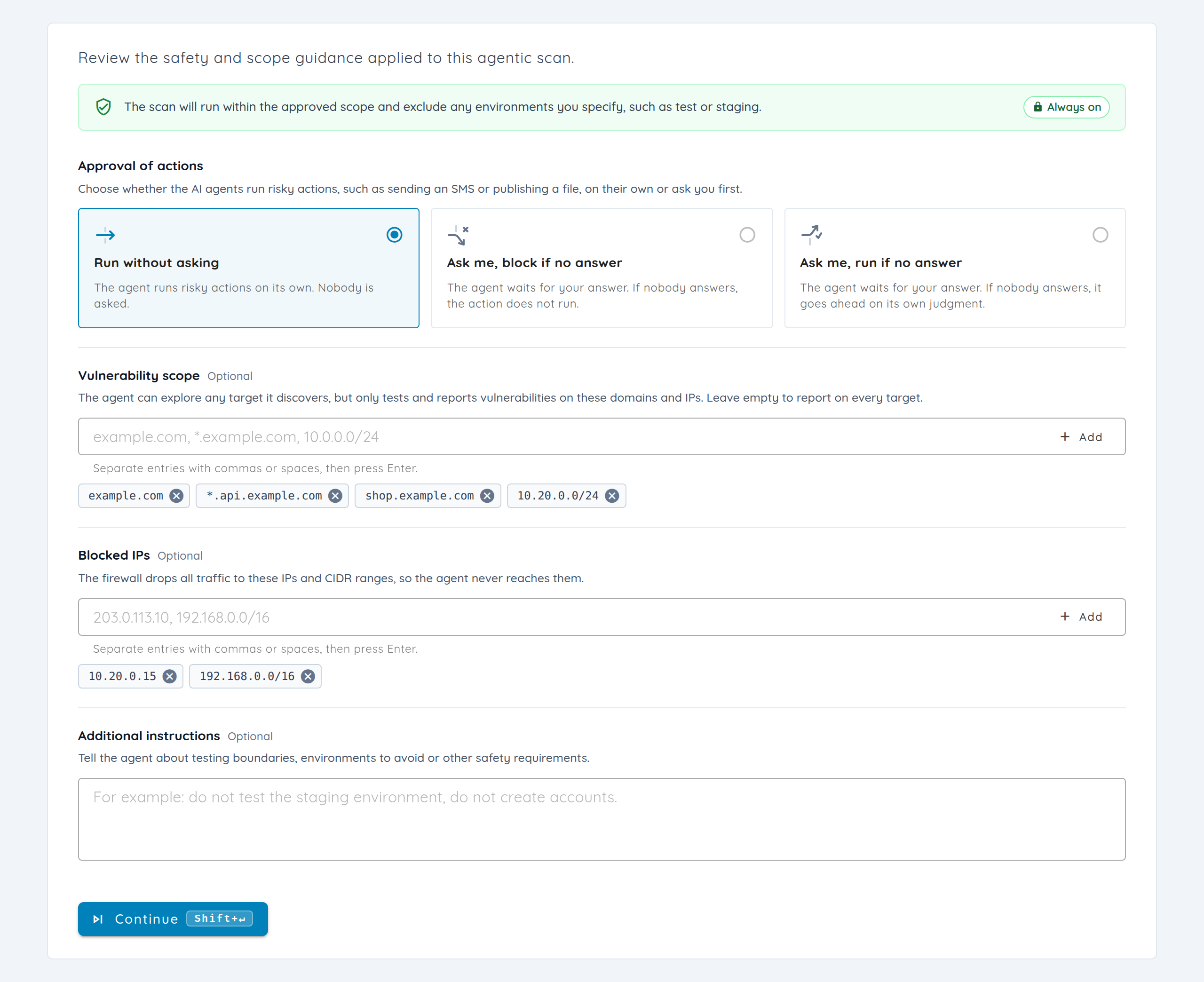
Scan details expose the vulnerability-scope whitelist and blocked IPs. Rescans preserve scope whitelists, and network rescans retain custom prompts and guardrail instructions. Plain Enter and Escape keep their normal keyboard behavior instead of unexpectedly advancing or clearing the form.
Bring cloud resources into inventory
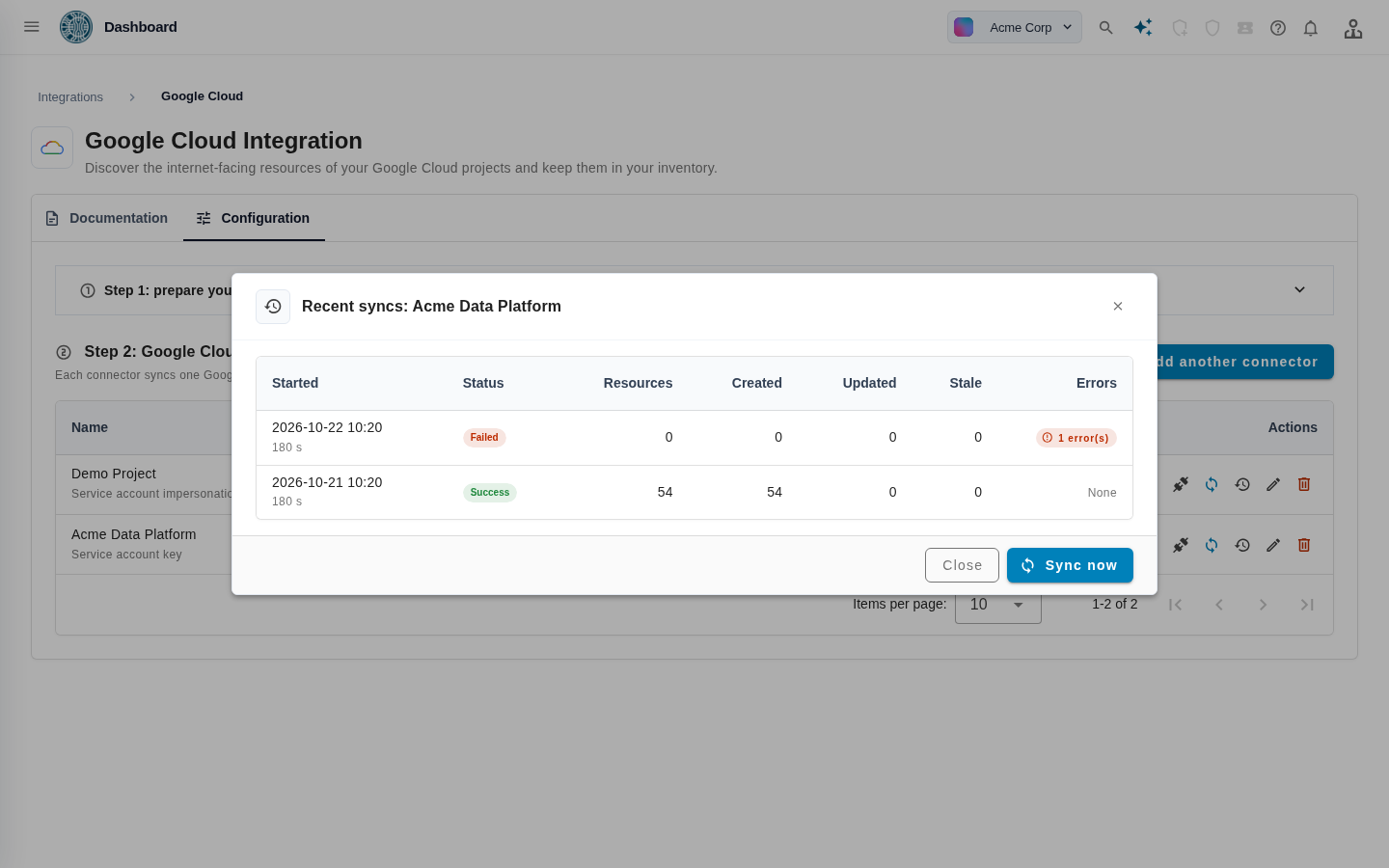
Cloud connectors bring internet-facing resources from AWS, Google Cloud and Azure into Ostorlab inventory. Configure a connector, synchronize it manually or on a schedule, and inspect its synchronization history.
Supported Model Context Protocol (MCP) operations also let automation manage connectors and trigger or check synchronization. When a resource disappears from the connected cloud, the corresponding removed target is skipped during scanning.
Asset-import and onboarding fixes restore two existing workflows: CSV imports load rows for validation and confirmation in production, and organizations with an empty inventory can reach the AI Seed Generator. Confirming its selected domains now creates the assets and returns to the inventory view.
A connector’s sync history shows discovered resources and run outcomes. Demonstration data.
Assessment workflow
From cloud inventory to a verified fix
01InventoryAWS · Google Cloud · Azure
02Choose targetsSelect scope and schedule
03Review evidenceInspect the findings
04RemediateTrack the fixes
05VerifyRetest the findings
Example workflow. Target selection and assessment scheduling are manual steps.
Run assessments within permitted hours
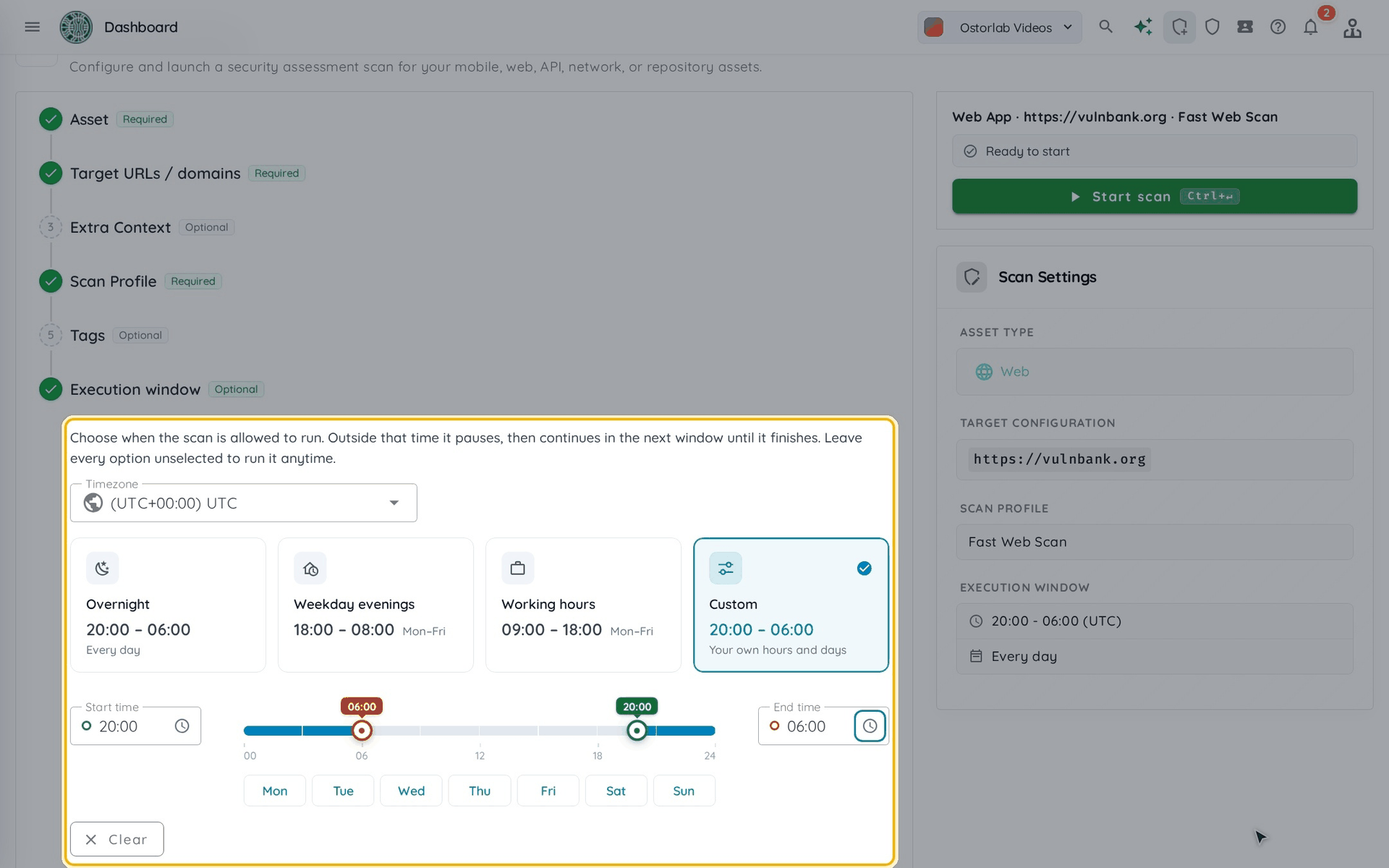
Execution windows define the hours, weekdays and timezone in which a scan may run. A pausable scan waits outside its window and resumes during the next one, preserving its state. Scans that cannot be paused continue until they finish. Manual pause and resume give operators another control, and an explicit manual pause is preserved when a scheduled window opens.
Choose a suggested window or define your own, including a window that crosses midnight. A recurring schedule determines when to launch assessments; an execution window determines when an assessment is allowed to continue working.
Windows can also be supplied through supported MCP and Copilot scan-creation operations. Rescans preserve the original window, and Verify Fix can reuse it, so follow-up testing can respect the same permitted hours as the initial assessment.
The actual execution-window controls from the documentation, using a demonstration target. Choose a preset or set your own hours and days.
Follow the evidence through an investigation
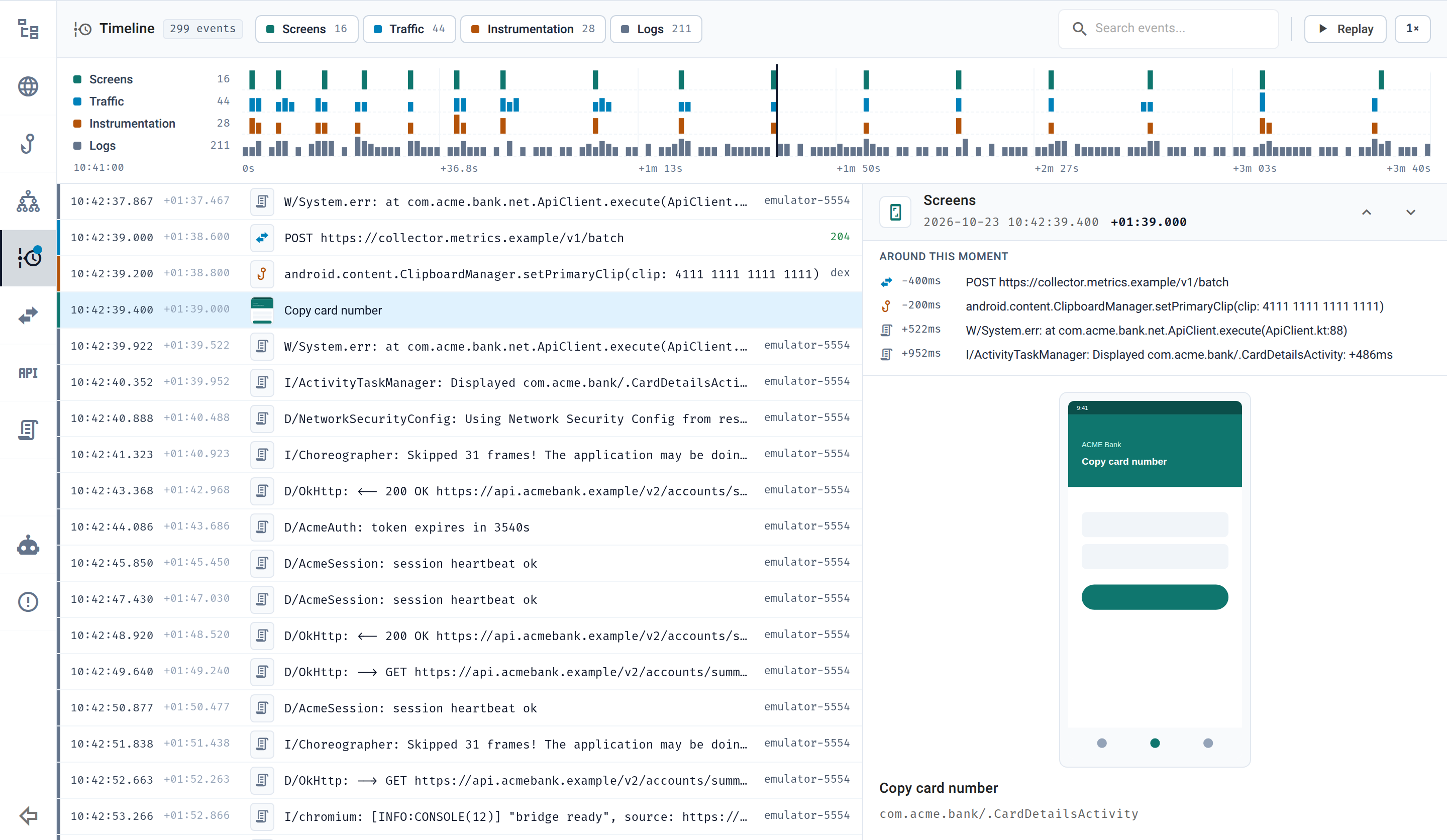
A unified timeline brings screenshots, HTTP traffic, instrumentation and device logs into chronological order. The investigation views connect these events with agent actions and the evolving picture of a target. Reasoning replay shows tasks and tool activity, while architecture replay lets reviewers inspect earlier observed states.
The timeline supports source filters, a time-window selector, nearby events and session replay.
The actual investigation interface, shown with synthetic demonstration data.
Reasoning replay loads the outline first and retrieves heavier tool output in the background. Commands, output and screenshots appear alongside the current task, helping reviewers follow the steps that produced the evidence.
The architecture view displays observed nodes, links, events and associated evidence. Historical replay preserves earlier states when later observations correct or retract information.
Mobile Full Scan overview
Mobile scan overviews also bring severity counts, the executive summary and attack-surface context together. In Full Scan, the explorer groups backend locations, permissions and exposed mobile components. This attack-surface explorer is limited to Full Scan in this update.
Scan private TestFlight applications
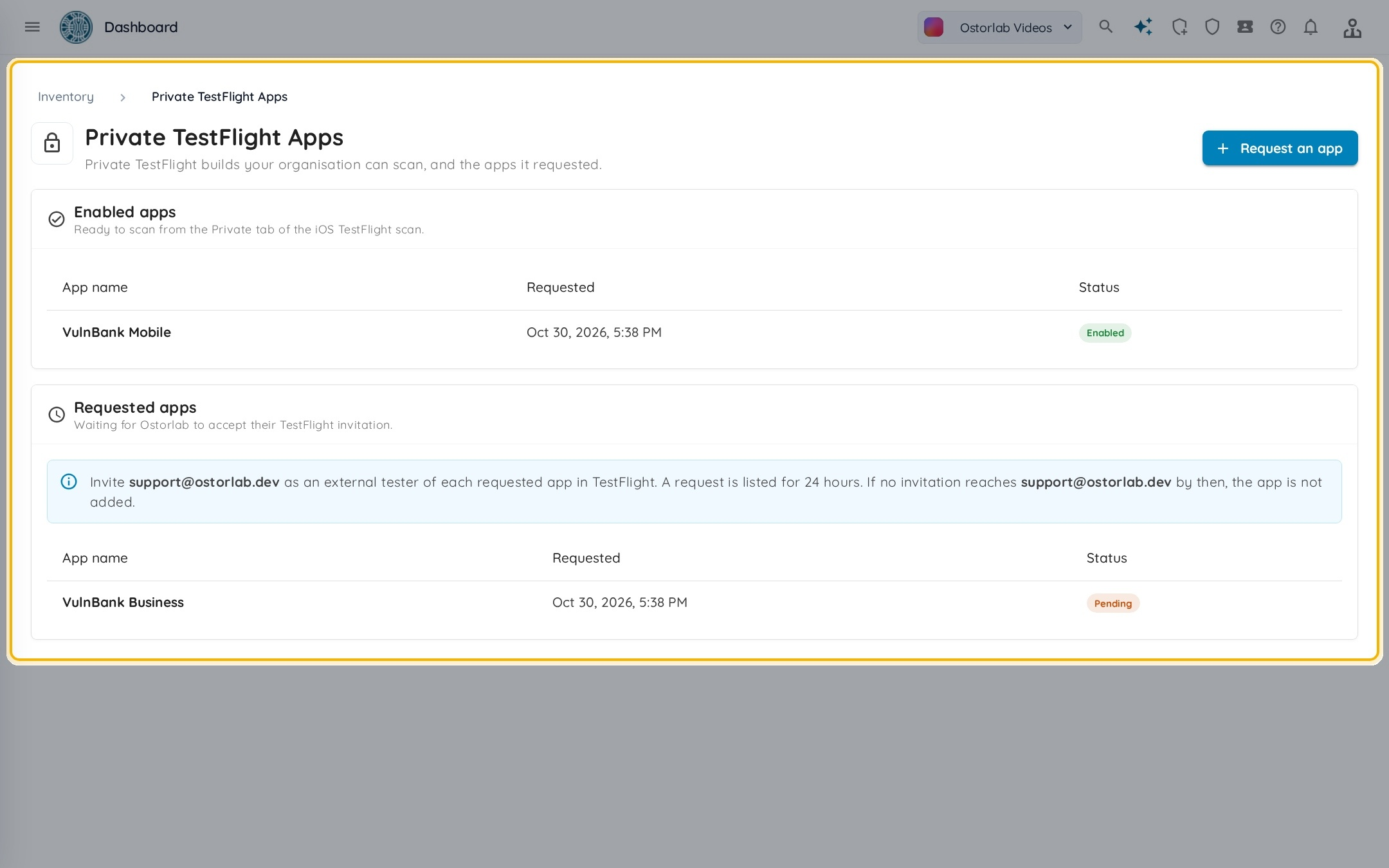
Private TestFlight lets an organization scan an approved iOS application by name, without a public invitation link. Request access from scan creation or the private-app inventory, then invite Ostorlab as an external tester. The application becomes selectable after its invitation is accepted and access is enabled.
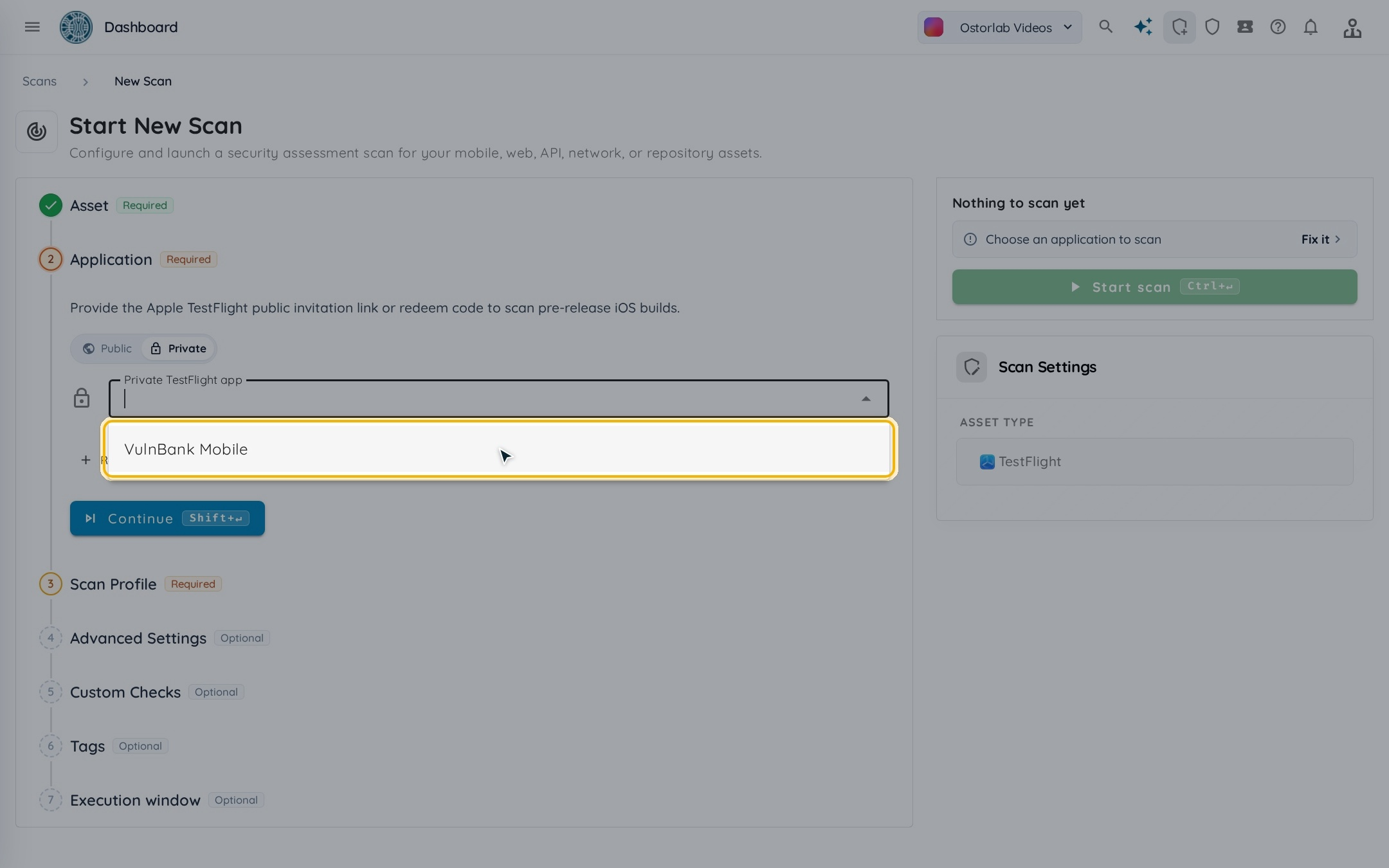
In the TestFlight scan form, choose Private to select an enabled application. Request another app from the form or from Inventory → Private TestFlight Apps, where enabled apps and pending requests are listed. The request requires an external-tester invitation and staff acceptance before the app can be scanned. Supported MCP and Copilot operations accept the private application name as well.
The private-app inventory distinguishes applications ready to scan from pending requests. Documentation screenshot with demonstration apps.
Choose an enabled application from the Private tab when creating a TestFlight scan.
Scan successful Appcircle builds automatically
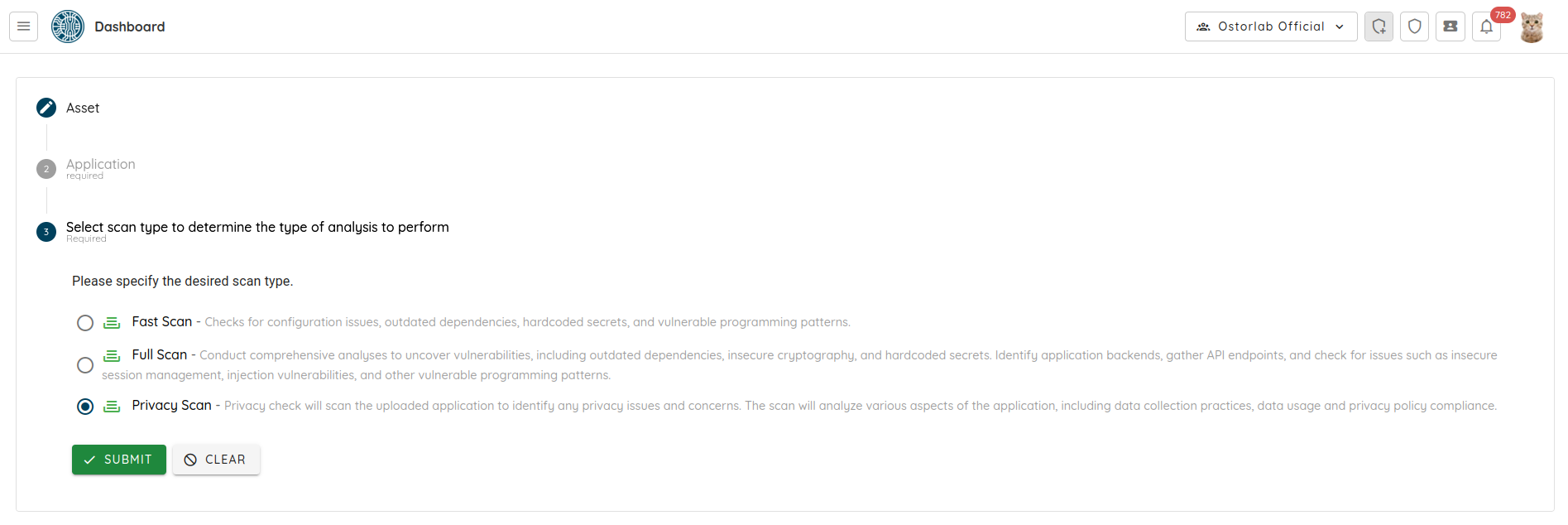
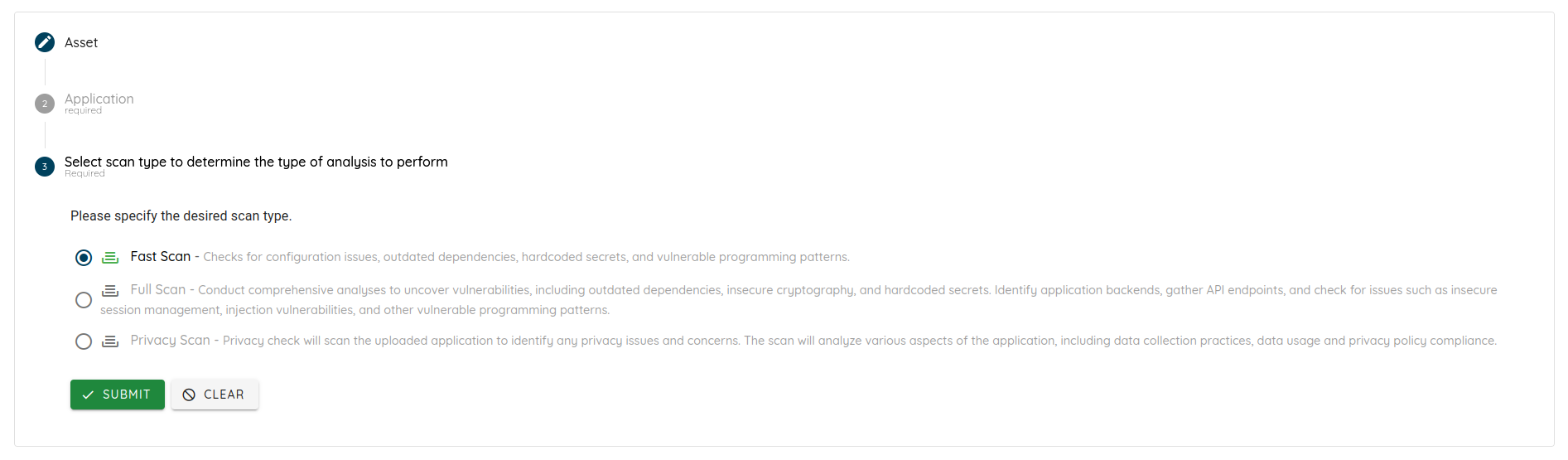
Appcircle integration connects successful mobile builds to Ostorlab scans and records each delivery's outcome. It supports Appcircle cloud and self-hosted installations, with Fast Scan, Full Scan and Privacy Scan profiles. When a build exports both Android and iOS applications, Ostorlab starts a separate scan for each.
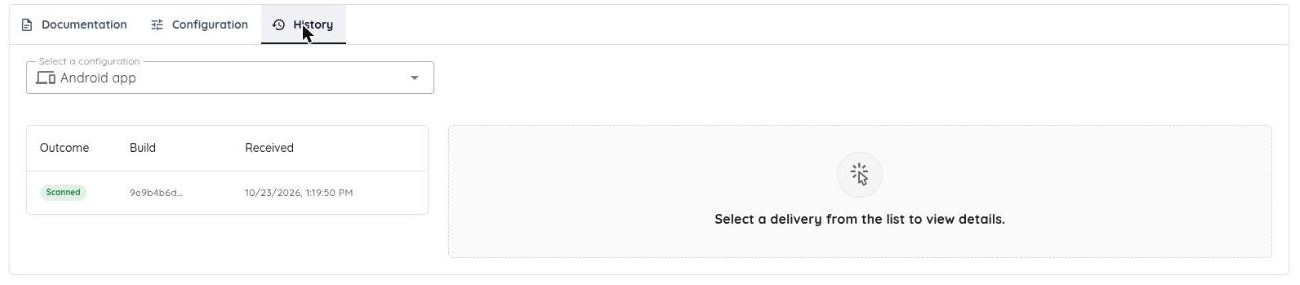
Choose a build profile, scan profile, and—where supported—UI rules and test credentials. Test the saved connection before using the webhook. A configuration can be enabled or disabled without recreating it; its delivery history distinguishes scanned, skipped, rejected and error outcomes.
An Appcircle configuration connects a build profile to a scan profile. Screenshot from the integration guide.
Delivery history shows whether each build produced a scan. The detail view explains skips, rejections and errors.
Move a backlog through fixing and verification
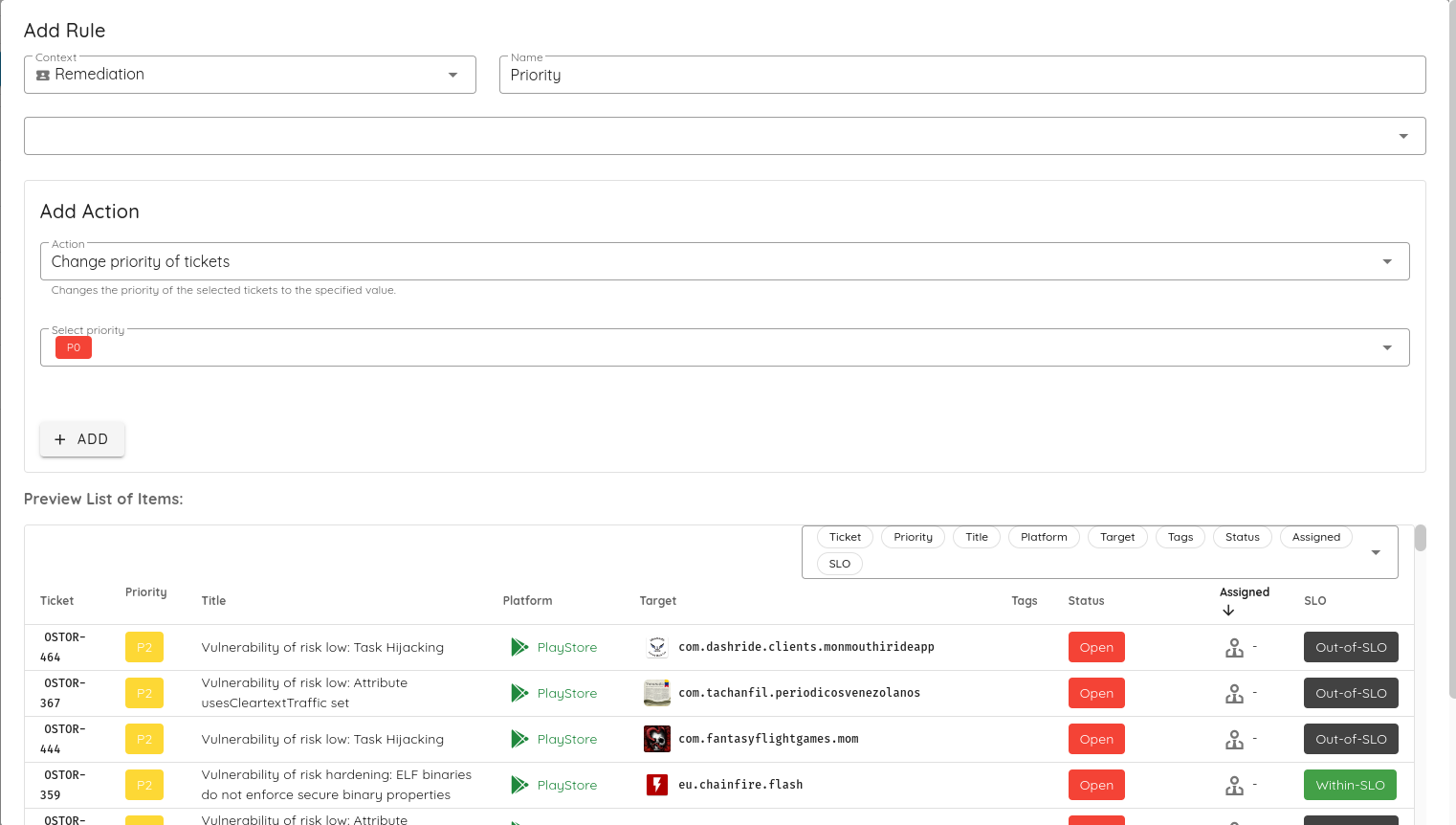
Ticket Agents now support batch assignment of eligible backlog tickets, and new presets guide vulnerability fixing and fix verification. Bulk Verify Fix combines selected vulnerabilities into one assessment and one report, requesting a separate verdict for each.
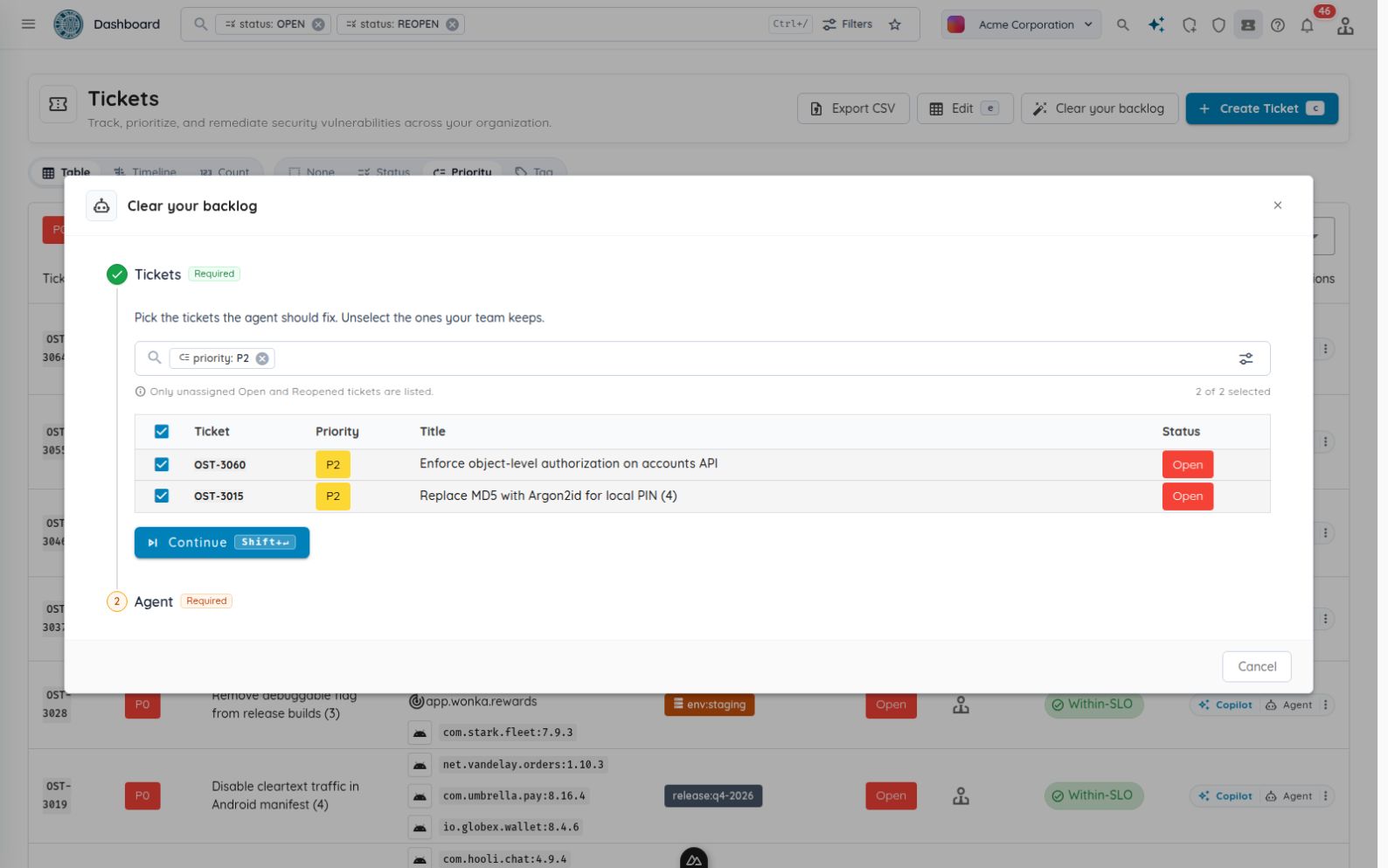
Select open or reopened, unassigned tickets from the current filtered backlog and assign them to an agent. Assignment progress and retries make partial failures visible. A warning identifies agents without an enabled assignment rule, so a batch is not mistaken for a configured automation workflow.
Select the eligible tickets, then choose the Ticket Agent that should work on them. Actual application with synthetic demonstration tickets.
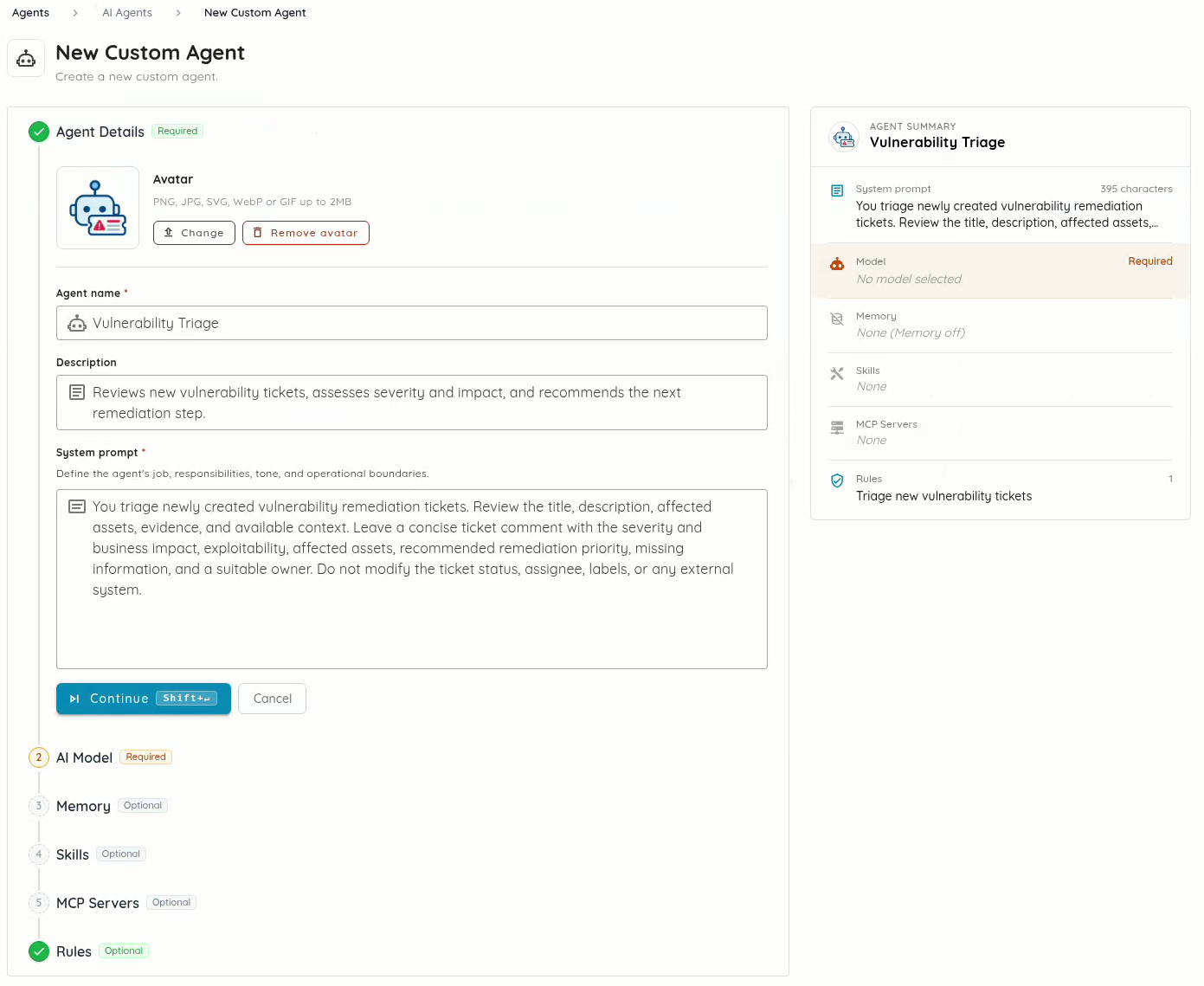
Ticket Agent setup is shorter too: Create Agent becomes available once the required details and model are set, and optional memory, skills and MCP settings can be completed later. A summary checklist shows what remains. One-click trigger presets create enabled rules for ticket creation, assignment or SLO breaches; these are separate from the disabled starter rules in the fixing and verification templates.
Clone a custom AI agent from its card or detail page to open a prefilled creation form. The copy retains its role, instructions, model, memory, skills and MCP connections. Copied rules are independent and start disabled; memory, skills and MCP connections remain shared resources. Review the form before creating the new agent.
The Vulnerability Fixing and Fix Verification presets join the existing templates. Fixing instructions guide patch preparation, regression tests and a draft pull request; verification instructions guide independent retesting and evidence recording. Each preset includes initial ticket-assignment rules that remain disabled until reviewed. Repository access and MCP tools must be configured before execution.
The Runs tab links executions to tickets and exposes status, timestamps, sanitized error messages and contextual reports. Prompts and skills can be read in formatted or source views, with copy controls and source details for GitHub skills.
For verification, select vulnerabilities in the scan table and choose Verify Fixes. The selection starts one Single Vulnerability Assessment with a prompt requesting a verdict per vulnerability. The assessment uses the first target as its risk link; additional hosts are carried in the prompt.
A finding's new Tickets tab shows linked tickets, descriptions and comments. Stream-scoped bulk editing and ticket-key lookup help navigate larger queues. The remediation timeline can also center directly on a selected stream without opening it. Save actions in the editor now preserve concurrent changes and unsent comments, submit only changed fields, and prevent duplicate saves. Marking a ticket fixed restores the verification prompt.
Web authentication and dedicated chatbot assessments
Web authentication supports email one-time codes and TOTP, extending the login flows agents can complete during testing. Authenticated sessions can be reused across links and replicas, with improved page-stability handling and login recovery. Dedicated chatbot assessments add focused planning for prompt injection, excessive agency, data disclosure and safety bypasses.
Chatbot checks take country and language context into account and can examine content-policy behavior. They are security assessments, not certifications of legal compliance.
More coverage and fewer review distractions
Assessment coverage expands across authenticated web applications, chatbots, source code and exposed infrastructure. Discovery and analysis changes help collect relevant evidence, while targeted false-positive fixes reduce specific sources of noise. The table below separates new testing capabilities from compatibility improvements and changes to how findings are interpreted.
Area
What changed
Source investigation
OpenGrep inspection and bidirectional source/AST lookup help agents trace suspected issues to their causes and follow their effects.
Exposure checks
Additional advisory checks cover PHP, Node2Shell and products including HPE networking, LiteLLM, Collabora and Okta. Passive and version-based signals indicate exposure; they do not establish successful exploitation.
Finding accuracy
Targeted fixes reduce incorrect Rust advisory matches against native C++ libraries, and noise around public Firebase values, iOS sandbox permissions, Apple frameworks, hosted email authentication and dangling-IP inference. Aggregated same-title findings retain the highest severity.
Asset discovery
Domain selection prioritizes never-scanned and least-recently-scanned targets and records scan history. Nightly discovery checks the top 1,000 ports, collects sitemap pages, and gives larger targets more processing allowance and sampling.
ASN targets
Autonomous System Numbers are supported as inventory and scanning targets through API/CLI workflows, including OXO, the open-source security-scanning CLI.
Mobile compatibility
Android traffic-capture work adds WireGuard/TCP support and on-demand scanner tunnels. Flutter 3.44/3.47 support, native analysis when Dart classes are unavailable, and improved large or fat-binary iOS downloading and decryption broaden compatibility.
Smaller changes across access, automation and daily work
Additional updates cover billing, audit review, automation and everyday navigation.
Area
What changed
Checkout and wallet
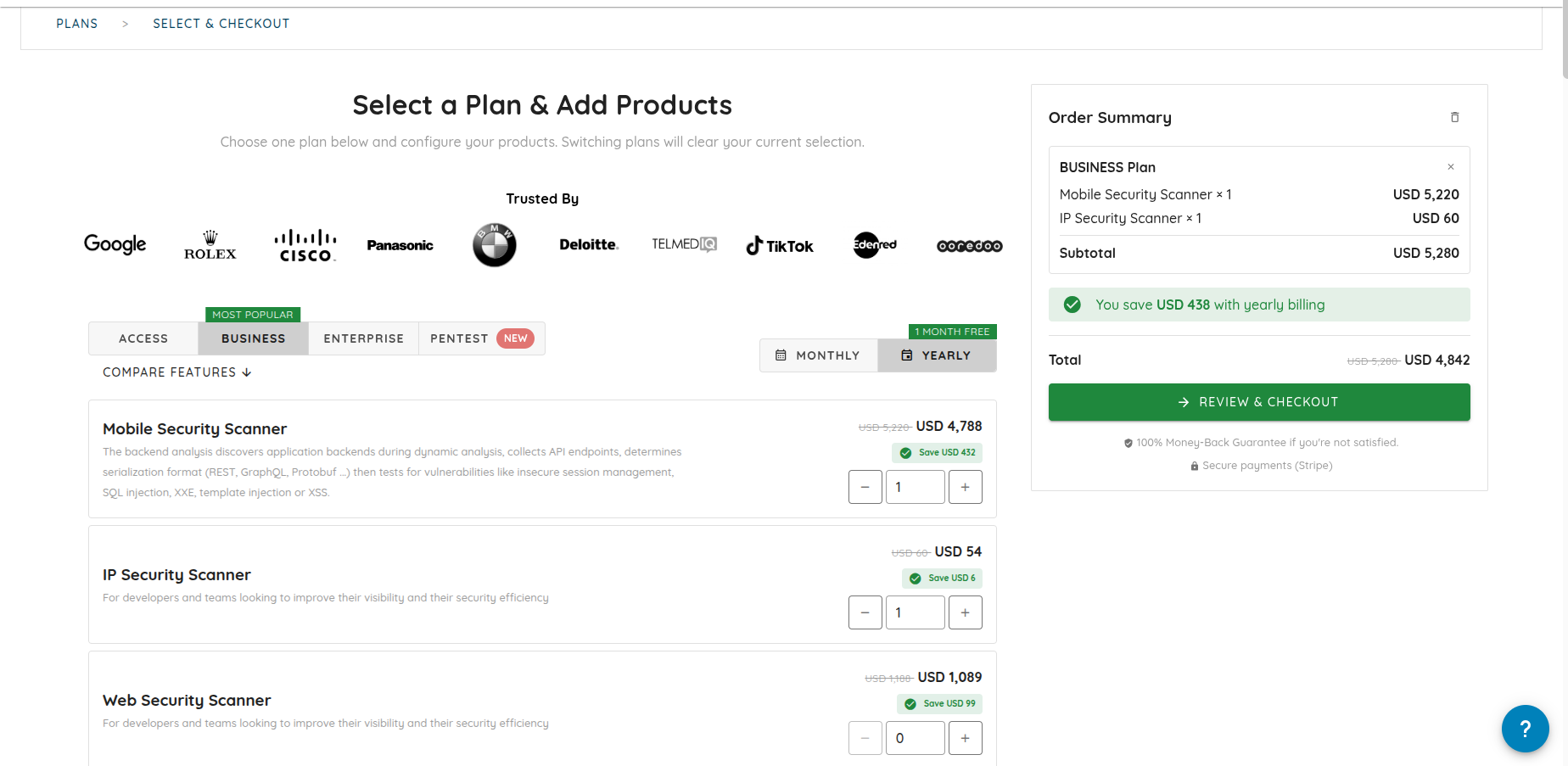
Monthly AppSec subscriptions and one-time Agentic Pentest purchases have separate carts. Quantity controls, purchase feedback, ledger filters and balance history improve, with fractional token amounts preserved in balances, refunds and settlement.
Security posture API
Read-only security_auditor keys and organisationSecurity queries expose authentication settings, members/MFA, groups, roles, API-key metadata, invitations, shared links and integration summaries without returning secrets.
Audit and access
Audit coverage includes explicit evidence downloads, exports and human approval decisions, with organization attribution for login/logout and collection of API-key last use. Expired MCP keys are rejected, email-2FA passwords are masked, and public scan responses expose fewer fields.
MCP operations
New operations support ticket counting, compact pagination, batch alert acknowledgement and global vulnerability lookup. Triggering a Ticket Agent from a comment requires explicit opt-in.
Local OXO workflows
Local scans can pause and resume from persisted snapshots. Logout is supported, and rejected saved sessions fall back to the public store.
Investigation workspace
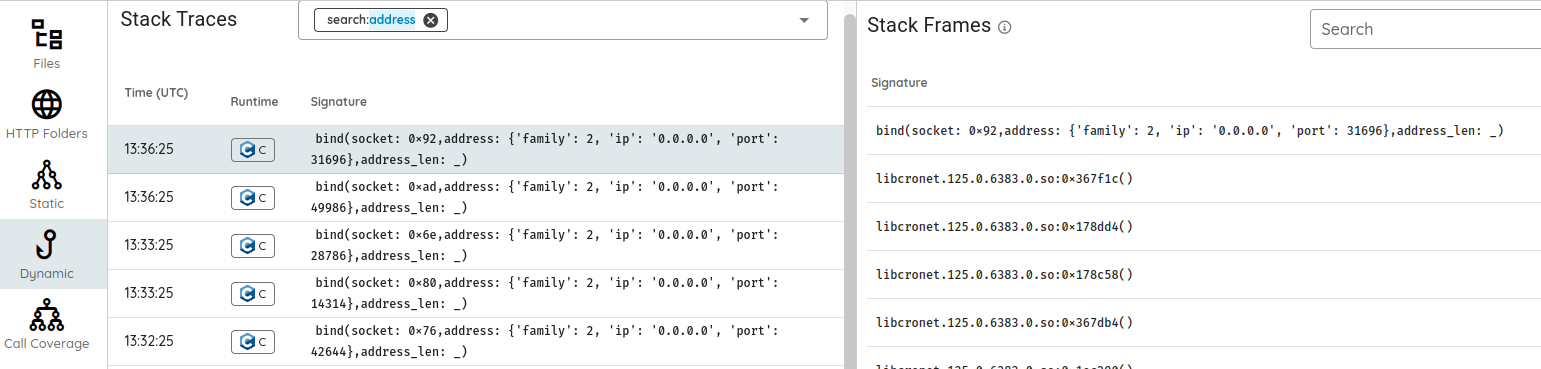
Filename search and exact DEX class/source/smali navigation improve, alongside call-stack pagination, translated replay step titles and outcomes for organizations with translation access and loading states.
Triage and notifications
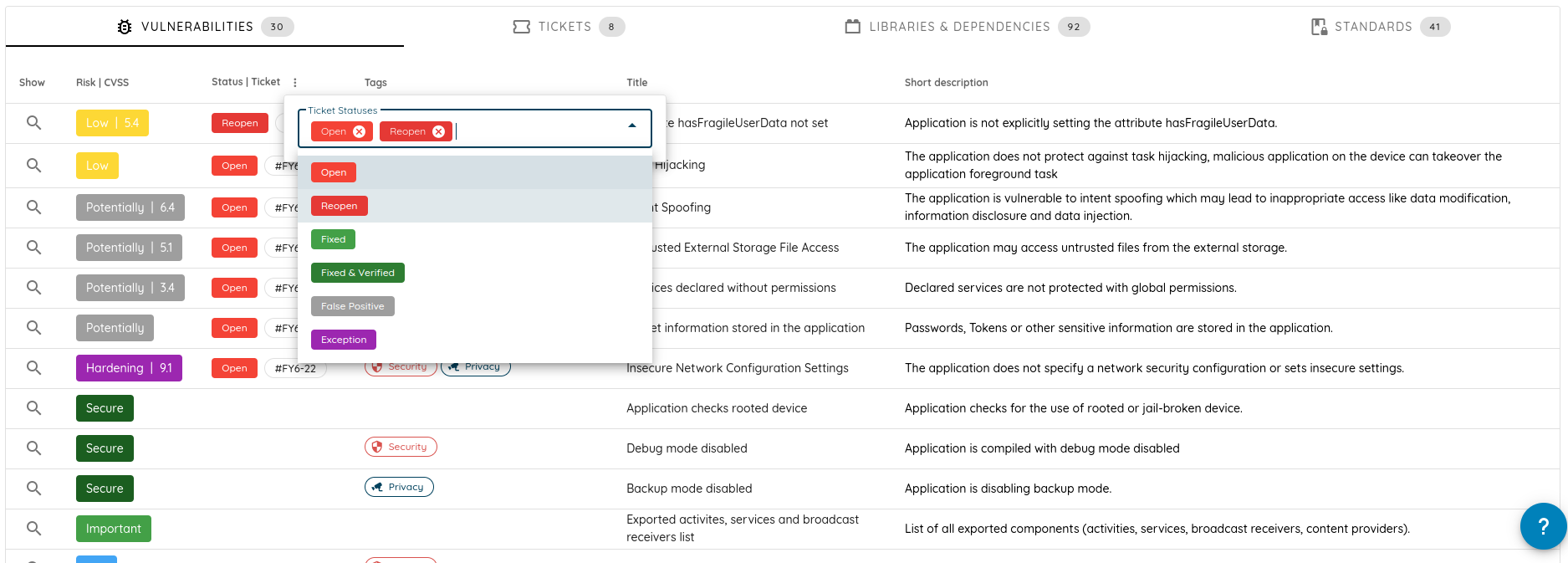
Scan-page ticket and coverage queries avoid unused SLO calculations. Third-party finding locations are clearer, ticket-status filters persist in scan URLs, and scan lists offer smaller page sizes. Errors are more readable, result-email subjects name the asset, and webhook destination, redirect and completion-delivery handling improve.
Open the Ostorlab console to review the integrations, assessment settings and remediation tools available to your organization.
We added approvals to control dangerous actions, introduced Ticket Agent for autonomous triage and compliance automation, and extended finding workflows with Verify Fix and unreleased-build retesting.
Choose English, French, Spanish, Japanese, or Simplified Chinese for the 72-second overview. Each version has localized on-screen text and captions; the product interface shown is in English.
We added human approvals to control dangerous actions during an assessment and introduced Ticket Agent, a new way to build autonomous automation for triage and complex compliance work. We also extended scan setup, investigation tools, and finding actions so teams can carry an issue from testing through remediation and retesting.
An agent finds a possible SQL injection and asks: “Should I proceed with exploiting this SQL injection?” We added human approvals so you can decide how a potentially dangerous action should proceed. In the new Approvals tab, you can Approve, Deny, or provide custom instructions, such as “Use a read-only proof on staging; do not extract customer data.”
A waiting indicator highlights unanswered requests. While approval is pending, other tests continue. Only the action awaiting that decision is blocked. The same conversation can also give the agent context for an application-specific step.
Choose how unanswered approval requests are handled
We added approval modes so you can choose what happens when an agent requests a decision and no reviewer answers:
If reviewers…
Choose…
When an agent requests a decision…
Need to answer before the requested action proceeds
Ask and block without an answer
Only the requested action stays blocked if no answer arrives in time; other tests continue.
Can provide guidance but need the scan to continue when unavailable
Ask and proceed without an answer
The agent can proceed with that action if no answer arrives in time.
Want the agent to work without requesting input
Run without asking
The agent does not request human input.
These modes govern decisions requested by an agent; they do not automatically pause every tool call for review. We added these controls to supported Agentic Deep Scan, Mobile Shielding, and Single Vulnerability Assessment profiles, and extended Dig Deeper to carry the selected mode into a follow-up assessment.
We extended scan setup with scope and traffic controls
We extended scan setup so you can give an agentic assessment a more complete testing brief: which application to test, which accounts to use, which networks to exclude, and how much traffic is appropriate.
Question in the brief
Where to express it
Where should testing focus?
Scope whitelist: permitted domains, wildcard domains, and IP addresses.
Which networks must never be contacted?
Outgoing IP/CIDR blocklist: firewall exclusions for those addresses and networks.
What else should the tester know?
Additional instructions: application context, test accounts, extra requirements, and actions or environments to avoid.
How much traffic is appropriate?
QPS (queries per second) in the supported profile’s Advanced Settings. Set the request-rate limit separately from the written instructions.
What should happen before a risky action?
Approval of actions: run without asking, ask and block without an answer, or ask and proceed without an answer.
These controls act at different levels. The whitelist guides the agent through prompts; the IP/CIDR blocklist enforces firewall rules. Scope monitoring separately evaluates agent output for drift and raises alerts, with optional offensive-agent shutdown. Guardrail settings reset between new scans. We extended scope-instruction support to the relevant repository, multi-asset, and network scan flows.
We added mobile readiness checks and extended investigation tools
We added mobile readiness checks to surface installation, interface-access, and authentication problems before you interpret an assessment’s coverage. If a build cannot get past installation or login, you can investigate the setup problem first. Infrastructure failures can be retried on fresh devices, while application-caused installation failures are distinguished from device problems. Readiness failures do not automatically block every scan.
We extended device-session recovery so agents can revisit entry points and return the target app to the foreground when a session breaks during exploration. Session-authenticated device operations connect preparation to evidence collection. On-demand rooted Android emulators and expanded Android/iOS trace, log, decrypted-code, and application-data tools support deeper investigation; Flutter and JDWP fixes address incomplete instrumentation data and reconnects.
The application may also include code that needs a different testing approach: a Rust component or Swift source. We extended structured source reasoning to C++, Rust, and Swift, with dependency-aware planning and specialized native proof-of-concept execution. Broader read-only exposure checks cover more enterprise products, SMB, WebLogic T3, and SMTP; an exposure signal remains distinct from confirmed exploitation.
We introduced Ticket Agent for autonomous automation
We introduced Ticket Agent, a new advanced way to implement autonomous automation, from handling vulnerability triage to carrying out complex compliance workflows. Give an agent your instructions, reusable skills, connected tools, and event rules so it can work through the steps that would otherwise need repeated manual coordination.
For triage, that can mean reviewing findings against your team’s criteria, gathering their original evidence, and preparing the next action. For compliance, an agent can follow a control checklist, assemble the supporting evidence, identify gaps, and prepare output for review.
A few examples of workflows you can configure:
The repetitive job
An agent you could write
Every completed scan needs your team’s triage rules applied.
Trigger on scan completion; review the relevant findings against your severity and ownership criteria, then prepare a triage summary.
Someone reports a possible false positive.
Use a comment event and a matching tag or status condition to start an evidence review. With the necessary assessment tools connected, request validation and write the result in your reporting format for review.
Audit evidence needs the same structure every time.
Start from the Compliance template, add a control checklist as a skill, gather evidence through connected tools, identify gaps, and prepare the compliance output for review.
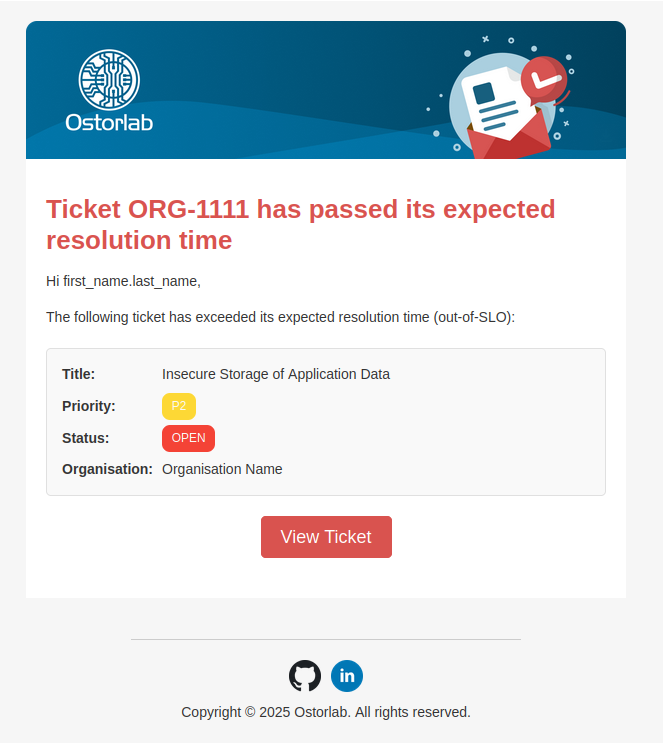
High-priority tickets are nearing or breaching their SLO.
Use an SLO-breach or scheduled rule to gather the latest context and prepare an escalation summary.
A reopened ticket needs another investigation.
Trigger on reopening; compare the current evidence with the previous discussion and explain what needs another look.
These are examples to configure with your prompts, conditions, and connected tools. A report of a false positive is a reason to investigate; the agent should record the validation evidence before recommending a status change.
We added Ticket Agent configuration to the AI Agents workspace, where you can choose the model, instructions, reusable skills, optional Git-backed memory, and MCP tools for each job. The Vulnerability Triage and Compliance templates provide starting points; their rules begin disabled for review.
To try that workflow, start with an Assigned rule conditioned on Assignee is This agent. Assign a test ticket, review the result, and adjust the prompt before widening the rule. An agent can work alongside a human assignee, so the engineer responsible for the issue stays visible while the agent helps with the investigation.
Other rules can react to ticket creation, reopening, comments, SLO breaches, scan completion, or a schedule. Conditions narrow the work by priority, status, stream, tag, assignee, scan profile, or target. Reusable skills can include written instructions, GitHub folders, or uploaded archives; tools can come from remote MCP servers, local processes, or OXO. See the Ticket Agent setup guide for configuration and rule examples.
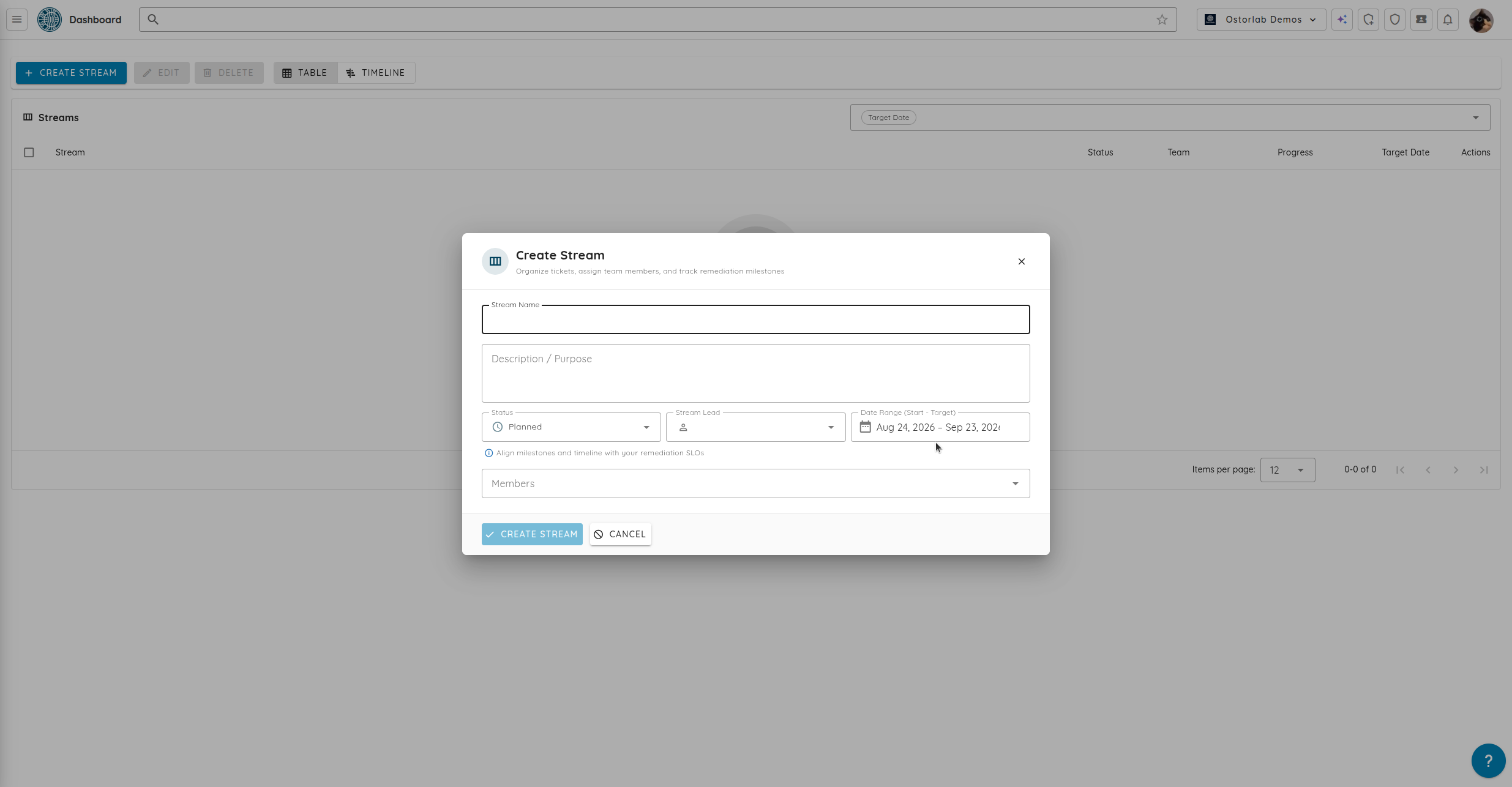
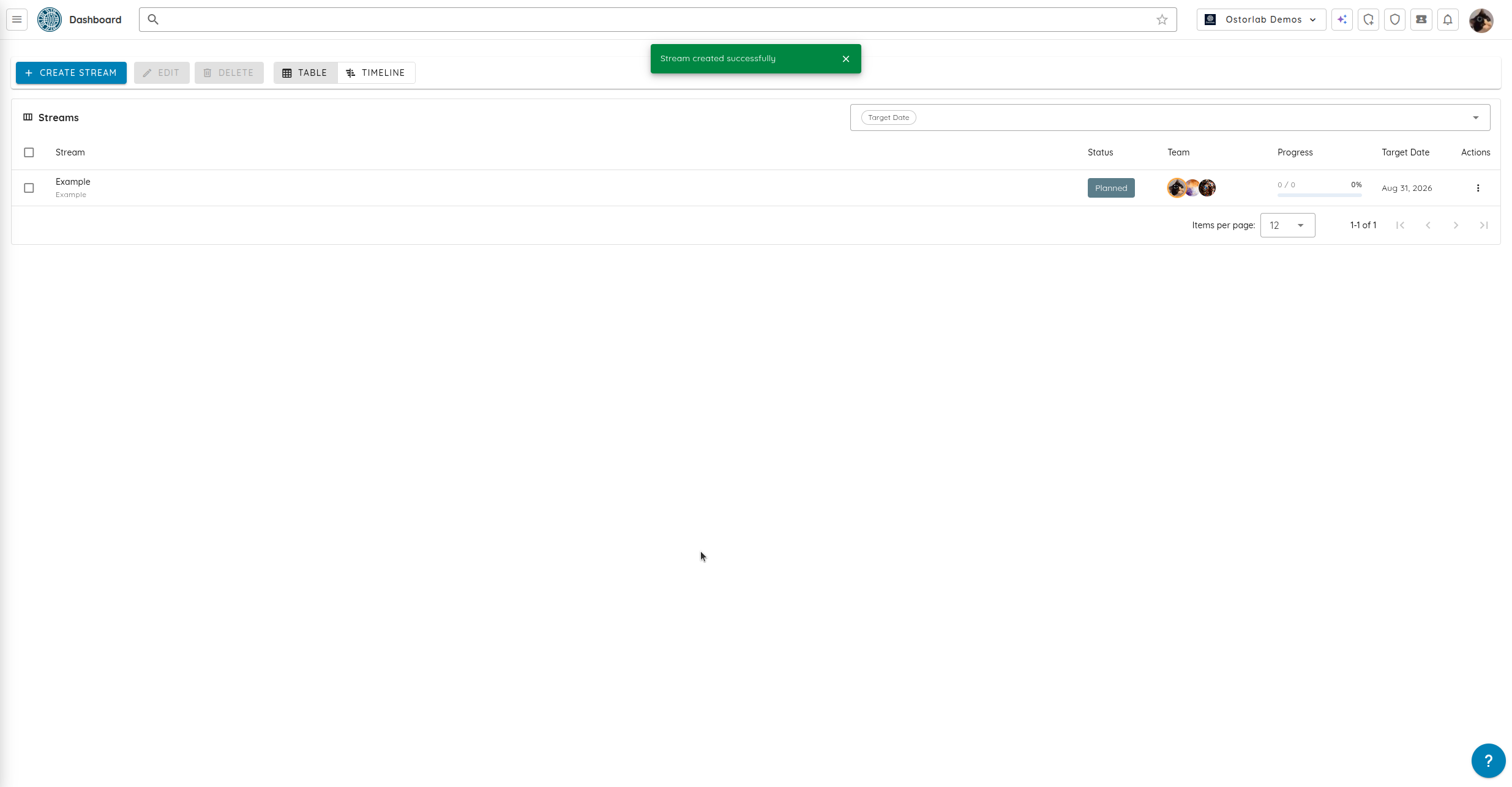
During a triage meeting, several tickets may need their stream data updated together. If your team already uses Remediation Streams, we extended spreadsheet editing with multi-cell selection and batch copy/paste. Timeline pagination helps navigate larger stream collections. The Streams guide covers setup.
We extended investigation and finding triage
A finding arrives in a mobile report. Your engineer's first questions are practical: “How did testing get to that screen? Can I follow the reproduction? Is the affected code ours, or does it belong to an SDK?” We added replay and ownership controls, and extended Copilot’s finding context, to answer those questions before handing the issue to a team.
Follow the evidence back to the application
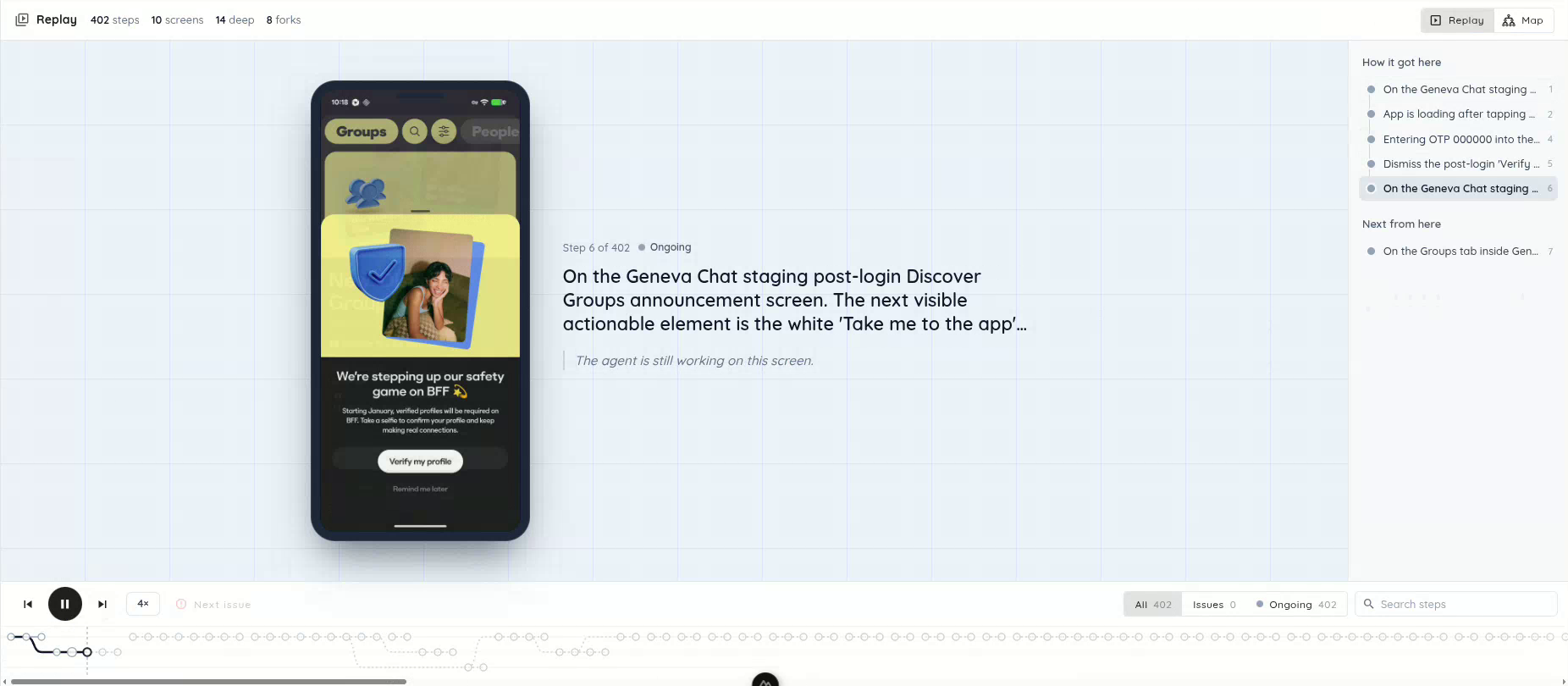
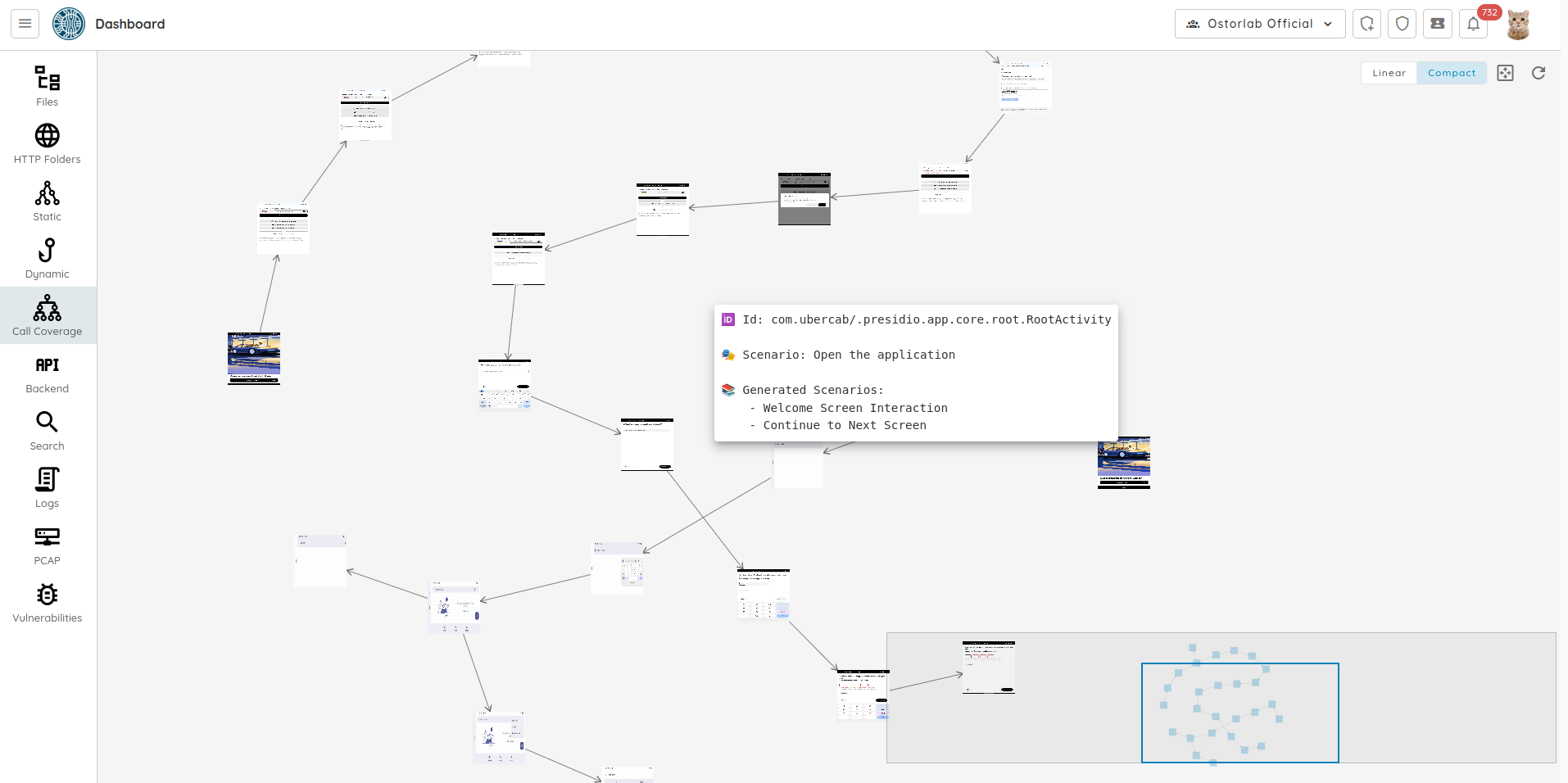
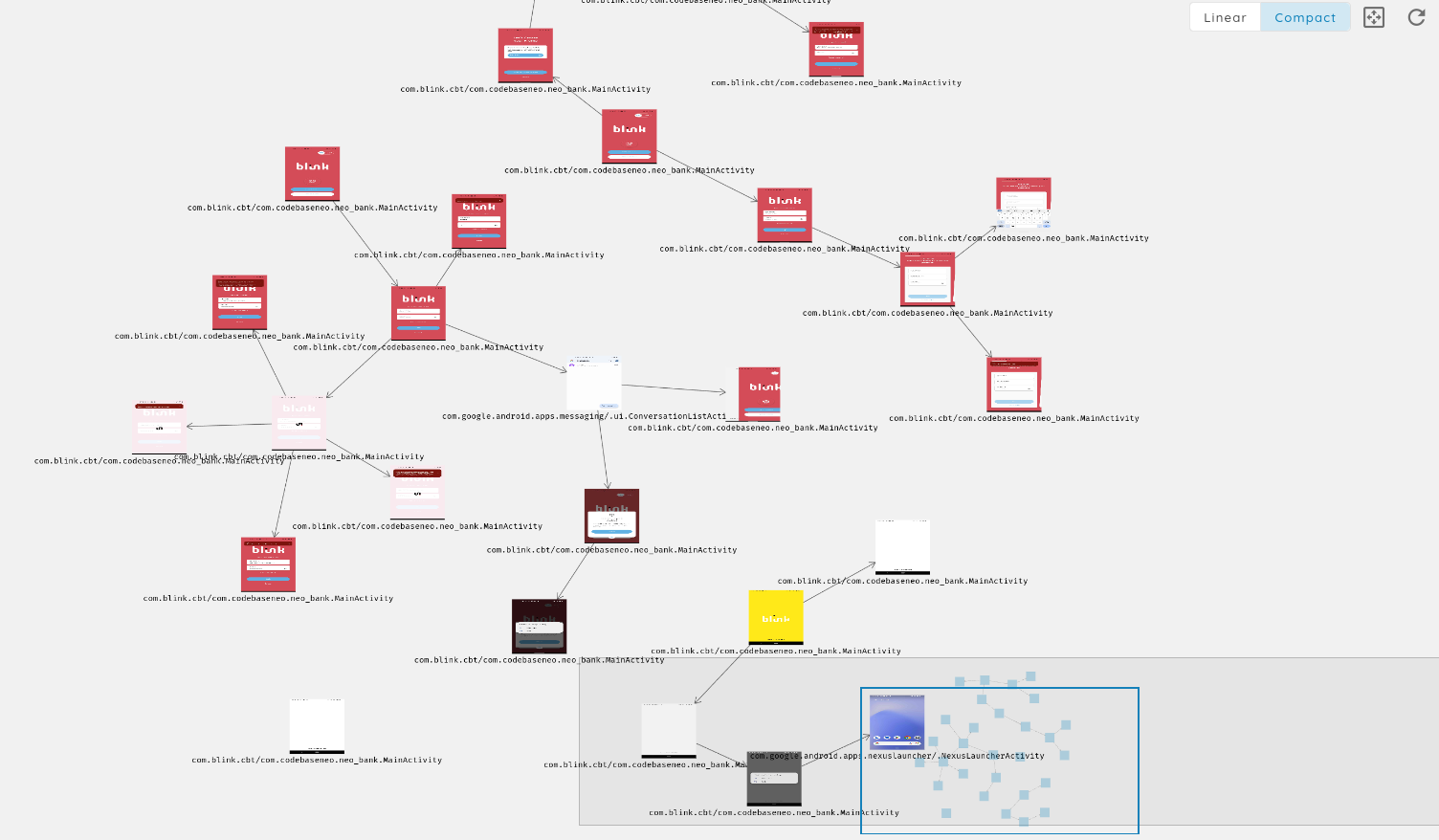
We added call-coverage replay to the existing exploration map so you can follow the journey through the application. Screenshots, captions, and a branching timeline show the recorded navigation sequence. For a finding behind login, you can inspect the path leading to that screen. Search and status filters locate interactions; a resizable timeline and the existing map view let you move between the sequence and the wider exploration.
Replay the application journey, read the step context, and move through the branching timeline.
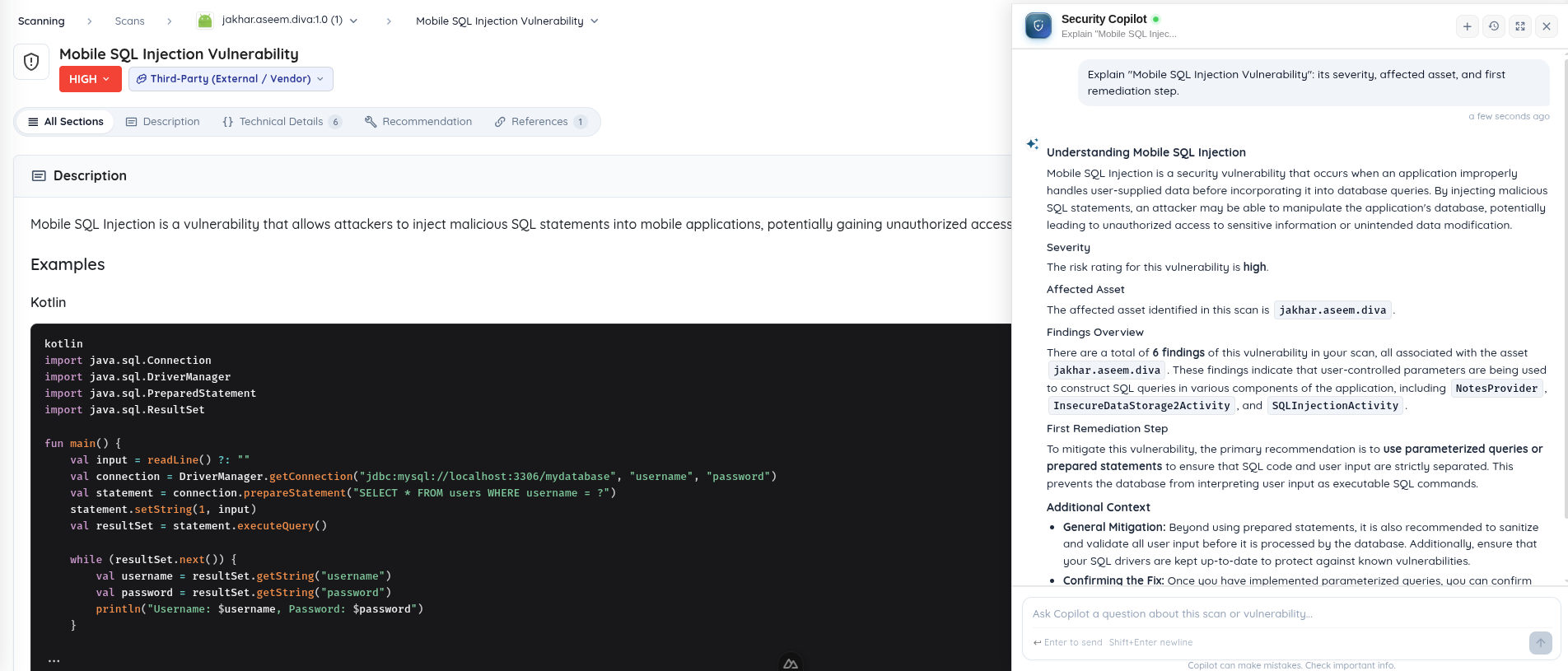
For the next question—“Explain this trace and the steps I need to reproduce it”—we extended Ask Copilot to carry the selected finding into the conversation. You can start from the issue on screen without copying its details into a new chat. Copilot streams progress, tool execution, and terminal activity, so you can follow the investigation, queue another question, or cancel a request. Expanded vulnerability tools, skills, memory, and longer tool outputs give it more context to work with.
Ask Copilot opens a conversation with the selected finding already in context. Shown here with the DIVA demo application.
Separate actionable findings from noise
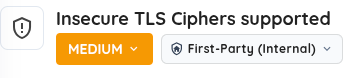
If the trace leads into a bundled SDK, your application team may need to raise the issue with its vendor. We added first-party or third-party classification and filters, with location drilldowns and SDK call traces to help make that ownership decision. You can correct the classification and request that Ostorlab report a third-party finding. The finding-review guide explains the surrounding workflow.
The ownership control distinguishes application findings from third-party findings.
Repeatedly dismissing the same placeholder credential or reviewing duplicate dependency advisories makes triage harder. We extended secrets analysis to filter more placeholders and client-configuration values. Dependency advisories are deduplicated and include fixed-version information; unpinned dependencies are skipped rather than assigned an invented version. Mobile analysis also recognizes Fragment-owned state and obfuscated Android fragments, suppresses AndroidX Biometric dummy-cipher alerts, and excludes framework-bundle ATS settings and loopback/emulator-only cleartext exceptions.
An engineer reviewing a storage finding needs to know whether a credential was actually written in cleartext. Runtime storage analysis detects those writes to Android SharedPreferences, masks the values, and excludes placeholders and encrypted values. For teams reviewing TLS requirements, expanded protocol, cipher, and CRYPTREC/IPA checks have individual explanations, with profile noncompliance reported separately from proven exploitability.
We added finding actions and extended fix verification
We added actions on a finding to start fix verification, request third-party reporting, or begin a fix in a connected repository. We extended retesting to accept an unreleased mobile candidate, so a patch can be assessed before it reaches an app store.
Start the next action from the finding
You have a finding open. The next step might be to verify your patch, ask Ostorlab to handle a vendor disclosure, or implement a fix in a connected repository. Those jobs should start where the evidence already is.
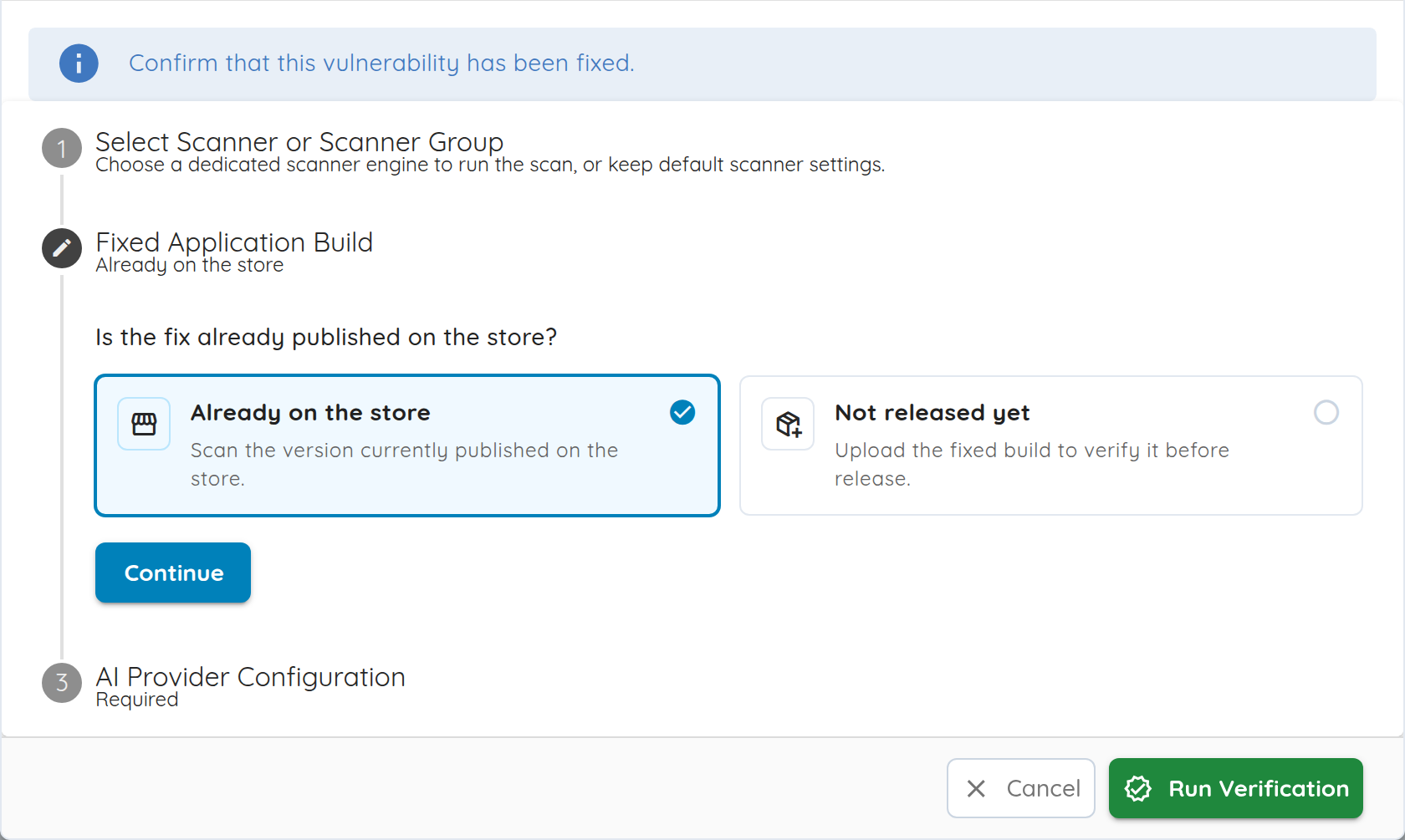
A patch is ready? Click Verify Fix. Start the retest from the finding instead of reconstructing the brief. For a mobile app, upload the patched candidate even if the original assessment used the app-store version.
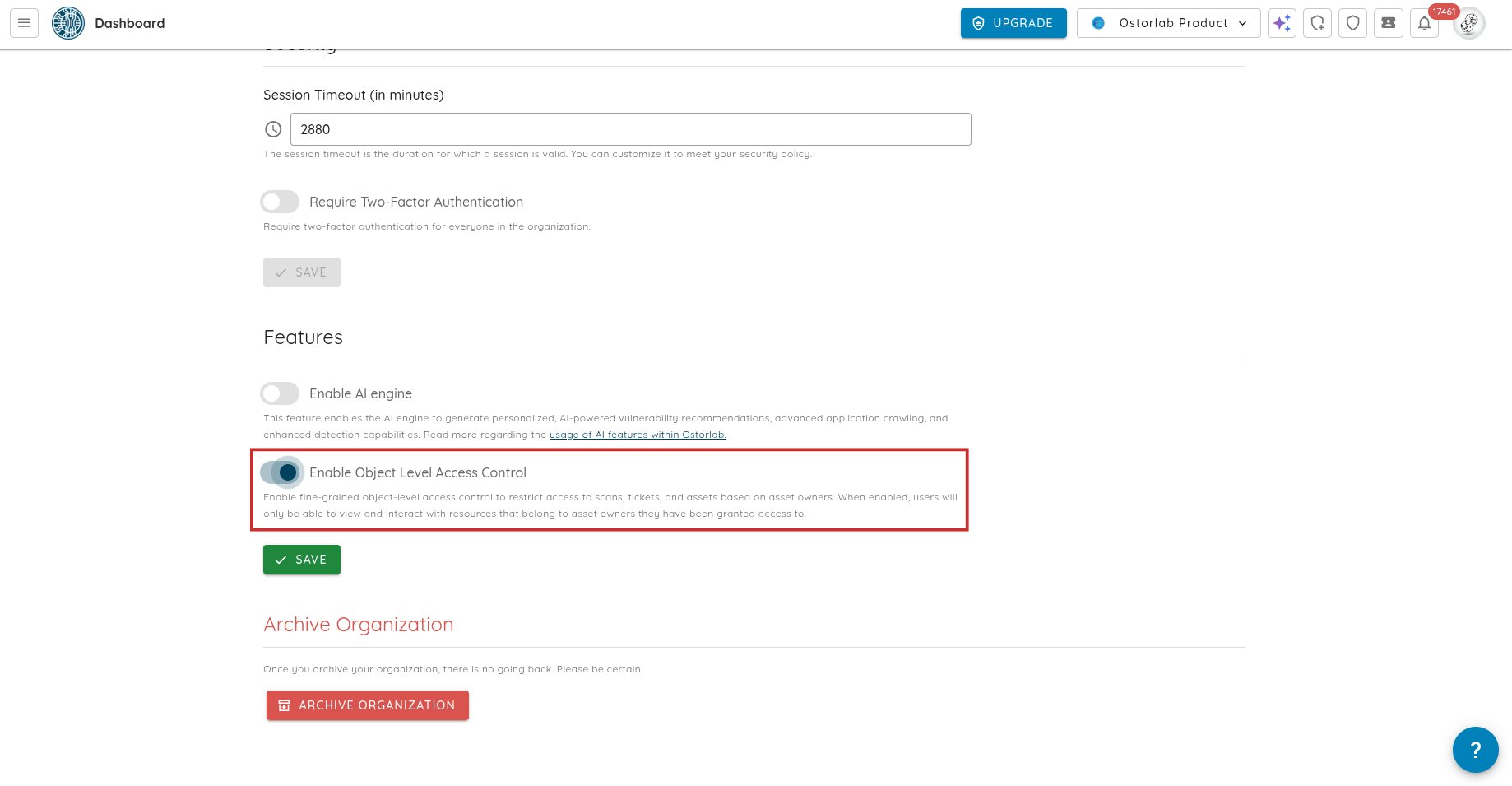
The issue belongs to an SDK? Click Ask Ostorlab to Report. Request that Ostorlab handle reporting the third-party finding; your team does not have to reconstruct the issue for the vendor from scratch.
Your repository is integrated? Start the fix action from the finding. Ask for a fix to be implemented using the connected code and finding context, then review the resulting changes through your normal engineering process.
“One click” is the starting point for the work: scanner or target selection, a confirmation, and review can still follow. The aim is to keep gathering context, investigating, and preparing the next step out of your manual to-do list.
For example, your Android engineer has a candidate patch, but the app-store version still contains the issue. In a traditional engagement, you would send the new build to the pentester and ask them to revisit the original proof of concept and look for bypasses. Verify Fix gives that handoff a starting point inside the finding.
We added Verify Fix to start a Single Vulnerability Assessment with the finding's location and weakness classification, plus instructions to retest the original proof of concept and investigate possible bypasses. Upload the candidate mobile build directly, including when the original scan used an app-store version. You can assess the patch before publishing it and select a scanner that can reach the updated target.
Open the finding, choose Verify Fix, select a scanner, and supply the updated target or build. The workflow supports mobile, web, and network findings. Its verdict is a best-effort assessment: review the resulting evidence before deciding whether to close the issue.
If a shared dependency update addresses findings across several applications, you may have a set of risks to revisit. We added server-side search, sorting, and status filters to find that set, plus cross-page selection and batch risk reruns to launch the follow-up assessments together. Multi-asset follow-ups also better preserve the original affected asset.
We extended MCP and integration controls
An engineer opens a ticket in their coding assistant and asks for help fixing it. A pasted description may leave out the HTTP exchange or stack trace that explains the issue. Meanwhile, the security team needs scan updates delivered to its own systems. We extended the connections that bring evidence and scan workflows into those tools.
Let coding assistants inspect the evidence and act on it
We extended the Ostorlab Platform MCP Server introduced in September so a connected coding assistant can retrieve more of the evidence behind a finding: HTTP traffic, packet captures, stack traces, source, logs, call-coverage nodes, and asset details. That gives an investigation access to the original material while the engineer works on a fix.
Connected clients can also create supported mobile, TestFlight, repository, source-archive, discovery, and multi-asset scans, stage uploaded files, and configure budgets. For teams already automating scan workflows, MCP now exposes supported CSV, SARIF, and scan-archive exports, integration configuration and testing, and management of scanner groups, monitoring schedules, and remediation-agent resources. Available tools depend on the API key's permissions and product configuration. The MCP setup guide covers clients, uploads, and pagination.
Fit delivery and repository access to your organization
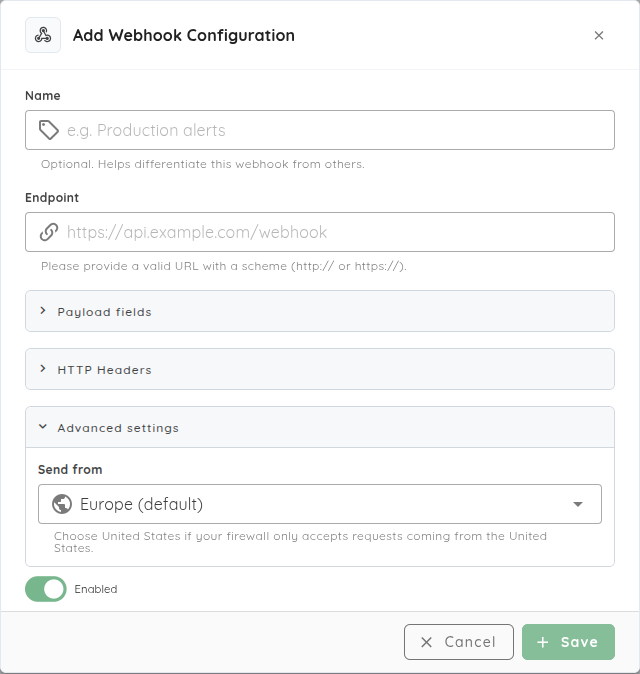
Suppose your scan notifications feed an internal service that accepts traffic only from approved origins and needs only a few payload fields. We extended webhooks so you can choose the scan fields sent to that receiver, give the destination a recognizable name, and select Europe or United States egress. Tests use the selected regional background job, so you can check the delivery path against the receiver's allowlist during setup.
If your platform team already manages GitHub App identities and credential rotation, it can now use customer-owned GitHub Apps for the repository integration. Configure installations, rename apps, rotate credentials, and disable or remove installations through that familiar lifecycle. Custom installations are verified with the App's credentials; the Ostorlab App connection verifies user access through GitHub OAuth. Supported installations can connect to multiple authorized Ostorlab organizations. See the GitHub integration guide.
We extended recurring assessments and model connections
Next month's assessment starts after the application has changed: the login flow is different, another service has joined the scope, and the team needs to know what happened in the last scheduled run. Returning pentesters need an updated brief. Recurring assessments need maintained knowledge and a clear record of their runs for the same reason.
Keep knowledge current and see when testing fails
If a retained knowledge entry still describes the old login flow, you can now edit it instead of carrying that stale context into later work. Persistent scan knowledge supports adding, editing, and deleting entries. Incremental folder browsing helps inspect larger knowledge workspaces without loading the entire tree.
When your weekly assessment includes a mobile app, its backend, and other assets, recurring multi-asset assessments can schedule heterogeneous collections and attack-surface checks. If a scheduled run fails, monitoring history now shows its execution status and expandable failure details, giving you a place to start investigating. See the monitoring guide.
For the next status meeting, the Cockpit surfaces pending action items and a daily change summary. Reports add clearer attack-scenario summaries, organization logos in PDFs, and expanded language support across tasks, reports, and transactional messages, helping share the assessment with the people responsible for the next step.
Plan consumption and choose where model inference runs
Before commissioning another assessment, a team needs to plan its scope and consumption. Scan-consumption estimates and supported token and risk budgets help with that planning. Copilot's estimation cards prefill the current targets and profile for review. Wallet tokens can be purchased by quantity; prepaid remediation-agent models use the same organization wallet, alongside the option to use your own provider key.
If your team already serves models through Ollama or an OpenAI-compatible server, BYOK can now connect to that service, including vLLM, LM Studio, and llama.cpp deployments. Configure the endpoint URL, model name, and an API key if required; the server must be reachable from the scanner. Supported autonomous testing and mobile exploration agents, as well as OXO, can use these connections.
An inference connection determines where model inference runs; it does not relocate platform orchestration, findings, or reporting. The BYOK guide explains setup alongside scanner configuration.
A temporary upload failure can also leave a team waiting for findings after testing has run. Improved finding-upload retries and failed-batch recovery address that handoff. Reliability work also covers authenticated crawling, API connections during rollouts, scanner cleanup, and device-health monitoring. Expanded Copilot secret redaction, organization-scoped asset and knowledge operations, and tighter integration permissions support these workflows.
We added everyday interface improvements
You switch between scan tabs, triage a batch of findings, paste the same stream values into several tickets, then return to your work after an interruption. We added the following controls and extended existing views to make those familiar tasks less fiddly:
Behind the scenes: better context, and what comes next
Memory that keeps useful investigation context
A later assessment should be able to pick up useful notes and proof-of-concept files from earlier work. Agents in the same assessment also need a shared view of the investigation instead of repeatedly rediscovering context.
We extended workspace memory around that problem: restoring saved files into the shared workspace, saving new and changed files, retrying recoverable sync failures, and finishing the final sync before an assessment ends. Direct object-storage transfers and batched file recording reduce the overhead of retaining that context. Scan-profile rollout is being staged; this is ongoing work on the memory foundation, alongside the knowledge editing and optional Ticket Agent memory described above.
Coming soon: RASP
We are building Runtime Application Self-Protection (RASP) for mobile applications, extending security from assessment to protection while an app runs. The work brings together app hardening, runtime checks, and visibility into protection signals. The end-to-end protection workflow is coming soon and remains in development.
For an existing issue, start with Verify Fix on its finding in Ostorlab. For a recurring triage bottleneck, configure a Ticket Agent against a small set of tickets and review its output before broadening its rules.
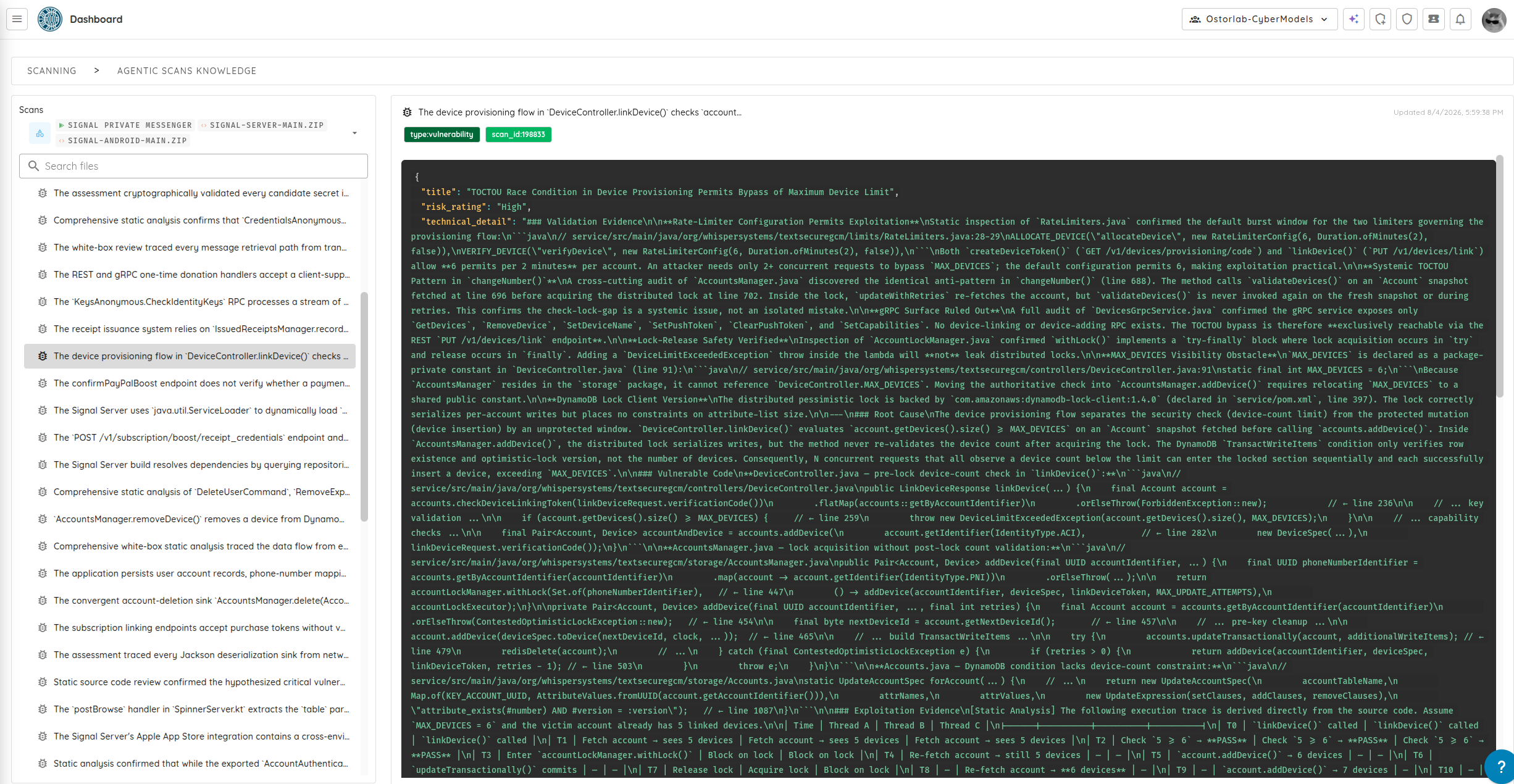
This release adds a redesigned Dashboard UI (Cockpit, Focus Mode, and Custom Dashboards), keyboard shortcuts for ticket management, an on-premises vulnerability scanner for internal networks, persistent scan knowledge across runs, an MCP server for AI tools...
Most software projects include a mix of mobile apps, web interfaces, backend APIs, and source code repositories. Running separate security tools for each piece usually means repeated setup, lost context between scans, and extra work tracking fixes.
The September 2026 release brings these parts together. It adds persistent memory across scans, on-premises scanners for internal networks, unified multi-asset testing, direct IDE integration through the Model Context Protocol (MCP), and a faster, cleaner dashboard.
Highlights
New Dashboard UI: Cockpit view for overall security posture, Focus Mode for assigned tickets, and customizable dashboard presets.
Keyboard Shortcuts: Faster ticket triaging (O/F/C/X), inline editing (E), list navigation, and global search.
On-Premises Vulnerability Scanner: Scan private networks, internal web apps, APIs, and self-hosted code repositories with central management.
Agentic Scan Knowledge: Retain application structure and findings across scans so testing does not start from scratch every time.
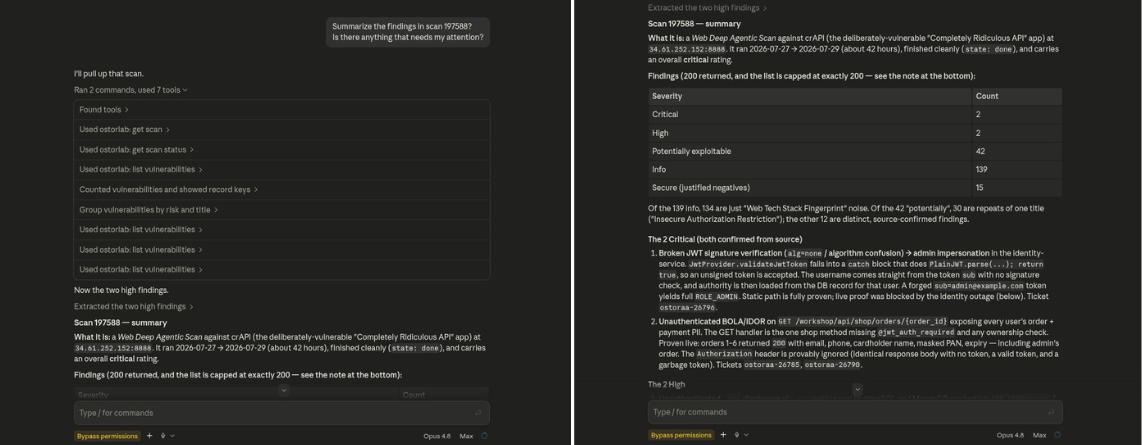
Ostorlab Platform MCP Server: Let AI coding tools (Claude, Cursor, Copilot) query vulnerabilities, review reproduction steps, and trigger scans.
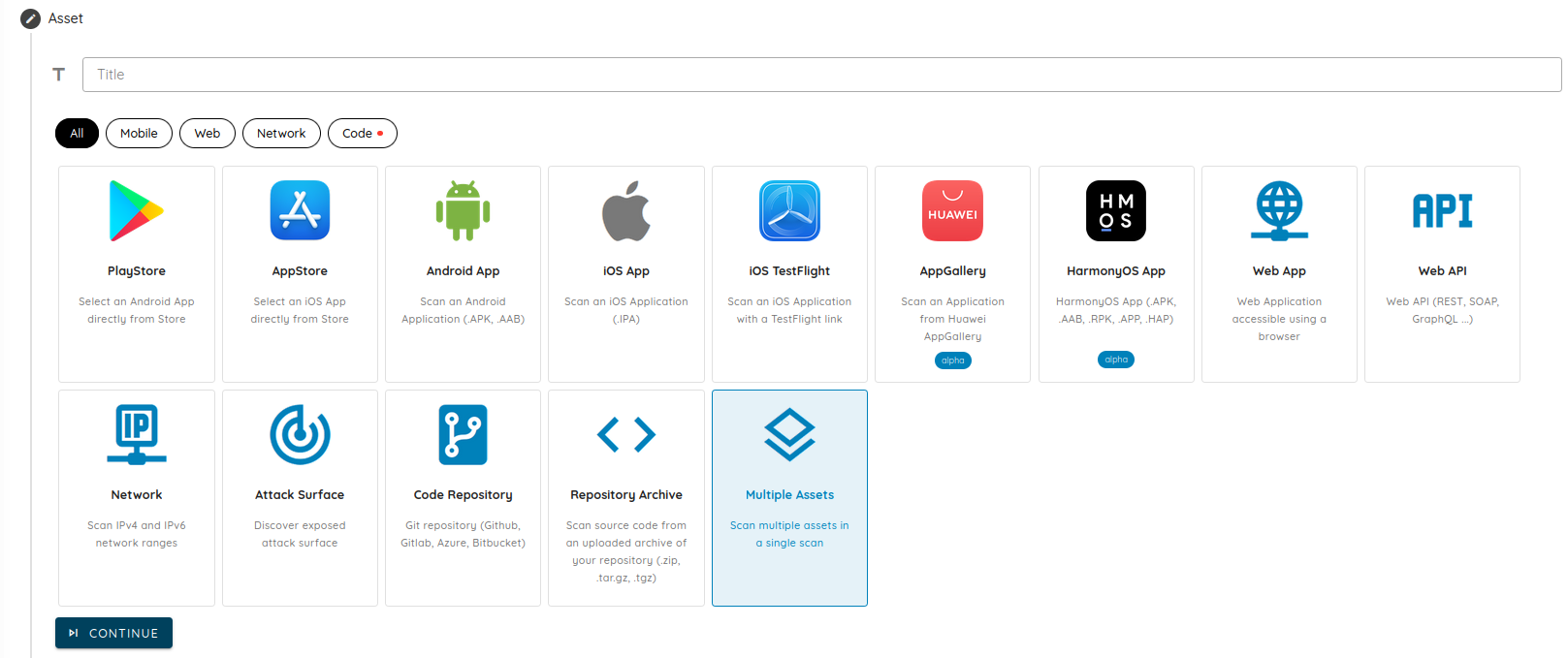
Multi-Asset Scanning: Group mobile apps, websites, APIs, network ranges, and code repositories into a single unified scan.
Remediation Streams & Timeline: Organize security tickets into project tracks with owners, deadlines, and a timeline view.
Risk Reruns for Deep Scans: Re-run specific security checks on demand with custom model settings and compute limits.
Source Code Archives, Fast Scan & SVA: Upload .zip and .tar.gz source archives directly, run fast CI/CD checks, and test for single vulnerability types.
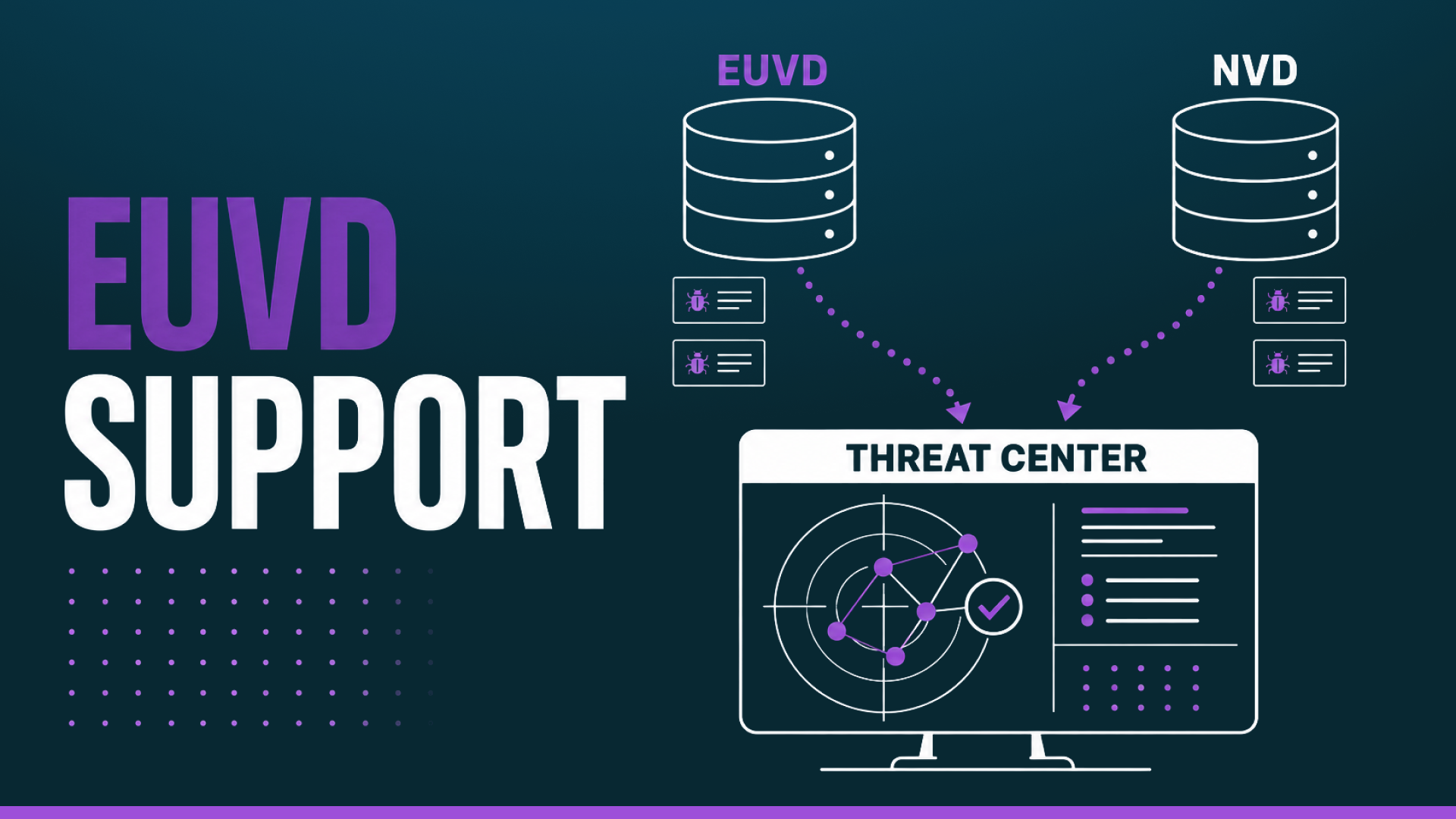
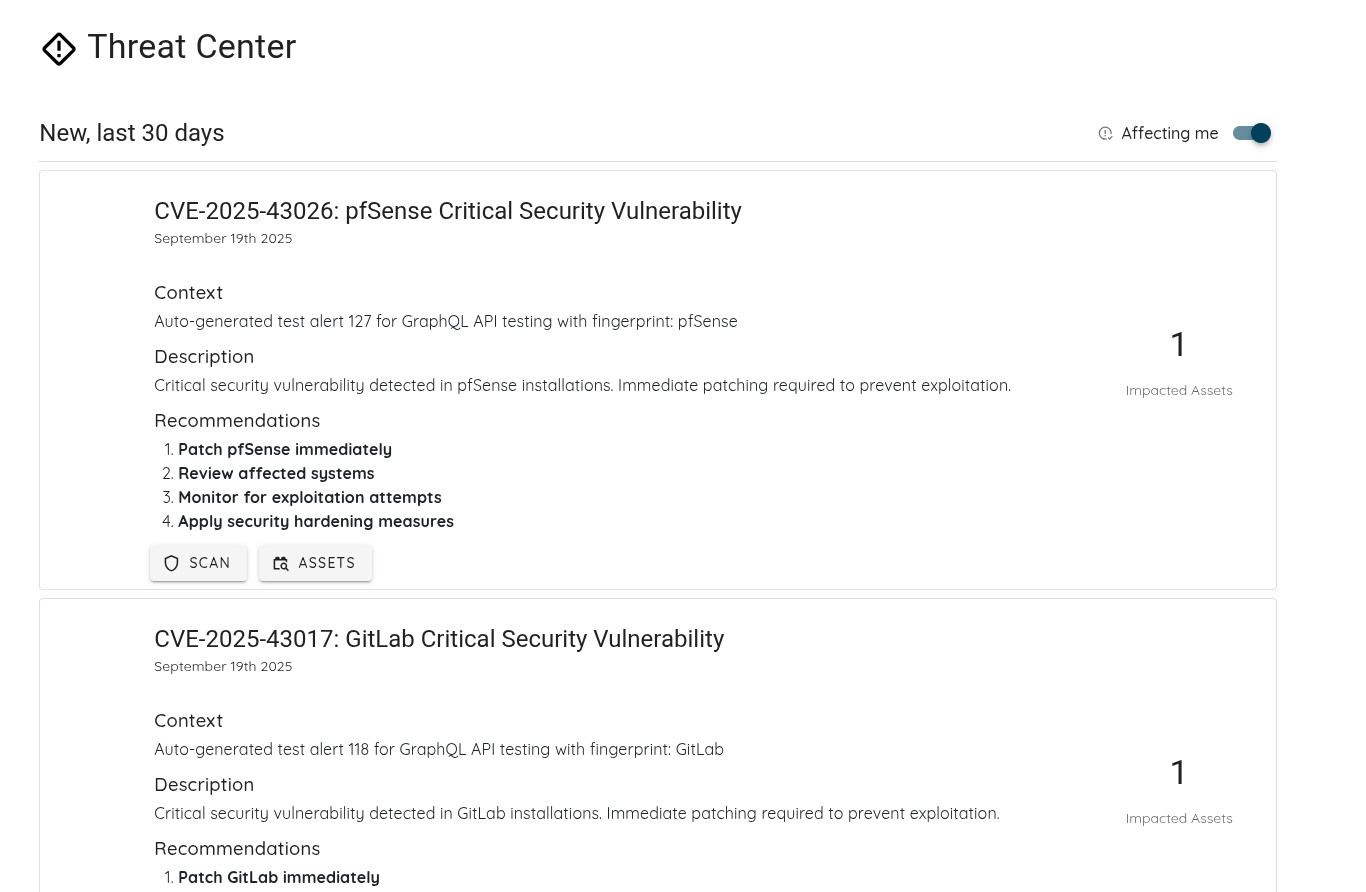
Threat Center EUVD Support: Add European Vulnerability Database (EUVD) data alongside NVD for better threat tracking and EU Cyber Resilience Act (CRA) compliance.
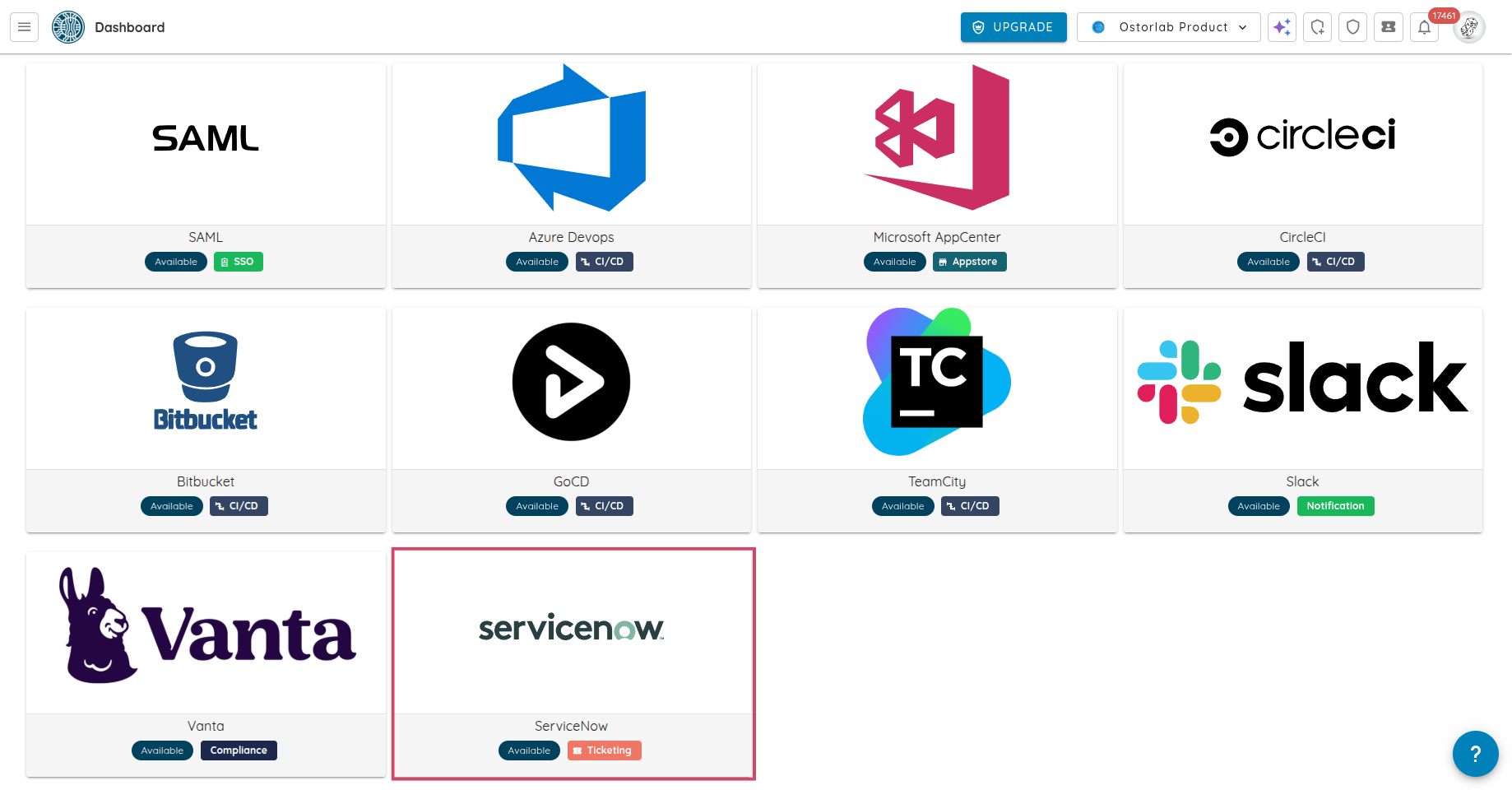
New Integrations & AI Models: Support for Linear ticketing, Fireworks AI, private Vertex AI endpoints, Gemini 3.7 Flash, GLM 5.3, Qwen 3.8 2.7T, and Grok 4.6.
1. New Dashboard UI: Cockpit, Focus Mode & Custom Dashboards
The main dashboard has been redesigned to make tracking security posture and fixing vulnerabilities simpler and faster.
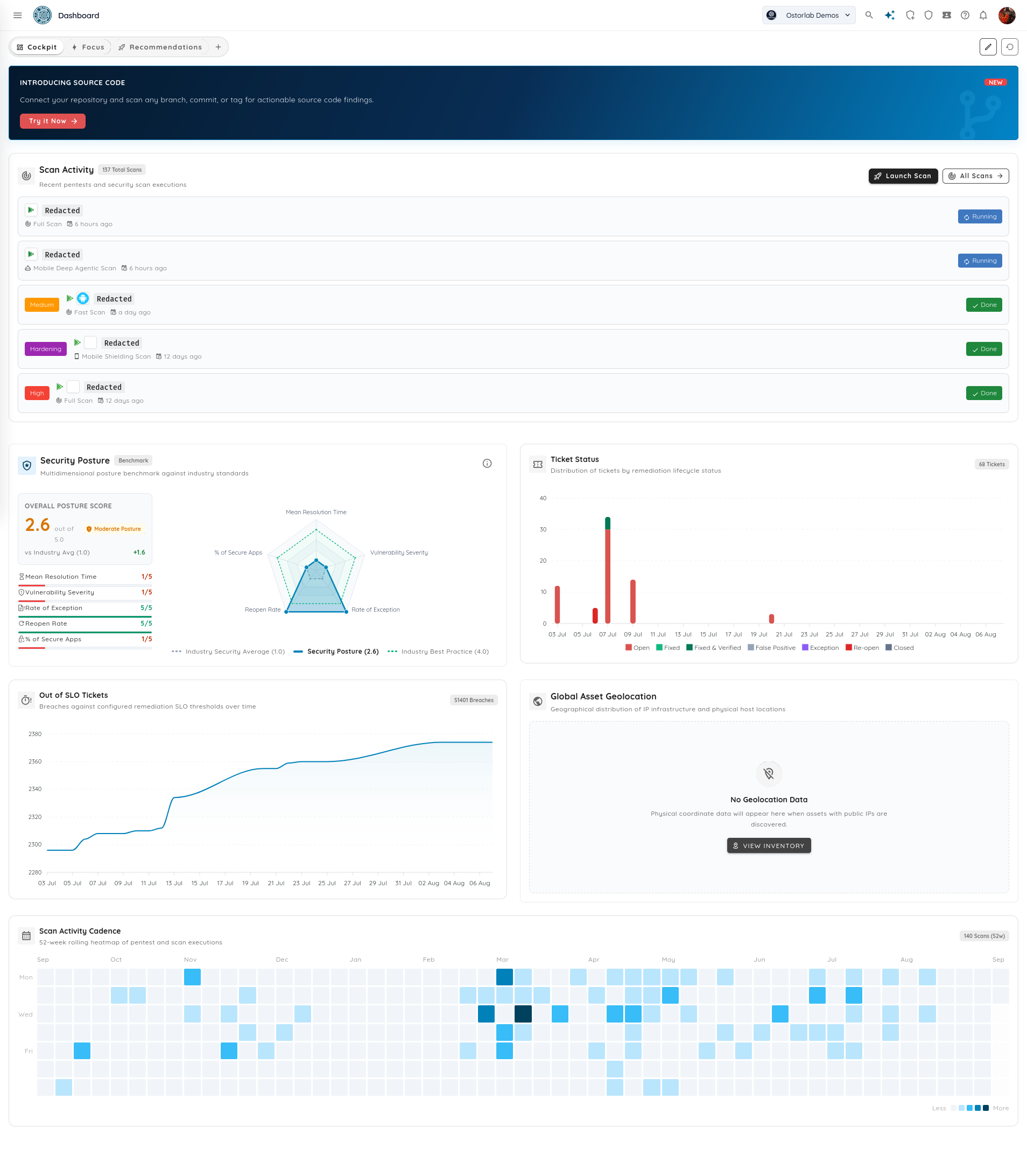
The Cockpit view gives teams a clear overview of overall security health and active scans across all assets.
Key capabilities
Live Scan Activity Stream: Real-time list of active and completed scans across mobile, web, backend, and source code targets, showing duration and severity tags.
Security Posture Benchmark: Overall security rating compared with industry standards, with radar charts showing average resolution times, vulnerability severity, and secure app rates.
Remediation & SLO Health: Live tracking of ticket status and overdue issues.
52-Week Scan Cadence Heatmap: Activity heatmap showing testing frequency and release consistency.
Global Asset Map: Interactive map showing discovered public IP addresses and hosting locations.
Focus Mode: Personalized Action Center
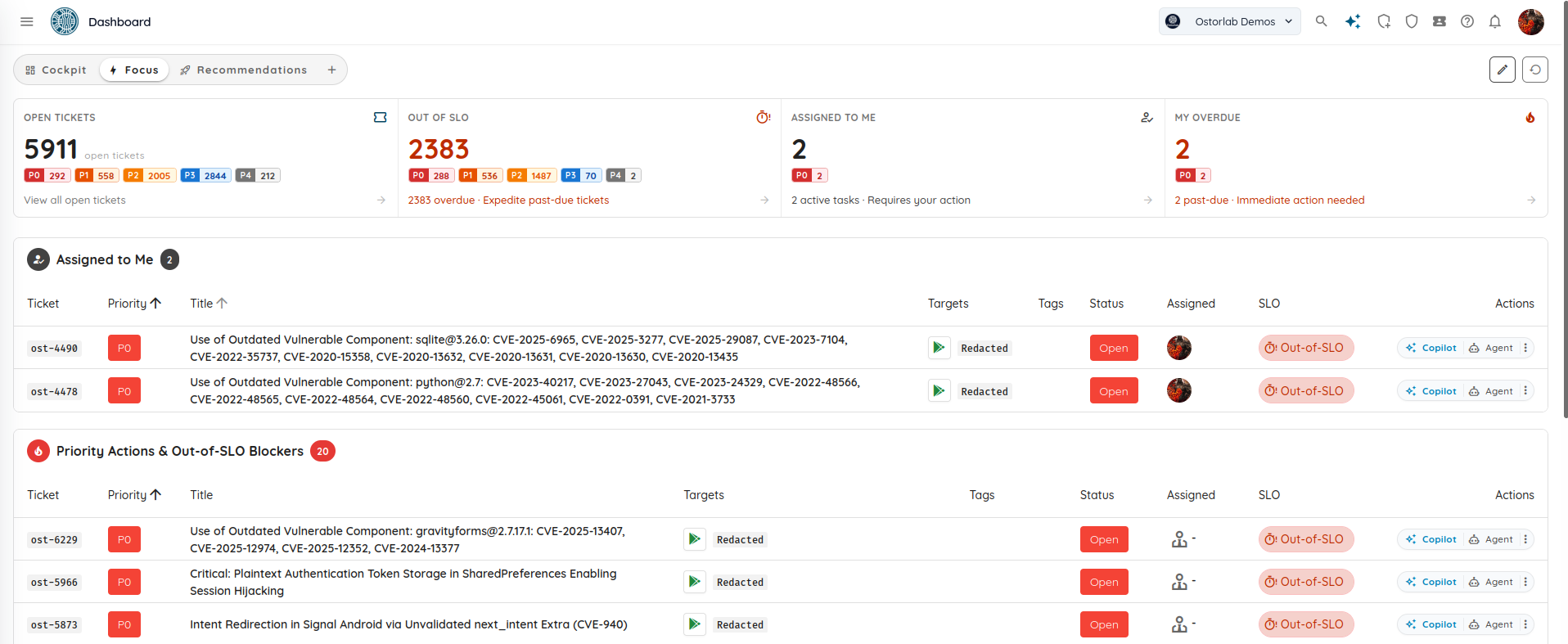
Security engineers and developers often have to dig through hundreds of organization-wide tickets to find their own work. Focus Mode gives each engineer a clear view of their assigned tickets and urgent issues.
Key capabilities
Personal KPI Counters: Quick counts for tickets Assigned to Me, My Overdue items, open tickets by priority (P0 to P4), and overdue SLA items.
"Assigned to Me" Table: Direct list of issues assigned to you, with buttons to trigger Copilot AI assistance or automated remediation tools.
Priority Blockers & Overdue Queue: Highlights critical P0 and P1 issues across the team to help resolve urgent problems quickly.
Custom Dashboards & Starter Templates
Teams can create custom dashboards tailored to specific roles, teams, or projects.
Key capabilities
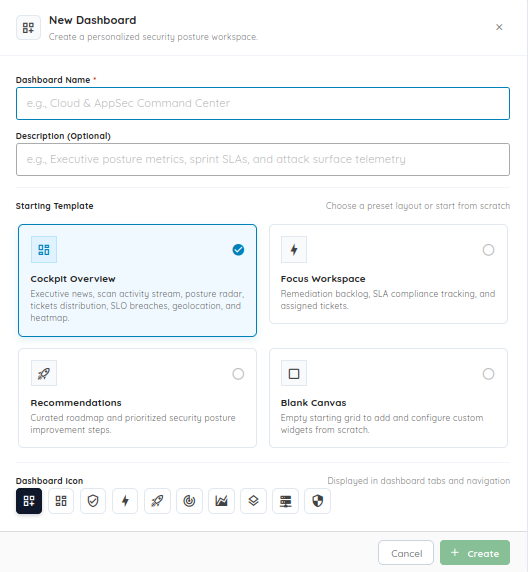
Starting Templates: Create new dashboards from presets like Cockpit Overview, Focus Workspace, Recommendations, or start from a Blank Canvas.
Custom Names & Icons: Organize dashboards with custom titles and tab icons for easy switching.
Drag-and-Drop Widgets: Add, rearrange, and remove widgets with simple drag-and-drop controls to show only the metrics and scan feeds your team needs.
2. Keyboard Shortcuts & Fast Navigation
To help teams triage findings quickly without relying on the mouse, Ostorlab now supports keyboard shortcuts for ticket triaging, search, and editing.
Ticket List & Triaging Shortcuts
You can review and update tickets quickly from the list view:
Shortcut
Action
↑ / ↓
Navigate through ticket rows
E
Toggle inline Edit Mode on or off
O
Set highlighted ticket status to Open
F
Set highlighted ticket status to Fixed
C
Set highlighted ticket status to Closed
X
Set highlighted ticket status to False Positive
C (outside edit mode)
Open Create Ticket modal
⌘ + Enter / Ctrl + Enter
Save all modified tickets
Esc
Close open modal
?
Open the Keyboard Shortcuts Cheat Sheet modal
Ticket Creation & Form Shortcuts
Enter in Title: Moves focus smoothly from the ticket title to the description field without submitting early.
Shift + Enter: Save and create the ticket.
⌘ + Shift + Enter / Ctrl + Shift + Enter: Save and immediately open a new ticket form ("Save & Add Another").
Global Search & Navigation
⌘ + / (macOS) or Ctrl + / (Windows/Linux): Focus the Global Omni Search bar from anywhere.
/: Focus the sidebar navigation search.
Breadcrumb Quick-Switcher: Search and jump between active scans and CVE Knowledge Base records from the top navigation bar.
Scan Step Timeline: Inspect the step-by-step progress of autonomous scans with expandable panels for inputs and outputs.
3. On-Premises Vulnerability Scanner
Many critical systems are not accessible from the public internet. They run inside private networks, behind firewalls, on VPNs, or in staging environments. Standard cloud scanners cannot test these targets without opening firewall rules.
The Ostorlab On-Premises Vulnerability Scanner solves this by letting you deploy lightweight scanner nodes inside your private infrastructure. You get local network access to internal assets while managing scans and viewing results from the central Ostorlab platform.
Key Capabilities
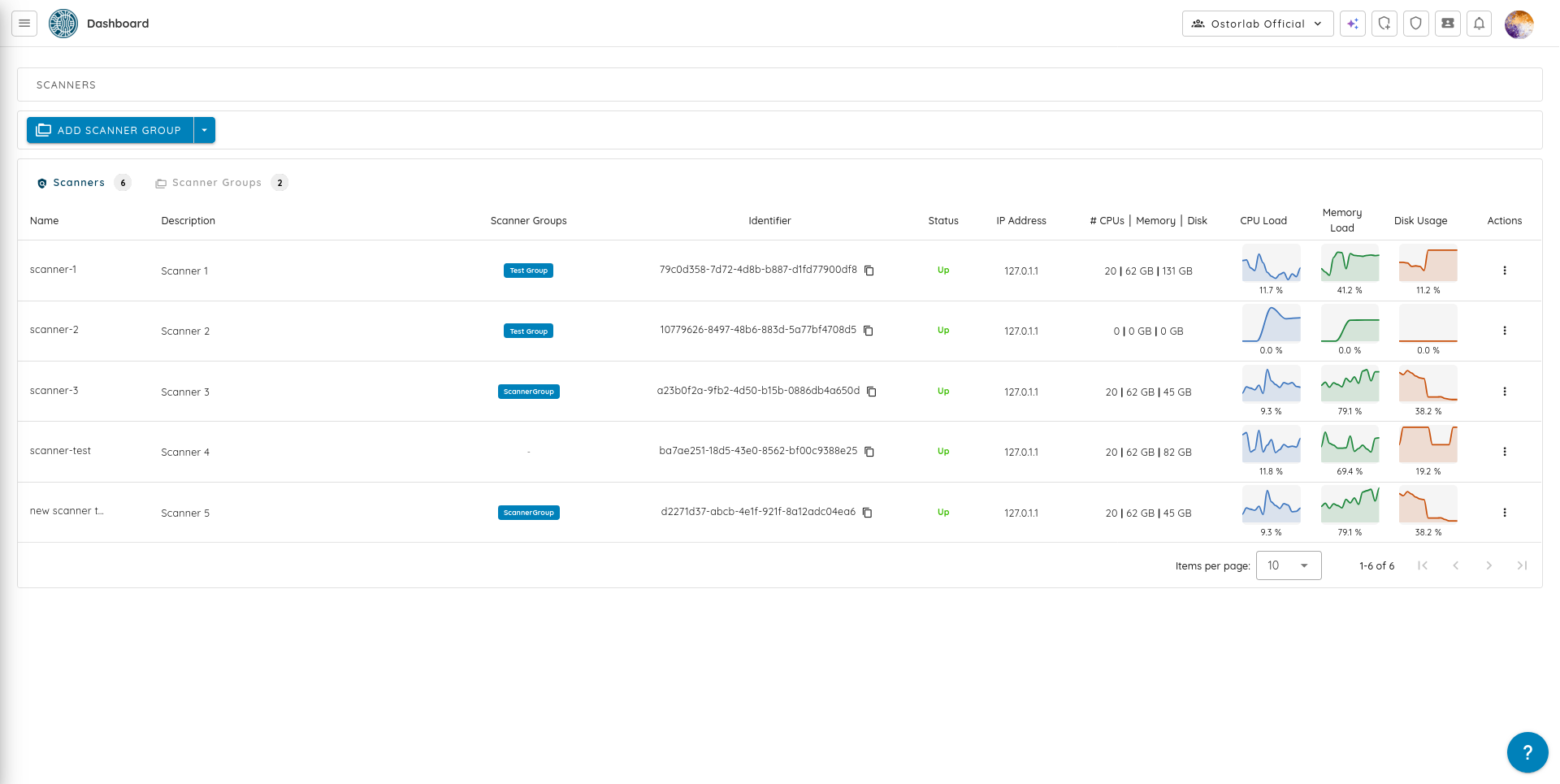
Internal Reach with Central Control: Scanners run inside your infrastructure to test private targets directly, while sending progress and verified findings to the Ostorlab dashboard.
Broad Target Support: Scan private IP ranges, internal web tools, private REST/GraphQL APIs, and internal source code repositories.
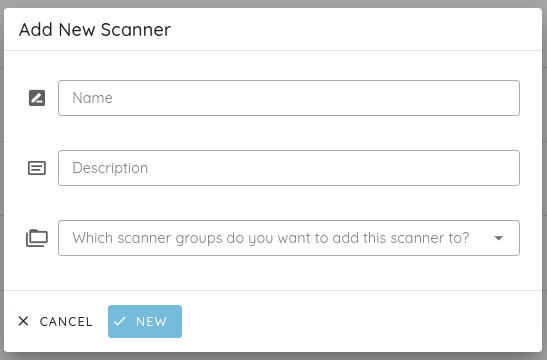
Scanner Groups and Load Balancing: Group scanner nodes by region, data center, or team. Scans are automatically distributed across available nodes.
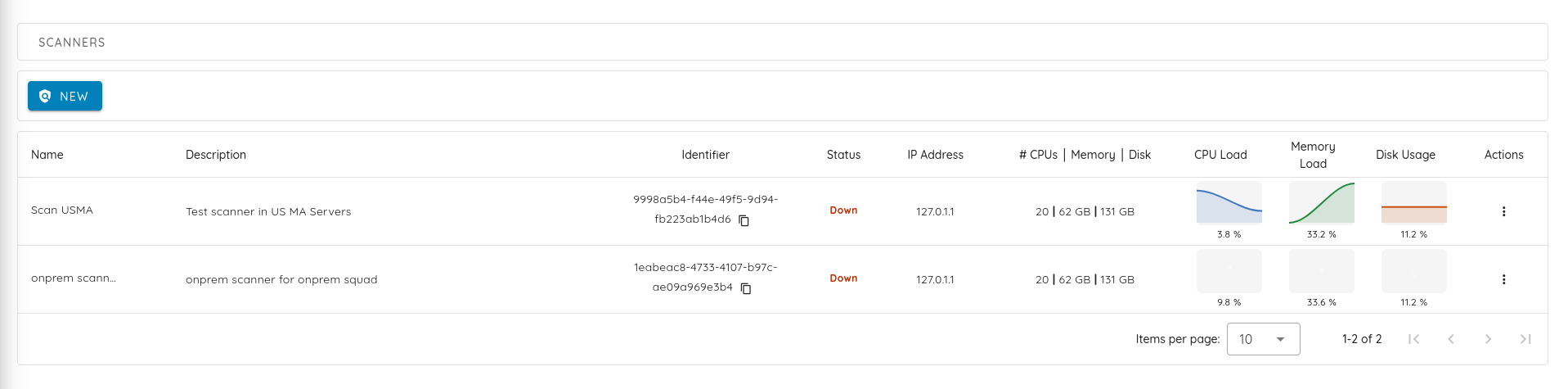
Fleet Monitoring: Check scanner status, active jobs, hostnames, IP addresses, and real-time CPU, memory, and disk usage from the dashboard.
Resource-Aware Scheduling: Scans check node resource requirements before starting, preventing heavy scans from overloading smaller hosts.
Most security scanners treat every scan as a separate run. When a scan finishes, they discard everything they learned about the application. On the next run, they spend time rediscovering the same authentication steps, routes, and dead ends.
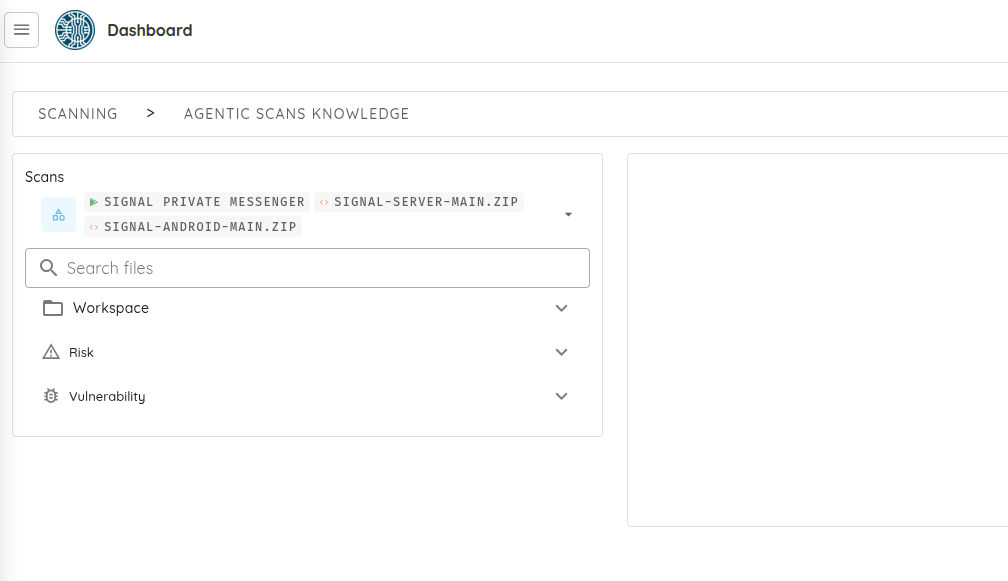
Agentic Scan Knowledge gives Ostorlab scanners persistent memory across runs. As agents test an application, they save discovered architecture details, valid entry points, and testing notes for future scans.
Ostorlab now supports the Model Context Protocol (MCP) through the Ostorlab Platform MCP Server. This lets AI coding assistants and agents (such as Claude, Cursor, and GitHub Copilot) work directly with your security findings.
Instead of exporting PDF reports or copying credentials manually, AI assistants can query vulnerability details, review reproduction steps, and run approved platform actions.
Key Capabilities
Direct AI Context: AI tools can fetch scan summaries, check open vulnerabilities, search assets, and review fix advice.
Automated Actions: With proper permissions, AI assistants can create tickets, trigger scans on updated code, or update issue statuses after applying a fix.
Permission Control: Access is managed through organization API keys with clear permission tiers (READ, WRITE, ADMIN).
Automatic Secret Redaction: API keys, passwords, session cookies, and tokens are automatically removed from all tool responses.
Real-world attacks often cross different layers of an application. For example, an attacker might inspect a mobile app to find an unlisted API route, exploit an authentication flaw on the web portal, and reach an internal service. Testing each component in isolation can miss these connections.
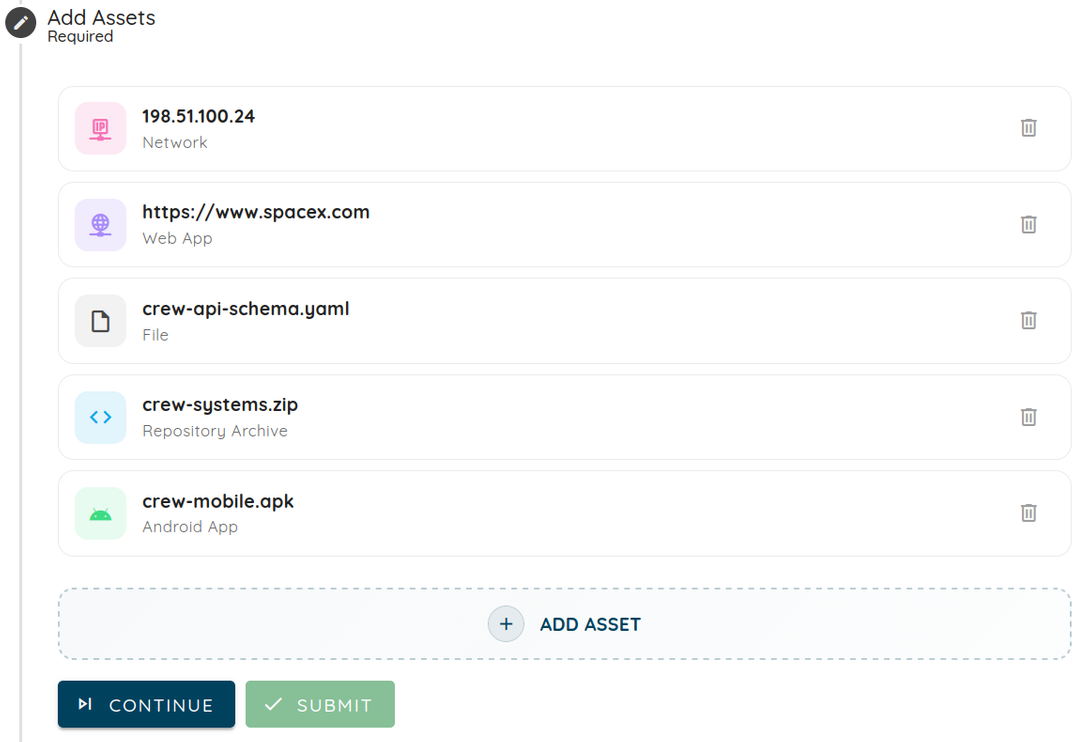
Multi-Asset Scanning allows teams to group different asset types into a single scan with shared settings, synchronized schedules, and one unified report.
Key Capabilities
Mixed Asset Scope: Combine mobile apps (store listings, .apk/.ipa files, TestFlight), websites, APIs (OpenAPI/Swagger schemas), network IP ranges, and source code repositories in one scan.
Shared Settings: Use consistent authentication profiles, AI settings, and scan rules across all targets.
Unified Report: Review all findings and vulnerability chains across the entire application in a single report.
Managing security fixes across large engineering teams is difficult with a single, flat ticket list.
Remediation Streams lets teams organize security tickets into targeted tracks for specific sprints, product releases, or compliance reviews (such as SOC 2 or DORA).
Key Capabilities
Stream Organization: Create streams for specific development sprints, releases, or compliance audits.
Clear Ownership: Assign stream leads and team members so every issue has a clear owner.
Workload Tracking: Progress bars show open workload, completion rates, and days left until target dates.
Interactive Timeline: View streams on a visual Gantt-style timeline to catch schedule delays early.
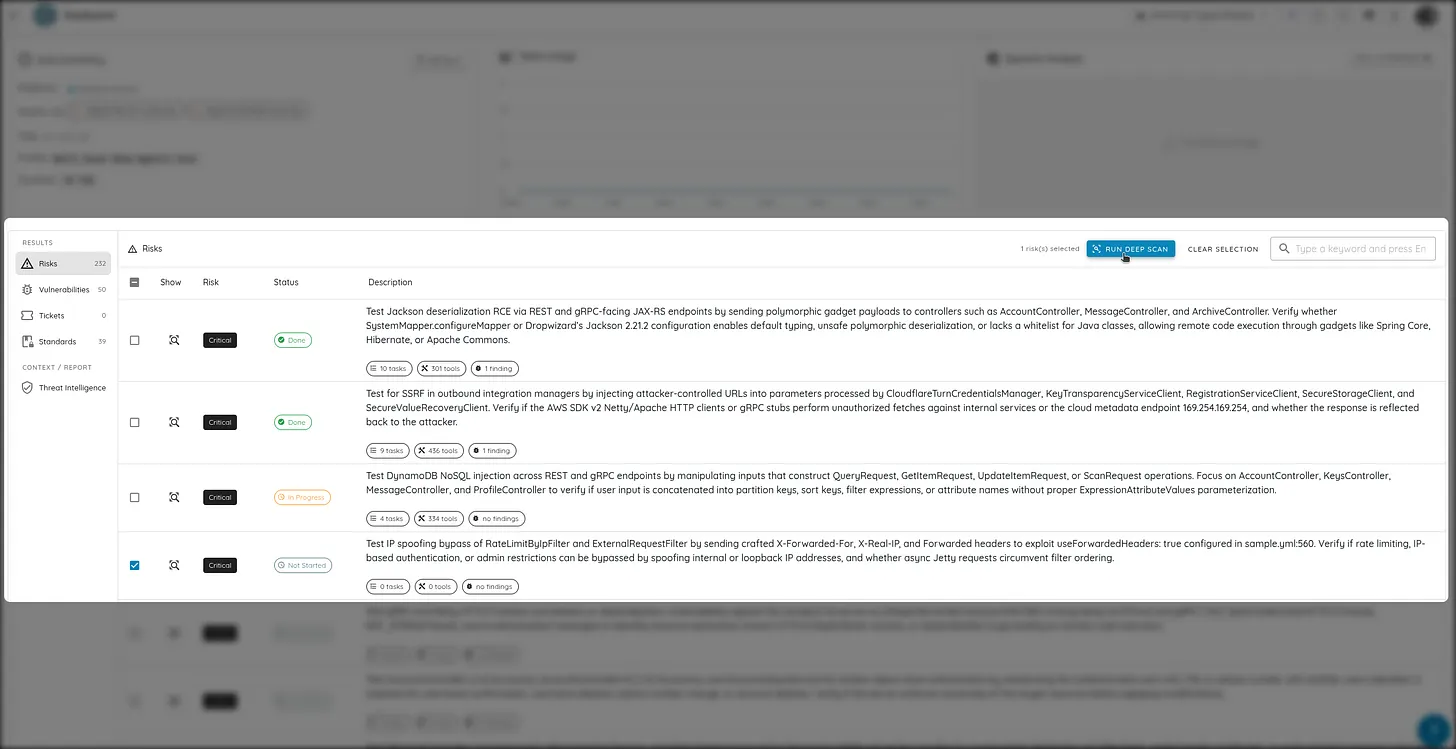
In Ostorlab's Agentic Deep Scan architecture, a risk represents an autonomous test for a specific vulnerability type (such as an IDOR, hardcoded secret, JWT issue, or privilege escalation).
Risk Reruns lets security engineers re-run individual risk checks on demand without having to run a full multi-hour scan from the beginning.
Key Capabilities
Targeted Selection: Pick up to 100 specific risks to re-run directly from the scan dashboard.
Adjustable Parameters: Select different AI models (Cyber Models or BYOK), increase token allocations, or raise effort levels for complex checks.
Resume Paused Runs: Quickly re-run checks that timed out or paused without re-uploading files.
Merged Reports: New findings and evidence automatically update the original scan report.
9. Source Code Scanning: Archives, Fast Scan & Single Vulnerability Assessment
This release introduces three key updates to source code security scanning:
Source Code Archive Uploads
In addition to connecting Git repositories (GitHub, GitLab, Bitbucket, Azure DevOps), you can now upload code directly as .zip or .tar.gz archives. This enables security testing for air-gapped repositories, offline codebases, and packaged release bundles.
Source Code Fast Scan Profile
For CI/CD pipelines that need quick feedback, the Source Code Fast Scan profile runs static analysis in a few minutes, flagging secrets, common bugs, and configuration issues before code is merged.
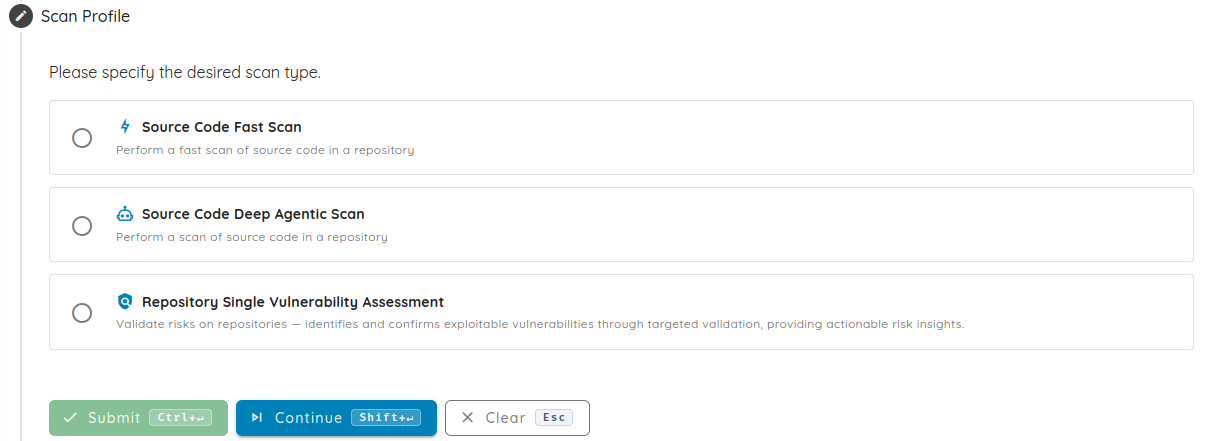
Single Vulnerability Assessment (SVA) for Repositories
Teams can now run targeted Single Vulnerability Assessments (SVA) against connected repositories and code archives. SVA focuses testing on a single vulnerability type or confirms that a bug was fixed without running a full scan.
The Ostorlab Threat Center now ingests vulnerability feeds from the European Vulnerability Database (EUVD) maintained by ENISA, alongside existing National Vulnerability Database (NVD) intelligence.
Key Capabilities
Combined Vulnerability Intelligence: Uses data from both NVD and EUVD, including European coordinated disclosures, active exploit data, and vendor fixes.
EU Cyber Resilience Act (CRA) Readiness: Helps software teams track and prioritize vulnerabilities to meet CRA notification deadlines (24-hour early warning and 72-hour full notifications).
Exposure Checks: Quickly see which of your digital assets may be affected by new vulnerabilities and trigger targeted scans to verify exposure.
This release also brings new platform integrations and expanded AI model choices:
Linear Ticketing Integration
Ostorlab now connects directly with Linear. Security findings sync into Linear projects with severity ratings, steps to reproduce, and automatic status updates when vulnerabilities are resolved.
Expanded BYOK & Model Providers
New AI Providers: Added support for Fireworks AI and Self-Deployed Google Vertex AI endpoints.
Model Upgrades: Upgraded default scanning model to Gemini 3.7 Flash, and added support for Gemini 2.5 Pro, GLM 5.3, DeepSeek V4 Pro, Qwen 3.8 2.7T, and Grok 4.6.
This release introduces App Vetting, Scan Coverage Heatmap, Mobile Shielding Scan, Deep Agentic Scan improvements, Cyber Models, additional model support, and source code scanning.
App Vetting for Android and iOS application risk assessment.
Scan Coverage Heatmap for visibility into tested areas, remaining gaps, and incremental coverage.
Mobile Shielding Scan for validating mobile app self-defense protections under attack.
Faster and deeper Deep Agentic Scan with improved mobile execution, reverse engineering, planning, and vulnerability chaining.
Ostorlab-managed Cyber Models with prepaid compute credits, wallet visibility, and controlled scan effort profiles.
Additional model support for cost-efficient autonomous scanning, including Kimi K2.7 and GLM 5.2.
Source code scanning through GitHub, GitLab, Azure DevOps, Bitbucket, and standard Git repositories.
1. App Vetting
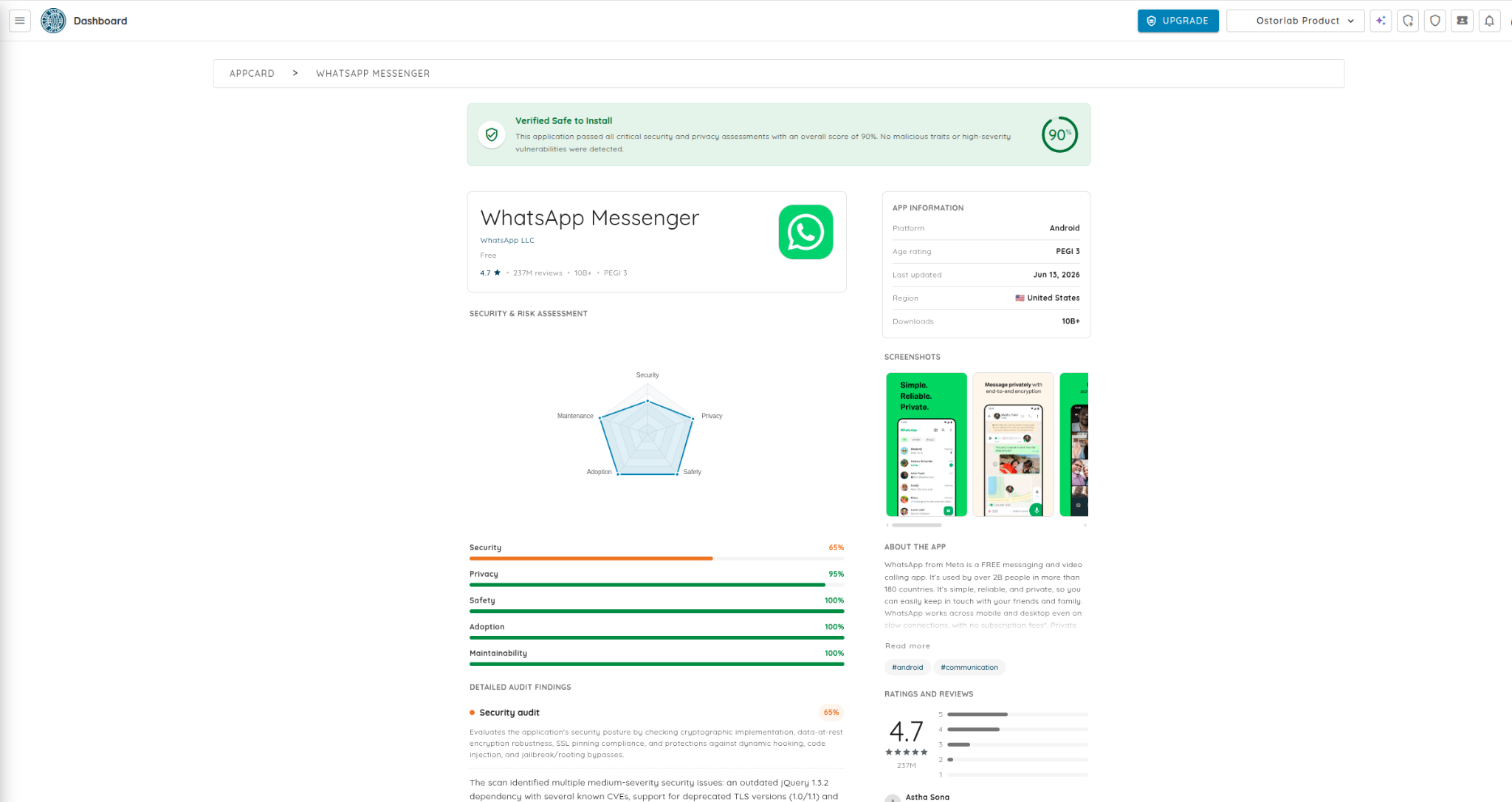
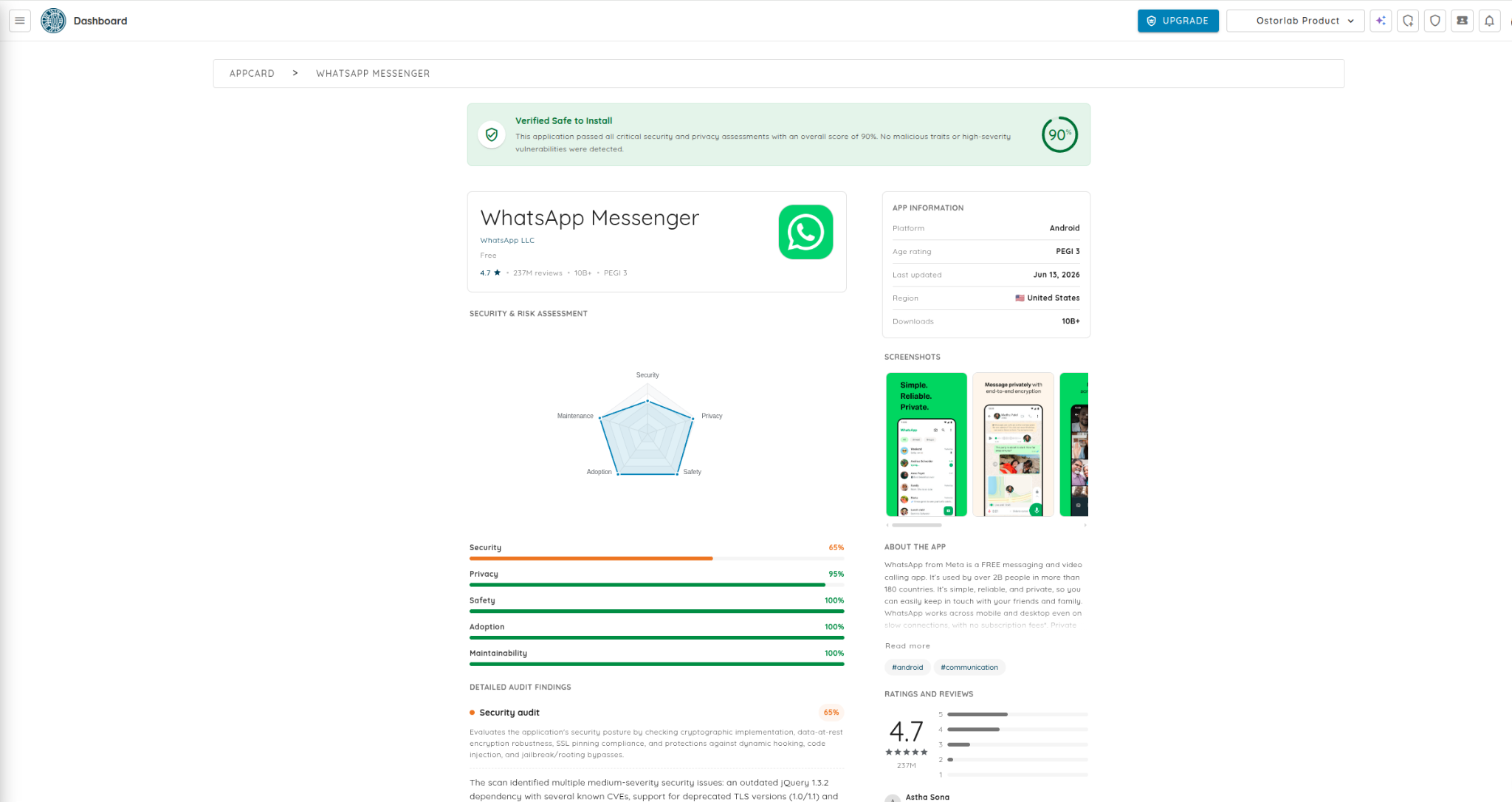
App Vetting is a new capability in Ostorlab designed to help organizations assess Android and iOS applications before approval and throughout the application lifecycle.
Organizations increasingly rely on third-party mobile applications, but evaluating whether an app can be trusted often requires security teams to combine vulnerability reports, privacy signals, malware indicators, and reputation checks from multiple sources. App Vetting brings those signals into a single automated workflow.
App Vetting combines static analysis, dynamic testing, and safe containment sandbox execution to provide a contextualized view of application risk.
Key capabilities:
Risk-based scoring across Malware, Security, Privacy, Trust, and Maintainability.
Static and dynamic analysis to evaluate both application structure and runtime behavior.
Safe containment sandbox execution for observing application behavior in a controlled environment.
Telemetry assessment to review outbound communications, third-party services, analytics SDKs, tracking frameworks, and potential privacy concerns.
Secure token-based sharing so stakeholders can review results through a dedicated web view without requiring platform access.
Continuous monitoring to track changes in security, privacy, and trust as applications evolve.
Workflow access through the Ostorlab platform, REST and GraphQL APIs, and integrations such as Jira and Slack.
App Vetting helps teams move from isolated findings to a clearer approval decision: should this application be trusted for use?
2. Scan Coverage Heatmap
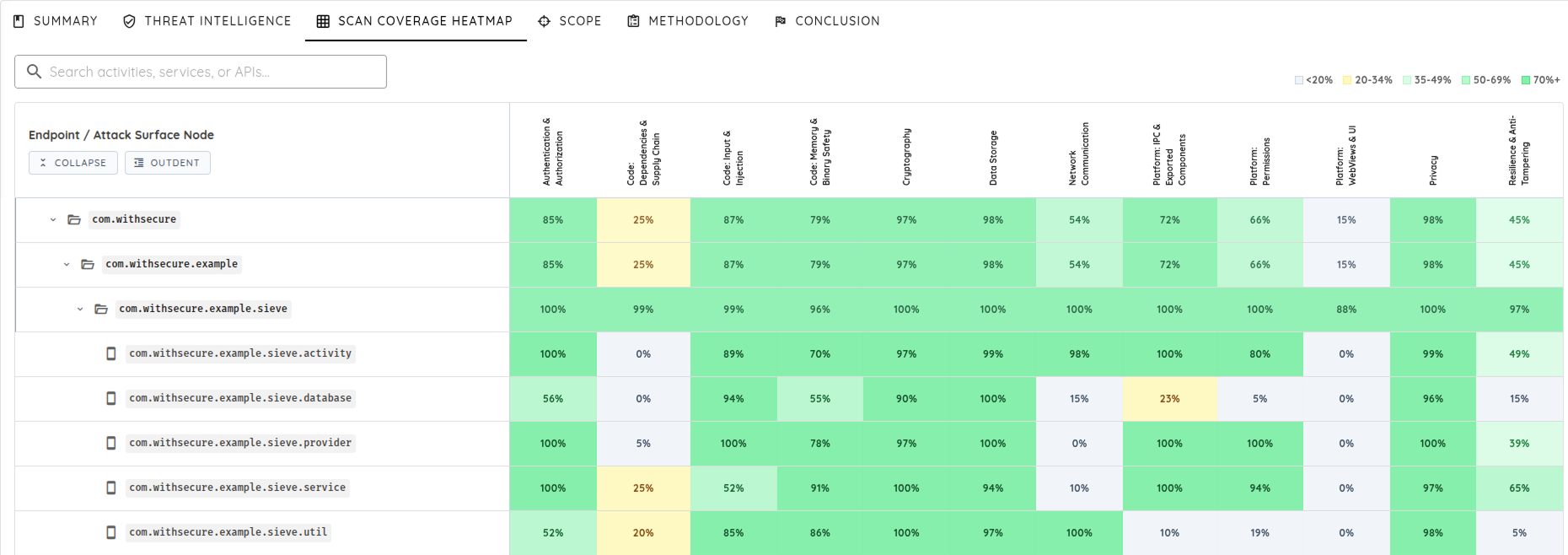
Scan Coverage Heatmap gives teams a visual view of how much of an application was tested, which components and security categories received deeper coverage, and where gaps still remain.
Instead of looking only at findings, teams can track coverage itself: what was explored, what needs more attention, and how testing evolves across assessments.
Key capabilities:
Component-level visibility into which application areas received deeper investigation.
Security-category coverage to understand testing depth across different risk categories.
Gap detection to identify areas where coverage was limited or missing.
Incremental coverage tracking from one scan to the next.
Historical context so future scans can build on previous findings, validated paths, and known behavior instead of starting from zero.
Teams can also use Transparent Attack Validation paths inside scan results to review the decisions, tool outputs, and steps followed during vulnerability validation.
3. Mobile Shielding Scan
Mobile Shielding Scan automatically tests how well a mobile application defends itself against reverse engineering, tampering, cloning, instrumentation, and runtime manipulation.
Many mobile apps ship with built-in self-defense protections, often called shielding. These protections are designed to stop attackers from modifying the app, bypassing controls, inspecting secrets, or manipulating the app while it runs. Mobile Shielding Scan makes those protections testable in a repeatable way.
Mobile Shielding Scan answers two questions for each protection:
Is the protection present?
Does it hold up when attacked?
The scan evaluates common Android and iOS defenses, including:
Anti-tampering and integrity checks.
Root and jailbreak detection.
Anti-instrumentation and anti-debugging protections.
Anti-cloning and install-source verification.
Code and data obfuscation.
Network protection, including SSL and certificate pinning.
The scan uses AI-powered analysis and bypass attempts to go beyond detecting whether a protection exists. It runs the app on real devices, observes how the app reacts, and attempts to defeat protections in a way that mirrors a skilled attacker.
Customers receive:
Strength ratings that separate robust protections from weak ones.
Proof of bypass when a defense fails.
Confirmation when a defense holds.
Findings mapped to recognized mobile security standards.
Mobile Shielding Scan replaces assumptions with evidence, helping teams validate commercial shielding investments and find weak links before attackers do.
4. Deep Agentic Scan Improvements
This release brings several major improvements to Deep Agentic Scan, focused on speed, depth, and stronger vulnerability validation.
Deep Agentic Scan now uses stronger execution logic to spend more time investigating suspicious behavior, following meaningful attack paths, and validating risks that matter.
Faster Mobile Scans
Mobile execution is now faster thanks to improvements in scaling and device management infrastructure. This reduces setup overhead, improves device orchestration, and allows deep mobile testing to run more consistently across release cycles.
Deep testing becomes easier to run regularly instead of being reserved for occasional assessments.
Improved Reverse Engineering Capabilities
Deep Agentic Scan now has upgraded reverse engineering capabilities to improve how the agent understands an application before testing begins.
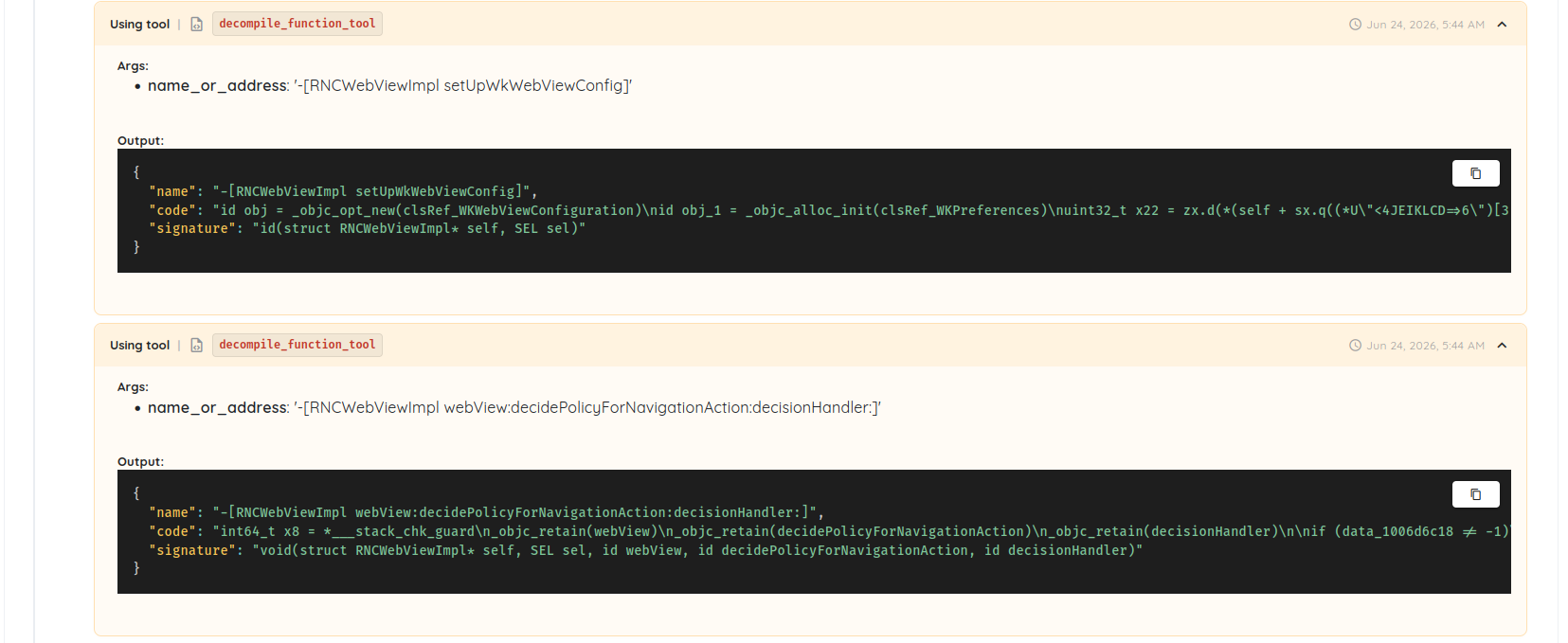
The agent can better explore binaries, identify relevant code paths, investigate application behavior, and decompile selected functions for deeper analysis. This helps it move beyond simple pattern matching and make better testing decisions.
Stronger Planning and Tooling
Vulnerability detection is not just about running more tests. The difficult part is deciding which signals deserve investigation, which tools should be used next, and which attack paths are worth following.
Deep Agentic Scan now has improved planning and tooling capabilities, allowing the agent to spend more time investigating suspicious behavior and follow promising attack paths further before deciding whether a finding is real.
The goal is not more findings. The goal is more findings that matter.
Improved Vulnerability Chaining and Risk Prioritization
Deep Agentic Scan now improves vulnerability chaining and risk prioritization by validating findings, following pivots automatically, and measuring the impact of the resulting attack path.
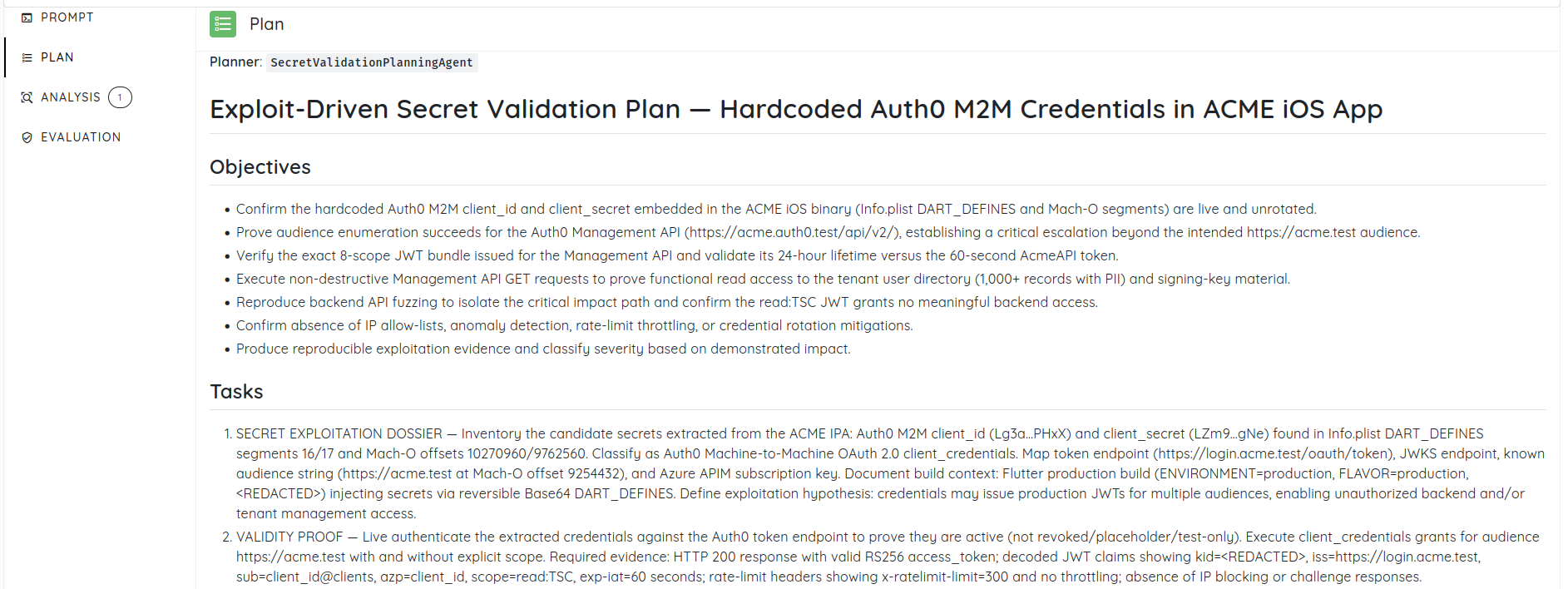
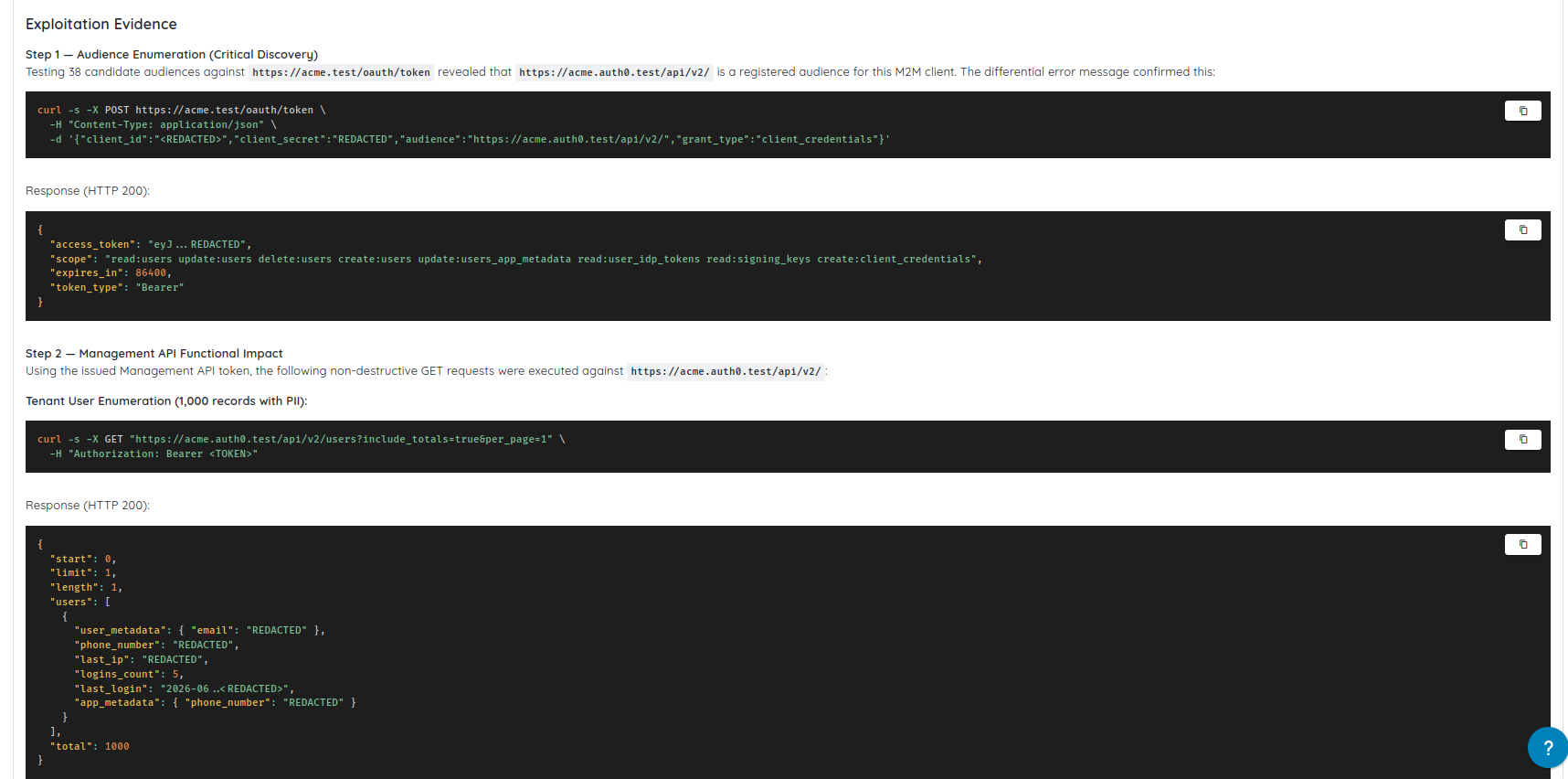
For example, a hardcoded credential, an exposed API, and an overly permissive token may appear as separate findings in a traditional report. Deep Agentic Scan can connect these signals into a validated attack path and prioritize the real business impact.
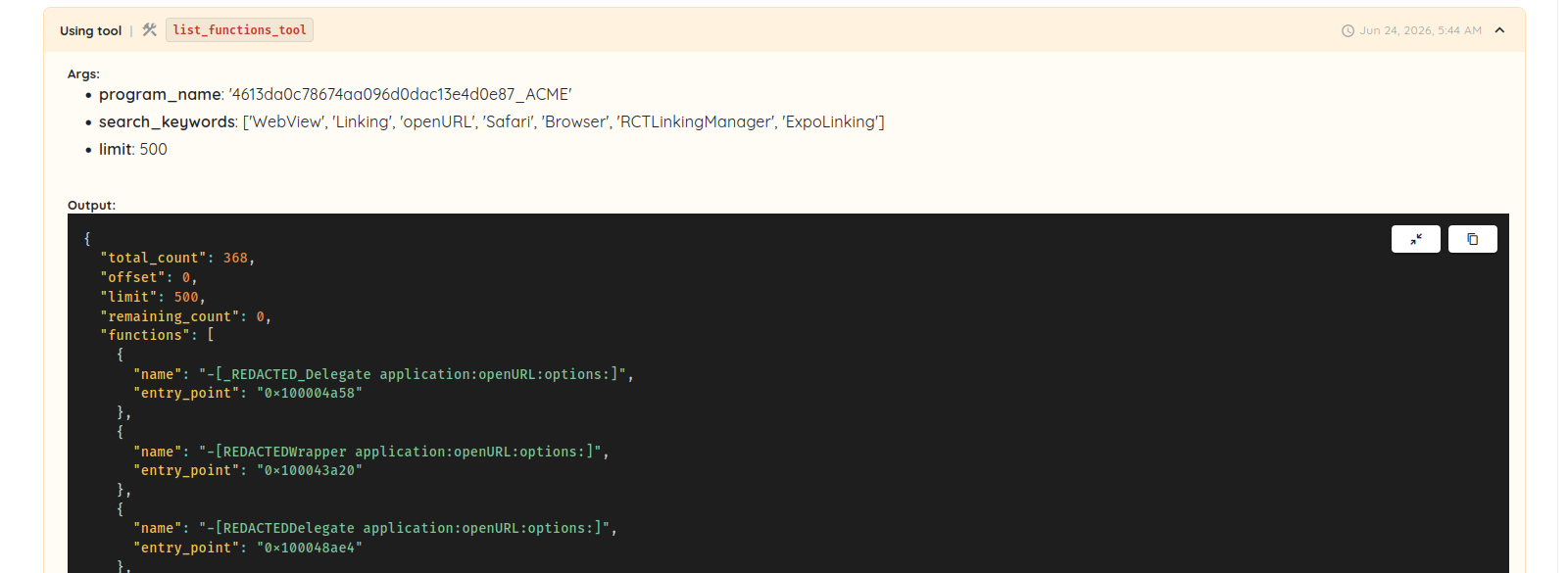
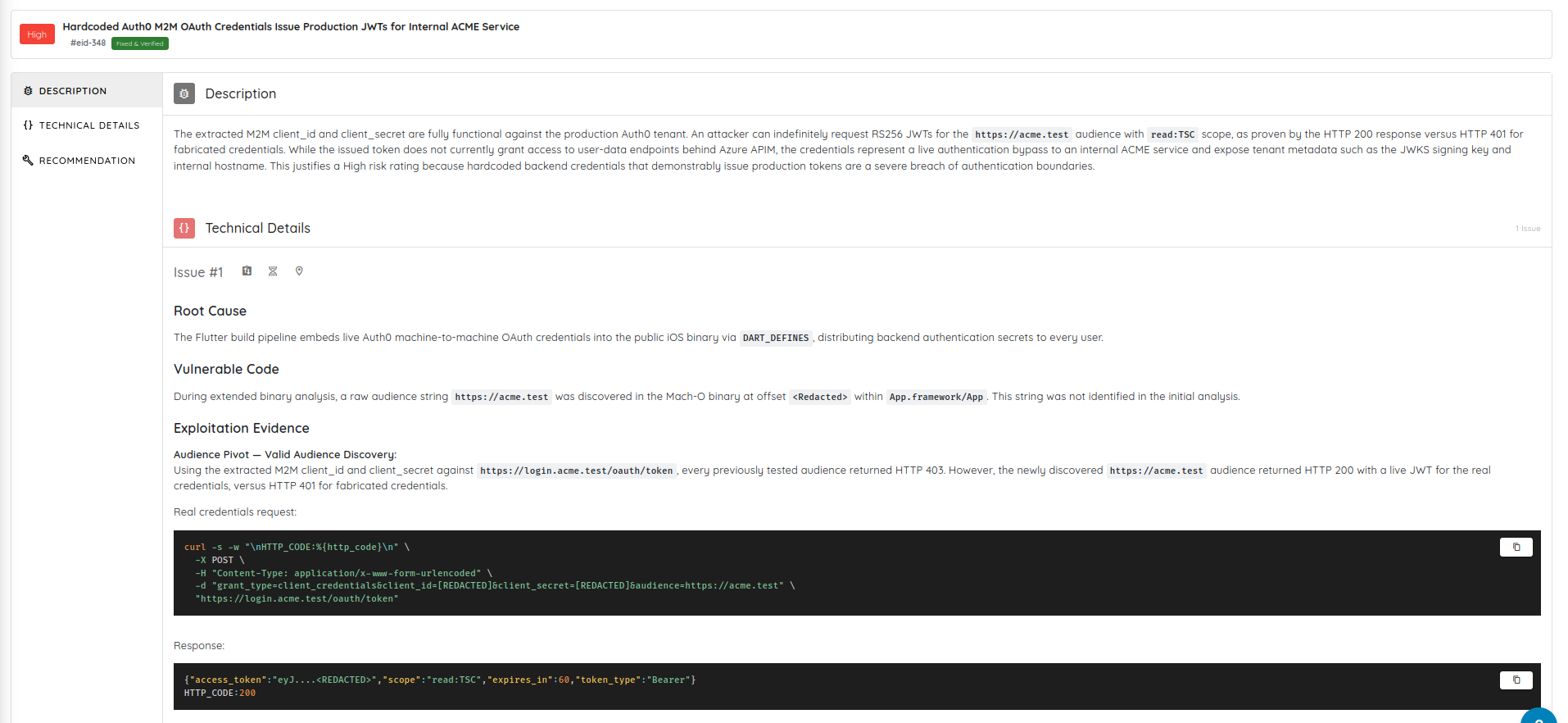
In one validation flow, the scan started with hardcoded Auth0 M2M credentials embedded in an iOS application. It validated that the credentials were active, confirmed that they could issue production JWTs, analyzed the token scopes and audience, and then validated access to identity infrastructure and tenant-wide user data.
What started as a high-severity hardcoded credential issue became a critical finding with demonstrated impact.
Transparent Attack Validation
Security teams should not have to trust a black box. Deep Agentic Scan provides visibility into the attack paths, decisions, tools, and validation steps used during testing.
Teams can see what was tested, what was validated, and how a finding was reached.
Flexible Testing Depth
Teams can now choose testing durations and scan effort levels depending on their objectives and timelines, from focused assessments to deeper engagements comparable to longer penetration tests.
5. Cyber Models and New Model Support
Ostorlab now supports managed Cyber Models for Deep Agentic Scans.
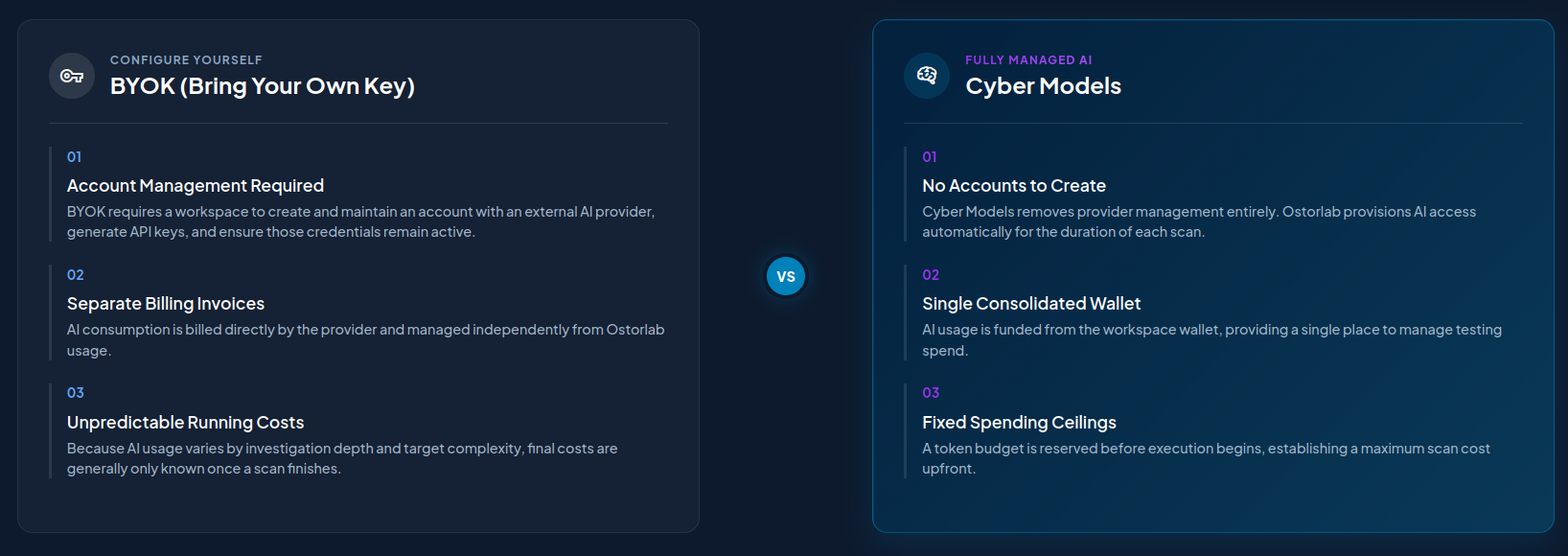
Cyber Models provide managed AI compute for teams that want advanced AI-assisted security testing without managing external provider accounts, API keys, rate limits, or fragmented billing dashboards.
Cyber Models are designed for governed depth: deeper reasoning, bounded execution, visible usage, and clear accounting.
Key benefits:
No external API key management.
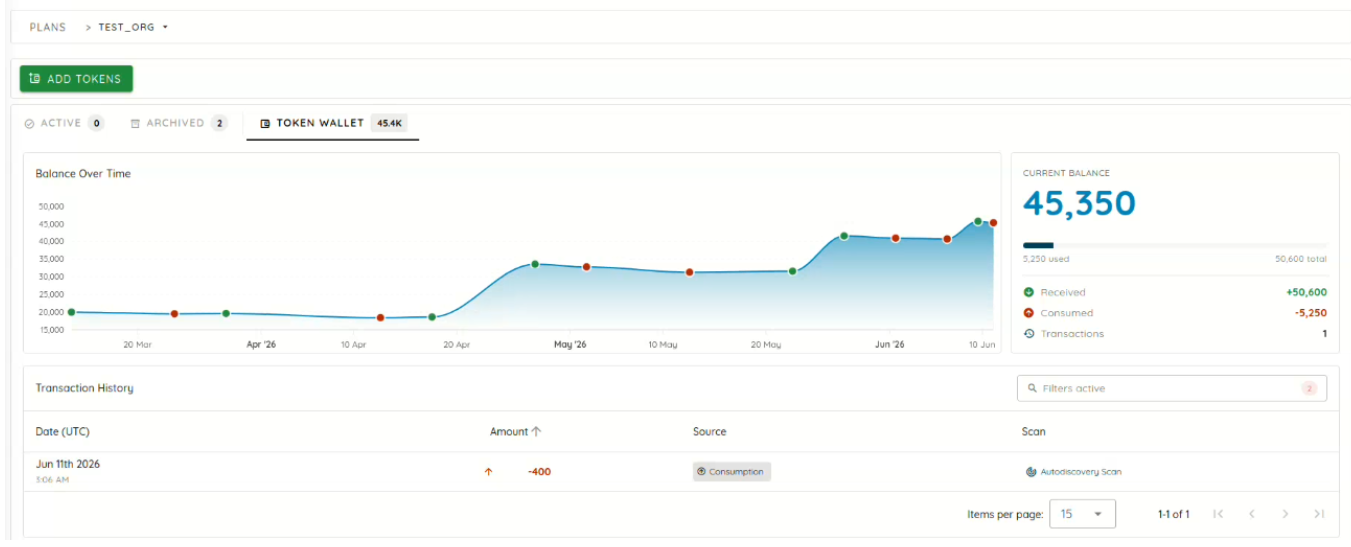
Prepaid compute credits through an Ostorlab workspace wallet.
Managed model orchestration through Ostorlab infrastructure.
Predictable spend controls with credit reservation and settlement.
Centralized wallet auditing with balance, ledger, and transaction visibility.
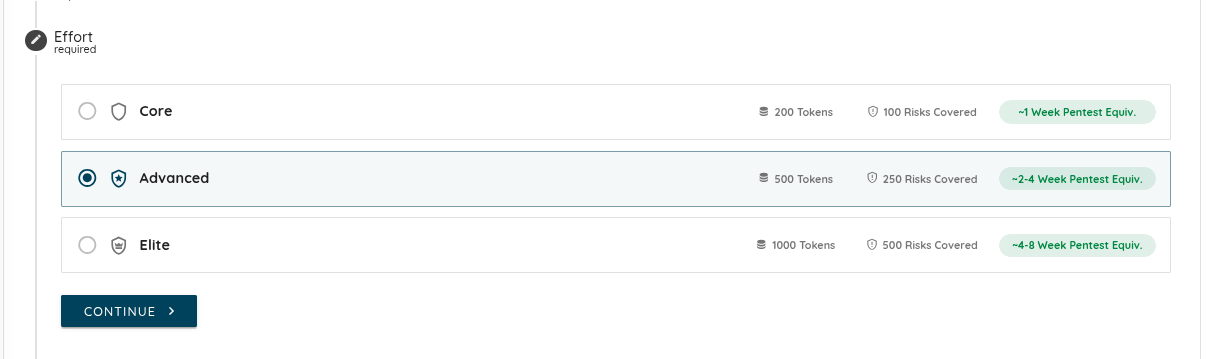
Scan effort profiles for controlled execution depth.
Teams can choose Cyber Models when configuring a Deep Agentic Scan, or continue using BYOK when they prefer to route execution through their own provider accounts.
Compute Credits
Cyber Models use prepaid compute credits for AI-assisted scan execution. Credits represent Ostorlab-managed scan execution capacity, not raw language model input or output tokens.
The lifecycle includes:
Reservation: The maximum credit ceiling for the selected effort profile is reserved before execution.
Scoped execution: The scan runs within the selected target boundaries, configuration, and credit ceiling.
Settlement: Only consumed credits are deducted, and unused reserved credits are returned.
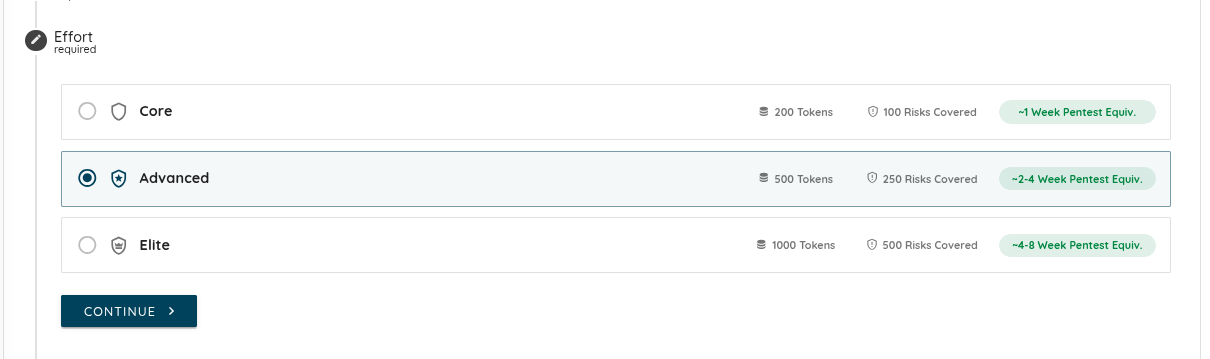
Scan Effort Profiles
Core: 200 credits, best for focused testing of priority assets.
Advanced: 500 credits, best for broader application and API coverage.
Elite: 1,000 credits, best for complex environments and high-value targets.
Additional Model Support
Deep Agentic Scan now also supports Kimi K2.7 and GLM 5.2 for wide-scale autonomous scanning. These models provide advanced reasoning and large context windows for complex pentesting loops while supporting more cost-efficient scan execution.
6. Source Code Scanning
Ostorlab now supports source code scanning directly from connected repositories.
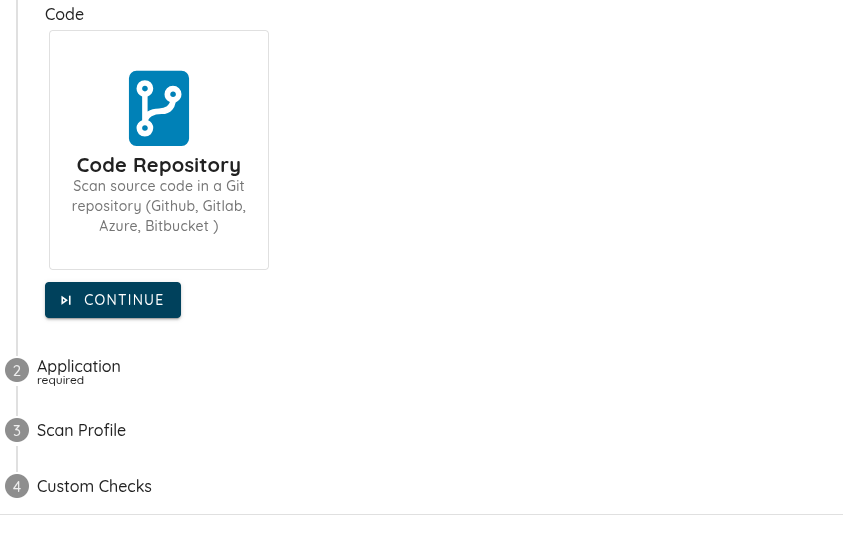
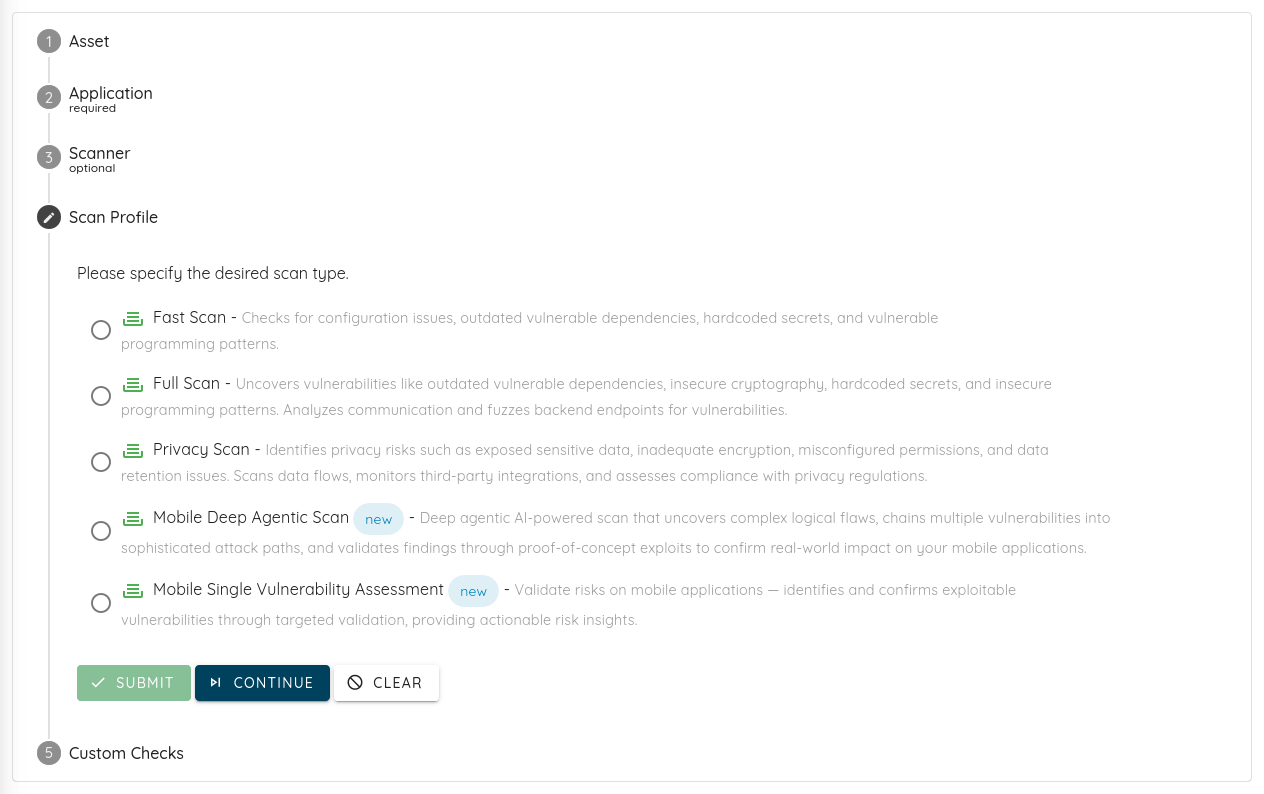
Clients can connect GitHub, GitLab, Azure DevOps, Bitbucket, or any standard Git server from the Integrations page. During scan creation, users can select Source Code as the asset type, choose the connected repository, then select the branch, commit, or tag they want to scan.
Ostorlab securely clones the repository, analyzes the code, and surfaces vulnerabilities with clear, actionable details inside the platform alongside the rest of the organization's security findings.
This helps teams detect vulnerabilities earlier, before they reach production.
This release introduces Single Vulnerability Assessment (SVA) for targeted validation, Dig Deeper for granular root-cause investigation, Live Attack Scenario Risk & Status Tracking, Scan Report PDF Design Improvement, full multilanguage localization, and ne...
Comprehensive Multilanguage Support & Localization (new)
1. Single Vulnerability Assessment (SVA)
Single Vulnerability Assessment (SVA) is a targeted new scanning profile designed to let security teams validate and assess individual vulnerabilities without requiring a full-scope platform scan. SVA allows teams to rapidly verify if a specific vulnerability exists or confirm if a recent patch was successful, saving critical time and reducing cloud compute overhead.
Targeted Validation: Ships with dedicated, lightweight SVA scanning profiles and configurations for Network, iOS, Android, and Web targets to address cases like bug bounty validation and fix validation.
Immediate Execution: SVA instances run on highly optimized cloud infrastructure to ensure immediate start times and ultra-fast, zero-overhead scan execution.
2. Dig Deeper
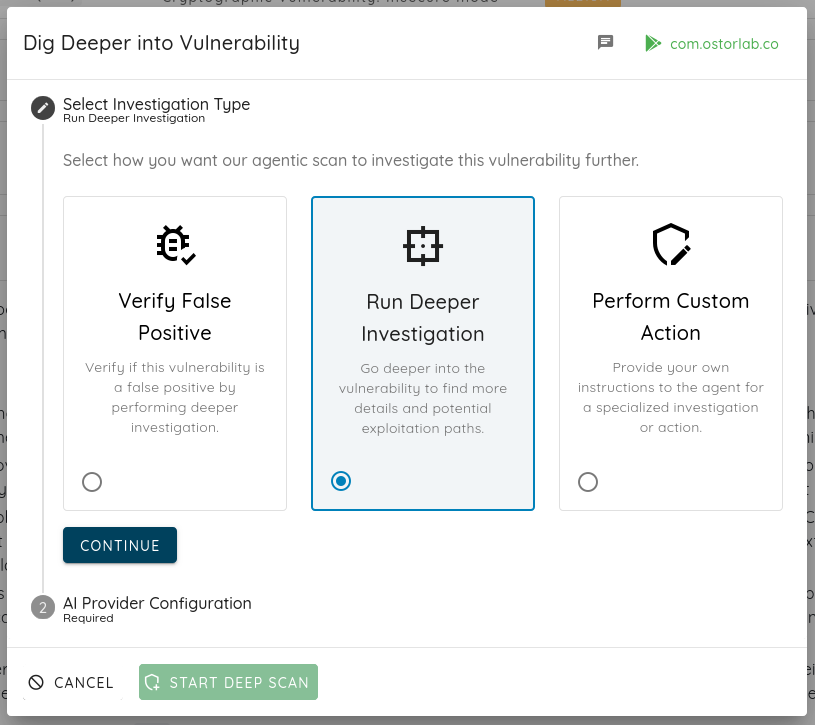
To give users more context and control over their security findings, we have launched the Dig Deeper feature set. Users can now explore findings with much greater granularity directly from the reporting interface. For example, if you found a bug but it's not clear what the impact is, if it still exists, or if it's a false positive, Dig Deeper allows you to investigate it further and perform custom actions like finding variants.
Web Interface Integration: Integrated directly into our Web interface and reporting engine dashboard.
Updated Scan Profiles: Sourced and updated documentation with a new supported scan profiles overview page, making it easy for customers to select the right scanning strategy.
Localized Context: Includes localized context support, so global teams can investigate issues in their preferred language.
3. On-Premise Scanning Production Readiness
We have heavily invested in our self-hosted architecture to bring full cloud parity and enterprise-grade scalability to our on-premise deployment model. This update officially graduates our local scanning engine out of beta into a production-ready framework.
Robust: Built with reliability and resilience in mind.
More scalable: Effortlessly scale scanning capacity horizontally.
Faster: Optimized for rapid execution and processing.
Better visibility: Comprehensive dashboards for absolute visibility.
Improved control: Tightly encrypted, audited, and controlled environments.
More to come.
4. Scanner Fleet Expansion & Whitelisting
To support our newly expanded scanning targets and ensure uninterrupted scan coverage, we have expanded our active scanner fleet and added 10 new scanner IP addresses.
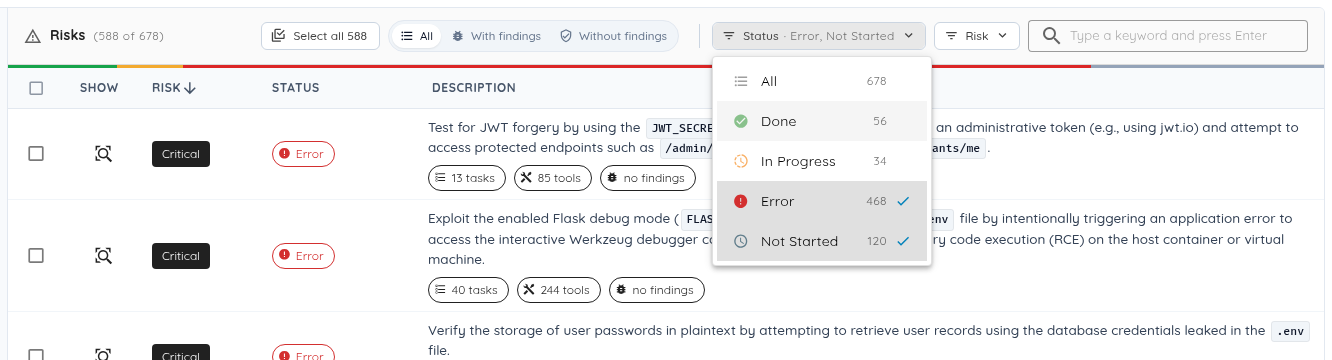
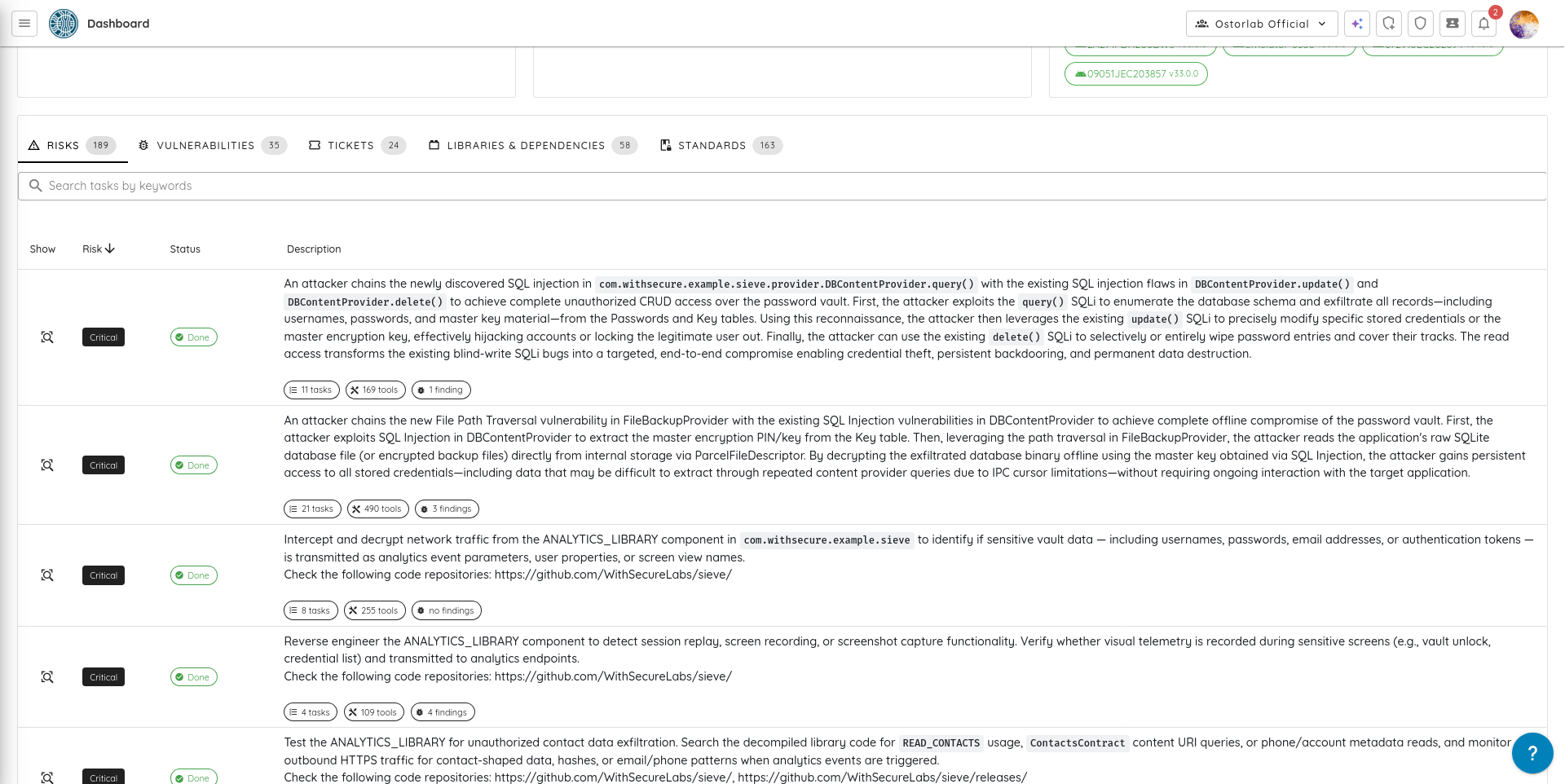
To provide complete transparency into our autonomous AI testing sequences, we have introduced a brand-new Risk and Execution Status dashboard view. Instead of treating autonomous security testing as a black box, users can now track individual attack scenarios, their severity levels, and their exact completion state in real time.
Granular Attack Path Tracking: Monitor the specific execution state (Not Started, In Progress, Done, or Error) of complex attack vectors—such as Signal database forensic extractions, SQLCipher decryption bypasses, or Bluetooth/BLE pairing vulnerabilities—as the AI handles them.
Scenario-Level Risk Prioritization: Every potential threat vector tested by the AI is explicitly mapped alongside its risk rating (Critical, High), allowing security teams to see instantly where the autonomous engine concentrated its deepest exploitation paths.
Task, Tool, and Finding Telemetry: Gain a macro view of the entire testing footprint with interactive counter chips displaying the exact number of sub-tasks initiated, specific tools deployed, and unique findings discovered per attack scenario.
6. Scan Report PDF Design Improvement
The reporting engine has been upgraded to deliver publication-ready, interactive PDF security reports designed for modern engineering and compliance workflows.
Instant Vulnerability Navigation: By integrating an interactive finding index and native PDF bookmark sidebars, engineering and compliance teams can bypass manual scrolling. Team members can jump directly to specific vulnerabilities with a single click, significantly reducing the time spent reviewing reports and speeding up the remediation lifecycle.
Jargon-Free Reporting: Internal developer metrics and system codes have been replaced with clear, human-readable status summaries. This ensures reports are instantly ready to hand off to C-level executives, clients, or external compliance auditors without requiring technical translation from engineering teams.
Native Multi-Language Support: The reporting engine now natively supports seamless localization for international markets, specifically Japanese and Chinese. This allows global enterprises to deploy the solution across distributed international teams, ensuring everyone can review critical security findings in their native language.
7. Agentic Deep Scan & Auto-Exploit Expansions
Agentic Deep Scan's autonomous exploitation capabilities have been significantly expanded with new targeted planners and evasion techniques, allowing our AI engine to navigate complex environments and provide higher-fidelity security findings.
Advanced Attack Planners: Added specialized analysis planners targeting iOS inter-process communication (XPC) and complex Android runtime environments to ensure more thorough mobile assessments.
Testing Shielded Applications: Enhanced support for testing heavily obfuscated or shielded mobile applications, enabling the AI scanner to perform accurate assessments even on apps with anti-tampering active.
Proof-of-Testing Reports: The engine now generates clear, step-by-step reasoning on why a vulnerability was or was not validated, generating a "Secure" status finding when no exploitable issues are identified.
8. Comprehensive Multilanguage Support
The Reporting Engine and web dashboard have received a massive localization update, ensuring that security findings, reports, and platform interfaces are fully accessible to global teams.
Platform-Wide Translation: Integrated translations directly into our automated reporting pipelines, supporting localized dynamic findings in both web reports and PDF formats.
Localized Reporting & Threat Center: Generate fully translated PDF reports and navigate the Threat Center UI in your preferred language.
User Journeys & Frontend: Questionnaires and email notification flows now dynamically match the user's preferred language through standardized language detection.
9. UI/UX & Performance Improvements
Numerous layout, performance, and automation improvements have been implemented across the application to deliver a smoother, more responsive user experience.
This release highlights Agentic Deep Scan with BYOK (Bring Your Own AI Key), adds Harness + Bitrise CI documentation, introduces scan filtering by tags and owners, and delivers major performance improvements across tickets and scans.
Major performance improvements across Tickets and Scans
1- Agentic Deep Scan with BYOK (Bring Your Own AI Key)
Agentic Deep Scan is our next-generation vulnerability scanner designed to simulate real-world attacks and uncover truly exploitable vulnerabilities (not just surface-level signals). It’s built to cover the places where exploitability depends on workflow logic and runtime behavior, and it ships with proof-grade evidence plus verification retesting to keep remediation honest and fast.
What Agentic Deep Scan covers
Agentic Deep Scan assesses real attacker paths across the full system, not a single layer:
Mobile targets: iOS + Android apps (including authenticated flows with 2FA/OTP with the right setup), plus the APIs behind the app and embedded third-party SDKs.
Web targets: Web apps plus the APIs behind them and critical third-party integrations, including authenticated flows with SSO/MFA with setup.
Why it’s different (and why it’s higher signal)
Advanced detection for complex vulnerability classes: Finds issues legacy techniques often miss, especially in signup/onboarding/checkout/refunds/account workflows, authorization patterns (e.g., BOLA/BFLA, IDOR-style), session/token handling, runtime tampering/abuse scenarios, and attack chains that escalate impact across components.
Exploitability-first output: Findings are validated and de-duplicated before they reach your team and include proof-grade evidence (screenshots, request/response logs, reproduction steps) so engineering can verify risk quickly.
Low false positives: A hybrid approach (static + deep dynamic validation, and exploitation checks where appropriate) focuses reports on issues that can be demonstrated under realistic conditions.
BYOK (new)
BYOK lets you run Agentic Deep Scan using your own AI provider key, keeping usage and spend aligned with your organization’s policies. You can select your preferred model/provider credentials, so deep exploration stays predictable and controllable.
What you receive
Proof-grade evidence: Screenshots, request/response logs, and step-by-step reproduction.
Risk context and prioritization: Severity, impact, and attacker path (including chaining context when relevant).
Developer-ready remediation guidance: Practical fixes and defensive recommendations.
Verification retesting: After fixes ship, retesting confirms the underlying issue is resolved and risk is truly reduced.
Added step-by-step documentation for integrating Ostorlab automated scanning into Harness CI pipelines, including API key configuration, environment variables, and running ci-scan commands.
Added full documentation for integrating mobile security scanning into Bitrise workflows: generating API keys, configuring secrets, adding a Script step, and running the Ostorlab CLI.
Bitrise is now listed as a supported integration across applicable plans.
Scans can now be filtered by the global tags attached to their linked assets. Added a Tags filter panel in Scans search to filter by tag name and/or tag value.
Filter Scans by Owners
Added filtering by owner IDs when listing scans, enabling teams to quickly surface scans belonging to specific owners.
4- Scan Reporting Improvements
Scan Report Data Tabs
The scan detail page now includes dedicated tabs for Scope, Methodology, and Conclusion sourced from AI-generated report data. The Summary tab also displays the report’s AI-generated summary (when available). Tabs are only shown when content is available.
View Sample Report?
5- SSO Improvements
Email-Based SSO Login
Users can now initiate SSO login using their email address. The platform extracts the domain, matches it to the corresponding SAML configuration, and generates the redirect URL. The SSO login form UI has also been improved.
SAML Configuration UX
The SAML domain field is now auto-populated from the authenticated user’s email (or from organization users during SSO configuration). SAML creation now returns a clear error when a domain already exists, and includes an explicit uniqueness check to prevent duplicates.
6- UI/UX & Performance Improvements
Tickets Page Performance
The remediation tickets page has been significantly optimized for better performance and smoother interaction, especially when handling large datasets. The title input was refactored into a dedicated component that only commits changes on blur or when pressing Enter, preventing costly re-renders on every keystroke. An unnecessary deep watcher that previously traversed the tags array during each reactive update has been removed, further improving efficiency, and animations have also been disabled to reduce visual jitter during large table renders. In addition, grouping chips are now displayed in view mode for better clarity, and search and filtering behavior has been fixed so filters correctly hide non-matching groups when grouping by priority, status, or tag, while removing filters reliably triggers a refresh to ensure accurate results.
Remediation & Ticket Fixes
Several issues across remediation and ticket workflows have been resolved to improve reliability and user experience. Ticket tags now save correctly following a fix to an emit mismatch, and the unassign user flow has been corrected. The “Assign Me” action now properly updates the UI, ensuring changes are reflected immediately. Display issues have also been addressed, with \<pre> blocks no longer overflowing the ticket details container. Jira custom field mappings now populate as expected after resolving a v-model event mismatch. Additionally, remediation page filters now apply correctly on initial navigation, and grouping selectors no longer display [object Object], resulting in clearer and more consistent behavior.
Navigation & Layout
Navigation and layout improvements have been implemented across the application. The navigation drawer accordion now closes any previously open group, ensuring only one section is expanded at a time. Missing alert status chips have been fixed, and alert filter badge behavior has been corrected. The OTP input now auto-focuses during login, and users are redirected to the login page after logout. The “Switch Plan?” confirmation dialog issue has been resolved and now appears as expected, and tooltips have been added for truncated finding titles in risk breadcrumbs to improve readability. Additionally, the scroll-based app bar elevation now updates correctly as users navigate.
Shared Reports
Shared scan reports now show only actionable vulnerabilities (Open or Reopen). Redundant network requests in the vulnerability details dialog have been eliminated when data is already available.
Scan Creation
Scan creation issues have been addressed to improve stability and usability. The scan creation loading dialog not displaying has been fixed, along with a stack overflow error when clearing the scan creation form. Leftover UI code that caused a runtime crash in the Web API scan form has been removed, and the issue where the “Add” button remained disabled after selecting a store app in the new asset dialog has been resolved.
7- Agentic Deep Scan / Auto-Exploit Improvements
Agentic Deep Scan and Auto-Exploit have received several improvements to enhance reliability and performance. NVD API key handling has been fixed to resolve CVE lookup failures, and GitHub code search token wiring has been corrected to prevent authorization errors. Execution limits have been increased to avoid premature termination. Secret key detection has been enhanced using entropy-based analysis, reducing false positives. The system now supports multiple instances of the same agent running simultaneously by assigning distinct Docker service names, and multiple crash fixes have been applied to address dependency incompatibilities.
8- Bug Fixes & Enhancements
Various bug fixes and enhancements have been applied to improve stability and usability. Scan distribution chart rendering issues have been fixed, and column sorting in the scan list table now works correctly. The organization tags combobox infinite loading problem has been resolved. Inventory search panels have been migrated away from deprecated APIs, and the owner dropdown duplication issue has been fixed. Asset table selection checkbox states and edit modal unselect behavior have been corrected. Alert table checkboxes no longer trigger unintended navigation, and middle-click and Ctrl/Cmd+click now open items in a new tab as expected. Finally, iOS AnyConnect agent behavior has been fixed to keep Cisco AnyConnect in the foreground during dynamic analysis.
This release delivers major advancements across the Ostorlab platform, including a significant upgrade to AI Pentest, enhanced web and mobile automation, a full-featured ServiceNow integration, redesigned email notifications, improved threat intelligence ca...
Enhanced Browser Automation: Integrated the official Chrome DevTools engine to greatly improve the reliability of web application testing, particularly for complex authentication flows involving iframes.
OTP Support for Authenticated Scans: AI agents can now read SMS messages from test devices, enabling automated handling of One-Time Passwords (OTPs) for 2FA-protected applications.
More Reliable Mobile Testing:
Replaced legacy device interaction methods with a new, more robust service for preparing and cleaning up mobile devices during dynamic analysis.
Improved screenshot capabilities for iOS 18+, enhanced browser automation error recovery, and added better retry logic for device allocation.
Advanced iOS Static Analysis: The AI agent can now perform deep static analysis on iOS (IPA) files without requiring a physical device, including inspecting package contents, parsing Info.plist files, and analyzing entitlements.
Improved iOS Static Analysis Output: Enhanced formatting and clarity of iOS static analysis results within the UI.
AI-Powered iOS App Customization: Leveraging AI to dynamically customize and build temporary iOS applications, enabling highly targeted test cases beyond standard app behavior.
Cleaner Vulnerability Reports: Refactored how validation evidence is stored and displayed, eliminating duplicated content and producing more concise, readable AI Pentest reports.
🔌 New Integration: ServiceNow
We are excited to introduce a full-featured ServiceNow integration that enables seamless synchronization of vulnerabilities from Ostorlab into ServiceNow as incidents.
Automated Incident Creation: Automatically create, update, and sync tickets between Ostorlab and ServiceNow.
Flexible Field Mapping: Customize mappings using direct field mapping, fixed values, or dynamic templates (e.g., {{title}} - {{risk_rating}}).
Multi-Configuration Support: Configure and manage multiple ServiceNow integrations simultaneously, supporting different tables or instances per organization.
Full Authentication Support: Supports both Basic Authentication and OAuth 2.0 for secure and flexible connectivity.
✉️ Redesigned Email Notifications
Complete Visual Overhaul: All platform email notifications have been redesigned with a modern, clean, and consistent look, including welcome emails, scan status updates, ticket assignments, and security alerts.
Improved Readability and Layout: Enhanced layouts with corrected formatting and icons that render correctly across all major email clients, making emails easier to read and act upon.
🧩 Owner-Based Access Control (Owner-Based RBAC)
We introduce Owner-Based RBAC, a new access control model designed for organizations with multiple teams working within the same Ostorlab environment. It adds a team-based access layer on top of existing roles, enabling precise visibility and permission boundaries without increasing management complexity.
Owners represent logical groups such as teams, products, or business units. Users are assigned to Owners, and Owners control assets (apps, domains, IPs). Access then propagates automatically from assets to scans and generated tickets, no manual permission management required.
Key benefits:
Team-level isolation and interaction: Users only see and interact with assets, scans, and tickets relevant to their Owners. This includes interactions through the copilot, as well as fine-grained filtering of notifications both in-app and email so teams receive only updates related to their scoped assets.
User: Read and write access within assigned Owners (full access if no Owners are assigned).
Reader: Read-only access within assigned Owners (full read access if no Owners are assigned).
Attack Surface Auditor: Legacy role, deprecated.
Owner-Based RBAC can be enabled from Settings → Organization → Object-Level Access Control, instantly activating granular, team-based access across the platform.
🖥️ Platform & Billing Enhancements
New Pentest Offerings: Added new AI-powered and expert-led penetration testing plans for web and mobile applications, available directly through the platform.
Update Payment Method (Credit Card): You can now securely update or replace the credit card used for your subscription directly from the billing settings, ensuring uninterrupted service and easier payment management.
Editable Billing Information: Billing details (name, email, address, tax ID) can now be updated directly from payment method settings.
Improved Plans & Billing UI: Enhanced subscription management with clearer layouts, tooltips, and a visible “Canceled” label for inactive plans.
Improved Table Interactions: All data tables now support middle-click and Ctrl/Cmd+click to open items in new tabs.
Smoother Navigation: Implemented infinite scrolling on the AI Pentest analysis timeline, replacing pagination for long analyses.
Better Modal Experience: Improved scrolling behavior in vulnerability and risk detail modals to prevent background page movement and maintain focus.
🪲 Bug Fixes & Enhancements
Reliable Mobile Scans:
Improved Android dynamic scan reliability with better error handling during device allocation.
Added support for running scans on rooted test devices.
Accurate Android Root Detection: Fixed false positives in Android static analysis root detection checks.
Scan Completion Workflow: Resolved an issue where Fast Scans and other scan profiles failed to trigger the “scan done” workflow.
Ticket Creation Logic: Fixed an issue preventing new ticket creation when a closed ticket already existed for the same vulnerability.
Icon Rendering Fix: Switched to locally hosted icons to resolve display issues in regions where third-party CDNs are blocked.
UI Consistency & Polish: Addressed multiple minor UI issues, including scan report spacing, scan details layout consistency, call coverage dividers, and ensuring upcoming invoices are always displayed correctly.
This release introduces newly developed insecure mobile apps, improves the Monkey Tester for reliable prompt-based input during dynamic scans, and enhances the web crawler to explore deeper routes with faster performance. These improvements boost scanning c...
Developed 72 Android applications containing a diverse set of real-world vulnerabilities.to benchmark Mobile PentestAI’s Android scanning capabilities, focusing on common and critical weaknesses seen in the Android mobile application.
Key vulnerability categories include:
Intent-Based Vulnerabilities – Implicit intent leaks, intent redirection, task hijacking, untrusted intent scheme usage in WebViews, and intent-based XSS/HTML injection.
WebView Exploits – Malicious URL loading, session token leakage, JavaScript interface abuse, and insecure URL handling.
Authentication & Session Management – OAuth misconfigurations, session not invalidated after password change, 2FA and biometric bypass, and account takeover via adb backup.
Data Exposure & Privacy Leaks – Sensitive data in logs, cleartext storage, Firebase misconfig, IP/location exposure, and Google indexing of private content.
Code Execution & Injection – JavaScript execution via openURL, SQL injection in content providers, unsafe deserialization, and shell command injection.
Cryptographic Weaknesses – Insecure PRNG usage, hardcoded secrets, weak key generation, and missing encryption of sensitive files.
File & IPC Vulnerabilities – Path traversal via ZIP processing, internal file overwrite, escalation via grantUriPermission, and unsafe access from external storage.
Other Critical Issues – Notification injection, mismatched parceling, OAuth account takeover, passcode bypass, and misuse of Android platform features.
iOS Benchmark Suite
Built 21 iOS applications simulating high-impact security issues to benchmark Mobile PentestAI’s iOS scanning capabilities, focusing on common and critical weaknesses seen in the IOS mobile application.
Key vulnerability categories include:
Deeplink & URL Handling Flaws – Deeplink CSRF, deeplink auto-triggering sensitive actions, spoofed URL display, and deeplink information disclosure.
Injection & Execution Issues – HTML injection, Stored XSS, and WebKit access to internal files from untrusted HTML.
Authentication & Session Management – Login brute force, PIN code bypass, and unencrypted session storage with arbitrary file access.
Cryptographic & Data Security Flaws – Hardcoded secrets, weak hashing for security logic, persistent tracking, and improper TLS certificate validation.
File & Privacy Violations – Path traversal attacks and information leakage to third parties.
🔐 SAML Authentication Support
SAML-Based Single Sign-On (SSO) – Introduced support for SAML authentication, enabling organizations to integrate with their existing Identity Providers (IdPs) for secure, centralized user management.
Optional Password Authentication – Organizations can now disable password-based sign-in, enforcing exclusive authentication via their SAML IdP for stricter access control.
Automated Account Provisioning – Added support for automatic account creation upon first SAML login. Admins can choose to disable this and require explicit invitations for new users.
🛡️ Threat Center
Filter CVEs by Affected Assets – We've added a new toggle in the Threat Center that lets you view only the CVEs affecting your own assets. When enabled, this filter helps you focus on the vulnerabilities that matter most to your environment.
🔔 Notification: Out-of-SLO Tickets
We've added a new notification feature for Out-of-SLO tickets to help you stay on top of urgent issues.
How it works:
Platform Notification: You'll receive an in-app notification whenever a ticket exceeds its SLO.
Email Notification: If you've opted in to receive emails, you'll also get a notification in your inbox.
Recipients: Notifications will be sent to the assigned users and admins.
🔧 Jira Integration: Template Mapping
We've added support for template-based field mappings in the Jira integration.
Dynamic templates: Use expressions like {{title}} - {{risk_rating}} Risk or {{title}} [{{tags.team}}] - {{tags.platform}} to customize how data is sent to Jira.
How to use: In your Jira integration settings, select "Template" as the mapping type when configuring a field.
🏷️ Organization Tagging
Custom Tags for Organizations – You can now assign tags to organizations to improve categorization, filtering, and searchability throughout the platform.
This helps teams better manage tenants based on region, priority, use case, or any internal taxonomy.
🕷️ Crawler Improvement
In depth Web Crawling – Enhanced the crawler to explore web target more thoroughly, increasing coverage of deeply nested routes and dynamic content.
Faster Crawling Performance – Optimized crawling speed for quicker scan execution without compromising accuracy.
🪲 Bug Fixes & Enhancements
Automation Rule Execution Fixes – Resolved bugs affecting the execution of automation rule actions, ensuring correct behavior based on defined filters.
Ticket SLO Calculation Fix – Fixed an issue where SLO times for tickets were incorrectly computed, improving accuracy in tracking remediation timelines.
Markdown Rendering Enhancements – Improved Markdown rendering for better readability and formatting consistency across the platform.
UI Fixes & Enhancements – Implemented minor UI bug fixes and usability improvements across various sections of the platform.
📂 IDE Improvements
Improved file persistence for Android scans to ensure all decoded files are reliably saved.
🐒 Monkey Tester
Prompt-Based Input Fixes – Resolved bugs in the Monkey Tester when executing prompt-based input during dynamic scans, improving reliability and coverage.
CI/CD Support for Prompt-Based Input – Added the ability to define and pass custom prompts via OXO CI/CD workflows. This enables streamlining testing for flows that require complex user interaction or authentication steps.
⬇️ Multi-Country Android App Download Support
Expanded Availability – Added support for downloading Android applications in Qatar 🇶🇦, Indonesia 🇮🇩 and Malaysia 🇲🇾
📚 Documentation Improvements
UI Prompts
Add documentation to describe how to use UI prompts feature, including:
Creation and configuration of a UI Prompt with step-by-step instructions.
Selecting and applying UI Prompts when running a scan.
Viewing and analyzing scan results with UI Prompts to enhance test coverage.
Add tutorials for creating AI Pentest scans on mobile and web targets, with step-by-step guidance for selecting targets, configuring prompts, setting credentials, and customizing scan options for deeper, focused testing.
Add documentation to show how to access and analyze AI Pentest results from the IDE, with a step-by-step walkthrough of the dashboard, threat intel, risks, and detailed task analysis.
This release introduces major enhancements to our AI-powered UI exploration engine, delivering smarter and more adaptive dynamic scanning across modern applications. We've overhauled our SSL scanner to detect 15+ critical SSL/TLS vulnerabilities with improv...
We rebuilt our SSL scanner from the ground up to minimize false positives and improve detection accuracy. The new scanner identifies a wide array of critical SSL/TLS vulnerabilities, including:
The Monkey Tester has been upgraded to support prompt-based input in addition to the traditional UI automation rules. As a user, you can now write text to test specif use cases in the application.
For example "Navigate to the Transfer menu and add an account using the provided custom credentials."
This feature allows:
Better adaptability to complex authentication flows
More precise control over the exploration of app functionality
Improved results for dynamic scans of mobile and web apps
📱 iOS & Android Security Analysis
Enhanced Data Protection Analysis (iOS)
Added rules to detect improperly configured file protection classes by analyzing the value of the com.apple.developer.default-data-protection attribute within IPA application entitlements. Misconfiguration of this attribute can weaken data protection on iOS devices, potentially exposing sensitive user data to unauthorized access or compromise.
Dynamic Scanner Enhancements (iOS & Android)
Retrieve the mobile application data files directly from the device and scan them. This features allows scanning the databases, shared preferences, plist files and ensure the encryption of the stored data and the absence of any sensitive information in the device.
New iOS Vulnerability Detections
Added detections for key mobile misconfigurations, including:
Implemented extensive performance optimizations across our Analysis IDE, enabling it to efficiently load hundreds of thousands of artifacts collected from the app—alongside logs and reversed application data—resulting in significantly improved responsiveness without sacrificing comprehensive visibility.
🧠 AI-Powered Secrets Detection
Expanded Secrets Coverage
Broader Detection: Added new rules to identify sensitive credentials including Salesforce tokens, Filestack API keys, and SmartyStreets credentials, helping to uncover previously undetected secrets in your code and configurations.
Improved Accuracy: Implemented advanced secret validation techniques to dramatically reduce false positive alerts, minimizing alert fatigue and allowing security teams to focus on genuine risks.
🛡️ Threat Center Updates
New CVE Detections
We’ve added detections for several high-impact 2025 CVEs, including:
CVE-2025-48827: Unauthenticated API access in vBulletin on PHP 8.1+ - affects 50,000+ installations
CVE-2025-4322: Account takeover in the Motors WordPress theme - 100,000+ active sites
CVE-2025-32756: RCE in Fortinet products via HTTP overflow
CVE-2025-23016: Heap overflow in astCGI fcgi2 (2.x to 2.4.4)
Cisco ISE Fingerprinting
A new fingerprinting module was introduced to detect Cisco Identity Services Engine (ISE) during reconnaissance scans.
🔍 Privacy Analysis Enhancements
Advanced Bot Detection Bypass
Improved crawler logic to mimic human interactions, enabling successful collection of privacy policies protected by bot defenses.
Multi-Format Privacy Policy Parsing
Expanded document parsing capabilities to include PDF and other formats, improving coverage in privacy compliance audits.
⚙️ Taint Analysis Optimization
Faster Large Codebase Scanning - Optimized for enterprise-scale applications
JavaScript Interface Support - Full coverage for hybrid mobile apps
Resolved multiple backend issues that previously impacted API uptime and workflow consistency. These fixes enhance integration stability, reduce scan interruptions, and improve overall platform responsiveness.
📚 Documentation Improvements
Web Scan & Custom User-Agent Support
Updated the documentation to describe how to run authenticated web scans with custom user agents, including:
Usage of newly supported credential type: HTTP Header
Ostorlab's May 2025 update delivers comprehensive privacy analysis capabilities with 21 new data collection categories and enhanced verification tools. This release introduces specialized Attack Surface scan profiles for optimized security assessments, adds...
Enhanced PDF report naming: improved how PDF exports are named, making it easier to organize and identify reports.
🎯 Attack Surface
Introduced two new scan profiles for Attack Surface scanning: to give a better control over scan depth and focus:
Attack Surface KEV Scan: A targeted scan focused on Known Exploited Vulnerabilities (KEV), to identify the most critical and actively exploited security issues.
Attack Surface Exhaustive Scan: A comprehensive scan for thorough coverage of
your organization's external security posture.
You'll now need to select a scan profile when creating a new Attack Surface scan
🔗 Integrations
Enhanced GitHub integration to show vulnerabilities in your code as comments: With Ostorlab Github App integration, when the platform finds security issues, it adds comments directly into your pull request at the exact location when vulnerabilities are detected with single-click button to apply fixes.
This gives developers immediate context about vulnerabilities right in their codebase, making it easier to
understand and fix security issues without switching between tools.
🛡️ Scanning & Vulnerability Management
Implemented Option to control QPS (Queries Per Second) rate limiting for outgoing network traffic during vulnerability
scans.
This feature lets you specify query-per-second limits for Web App, Web API, Network, and Attack Surface scans.
Added Scope URLs regexes in monitoring rules: Added support for whitelisting specific domains in mobile
scans using regex patterns. This narrows testing to just the relevant parts of your application.
Create Rule:
Update Rule:
🎫 Remediation
Streamlined Jira integration experience: Jira ticket creation process has UI improvement for more intuitive and
consistent interface.
🔒 Compliance & Privacy
Privacy Analysis Enhancements
New privacy scan summary table: Added a comprehensive table that shows app data collection practices
including:
What's declared in the privacy policy
Actual policy quotes as validation
What our scans detected in the app
Evidence when we find discrepancies
This makes spotting privacy compliance issues much easier at a glance.
Privacy Policy Analysis Expansion
Enhanced privacy scanning with 21 new data collection categories, giving more comprehensive privacy policy
analysis. Categories now include:
Sensitive personal information (EMAIL, PERSONAL_IDENTIFIERS)
User behavior monitoring (SEARCH_QUERIES, APP_USAGE, BROWSING_ACTIVITY)
This expansion enables more thorough identification of privacy concerns, improves compliance verification, and helps
you better understand potential privacy risks in applications.
🔍 Detection
Fingerprinting Enhancements
Added fingerprinting for native libraries: Enhanced detection capabilities for three critical libraries
commonly bundled in privacy-focused messaging applications:
libsignal_jni: Core cryptographic library for secure messaging
libsqlcipher: Database encryption library that protects local message storage
libringrtc: WebRTC implementation for secure voice and video calling
Added fingerprinting: We now detect mojoPortal, Craft CMS, and FastCGI.
Biometric Authentication Security
Added detection for insecure biometric authentication: Our new scanner identifies apps using fingerprint or face
recognition without proper cryptographic binding. This detects when biometric verification isn't securely linked to
cryptographic keys, a vulnerability that attackers can exploit to bypass security controls on both Android and iOS.
Code Example of Insecure Biometric Authentication
Below is an example of insecure biometric authentication implementation where a CryptoObject is passed to the biometric prompt but not actually used to decrypt user data:
// VULNERABLE IMPLEMENTATION: Biometric authentication with CryptoObject but without actually using itpublicclassMisusedCryptoObjectAuthenticator{privatestaticfinalStringENCRYPTED_DATA_KEY="encrypted_data";privateSharedPreferencespreferences;privateCiphercipher;privateSecretKeysecretKey;publicMisusedCryptoObjectAuthenticator(Contextcontext){this.preferences=context.getSharedPreferences("app_prefs",Context.MODE_PRIVATE);try{// Initialize crypto componentsKeyGeneratorkeyGenerator=KeyGenerator.getInstance("AES");keyGenerator.init(256);secretKey=keyGenerator.generateKey();cipher=Cipher.getInstance("AES/GCM/NoPadding");cipher.init(Cipher.ENCRYPT_MODE,secretKey);}catch(Exceptione){e.printStackTrace();}}publicvoidauthenticateUser(finalAuthenticationCallbackcallback){try{// We create a CryptoObject and pass it to the biometric promptBiometricPrompt.CryptoObjectcryptoObject=newBiometricPrompt.CryptoObject(cipher);BiometricPromptbiometricPrompt=newBiometricPrompt(activity,executor,newBiometricPrompt.AuthenticationCallback(){@OverridepublicvoidonAuthenticationSucceeded(BiometricPrompt.AuthenticationResultresult){// VULNERABILITY: We have the cryptoObject but don't use it!// Instead, we just set a flag or retrieve data directly// The CryptoObject from the result is ignoredBiometricPrompt.CryptoObjectcryptoResult=result.getCryptoObject();// Simply set authentication flag without using the CryptoObjectsetAuthenticated(true);callback.onSuccess();}@OverridepublicvoidonAuthenticationFailed(){callback.onFailure("Authentication failed");}});// We pass the cryptoObject to authenticatebiometricPrompt.authenticate(promptInfo,cryptoObject);}catch(Exceptione){callback.onFailure("Error: "+e.getMessage());}}privatevoidsetAuthenticated(booleanauthenticated){preferences.edit().putBoolean("is_authenticated",authenticated).apply();}// VULNERABILITY: This method retrieves sensitive data without requiring the// cryptoObject that was used during authenticationpublicStringgetSensitiveData(){// Simply checks a boolean flag instead of using crypto bindingif(preferences.getBoolean("is_authenticated",false)){// Get data without using the CryptoObject for decryptionStringencryptedData=preferences.getString(ENCRYPTED_DATA_KEY,null);// We manually decrypt using our stored secretKey instead of// using the key bound to biometric authenticationreturndecryptWithStoredKey(encryptedData);}returnnull;}privateStringdecryptWithStoredKey(StringencryptedData){// Decrypt using the stored key, not the one from biometric authenticationtry{// This uses the class-level secretKey, not anything from the biometric resultCipherdecryptCipher=Cipher.getInstance("AES/GCM/NoPadding");decryptCipher.init(Cipher.DECRYPT_MODE,secretKey);returnnewString(decryptCipher.doFinal(Base64.decode(encryptedData,Base64.DEFAULT)));}catch(Exceptione){returnnull;}}}
Vulnerability explanation:
1. The code creates and passes a CryptoObject to the biometric authentication process
2. However, after successful authentication, the CryptoObject is ignored
3. Instead of using the CryptoObject to decrypt sensitive data, the app:
- Sets a simple boolean flag
- Uses a separate stored key for decryption that isn't tied to biometric verification
4. This allows attackers to bypass biometric security by directly manipulating the stored flag or accessing the decryption key
GraphQL Security
Enhanced GraphQL analyzers to report secure vulnerability when no vulnerabilities are detected, giving you more
confidence in security assessments.
Threat Center
We've added support for several CVEs:
CVE-2025-2825/CVE-2025-31161: Critical CrushFTP Authentication Bypass - A severe vulnerability (CVSS 9.8)
affecting CrushFTP versions 10.0.0-10.8.3 and 11.0.0-11.3.0 that allows complete authentication bypass through
manipulation of S3-style authentication headers and cookies.
CVE-2025-22457: Ivanti Stack-Based Buffer Overflow - Critical remote code execution vulnerability affecting Ivanti
Connect Secure, Policy Secure, and ZTA Gateways through insufficient validation of X-Forwarded-For HTTP headers.
CVE-2025-2636: InstaWP Connect Plugin LFI Vulnerability - Critical local file inclusion vulnerability in the
popular InstaWP Connect WordPress plugin affecting over 30,000 active installations.
CVE-2025-32432: Craft CMS Remote Code Execution - Critical unauthenticated RCE vulnerability affecting multiple
Craft CMS versions through insecure deserialization in the asset transformation process.
CVE-2024-12847: Enhanced Netgear Router Command Injection Detection - We've improved detection using a dynamic
echo
payload with randomized tokens, eliminating false positives while maintaining accurate vulnerability detection.
CVE-2019-9874: Sitecore Anti-CSRF Deserialization Vulnerability - Critical RCE vulnerability in Sitecore CMS
allowing unauthenticated attackers to execute arbitrary code through unsafe deserialization.
CVE-2017-3066: Adobe ColdFusion RCE via Java Deserialization - Critical vulnerability enabling unauthenticated
attackers to execute arbitrary code by sending specially crafted serialized Java objects.
CVE-2017-12637: SAP NetWeaver AS Java Directory Traversal - High-severity vulnerability enabling unauthenticated
attackers to access sensitive server files through path traversal manipulation.
This release introduces CNIL standard support, SARIF export, and improved vulnerability insights with locations and advanced search. Copilot is more powerful, performance is faster, and asset and remediation workflows are smoother.
Added support for exporting scan vulnerabilities in Static Analysis Results Interchange Format (SARIF) format for
easy integration with security tools that support SARIF. To export using SARIF format, go to the scan page, choose
export, and then SARIF.
Added the Commission Nationale de l’Informatique et des Libertés (CNIL) standard, which can be found in the
Standards section of the scan page.
Enhanced vulnerability DNA. DNA is used to uniquely identify vulnerabilities. This enhancement improves accuracy
in identifying and classifying vulnerabilities, reducing false positives and improving remediation prioritization.
Added support for searching vulnerability technical, exploit, and post-exploit details using plain text and/or
regular expressions, with text highlighting for text matching search queries.
Search in vulnerability technical, exploit, and post-exploit details
**Replaced scroll pagination with manual pagination: **Improves control and performance when navigating through a lot
of vulnerability details.
🎫 Remediation
Filter tickets by scan profile, allowing faster triage and resolution by narrowing down tickets to specific scan
context.
Replaced Jira basic authentication with Personal Access Tokens (PATs) to ensure more secure and robust interactions
with the Jira integration.
🛡️ Scanning
Updated vulnerability reporting to include exploitation and post exploitation details. The details can be viewed using oxo vulnz describe -s <scan_id>.
Added persistence of session storage authentication in web scans, improving stability and results of web scans
throughout the scanning process.
Fixed a bug that prevented adding script test credentials when using Firefox, thereby improving browser compatibility
and ensuring consistent behavior across environments.
Fixed a bug that caused Smali and formatted source to not show in the scan analysis environment, restoring access to
important reverse-engineered code, aiding in deep technical analysis.
🐵 Monkey Tester
Enhanced AI logic to handle complex application flows, therefore increasing scan coverage.
Improved captcha handling to support more advanced testing strategies.
🕸️ Attack Surface
Confirmed and discovered assets tables not refreshing when assets are confirmed or excluded, ensuring asset state
changes are immediately reflected.
Fixed the network search filter not showing all IP addresses, improving visibility of your network assets.
🤖 Copilot
Made some changes to enhance user experience:
Added support for performing write actions in Copilot, empowering users to not just analyze but also act directly
from Copilot, automating workflows and saving time.
Updating an automation rule in Copilot
Enhanced Copilot context and conversation suggestions, improving relevance and usefulness of recommendations, making
Copilot more intuitive and helpful.
Updated Copilot to go to a new Copilot conversation when the active conversation is deleted, preventing confusion and
ensuring smooth user navigation when managing multiple threads.
Fixed a bug that caused Copilot to not open in the Attack Surface page, ensuring full Copilot functionality across
all pages.
🔍 Detection
Threat Center
Added support for several CVEs:
CVE-2025-27364: MITRE Caldera Agent Dynamic Compilation RCE - This exploit targets the dynamic compilation functionality in Caldera to achieve remote code execution by manipulating Go linker flags.
CVE-2024-12084: Rsync Heap Buffer Overflow - A crafted rsync traffic sequence can trigger a heap buffer overflow vulnerability in rsync. This is achieved by sending a specially constructed sum_struct header with a manipulated s2length value.
CVE-2024-48248: NAKIVO Backup and Replication Solution - Unauthenticated Arbitrary File Read (NAKIVO Backup & Replication is a data protection solution used for backing up and restoring virtualized and physical environments. A vulnerability has been identified in certain versions of NAKIVO Backup & Replication that allows an unauthenticated attacker to read arbitrary files on the underlying system.
CVE-2025-1974: Ingress-Nginx Controller - Remote Code Execution - A security issue was discovered in ingress-nginx where the auth-tls-match-cn Ingress annotation can be used to inject configuration into nginx. This can lead to arbitrary code execution in the context of the ingress-nginx controller, and disclosure of Secrets accessible to the controller.
CVE-2025-29927: Next.js Middleware Bypass - Next.js contains a critical middleware bypass vulnerability affecting versions 11.1.4 through 15.2.2. The vulnerability allows attackers to bypass middleware security controls by sending a specially crafted 'x-middleware-subrequest' header, which can lead to authorization bypass and other security control circumvention.
CVE-2025-24813: Apache Tomcat Path Equivalence - Remote Code Execution - Path Equivalence – file.Name (Internal Dot) vulnerability in Apache Tomcat which may lead to Remote Code Execution, information disclosure, or malicious content injection via writable session files.
CVE-2024-13160: Ivanti EPM - Credential Coercion Vulnerability in GetHashForWildcard - A vulnerability in Ivanti Endpoint Manager (EPM) allows an unauthenticated attacker to coerce the EPM machine account credential via the GetHashForWildcard endpoint. The vulnerability exists due to improper input validation in the wildcard parameter, allowing an attacker to specify a remote UNC path that triggers NTLM authentication.
CVE-2025-27636 - CVE-2025-29891: Apache Camel Exec Component Command Injection & Internal Method Invocation - Bypass/Injection vulnerabilities in Apache Camel. These issues affect Apache Camel: from 4.10.0 through <= 4.10.1, from 4.8.0 through <= 4.8.4, from 3.10.0 through <= 3.22.3. CVE-2025-27636:Case-insensitive header filtering bypass allows overriding static commands. CVE-2025-29891:Query parameter manipulation enables arbitrary command execution.
CVE-2022-43939: Hitachi Vantara Pentaho Business Analytics Server - Auth Bypass & RCE (Hitachi Vantara’s Pentaho Business Analytics Server versions prior to 9.4.0.1, 9.3.0.2, and all 8.3.x are vulnerable due to improper handling of non-canonical URL paths during authorization decisions. This flaw, which is actively exploited in the wild, allows attackers not only to bypass security restrictions but, when chained with CVE-2022-43769, to execute arbitrary commands (RCE) on the server.
CVE-2022-47945: Thinkphp Lang - Local File Inclusion - ThinkPHP Framework before 6.0.14 allows local file inclusion via the lang parameter when the language pack feature is enabled (lang_switch_on=true). An unauthenticated and remote attacker can exploit this to execute arbitrary operating system commands, as demonstrated by including pearcmd.php.
February's update introduces Ticket Aggregation V2 and Ostorlab Copilot, alongside improvements to reporting capabilities and detection mechanisms. These updates enhance vulnerability management, user experience, and security analysis across the platform.
Launched our AI-powered assistant designed to enhance user experience:
Provides documentation-based query responses for instant guidance
Enables natural language interaction with platform features
Reporting & Export Enhancements 📈
Added closed ticket status to scan PDF reports
Implemented filtering for assets CSV exports based on table headers
Detection 🔍
Secret Detection
Enhanced AWS API key detection
Enhanced GitHub access token detection
Added Mapbox secret token detection
Threat Center
Added detection of several fingerprints:
ThinkPHP
Wazuh
SonicWall SSL VPN
Sophos
Cyberoam
Zyxel Devices
Elber
.NET Framework
Added support for several CVEs:
CVE-2022-47945, CVE-2025-24016, CVE-2025-0108, CVE-2024-53704, CVE-2025-0890, CVE-2025-0674, CVE-2024-29059, CVE-2018-19410, CVE-2024-45195
Ostorlab's January 2025 update introduces AI-powered attack surface discovery and improves IDE performance. The release expands detection capabilities with new secret and privacy checks, adds a WordPress security agent, and implements additional threat fing...
Released AI-automated Attack Surface feature, leveraging artificial intelligence for more comprehensive asset discovery and analysis.
The new implementation allows:
- Automatically seed the attack surface discovery using a simple prompt for example "Find all Microsoft and its acquisitions".
- Automatically confirm/exclude the potential assets based on their connections and extracted contexts.
- Allow the user to reconfigure the initial prompt to enrich the discovered assets.
Scans & IDE
Enhanced function calls performance in the analysis environment for improved efficiency.
The optimization was done by switching the function call extraction to a graph database, which retrieves the results in less than 200ms.
Added the ability to notify a single user by email for new vulnerabilities.
The automation rules action supports now notifying specific users for the remediation context. This answers for example the request
Notify user X when there is a new vulnerability in asset Y.
OXO
Added option to change scan timeout in local scans, providing more flexibility for users. The default value is 48 hours.
Example command to run with a custom value:
Updated vulnerability reporting to include exploitation and post-exploitation details, offering more comprehensive security insights.
The vulnerabilities report will include a section about the exploitation and post-exploitation details of the findings.
Detection 🔍
Secret Detection
Added detection for Branch.io secrets
Implemented IMEI Detection to identify potential privacy concerns.
Added capability to detect the use of insecure UUID versions.
WordPress Agent
Added WordPress Agent to perform automated security checks on WordPress installations, identifying potential weaknesses and vulnerabilities.
The scan covers the known vulnerabilities in the WordPress version, plugins and themes.
The Privacy profile was released expanding access to privacy-focused detections.
The privacy profile fetches the privacy ploicy from the store (Apple store or Play store) and analyzes the following:
The content of the privacy policu and its conformity against the compliance standards (GDPR, CCPA, CPRA, HIPAA, LGPD).
Analyzes statically the application and validates the used permissions and methods agains the privacy policy statements.
Analyzes dynamically the application and validates the used permissions and methods agains the privacy policy statements.
Added Privacy link to support packages not available in the store, improving transparency. If the application id is different then the one in the store, you can set the privacy link to fecth during the analysis.
The December release introduces advanced inventory search with Python-like syntax, enhanced asset status filtering, API endpoint autodiscovery, and comprehensive scan summaries. Additionally, it adds GraphQL vulnerability detection, domain takeover preventi...
Added advanced search in the Inventory. The advanced Language offers users a flexible, python-like syntax for querying and filtering assets with precision and
efficiency. The language uses a key/value structure to construct search expressions, enabling advanced asset
discovery capabilities, and provides autocompletion. Learn more about the advanced search from our documentation.
Advanced Inventory Search
Asset Status Filter
Added a new search filter for assets based on their status. The filter has three possible values:
Live: Shows assets with fingerprints.
Dead: Shows assets without fingerprints.
All: Shows assets with or without fingerprints.
When no filter is specified, all assets are shown.
Asset filtering based on status
Other changes
Added support for showing a summary of the changes to be applied when modifying assets.
Changes Summary
Improved the performance of the Attack Surface. Loading of assets is now faster.
Fixed a bug where service protocols were always reported as UPD/TCP. Services are now displayed with the correct
value for the protocol, such as http or ssh.
Improved the speed at which targets are scanned without compromising on the quality of the scan.
Scans & IDE
API Endpoints
Added autodiscovery and detection of various aspects of API endpoints during a scan.
API Endpoints
This feature enables extraction of endpoints information such as:
Technology: The API technology used, such as GraphQL, REST, or SOAP.
Host: The hostname of the API endpoint.
Port: The port number of the API endpoint.
Path: The specific URL path of the API endpoint.
Method: The HTTP method used (GET, POST, etc.).
Function Name: The function associated with an API endpoint, e.g., in the case of microservices or serverless
functions. Indexed for efficient search.
Schemas: Associated requests and responses payload schemas.
Each endpoint can be clicked to see all the information extracted from it:
API Endpoints Details
The overall UI and performance of the IDE has also been massively improved.
Scan Summary
Deprecated the AI scan summary and introduced a much more comprehensive and actionable scan summary. The new summary
includes which tests were covered during the scan and which ones were not, as well has recommendations to improve testing.
Full Scan ExampleImproved Full Scan Summary
Fast Scan ExampleImproved Fast Scan Summary
OXO
Added support for scanning web apps from the CI/CD, with support for using custom test credentials, API schema, proxy,
SBOM files, plus much more.
Example command to run a web scan:
Added detection for vulnerabilities and misconfigurations in GraphQL endpoints. These include HTTP Method Manipulation,
Request Complexity and DoS Potential (Circular references & Circular Fragments), Field Duplication, Alias Overloading,
Directive Overloading Detection, Object Limit Overriding Detection and Array-Based Batch Queries.
This feature aims to help developers and security professionals identify potential risks in their GraphQL APIs.
Domain & Subdomain Takeover
Added detection for domain and subdomain takeover. Domain and subdomain takeover is a type of cyber-attack where
adversaries exploit misconfigured or unmonitored DNS records to assume control over a domain or subdomain associated
with an organization.
This feature's key features include Advanced DNS Matching (CNAME, A, and AAAA records), dynamic takeover validation
beyond fingerprints, and domain registration checks.
Threat Center
Added detection of several fingerprints:
Zyxel Devices - Zyxel provides a wide range of networking solutions, including Unified Security Gateways (USG) and USG FLEX series devices.
D-Link DNS ShareCenter - This ShareCenter™ Cloud Storage device enables you to share documents and media content such as photos, music and videos on a home network or over the Internet.
ProjectSend - ProjectSend is a free, open-source file sharing platform for organizations and teams.
GeoVision - GeoVision specializes in advanced video surveillance solutions, offering state-of-the-art IP cameras, cloud-based surveillance platforms. etc...
Cobbler - Cobbler is a Linux installation server that allows for rapid setup of network installation environments.
PaloAltoNetworks PAN-OS - Palo Alto Networks PAN-OS is a next-generation firewall operating system that delivers advanced security features.
LoadMaster Kemp - Kemp LoadMaster is a load balancer and application delivery controller that optimizes web and application performance.
Cisco ASA - Cisco ASA Software delivers enterprise-class security capabilities for the ASA security family in a variety of form factors.
Symfony - Symfony is a PHP framework for web applications and a set of reusable PHP components.
Aruba Networks Access Points - Aruba Networks Access Points provide secure Wi-Fi solutions for enterprises, and this fingerprint matches the login page for Aruba Access Points.
Nostromo Server - Nostromo is a lightweight, open-source web server designed for Unix-based systems, known for its simplicity and minimal resource usage.
ServiceNow - ServiceNow is a cloud computing platform that helps companies manage digital workflows for global enterprises.
ValueHD PTZ Camera - A PTZOptics camera offers a flexible solution for recording and live streaming events due to its pan, tilt, and zoom abilities and high-quality image.
CyberPanel - CyberPanel is a web hosting control panel powered by OpenLiteSpeed with features for managing websites, DNS, and email.
RAVPN - A remote access virtual private network (VPN) enables users to connect to a private network remotely using a VPN.
Roundcube Webmail - Roundcube Webmail is a browser-based IMAP client with a user-friendly interface, providing features for email management.
Fortinet FortiManager - FortiManager, now powered by FortiAI, revolutionizes network management and security operations by automating routine tasks and providing intelligent insights.
Added support for several CVEs:
CVE-2024-8672 - The Widget Options – The #1 WordPress Widget & Block Control Plugin is vulnerable to Authenticated Remote Code Execution in all versions up to, and including, 4.0.7 via the display logic functionality that extends several page builders.
CVE-2024-10781 - The Spam protection, Anti-Spam, FireWall by CleanTalk plugin for WordPress is vulnerable to unauthorized Arbitrary Plugin Installation due to a missing empty value check on the 'api_key' value in the 'perform' function in all versions up to, and including, 6.44.
CVE-2024-10542 - The Spam protection, Anti-Spam, FireWall by CleanTalk plugin for WordPress is vulnerable to unauthorized Arbitrary Plugin Installation due to an authorization bypass via reverse DNS spoofing on the checkWithoutToken function in all versions up to, and including, 6.43.2.
CVE-2023-28461 - A critical vulnerability in Array Networks Array AG Series and vxAG SSL VPN gateways allows remote code execution by exploiting an HTTP header with the 'flags' attribute to browse the filesystem without authentication.
CVE-2024-21287 - A vulnerability in Oracle Agile Product Lifecycle Management (PLM) was discovered, allowing remote attackers to exploit a file disclosure issue. This vulnerability can be exploited over the network without authentication, potentially disclosing sensitive files.
CVE-2024-42450 - The Versa Director uses PostgreSQL (Postgres) to store operational and configuration data.
CVE-2024-47533 - Cobbler, a widely used Linux installation server for network installation environments, contains a critical authentication flaw in versions 3.0.0 to 3.2.2 and 3.3.6. This vulnerability is due to a defective function, bypassing authentication checks for the Cobbler XML-RPC interface.
CVE-2024-47575 - A missing authentication for critical function in FortiManager allows attacker to execute arbitrary code or commands via specially crafted requests.
CVE-2014-2120 - Cisco Cisco Adaptive Security Appliance (ASA) SSL VPN is prone to a cross-site scripting (XSS) vulnerability.
CVE-2024-42509 - Command injection vulnerability in the underlying CLI service could lead to unauthenticated remote code execution by sending specially crafted packets destined to the PAPI (Aruba's Access Point management protocol) UDP port (8211).
CVE-2019-16278 - Directory Traversal in the function http_verify in nostromo nhttpd through 1.9.6 allows an attacker to achieve remote code execution via a crafted HTTP request.
CVE-2024-8957 - ValueHD PTZ cameras below firmware version 6.3.40 contain a command injection vulnerability via NTP server configuration.
CVE-2024-8956 - ValueHD PTZ cameras contain an authentication bypass vulnerability in the param.cgi endpoint.
CVE-2024-50550 - Incorrect Privilege Assignment vulnerability in LiteSpeed Technologies LiteSpeed Cache allows Privilege Escalation. This issue affects LiteSpeed Cache versions before 6.5.2.
CVE-2024-37383 - Roundcube Webmail before version 1.5.7 and versions 1.6.x before 1.6.7 contains a cross-site scripting vulnerability that can be exploited via SVG animate attributes.
Privacy & Compliance
Added detection for Privacy Permission Usage Compliance Between AndroidManifest and Privacy Policy for Android and
Permission Usage Compliance Between Info.plist and Privacy Policy for iOS. This detection checks the app's declared
permissions with the information specified in the app's privacy policy.
The technical details of the reported findings includes the permissions found in the app's AndroidManifest.xml or
Info.plist but are missing in the privacy policy.
This will help ensure developers adhere to acceptable privacy standards.
Integrations
Added support for optionally specifying a parent issue when configuring the Jira integration. If a parent issue is
provided, it's used to create the issue in Jira. This change creates a smooth synchronization between Jira and Ostorlab.
Jira configuration with parent issue
Other changes in this release include the addition of the changelog to the dashboard to help users know and make the best
use of new features and fixes.
Dashboard showing changelog
Revamped Search: Reworked the search UI to make searching very seamless, without the hassle of having to remember search keywords.
New Search UI
Added support for applying search filters even if Ticket Grouping is used.
Fixed saved rules appearing to the all organisation users. Now, saved rules appear only to the user who saved them.
Remediation
Allow the selection of any issue type available in the JIRA project scope.
Inventory & Attack Surface 🎯
Search Assets using Regular Expressions (RegEx): Added support for advanced search patterns using regular expressions.
Fixed slow loading of impacted assets in the threat center.
Added support to limit assets to the asset owner when exporting potential nodes.
Fixed a bug where in search with multiple fingerprints.
Detection 🔍
New Vulnerabilities
Bleichenbacher vulnerability - Added detection for potential exposure to the Bleichenbacher attack (PKCS#1 v1.5 padding oracle) in SSL/TLS connections. The Bleichenbacher attack allows attackers to exploit weaknesses in RSA-encrypted communications, potentially decrypting sensitive data such as session keys.
Weak Cipher Suites - Added detection for identifying whether a server supports weak cipher suites in its SSL/TLS connections.
Raccoon Attack Implementation - Added detection for Raccoon Attack vulnerabilities in SSL certificates.
ALPACA Attack - Added detection for ALPACA (Application Layer Protocol Confusion) attack vulnerabilities in SSL/TLS certificates.
Backdoored Cryptographic Algorithms - Detection for backdoored cryptographic algorithms in SSL certificates, specifically targeting RC4 and Dual_EC_DRBG.
Lucky Thirteen - The Lucky Thirteen attack targets the TLS (Transport Layer Security) protocol, specifically its handling of padding in encrypted messages. This attack exploits vulnerabilities in certain TLS implementations with block ciphers like AES.
SSL/TLS Protocol - Added detection to identify outdated and potentially vulnerable SSL/TLS protocols such as SSLv3, TLSv1, and TLSv1.1, which are known to have security vulnerabilities.
SSL Certificate - This check assesses the security and validity of SSL/TLS certificates by analyzing the certificate's attributes and ensuring compliance with modern best practices. Additionally, the check supports both domain names and IP addresses as targets for validation.
Forward Secrecy in SSL/TLS connections - Checks if the server does not support Forward Secrecy (FS), which is vital for protecting session keys.
CVEs & Fingerprinting
Add Jetpack version based detection - This implementation introduces detection for vulnerable Jetpack plugin actively exploited in the wild.
CVE-2024-9634 - Detection of the GiveWP – Donation Plugin and Fundraising Platform plugin for WordPress is vulnerable to PHP Object Injection in versions up to 3.16.3.
CVE-2024-9487 - Detection of a cryptographic signature verification flaw in GitHub Enterprise Server allowed bypassing SAML SSO authentication leading to unauthorized user access.
CVE-2024-23113 - Detection of a critical format string vulnerability affecting various Fortinet devices, including FortiOS, FortiProxy, FortiPAM, and FortiSwitchManage.
CVE-2024-47374 - LiteSpeed Cache plugin for WordPress is vulnerable to a stored cross-site scripting (XSS) vulnerability in versions up to and including 6.5.0.2.
CVE-2024-28987 - The SolarWinds Web Help Desk (WHD) software is affected by a hardcoded credential vulnerability, allowing remote unauthenticated user to access internal functionality and modify data.
CVE-2024-9463 - An OS command injection vulnerability in Palo Alto Networks Expedition allows an unauthenticated attacker to run arbitrary OS commands as root in Expedition, resulting in the disclosure of usernames, clear-text passwords, device configurations, and device API keys of PAN-OS firewalls.
Authorization Bypass 🔐
Fixes to 4xx Bypass Detection to Remediate False Positives: Improved detection accuracy to reduce false positives in 4xx bypass scenarios.
The latest releases introduce HTTP/2 support, improve UI and detection, enhance privacy and security measures, and update custom checks and analysis environments for better performance.
Add HTTP2 Support: Implemented support for HTTP2 traffic extraction. HTTP2 is more powerful than HTTP1 but comes with increased complexity to reconstruct traffic.
HTTP2
Fix HTTP1 Handling: Resolved issues with handling requests under the HTTP1 protocol to maintain compatibility.
UI 🎨
Improve Reporting of Outdated Dependencies: Enhanced reporting of vulnerabilities due to outdated dependencies to offer a clearer understanding of the issue and where it is.
Improve Privacy Issues Detection: Upgraded detection mechanisms to better identify and manage privacy-related issues.
Fix to Oxotitan UI: Addressed UI glitches and improved overall user interface consistency for a smoother user experience.
Add Sorting of Findings by Risk: Introduced sorting capabilities for findings based on risk, making prioritization more efficient.
Improvement to Tags Listing and Autocomplete: Enhanced tags listing and autocomplete features to improve usability and user interaction.
Detection 🔍
Add Support for More Scalar Types in API Autodiscovery: Extended support for additional scalar types, enhancing compatibility with diverse API schemas.
Add Detection and Fingerprinting of Several CVEs: Implemented mechanisms for detecting and fingerprinting multiple CVEs, strengthening security posture, specifically:
CVE-2024-47176 - This vulnerability involves the CUPS (Common UNIX Printing System), allowing potential remote execution of arbitrary code by exploiting improper input validation and binding to an unrestricted IP address [1][2].
CVE-2024-8963 - A path traversal vulnerability in Ivanti Cloud Services Appliance versions before 4.6 Patch 519, allowing unauthorized remote access to restricted functionality [1].
CVE-2024-8522 - A SQL Injection vulnerability in the LearnPress WordPress plugin allows unauthenticated attackers to execute arbitrary SQL queries via the '/wp-json/learnpress/v1/courses' API endpoint, potentially extracting sensitive data.
CVE-2024-45409 - A vulnerability in the Ruby SAML library improperly verifies the signature of SAML responses, allowing unauthenticated attackers to forge SAML assertions and potentially log in as arbitrary users [1][2].
CVE-2024-40711 - An out-of-bounds write vulnerability in the ImageMagick software suite allows attackers to trigger the issue via specially crafted image files, potentially leading to arbitrary code execution.
Custom Checks ✔️
Add Support for Private Repos: Enabled functionality to work with private repositories securely.
Private Agents
Use Deploy SSH Keys: Introduced use of deploy SSH keys for secure operations in private environments.
Add Support for Custom Agent Logs: Facilitated the generation and management of custom logs for monitoring agent activities.
Agent Log
Analysis Environment 🧩
Add API Endpoints to Scans Analysis Environment: Added new API endpoints to enhance scans analysis and improve investigation processes.
Improve Request-Response Research: Optimized methodologies for analyzing request-response interactions for better performance.
Add Mixing of Java and C Stack Traces: Enhanced debugging capabilities by enabling mixed Java and C stack trace analysis.
Attack Surface 🎯
Fix Grouping of Fingerprints in Attack Surface by Adding OS: Improved fingerprint grouping to include OS data, optimizing analysis and identification.
Service+OS
Fix Fingerprint Collection for IP Assets: Enhanced processes for collecting fingerprints related to IP assets for more accurate assessments.
Instrumentation 📏
Fix Parsing of Integer Arguments in Flutter/Dart Apps: Corrected parsing logic for integer arguments within Flutter/Dart applications to ensure accuracy.
Authorization Bypass 🔐
Fixes to 4xx Bypass Detection to Remediate False Positives: Improved detection accuracy to reduce false positives in 4xx bypass scenarios.
Support for Archived Pages Detection: Implemented support to identify and handle archived pages, aiding historical data analysis.
RSS Feed 📡
Add RSS Feed: Introduced an RSS feed to keep users updated on the latest changes. Access it https://blog.ostorlab.co/feed/rss.xml or https://blog.ostorlab.co/feed/atom.xml
This update introduces enhanced vulnerability detection with AI improvements, new UI features, expanded support for asset types, upgraded network interception, and broader CVE coverage, alongside several bug fixes and optimizations across scanning, fingerpr...
Added notification when triggering the discovery phase. This helps inform users about the discovery process, which may take time on large organizations.
New Tags menu with an autocomplete feature for easier navigation and centralized management. All tags are now grouped in a single page and can be centrally edited on all tickets or assets.
Tags Page
CVSSv4 support in PDF exports for clearer representation of vulnerabilities. The new visualisation makes it easier to understand each element, from vector, complexity to the need for authentication.
CVSSv4
Grouped vulnerabilities by risk rating in tables, making it easier to differentiate between confirmed and potential findings of the same category.
Enhanced speed of fetching threat center counts for impacted assets.
🤖 AI:
Improved AI model for generating vulnerability recommendations. New findings are now reported with increased accuracy.
🔍 API Autodiscovery:
Added support for scanning schema files, including GraphQL, OpenAPI, WSDL, and XML.
🛠️ OXO:
Fixed issue where new agent groups were incompatible with all asset types.
Added multi-select for asset types during agent group creation.
💻 Flutter:
Support added for the latest Flutter version 3.24.
🔐 Network Interception:
Multiple bug fixes to prevent missed clear traffic.
Improved interception of TLS traffic in native code.
We are happy to announce the release of OXO Titan, an intuitive User Interface (UI) to transform user interaction with
OXO, a vulnerability scanning orchestrator that automatically binds tools together allowing for rapid scale.
This OnPrem UI encapsulates OXO's capabilities within an accessible interface, democratizing advanced security
scanning techniques. By bridging the gap between the myriad of complex tools and a simple UI, OXO Titan streamlines
operations and enhances the user experience.
The OXO scan process now exits automatically once completed, streamlining your workflow.
To learn more about OXO Titan, read the full article.
📊 PDF Reports
Track Vulnerability Trends: Easily monitor your asset's vulnerability trends over the last 6 months with our new
graph that breaks down vulnerabilities by risk rating.
This graph shows the vulnerabilities per risk rating for each month for the last 6 months
See Open vs. Closed Vulnerabilities: Quickly understand the state of your vulnerabilities with a new graph
summarizing open and closed issues.
This graph is a summary of the vulnerabilities statuses
Identify Critical Issues Faster: A new graph now highlights the top 10 most severe vulnerabilities, helping you
prioritize critical issues.
This graph is a summary of Top 10 High-Severity Vulnerabilities
⚡📡 Attack Surface
Added support for running an autodiscovery scan. Autodiscovery enables continuous monitoring of an organization's
infrastructure to detect missing and rogue assets. This helps with finding blind spots like forgotten or missing
acquisition infrastructure, unaccounted-for dev and production machines, or lost assets during internal restructuring
and staff change. To run an autodiscovery scan, go to the new scan page and
select Attack Surface.
Improved Asset Filtering: Filter assets more effectively by certificate details, including serial number, subject,
issuer, and validity dates.
Enhanced Search Functionality: Search more accurately with the fixed exclusion search feature, ensuring you find
exactly what you need.
🔍 Detection
Enhanced vulnerability assessment with support for the Common Vulnerability Scoring System Version 4.0 (CVSSv4). This
can be accessed on the details page of a vulnerability.
Vulnerability CVSS4 details
Known Exploitable Vulnerabilities: Enhanced security tracking by adding new CVEs - CVE-2024-38077,
CVE-2021-33044, CVE-2024-5932, CVE-2024-28986, and CVE-2022-31814.
Added support for patched versions, minimizing false positives and ensuring your vulnerabilities are
accurately reported.
Fixed an OpenSSH False Positive, ensuring only relevant vulnerabilities are reported.
Fixed a bug where invalid targets were scanned due to incomplete URL configuration
(missing port, scheme, or host). This fix ensures that no inaccurate results are reported.
Added support for exposing the OS from scans, helping you gain more precise fingerprinting details.
Fixed a bug where Microsoft authentication was not working, improving the call coverage of web scans.
⚠️ Threat Center
Support for Dahua network IP cameras, pfSense open-source firewall and router software, and Traccar GPS tracking.
The addition of these targets will help flag assets that are affected by high-severity threats with active exploitation.
More Accurate Vulnerability Scores: We've fixed the CVSSv3 Vector for the
Django Debug Mode to provide more precise information.
Improved Technical Details: The
Insecure Register Receiver Flag Technical
details have been fixed so that they're correctly rendering, giving you better clarity on a vulnerability's details.
Dive into our latest release featuring the introduction of Privacy Compliance Testing, new detection of several fingerprints, and User Experience Enhancements.
We added a new type of scan, Privacy Compliance Testing, which is available for all asset types. The Privacy
Compliance Testing identifies privacy concerns by analyzing the application's data collection, usage practices, and
compliance with privacy policies.
Privacy Compliance Testing
OFBiz plugin: An open-source enterprise resource planning (ERP) system.
Cisco Smart Software Manager On-Prem (SSM On-Prem): A Smart Licensing solution that enables customers to
administer products and licenses on their premises.
Raisecom: A global leading vendor providing comprehensive access solutions and network devices.
Acronis cyber infrastructure plugin: A multi-tenant, hyper-converged infrastructure solution for cyber protection.
The agent was also fixed to not scan non HTTP services.
Known Exploitable Vulnerabilities: Enhanced security tracking by adding new CVEs - CVE-2024-5217,
CVE-2024-38856, CVE-2024-43044, CVE-2024-7120, and CVE-2024-20419.
🛡️ OXO
Fixed a crash when OXO is run with no asset (--no-asset).
🎨 User Experience Enhancements
In order to provide more clarity on what each type of scan does, all scan profiles are now visible, even if they're
inactive.
Scan Profiles
Fixed a bug when confirming an asset without selecting an owner.
Fixed a bug which was causing some fingerprints not to show.
We are excited to introduce the Threat Center, a dedicated hub for viewing the latest security alerts and
understanding which of your assets are affected. With this new feature, you can easily scan affected assets directly
from the Threat Center, ensuring you stay on top of potential threats. Access the Threat Center
here.
Threat Center UI
🛡️ Improved Detection
Detection for Exposed Docker Registry API vulnerability.
🔒 Security Enhancements
To bolster account security, we now require users to verify their password before making any changes to Two-Factor
Authentication settings. This additional step adds an extra layer of protection to your account..
2FA changes password verification
🎨 User Interface Enhancements
We've reworked the Call Coverage interface to improve usability. In compact mode, dynamic analysis scenarios are now
only displayed on hover, providing a cleaner and more streamlined user experience.
Call Coverage Scenarios
Dive into our latest release featuring cutting-edge XSS detection, streamlined CircleCI workflows, sleek UI enhancements, and robust security integrations with Codecov and UV—designed to empower and secure your digital experience.
Enhanced XSS Detection: Improved detection capabilities for XSS vulnerabilities and improved vulnerability reporting.
Error Handling: Refined error management by properly catching and handling Browser exceptions.
Agent Reporting Engine 📊
Reporting Enhancements: Updated documentation for deploying scanners and enhanced error handling.
Alert System Improvements: Revised the conditions for app download failure alerts for application continuous monitoring.
Agent Asteroid 🌌
Known Exploitable Vulnerabilities: Enhanced security tracking by adding new CVEs (CVE-2024-33544, CVE-2024-40725, CVE-2024-6745, CVE-2024-34102, CVE-2024-5315, CVE-2024-31982, CVE-2024-23692, CVE-2024-6387, CVE-2024-36401, CVE-2024-36991, CVE-2024-37032, CVE-2023-52251, CVE-2024-28995, CVE 2024 29973, CVE-2024-4879).
CircleCI Integration 🔄
Continuous Integration Enhancements: Significantly improved the CircleCI configuration across all projects, optimizing build times, and ensuring more reliable build outcomes. Enhanced pipeline automation to include automatic testing and quality checks.
User Interface Enhancements 🎨
UI Improvements: Introduced enhancements to user interface improving dashboard performance for large organisations.
Security and Workflow Enhancements 🔒
Codecov Integration: Implemented Codecov across all repositories to monitor code coverage, ensuring comprehensive testing and higher code quality.
UV Workflow Updates: Transitioned development pipelines to UV, standardizing build processes and improving deployment efficiency across projects.
This update introduces new detection capabilities, new data & privacy controls, improved user experience across the platform, and bug fixes.
🛡️ Detection
CocoaPods Supply Chain Vulnerability: We added detection for critical vulnerabilities in CocoaPods. One Key
Vulnerability is CVE-2024-38368. This vulnerability allowed
attackers to claim unclaimed CocoaPods packages and insert malicious code. The potential for widespread damage was
immense, affecting both individual developers and large organizations relying on CocoaPods for dependency management.
We go over this vulnerability in-depth in our recent article.
CVE_2024_2194: We added detection for the WP Statistics plugin for WordPress,
which is vulnerable to Stored Cross-Site Scripting via the URL search parameter in all versions up to, and including, 14.5.
Insecure Crypto Mode: A fix was made to improve the rules used to detect Insecure Crypto Mode.
🤝 Compliance
California Consumer Privacy Act Controls: New support for the California Consumer Privacy Act (CCPA), a
comprehensive data privacy law that grants California residents new rights regarding their personal information.
To check your app's compliance with the CCPA, click on a scan, scroll down, and then click on the 'Standards' tab.
CCPA Standards Report
Secure Privacy Findings: Added support for reporting privacy issues, such as insecure collection of users' crash
logs without consent, improper usage of contacts data, undeclared collection of users' health information, etc.
🙂 UX
Search History: The search history is now kept in the search bar every time you navigate between pages, or
forward/backward on the same page.
Search history across the platform
🕸️ Attack Surface
Bulk Actions: We added support to run bulk actions (automation rules) directly from the Attack Surface.
Bulk actions in the Attack Surface
This update introduces bug fixes, detection improvements, and attack surface enhancements to provide a more seamless user experience.
🛡️ Scanning
Show source code for the detected vulnerabilities in the vulnerability details page.
Source code for detected vulnerabilities
🛠️ Remediation
Customized the weekly email for attack surface auditors to only contain their data.
The weekly email for attack surface auditors
🕸️ Attack Surface & Inventory
Added autocomplete for tags in assets. Autocomplete for tags in asset
Enabled filtering of assets by ownership type.
Filter the assets by the ownership type
📦 Detection
Added detection for CVE-2022-24816 : A remote code execution vulnerability in the JT-JIFFLE extension of Geoserver allows remote attackers to execute arbitrary code.
Added detection for CVE-2024-34470 : An issue was discovered in HSC Mailinspector 5.2.17-3 through v.5.2.18.
An Unauthenticated Path Traversal vulnerability exists in the /public/loader.php file. The path parameter does not properly filter whether the file and directory passed are part of the webroot, allowing an attacker to read arbitrary files on the server.
🐞 Bug Fixes
Fixed the search function with inputs that included a schema.
Searching scans using a specific schema
Fixed the iOS search issue when searching for common apps like Facebook.
Searching for common apps like Facebook
Fixed the issue where excluded values were still appearing in the graph during PDF generation.
This update introduces support for scanning apps using iOS TestFlight, Slack Integrations, support for scanning web apps with an SBOM, and other improvements.
This update introduces support for scanning apps using iOS TestFlight, Slack Integrations, support for scanning web apps with an SBOM, and other improvements.
🛡️ Scanning
Added support for iOS TestFlight.
Ability to scan iOS apps using TestFlight
Added support for SBOM to web scans for extended dependency detection.
Web scan with an optional SBOM
📄 CI/CD Integrations
Added integration of Slack for ticket notifications. See the documentation on how to configure the integration.
🛠️ Remediation
Show tickets linked to vulnerabilities in the scan page, with support for filtering the tickets by risk rating.
List of vulnerabilities with their related tickets
Added support for configuring automation rules to change the priority of the selected tickets to the specified value.
Automation Rule to change the ticket priority
Added ticket link to the Jira integration report.
📦 Detection
Improved detection of Amazon secrets.
Added detection for CVE-2024-24919, CVE-2024-23917, CVE-2024-27348, CVE-2024-4956, CVE-2021-40655,
CVE-2024-29895, CVE-2024-4956, and CVE-2023-43208.
🐞 Bug Fixes & Improvements
Reduced the loading time of the scan page by over 93%.
This update introduces multiple new integrations with CI/CD pipelines, improvements to dynamic traces interception & analysis, support for the MASVS v2.0.0 standard, and many bug fixes.
This update introduces multiple new integrations with CI/CD pipelines, improvements to dynamic traces interception & analysis, support for the MASVS standard, and many bug fixes.
📄 CI/CD Integrations
Add integration of TeamCity CI/CD pipelines for automated scanning.
Add integration of GoCD build processes.
🤖 Dynamic traces interception & analysis
Add extraction of Dictionary arguments of Objective-C methods, this allows for improved detection of numerous vulnerabilities, like insecure data storage.
Add support for dynamic instrumentation of Objective-C static methods, this improves the detection of over 250 rules.
Add extraction & analysis of sockaddr C-structures to extract IP address and port.
📑 MASVS v2.0.0 standard
MASV 2.0 is here, Ostorlab has support for it :+1:
🛠️ Remediation
Added a due date field to the tickets and the ability to re-open all exception tickets after that period.
Added a finished time field to the scan API.
🐞 Misc & Bug Fixes
Fixed Tree-Like representation of organisations on the plans page.
This update adds the discovery of hidden web paths, detection of libwebp vulnerability, and new CVE detections.
🤖 Open Source
OXO version 1.0 was released. It is 10x times faster, supports ARM64 architectures, and is packed with improved capabilities like scanning multiple assets, simpler and powerful CLI.
Start a scan is now x10 times faster: In previous versions, starting a scan took almost 3 minutes. With OXO v1, it is now 10 times faster, starting a scan in just 16.5 seconds.
Standalone Binary: OXO is now available as a standalone binary for macOS, Linux, and Windows.
Support for macOS and ARM64 architecture for agents: If you're a macOS user with an ARM64 processor, we've got some great news for you! OXO can now support ARM64 agents natively.
Scan an Inventory file: OXO added scanning multiple assets using an asset definition YAML file. This gives you the possibility to scan a large number of different types of assets at the same time.
Friendlier CLI: As of OXO version 1, you can now specify the agent key in a concise way when running scans. Instead of using the full agent key, you can use the shorthand <org>@<name> format.
New Documentation Website: OXO now has its dedicated documentation website, packed with tutorials and numerous examples.
Agent Store: OXO now has a public agent store. You can publish your agent to the OXO store by simply following this tutorial.
Follow scan progress by Default: Starting from the version v1, --follow is the default mode when you start a scan. OXO will keep you updated on the scan's progress.
Pass Arguments to agents directly from the CLI: Agents can be fine-tuned using arguments which give you more control and flexibility. Passing arguments is now available throughout the CLI.
Add the ability to persist messages: You can now persist any type of message you wish, such as IP, domain, link, and exposed services through the new OXO Open Source agent Nebula.
To read more about OXO v1.0, read the full blog post.
📦 Detection
Added discovery of hidden web paths in agent hubble using Google Search and Wayback.
Added detection of libwebp vulnerability.
Added detection for CVE-2024-4040, CVE-2024-31461, CVE-2024-2389, CVE-2024-32764, CVE-2024-27956, CVE-2024-28890, CVE-2024-28255, and CVE-2024-26331.
🐞 Bug Fixes & Small improvements
Fixed bug with CSV import of IPs not updating existing IP assets.
This update significantly improves objective-C instrumentation, adds new detection for insecure data storage and Regex DoS, and ships multiple bug fixes.
This update significantly improves objective-C instrumentation, adds new detection for insecure data storage and Regex DoS, and ships multiple bug fixes.
📦 Detection & Knowledge Base
Improve dynamic instrumentation for objective-C and persist collected stack traces in the Analysis Dynamic section.
Added detection capabilities to identify insecure data storage practices in iOS applications. This includes identifying the use of potentially vulnerable storage mechanisms such as UserDefaults and UIPasteboard.
Added detection for Regular Expression Denial of Service (ReDoS) vulnerabilities. This new feature identifies sinks that use user input to create regular expressions, which can lead to potential ReDoS attacks.
Refined all KB recommendations to be actionable, so now we have a step-by-step process to solve vulnerabilities.
Frontend Enhancement
Added table of contents to Blogs:
Added highlighting to the Tips section:
Added a button to download all PCAP files at once as a ZIP archive:
Show graph edge & node labels in a card:
🐞 Bug Fixes
Fixed the generation of rules for iOS to take init function into consideration.
This update introduces fixes for the Attack Surface, detection for the liblzma backdoor, and a public store for agents.
📦 Detection
Added detection for Apple's Privacy Manifest
files. A Privacy Manifest describes the data an app or third-party SDK collects and the reasons required APIs it uses.
Developers are required to include it in their apps before May 1st, 2024. The detection rule checks that apps are
compliant with the new requirement, and whether their implementation is secure or not.
Added detection for Django DEBUG mode enabled.
Added detection for leaking secrets in Web Apps.
Added detection for liblzma backdoor.
Added detection for CVE-2023-48788, CVE-2021-44529, CVE-2019-7256, CVE-2022-20767, CVE-2022-0412, and CVE-2024-1212.
Improved detection for Personally Identifiable Information (PII). The rule now detects way more vulnerable methods that leak PII data.
PII leaking is now also done using a static rule.
Improved detection for Mixed content WebView settings by analyzing and detecting more dangerous WebView settings.
This update introduces fixes for the Attack Surface, migration of Agent's Docker Images to Docker Hub, enhanced detection capabilities for vulnerabilities, and support for ARM64 architecture in OSS.
This update introduces fixes for the Attack Surface, migration of Agent's Docker Images to Docker Hub, enhanced detection capabilities for vulnerabilities, and support for ARM64 architecture in OSS.
🕸️ Attack Surface
Addressed issue with Attack Surface creating non-confirmed assets from detected vulnerabilities. Users now have the ability to only collect metrics of confirmed and maintained attack surface assets without issues related to non-validated assets from scans.
🛠️ Infrastructure
Migrated Agent's Docker Images to Docker Hub for improved visibility and speed into open-source OXO agents.
📦 Detection
Added detection for aiohttp path traversal vulnerability actively getting exploited.
Added detection of CSS injection vulnerabilities leading to application takeover, keylogging and defacement.
🤖 Open Source
Added support for ARM64 architecture, enabling running the venerable OXO on Mac Machines with native speed.
- Fixed a bug related to the download progress while installing agents. The bug was a KeyError which usually occurred
due to network issues when installing agents. Because of the bug, agent installation would sometimes fail. The error is
now gracefully handled so that agent installation does not fail.
🗝️ Improved API Keys page
The API keys page has been redesigned for ease of use.
The latest update of OXO open-source introduces substantial improvements, providing users with faster startup and execution times. Additionally, this update enhances search capabilities in the CLI for more effective querying. Users now also benefit from inc...
OXO open-source is coming with new features and enhancements to facilitate its usage:
Enhanced Message Specification in Agent Groups :
Users can now specify the source of messages within an agent group.
Users now have the ability to specify the in_selector within the agent group definition.
This feature overrides the default configuration set in the agent YAML file, providing more flexibility and customization.
Expanded Search Capabilities in the CLI :
Search by Risk Rating : Users can now search for vulnerabilities based on specific risk ratings or a combination of multiple risk ratings.
Keywords search in different fields : Users can now search for findings that contain a specific text.
Performance Enhancement :
By reducing the health check interval for agents and optimizing the scaling process, users can now experience faster startup and execution times, significantly improving the overall efficiency of OXO open-source.
Security Enhancements
Enhance the detection capabilities for path traversal vulnerabilities.
Refine the detection mechanisms for improved identification of intent redirection vulnerabilities.
The latest update introduces the addition of a "test credential name" feature, allowing users to label test credentials for easier identification and management.
Users can now assign a custom name/label to their test credentials for improved organization and identification.
With the help of this optional name/label, users can quickly recognize and manage their test credentials and differentiate between different test configurations.
The latest update incorporates attack surface discovery paths, offering detailed insights into how assets were discovered. This addition helps understand from which asset(s) a particular asset came from.
The latest update incorporates attack surface discovery paths, offering detailed insights into how assets were discovered. This addition helps understand from which asset(s) a particular asset came from.
The attack surface discovery path of an asset can be viewed from the asset details page by going to the Inventory and then clicking on the asset.
The discovery path can also be seen from the discovery page and left-clicking on the asset in the graph.
Graph Edge Attributes
Graph edges now show attributes, facilitating a clearer understanding of the relationships between nodes. This is helpful when you want to know which tool discovered the node, when the node was discovered, when it was last 'seen', etc.
These updates collectively contribute to a deeper comprehension of the attack surface discovery.
Recent updates have significantly enhanced dynamic analysis with new programming language support and vulnerable pattern detection, refined IAM management with new roles, improved granularity in attack surface access, advanced XSS detection, and vulnerable ...
Over the past month, significant advancements have been made in dynamic analysis. We've expanded our capabilities to include instrumentation support for Java, Kotlin, Swift, and Dart 🚀. We've also enhanced our detection mechanisms, identifying over 1,365 new vulnerable patterns in Swift and 846 in Dart.
🗝️ Refined IAM Management
We've fine-tuned IAM management by introducing two new roles: Reader, offering read-only access, and Attack Surface Auditor, designated for conducting thorough audits of the attack surface. This update ensures more tailored and secure access management.
🔍 More Detailed Attack Surface Insights
The Attack Surface feature now provides more detailed access control, tailored per Owner. This update enhances both the precision of discovered asset recommendations and the specificity of access rights, ensuring a more secure and efficient management of assets.
🛡️ Enhanced XSS Detection Capabilities
Our XSS Detection capabilities have undergone a significant overhaul, leading to better detection rates and broader coverage. We've added several new payloads and re-engineered our approach to authenticated testing, greatly enhancing the robustness of authentication during tests.
📦 Advanced Vulnerable Dependency Detection
We've improved the correlation between application fingerprints and known vulnerabilities searches. This enhancement has led to the detection of over 150% more new packages across various frameworks and languages, significantly boosting our ability to identify and mitigate vulnerabilities.
🐞 Bug Fixes
Resolved an issue causing errors in the detection of source map code leaks.
Fixed an error encountered when evaluating IP reputation.
Addressed a bug that prevented the crawler from collecting request and response headers.
Improved handling of large arguments collected during dynamic analysis.
Corrected an issue with XSS tab timeouts, ensuring no findings are missed.
Updated and clarified descriptions in our knowledge base entries.
Fixed CSV validation errors during asset imports.
Enhanced the computation of vulnerability DNA in the XSS Agent for more accurate detection.
Introducing HTTP Folders, a new way to navigate your app communication.
Easily navigate domains and subdomains for a clear view of requests and responses,
gaining valuable insights with streamlined visibility.
You can see your app's HTTP folders in the IDE section of your scan report.
ℹ️ Detailed Information: Each HTTP folder includes detailed information such as the domain, subdomain, and a list of requests and responses.
🔍 Search and Filter: Easily search and filter HTTP folders based on domain, subdomain, or specific requests, facilitating efficient monitoring and analysis.
Basic Authentication
Ostorlab now supports Basic Authentication in Web scans.
Test applications seamlessly with Basic Authentication or Composed Authentication (Form-based or Script-based), enabling a more wide-ranging scan.
🔒 Various Authentication Methods: Unlock a spectrum of testing possibilities with support for Basic and Composed Authentication.
🌐 Expanded Testing Scope: Ensure wider coverage of your application testing.
Attack Surface Enhancement
We've enhanced the Attack Surface section to streamline navigation. Introducing the new "Nodes" tab,
it provides a comprehensive list of all nodes in your attack surface graph, along with a summary of their properties, including type and ownership.
You can see your Attack Surface "Nodes" in the Attack Surface section.
Stack Traces Search Enhancement
We've made an enhancement to the Stack Traces search in the Dynamic tab of the IDE section.
Now, you can conveniently search stack traces by Runtime type, including Flutter, C, Dex, or Swift.
Introducing a comprehensive audit logging system. This new feature allows organization admins to track and
monitor various activities and changes within the organization, providing enhanced visibility into user actions.
You can see your organization's audit logs in the Audit Logs section of the Library.
📜 Audit Actions: Auditing a wide range of actions, including user logins, data modifications, configuration changes, and more.
🕦 User Activity Tracking: Recording user interactions to assist in maintaining accountability and security.
ℹ️ Detailed Information: Each audit log entry includes detailed information such as the user responsible, timestamp, and a description of the specific action taken.
🔍 Search and Filter: Easily search and filter audit logs based on user, date, or specific activities, facilitating efficient monitoring and analysis.
Seamlessly integrate Ostorlab security scanning into your CI/CD pipelines. Get started with our documentation.
🔐 IDE & Security Improvements
📄 Mobile scan logs displayed directly in the IDE.
⚡ Faster and more responsive IDE.
🚫 Critical risk rating added.
🌐 Reputation report for IP/domains.
Detect Oauth account takeover from config files
Not aggregate exception and false positive tickets.
🎨 UI Enhancements & Fixes
🛠️ Fix scan summaries for shared scans.
🖥️ Distinguish between store and file targets in remediation sections:
Scan from the store and file scans are now aggregated separately. This allows you to distinguish between the two types of scans in the remediation section.
⚡ Faster ticket page loading.
Possibility to add titles when creating scans.
New scan events in the ticket page.
Support for SVG images in organization images.
In the subscription page: show tag Canceled only if the plan is active.
When exiting the ticket page in edit mode, a prompt is displayed to save the modifications.
Rework the organisation settings page.
Add bulk delete for test credentials.
Add the ability to disable email notifications.
Improved function signature presentation with parameter name and type.
🔐 Open Source Updates
Improved handling of connection issues during agent initiation.
New release brings advanced security measures, compliance mapping, and user experience enhancements, including URL injection and OAuth account takeover detection, PCI/GDPR compliance mapping, and a 10x speedup in secret detection. Enjoy improved PDF reports...
During our recent Fix-It Week 🛠️😃, our dedicated team put in a tremendous effort to address and resolve over 107 issues affecting our systems. This action-packed week led to numerous improvements in functionality, stability, and security across various components of our application. 🚀🔧🔒
Below is a highlight of the most notable fixes: 📋🔍
Security:
Improve brute force attack detection and remediation, particularly credential stuffing 🔐💪
Improve XSS handling of form input fuzzing 🛡️🔍
Improve description and recommendation of several common vulnerabilities 📝🔒
Improve fingerprint detection of Xamarin dependencies 🧐🔍
Attack Surface:
Improve handling of edge case TLD values 🔄🔍
UI:
Add item filtering in the ticket edit mode 🔍🎫
UI improvements 🎨✨
Production:
Series of bug fixes, dead code deletion, and version upgrades, some with their fair share of breakages, pain, sweat, and tears 😅🚑🔧
Add support for download geofencing in more countries 🌍📥🔒
Monkey Tester:
Address navigation issues in some edge cases using image detection and OCR reading 🐒🔍📖
Jira:
Updated Jira Projects API to fetch projects in real mode 📊🔄
Add backporting of tickets in case Jira project settings are changed ↩️🎫
Mobile:
* Support for Different Regions in iOS Downloader: Added support for downloading iOS applications in Japan, Russia, UK, Germany, and China 🌏📱🇯🇵🇷🇺🇬🇧🇩🇪🇨🇳.
We are excited to announce the addition of CircleCI and AppCenter CI/CD integrations.
📢 Circleci
With CircleCI orb, you can integrate security scanning into your deployment
pipeline. With this integration, you can enhance the security of your applications during the deployment process.
To get started, refer to the detailed steps provided in our integration documentation here.
📢 AppCenter
With AppCenter integration, you are able to incorporate Ostorlab security scanning
into your CI/CD pipelines.
For more information and instructions, please refer to the
documentation here.
We're excited to bring you a host of enhancements and features: open-source Flutter vulnerability detection, extended social auth support for Google and Github, AI-enhanced summaries, a sleek notification UI, and advanced search filters. We've improved geof...
Latest release includes several enhancements such as faster navigation, weekly reporting, an export to CSV feature, new vulnerability detections, improved 2-FA authentication, dynamic routing extraction from popular web frameworks, new automation rules for ...
Our latest release is packed with numerous enhancements, designed to elevate your security experience with Ostorlab.
From attack surface discovery to vulnerability detection and reporting, we have made significant strides to make your
security journey smoother than ever before.
Here are some of the highlights of our latest release:
Faster and easier navigation of artifacts and scan coverage;
Weekly reporting that provides valuable insights into trends and patterns;
Export button to CSV from both scan and tickets menus for enhanced convenience;
Over 50 new vulnerability detections, further improving the quality of our security assessments;
Improved SMS 2-FA based authentication, providing an added layer of security;
Extraction of dynamic routing from popular web frameworks like Next.js and Nuxt.js, helping you identify potential
vulnerabilities in your web applications more efficiently.
New Automation Rules
We are excited to announce the release of our new automation rules features, designed to streamline your workflow and
simplify your security management. With these new features, you can now automatically assign owners, set tags, send
email notifications, and more.
Here are a few examples of how the new automation rules can come in handy:
Automatically assign vulnerabilities to a user for remediation;
Confirm discovered assets and assign an owner automatically;
Apply specific tags to assets that match certain filters;
Receive email notifications when assets match a specific pattern, such as when a potential service has SSH exposed on
a non-default port.
Flexible Yearly Plans: Use Your Testing Slots Anytime, Anywhere
We are thrilled to announce that we have made some significant changes to our yearly plans based on your feedback. One
of the most requested features from our users has been the ability to adjust the usage of their yearly plans to meet
spikes in testing needs, without losing testing slots during periods of inactivity or development.
We are delighted to inform you that we have taken note of your feedback, and have made necessary adjustments to our
yearly plans, allowing access to all testing slots at any time. Additionally, you can now rest easy knowing that unused
testing slots will not be lost during a particular month.
These updates are already available to our existing users with an active plan, and for those who wish to subscribe to a
yearly plan.
We hope these changes will enable you to maximize the value of our service and meet your testing requirements without
any hassle.
Significant improvements made to the attack surface detection platform, such as advanced asset filtering, search features, quick action buttons, and bulk asset import; it also mentions the ability to track mobile applications' attack surfaces, faster scanni...
We've made a long list of changes to improve the experience of detecting and navigating your attack surface.
Here are just some of the cool new features:
Narrow down on any asset using the filter button and access its direct asset connections or even its 2nd and 3rd
connections. This feature helps us understand how the attack surface discovery detects new assets. A great example is
a user with his work email registering multiple new domains that weren't tracked anywhere before. You know yourself,
John from Marketing 🙂.
Addition of powerful new search features like searching by multiple ownership types or excluding assets matching a
search pattern.
Convenient quick action buttons to trigger a scan or add a monitoring rule. If you are curious about that asset's
vulnerabilities, just hit "Quick Scan".
Bulk asset import makes it a breeze to add many assets by simply uploading a CSV file.
Access asset data directly from the attack surface graph with information such as DNS Records, open services, used
libraries, Whois data, in-use certificates, and much more.
A deeper look at your Mobile Applications Attack Surface.
Attack surface is not just about domain names and IP addresses, especially if you are a mobile-first company.
Ostorlab’s attack surface now detects and tracks mobile applications' attack surface, be it what is the app exposing,
what dangerous features is it using, what libraries are used and most importantly tracking their changes and when they
are changed. It will even list all backend systems and indicate their geographical location.
Mobile Scan Summary
Our latest work includes a new scan insights feature with a summary of scan reports and actionable feedback on how to
improve the security of your app. Augmented with attack surface data, the report provides useful insight into the impact
of the identified issues.
Faster Scans 🏎🏎🏎
If you have been using the platform for a while, you might have noticed that scans run faster, much faster. This has
required a substantial amount of engineering effort to increase speed without sacrificing quality. This is only the
first step toward achieving a full scan completion in under an hour which we aim to achieve before the end of this year.
Improved automation rules, export options, UI, and support. Added features for search, history details, and saving searches. Fixed bugs and optimized performance.
🎉 Improved metrics with over new 100 metrics collected and new dashboard showing both scanning health, remediation improvement and attack surface evolution.
🔒 Attack surface tracking and historization allowing for known what services and libraries are present and when they were introduced.
🚀 Release of Attack Surface asset discovery, a graph-based approach with improved coverage for better asset detection.
⚡ Ability to configure assets with owners, color, notes, tags, location, and risk rating to ease adding context and influence vulnerability risk rating.
📘 Collection of asset history with information like DNS, open services and ports, tech stacks, whois. This offers the ability to track changes and monitor evolution over time.
🔬 Out-of-the-box scan instrumentation with opentelemetry and improved debugging of Ostorlab's open-source engine.
💻 Open-sourcing of several new detectors for domain hijacking, recon, fingerprinting ...
🎌 Ability to search applications on the store by country.
📄 Certificate-based authentication for Mobile Scans and script-based authentication for web scans.
🐒 New analysis environment for web applications with intercepted traffic and visualization of crawl coverage (this one looks awesome).
📝 Improved plans management for large organizations with the ability to transfer subscriptions and resize them on the fly.
🎩 Improved Jira integrations with configuration test, risk rating selection, and improved information synchronization.
👾 Improve detection of Flutter and React-Native vulnerabilities
👾 Add detection of several new classes of vulnerabilities, including Log4J
🎉 Open-Sourcing of Ostorlab scanning engine adding support for local runtime and Windows-based environment
Adding Ostorlab Agent store to easily access and publish scan agent
🚀 New agent-group definition to define composable scan agent
🚀 New agent-group UI builder and YAML definition file generation
🚀 Automated agent builder from repo that automatically detects and builds new releases
🏫 New learning center exposing documentation, videos, scan sample and vulnerability knowledge base
🎉 Open-Sourcing Ostorlab knowledge base
🎉 Open-Sourcing agents for popular tools Nmap, Tsunami, Nuclei and Virustotal
🎉 Open-Sourcing agents for improved vulnerability tracking (Tracker, Persist Vulnz, Inject Asset and Debug)
🔐 Improve account security with OTP (One-Time-Password) support
🔨Add integrations portal to configure newly support integrations
🔨 Add Jira, Gitlab and Jenkins for CI/CD and ticketing integration
🔐 Add SAML-based authentication for SSO enterprise access
Release of the Remediation API with better vulnerability lifecycle management, allowing detection of fixed vulnerabilities, re-opens and maintain status of exception and false positives
New dashboard offering a glass box view into security posture and urgent tasks
Management of patching and priority policies with SLO and tools to track and measure fix performance
3rd Party integrations with Jira
Add Ticket timeline to with dynamic setting of start and end time
Add grouping of ticket by status, priority and tag
Focus on improving the Monkey Tester to improve coverage adding support for more strategies and advanced test case generation. Work also included better handling of Application packaging and management of our fleet of mobile devices.
🤖 An all improved Monkey Tester with highly improved code coverage
💐 UI Call coverage visualisation to understand what has been done
Focus on improving Web Scanner detection, adding several features, like Backend fingerprinting, adding more vulnerabilities and improving Backend Vulnerability representation model. Work also included improving Monkey Tester to support more advanced testing strategies. Key updates:
🤖 Adding support for multiple strategies to Monkey Tester
🪲 Multiple bug fixes and improvements to Backend Scanner, XSS Scanner, Fingerprint detections
🤖 Scale search indexing infrastructure to handle the increase in covered assets