Inside this issue
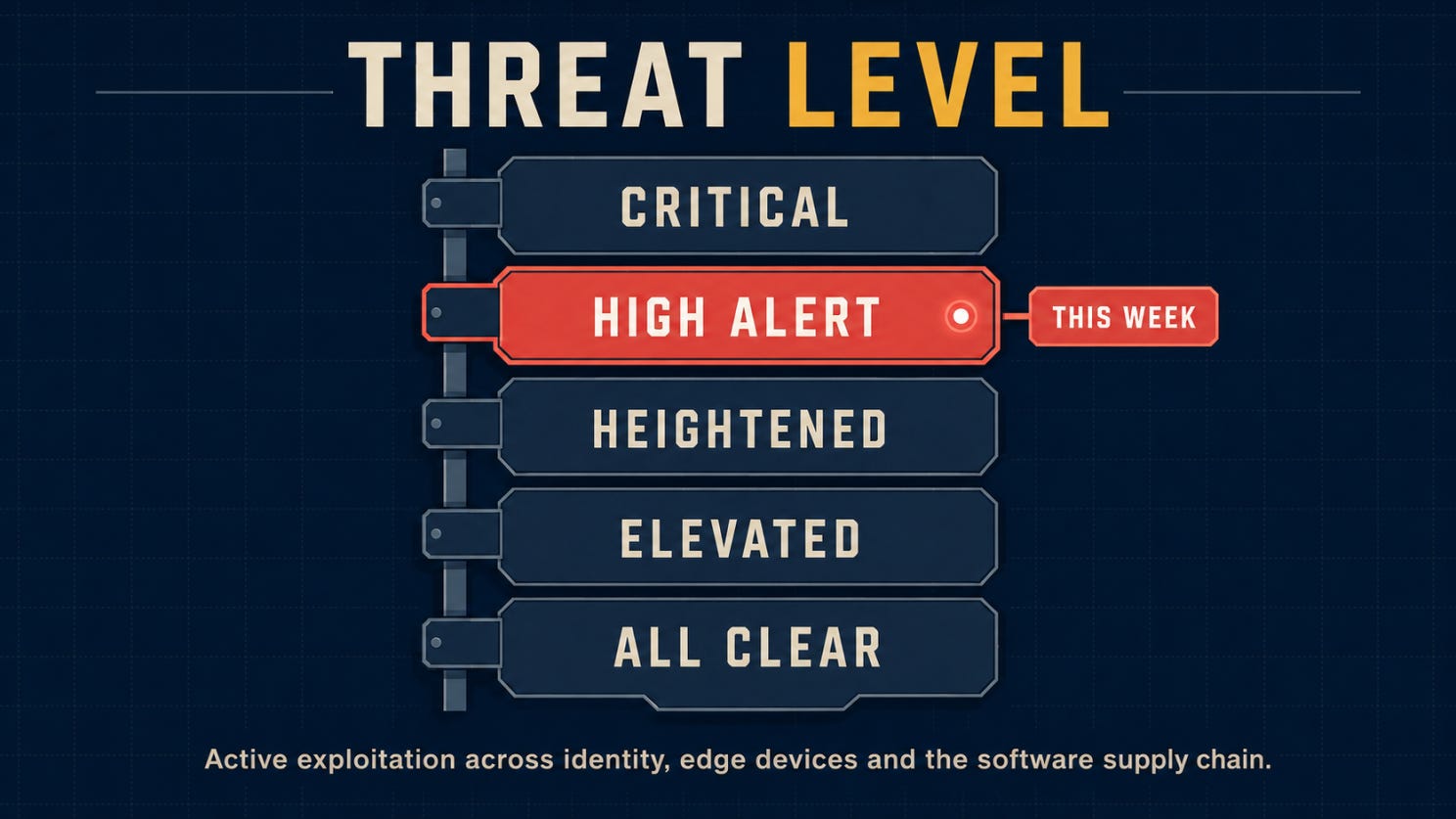
🌡️ Threat Level
⚡ News: Five security stories worth catching up on
🔎 Deep Dive: The Offboarding Gap
🎣 Is It a Phish?
🔬 Technical Research: They Didn’t Steal a Password. They Forged One.
🛠️ Tool of the Week: Tor for Controlled Security Research
👏 Person of the Week: Romain Thomas
📅 Event of the Week: Black Hat USA 2026
📚 Book of the Week: Spycraft
😅 The Meme
❓ One Question Before You Leave

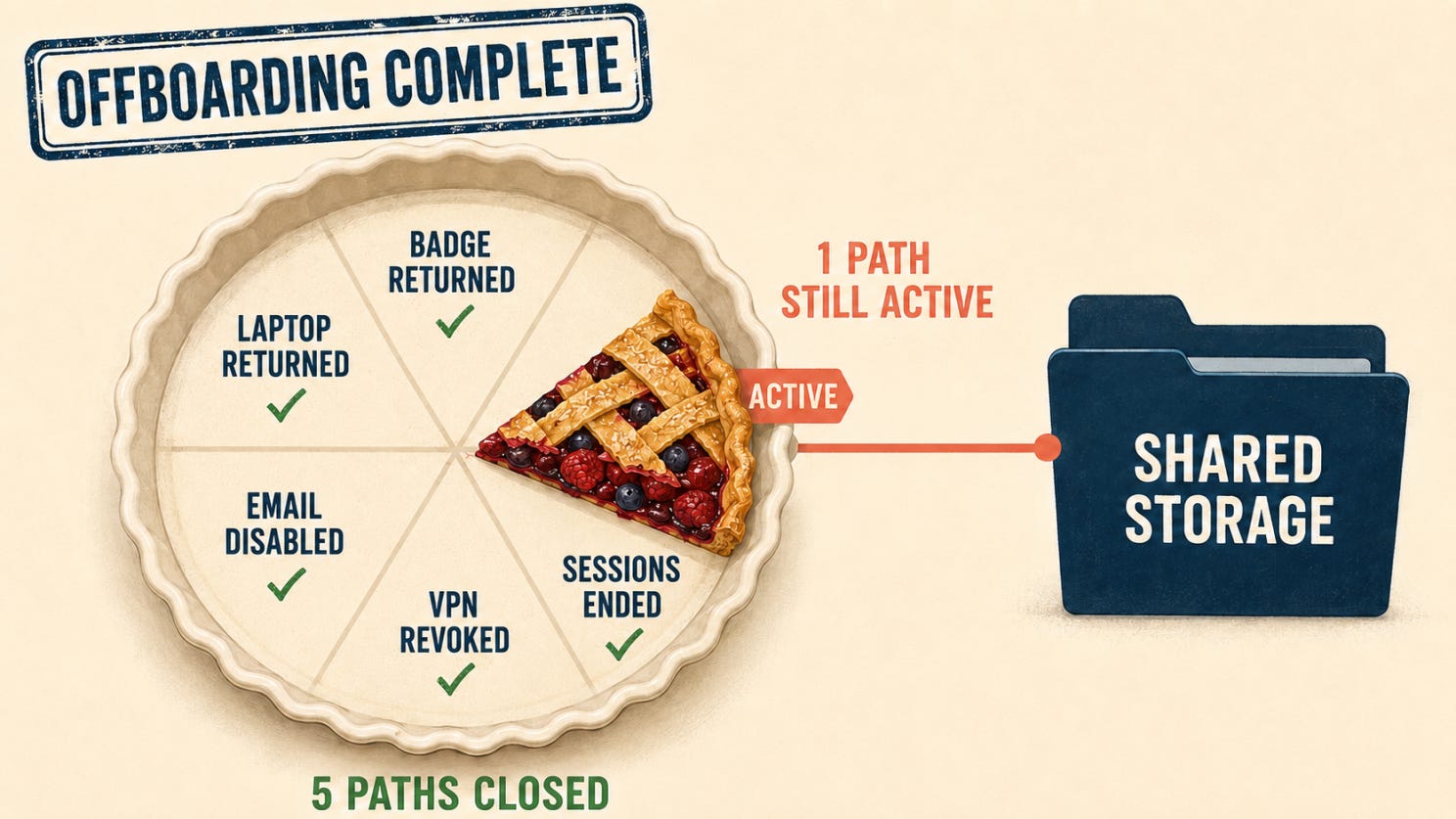
Offboarding can look complete from the outside: the laptop is back, the badge is disabled, the goodbye email has been sent and the cake is gone. It is a convincing ending.
The awkward part is that none of those steps tells an old session, a forgotten token or a shared drive that the person has left. Unless the departure reaches the systems themselves, access can carry on as if Monday were just another workday.
That is where this issue begins: with a clean goodbye, an untidy access trail and a question that should be easier to answer—what, exactly, still works?
🌡️Threat level
⚡ News
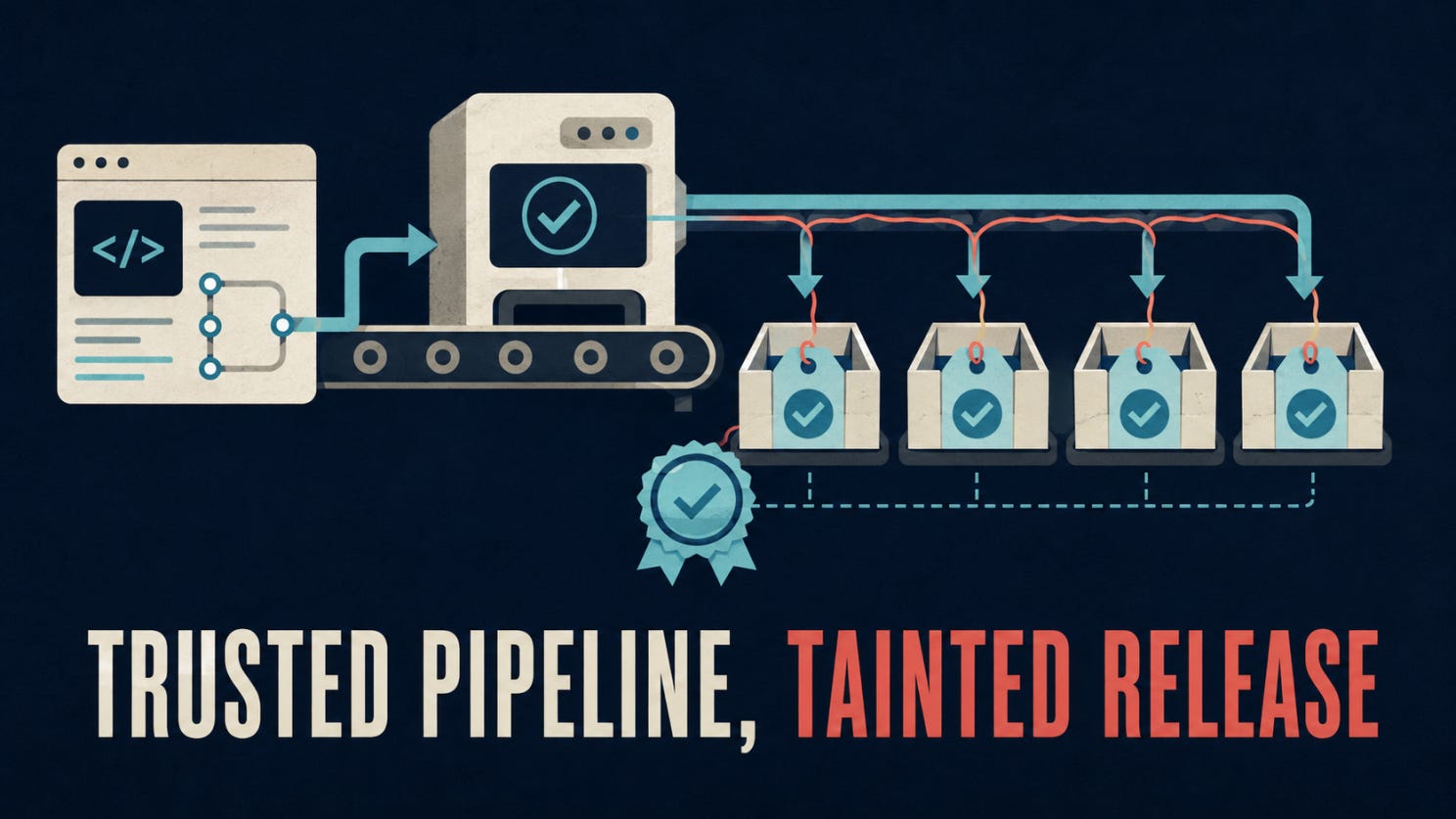
Five trusted AsyncAPI releases carried malware, and valid provenance did not stop them
Attackers compromised AsyncAPI release workflows on July 14 and published five malicious versions across four npm packages. The packages carried Miasma, a backdoor capable of executing commands on affected systems. The code activated when imported rather than during installation, meaning --ignore-scripts offered no protection. Teams should inspect dependency locks, build caches and CI logs, then rotate credentials accessible to potentially affected builds.
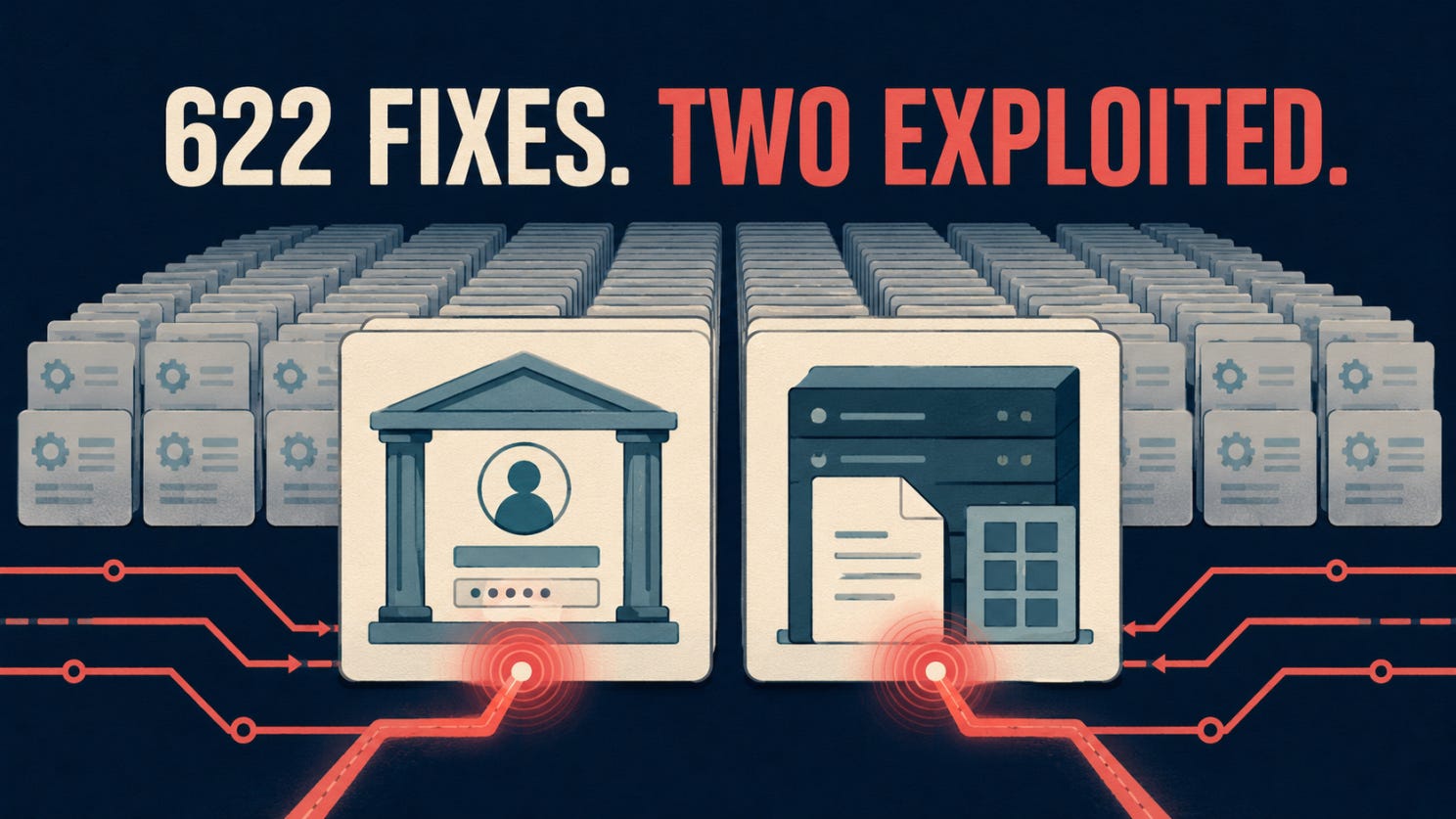
Two exploited flaws move AD FS and SharePoint to the front of Microsoft’s July patch queue
Microsoft’s July release notes list 622 vulnerabilities, although totals vary depending on counting methodology. Two flaws were already being exploited: CVE-2026-56155 enables local privilege escalation in Active Directory Federation Services, while CVE-2026-56164 affects on premises SharePoint and can be reached without authentication. CISA added both to its Known Exploited Vulnerabilities catalog, making identity infrastructure and exposed SharePoint servers the immediate priorities.
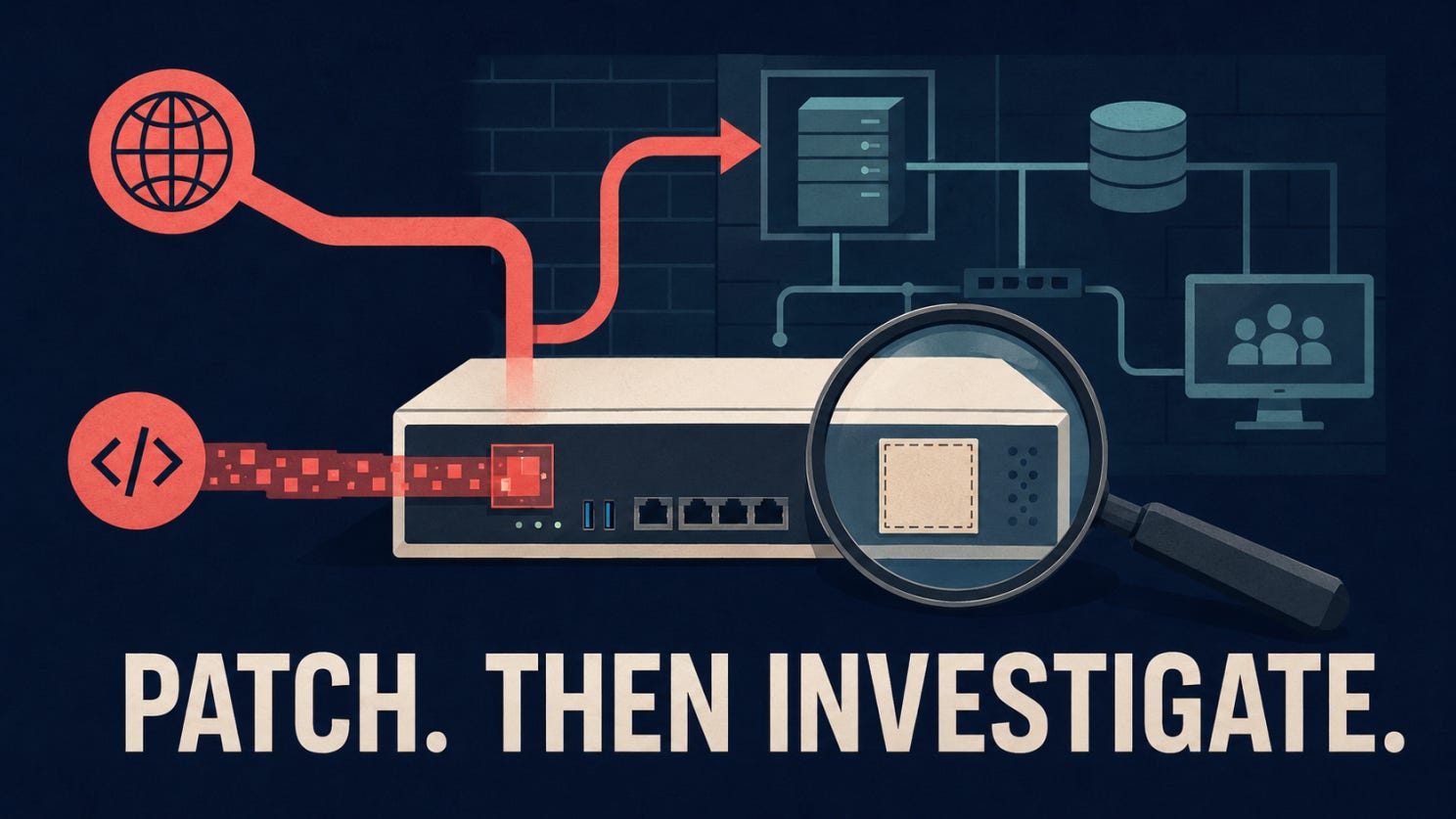
SonicWall confirms active attacks against two SMA 1000 vulnerabilities
SonicWall says attackers are exploiting CVE-2026-15409 and CVE-2026-15410 against SMA 1000 appliances. The first is a server side request forgery flaw rated CVSS 10.0. The second can enable code injection under certain conditions. Applying the hotfix is only the first step. SonicWall also recommends forensic review and, where indicators of compromise are found, rebuilding the appliance from a trusted image.
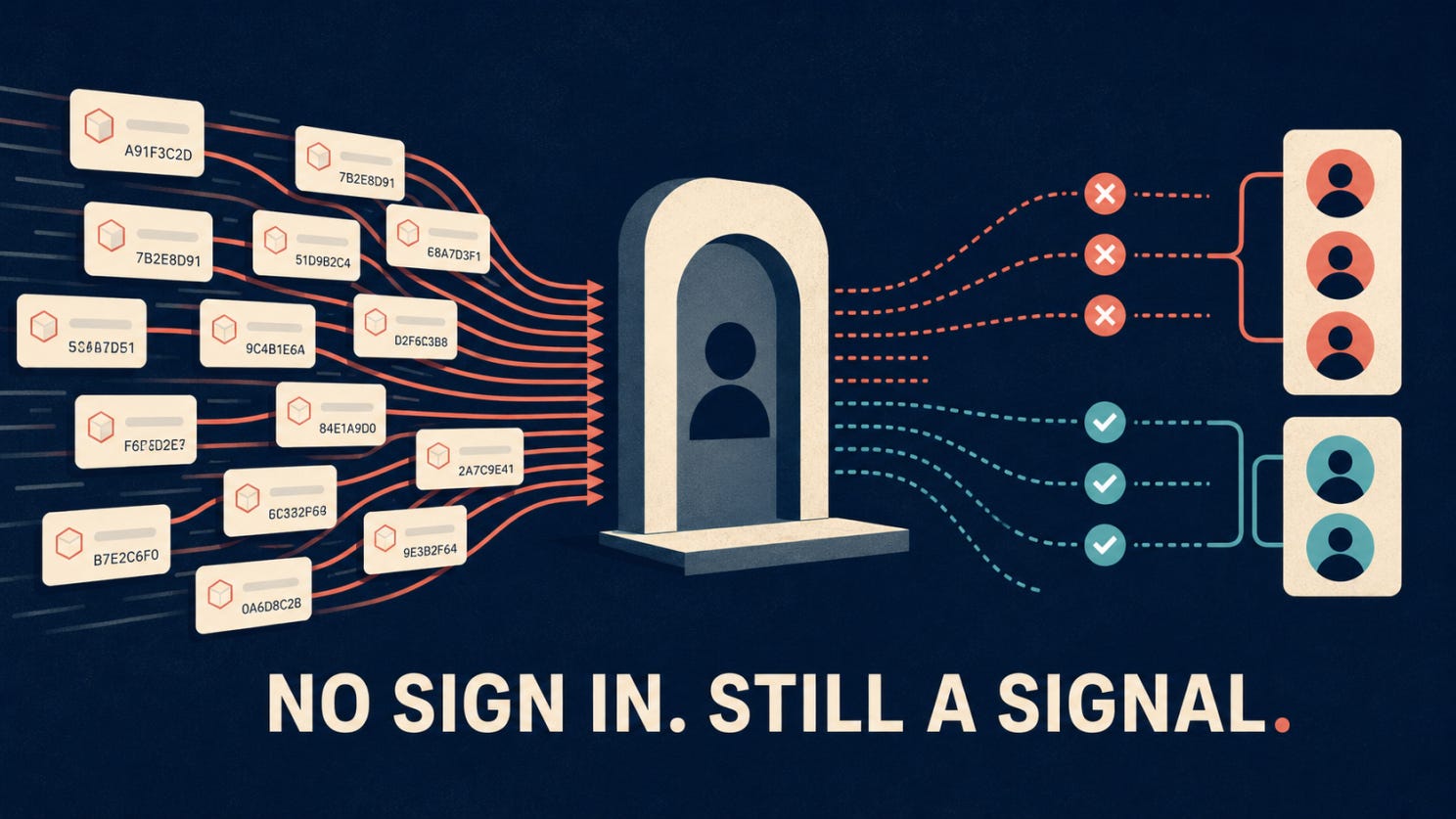
Fake OAuth client IDs let attackers test Entra credentials without completing a sign in
Proofpoint observed attackers generating large numbers of spoofed OAuth application identifiers and using Microsoft Entra responses to infer whether accounts and passwords were valid. Because the attempt does not produce a conventional successful sign in, familiar monitoring rules may miss it. Useful signals include missing application names, blank identifiers, unusual volumes of nonexistent client IDs and error patterns such as AADSTS700016 appearing alongside valid credential attempts.
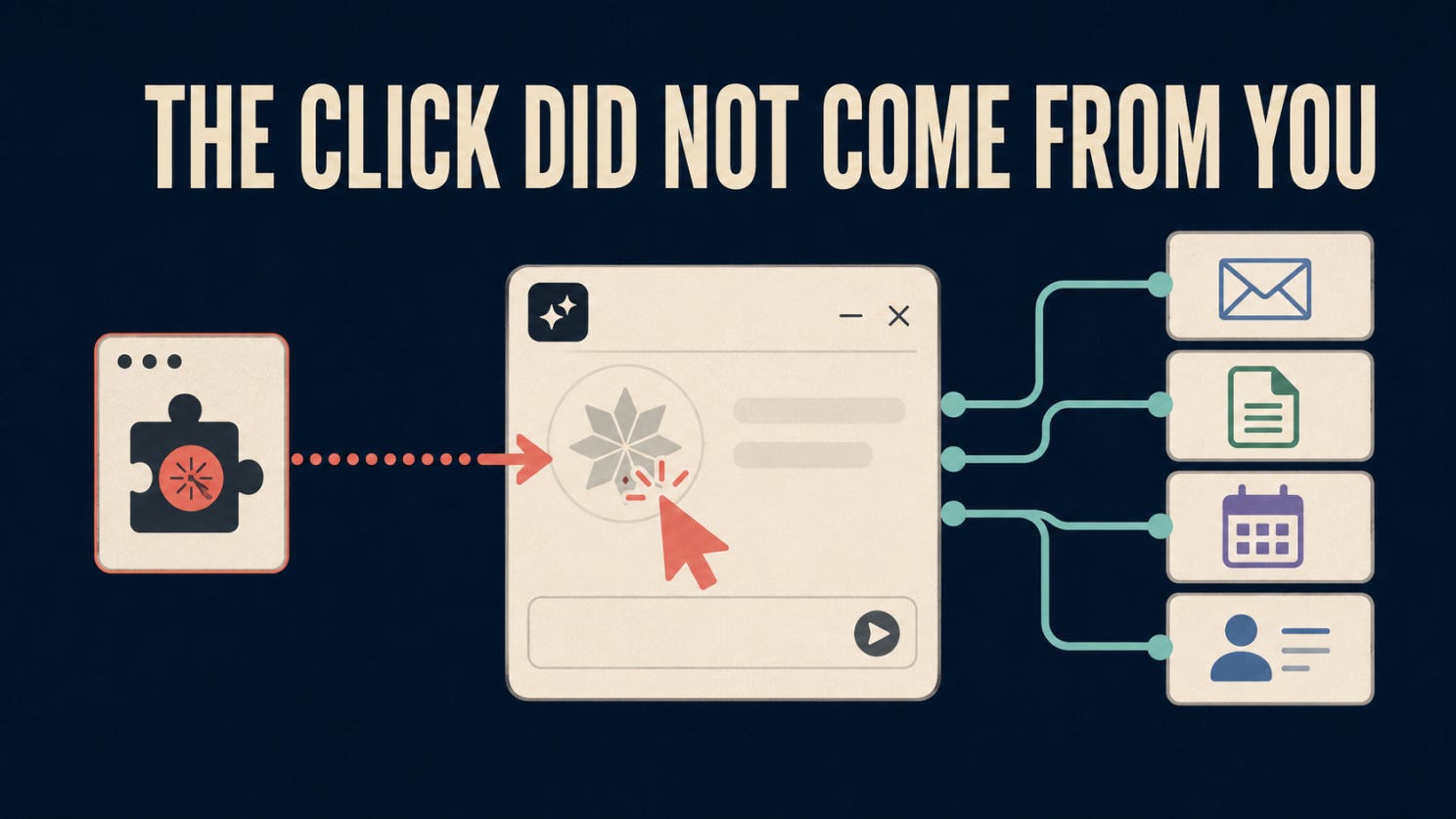
Researchers found a synthetic click path into Claude for Chrome workflows
Manifold Security says another browser extension with access to claude.ai could generate synthetic clicks that trigger predefined Claude for Chrome tasks involving services such as Gmail, Google Docs, Calendar and Salesforce. The reported attack requires a malicious or compromised extension already present in the browser. Organizations testing browser agents should review extension permissions, limit connected applications and avoid unattended approval settings for sensitive workflows.
🔎 Deep Dive
The Offboarding Gap
The employee had been gone for weeks. The badge no longer worked, the main account had been disabled and the departure appeared complete.
Then someone checked the server logs.
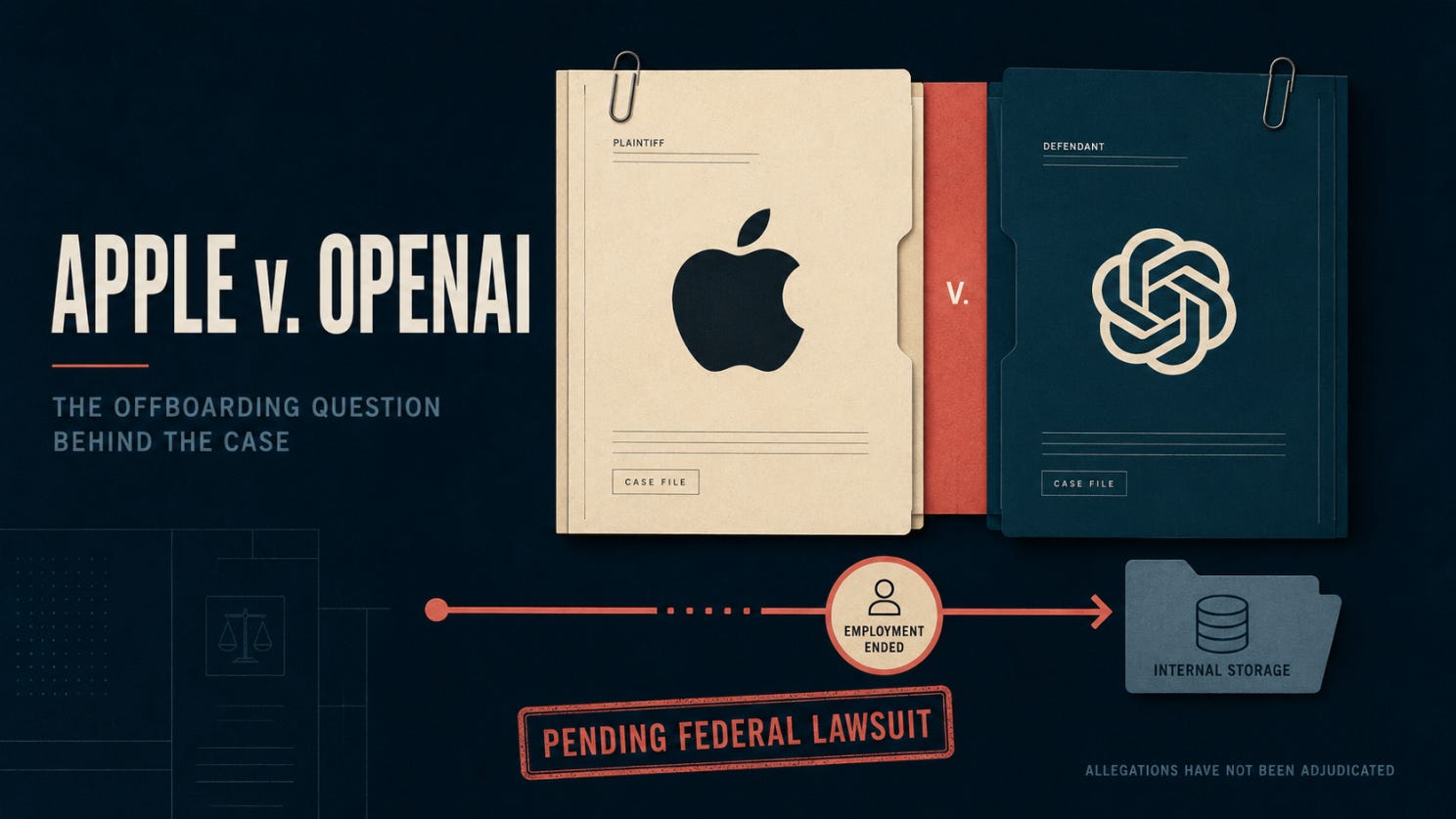
Apple alleges that a former employee who had not returned a company laptop found a way back into its internal network and downloaded confidential hardware files. The claims remain before the court, and the question of intent belongs there. For security teams, the more revealing mystery is what happened before the download:
What was Apple’s system still willing to trust?
Reuters reported the allegations and the response from the other party.
The first suspect: the main account
When an employee leaves, the central identity account is usually the first place anyone looks. Disable it, terminate access and mark the task complete.
But an account is only one way into an environment.
An application may still hold an active session. A service may accept a token issued earlier. A company device may carry a valid certificate. An internal script may use an API key created by the employee but stored elsewhere. A shared password may not be connected to an individual identity at all.
Each of these can remain usable after the main account disappears.
Consider a token issued at 9:00 in the morning. The employee’s account is disabled at noon, but the application validates the token locally instead of asking the identity provider for an updated status.
The identity provider knows the account is disabled. The application knows only that the token is correctly signed and has not expired.
Both systems appear to be working. The failure lives in the space between them.
The ticket was green
The offboarding record may still look perfect:
The account was disabled.
The badge was returned.
Access removal requests were sent.
The departure ticket was closed.
The ticket proves that the workflow performed its expected actions. It does not prove that every application, device and credential stopped accepting the former employee.
If five systems held access and only four confirm its removal, the fifth system is not a quiet success. It is an unanswered question.
Perhaps the request never arrived. Perhaps the system failed to process it. Perhaps the access was removed but the confirmation was never returned. Until the result is known, those possibilities cannot safely be treated as equivalent.
The missing laptop changes the investigation
A company laptop is not only an asset waiting to be returned. It may contain active sessions, locally stored credentials, device certificates and a history of trust with internal services.
That means recovering the device and revoking its access are two separate actions. A laptop can be listed as missing while the certificates attached to it remain valid. A user account can be disabled while an application continues accepting a session created from that device.
The physical departure happened. The technical relationship did not necessarily end with it.
This is why every account, token, key, certificate and trusted device needs three pieces of information:
Who or what owns it?
Which systems accept it?
How can it be revoked, rotated or allowed to expire?
If the owner is unknown, the offboarding workflow has no dependable reason to include the credential. It can survive simply because no system recognizes the employee’s departure as relevant to it.
The clue hiding in normal traffic
Suppose an old token is used three weeks after its owner leaves. Would the monitoring system recognize the significance, or would it record another successful authenticated request?
Without ownership context, the request may look ordinary. The token is valid. The certificate is familiar. The device has connected before.
Attach the former owner and departure date to the same event, and the picture changes. A successful request may reveal that an access path survived the departure. Repeated failures may expose a forgotten script, cached session or device still attempting to reconnect.
None of this proves malicious intent. It does reveal that the cleanup was incomplete, which is exactly what the control should detect.
Closing every door
Different access paths require different endings. Shared passwords must be rotated. Device certificates may need to be revoked. Existing sessions need to be terminated. Standalone applications may require separate account changes. API keys may need to be replaced without disrupting the services that use them.
The action changes, but the evidence required should remain consistent.
A departure is complete when the organization can identify the access paths, confirm that each one stopped working and detect any that appear again.
Until then, the employee may be gone while part of their access is still inside.
🎣 Is It a Phish ?
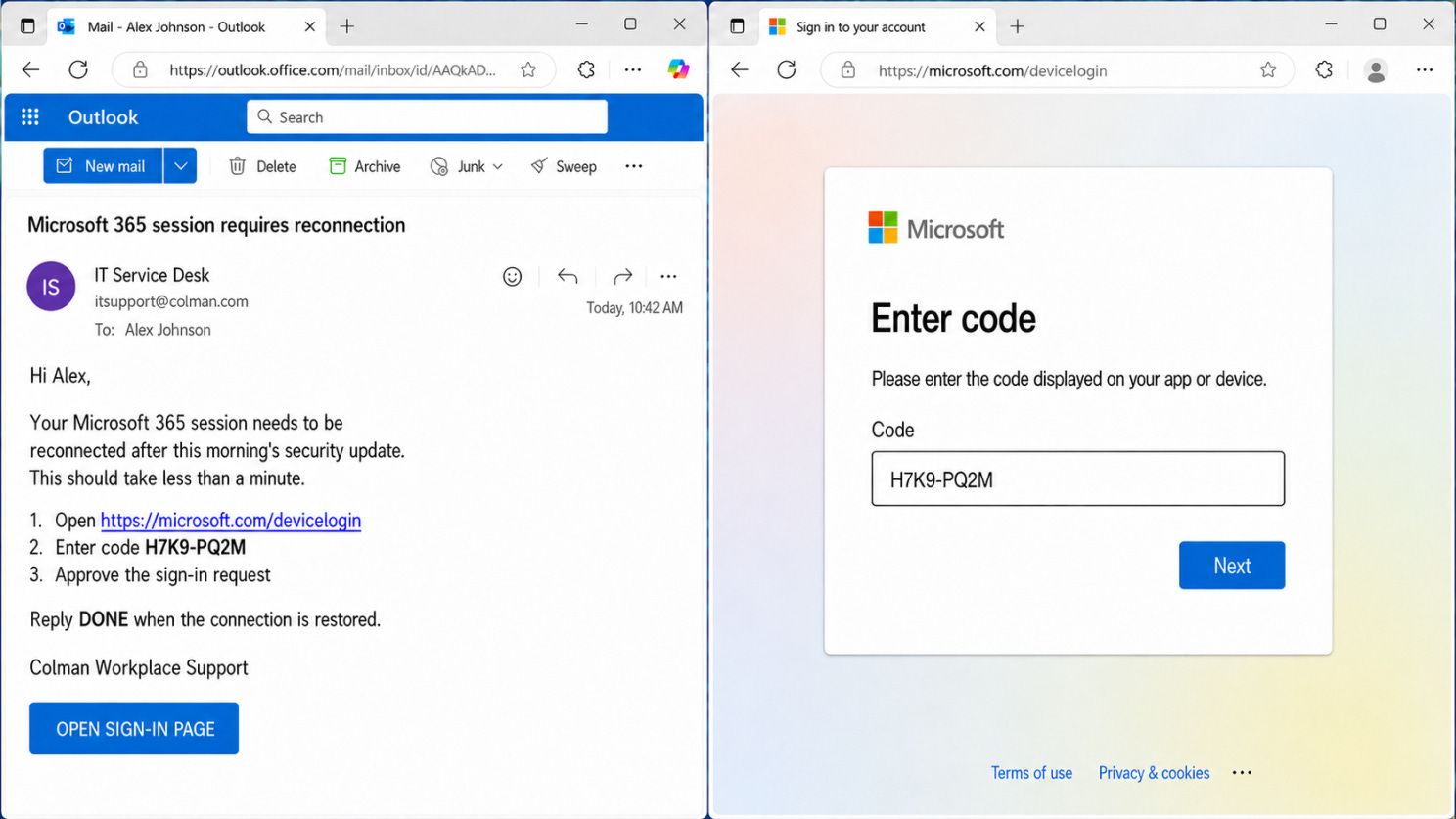
A legitimate domain does not make the workflow legitimate. Never enter a device code you did not generate yourself.
🔬 Technical Research
They Didn’t Steal a Password. They Forged One.
Sometimes the attacker doesn’t need your password at all. They just need your server to believe they already have it.
That’s the uncomfortable core of CVE-2026-55040, a critical authentication bypass in on-premises Microsoft SharePoint Server, disclosed on July 14, 2026 and discovered by Rapid7 Labs researcher Stephen Fewer — first demonstrated live at Pwn2Own Berlin, not caught in the wild. It carries a CVSS v3.1 score of 9.1 and affects SharePoint Server 2016, 2019, and Subscription Edition.
How trust breaks down
SharePoint runs on IIS and ASP.NET, and its authentication model is claims-based: a request presents a signed token asserting an identity, and backend modules are supposed to cryptographically verify that token before a session is ever established. That verification step is the entire security boundary — everything downstream (permissions, admin panels, content access) assumes the token was checked properly before it got there.
CVE-2026-55040 broke that assumption. Multiple weaknesses in SharePoint’s JWT validation pipeline meant the server could be made to accept a token it should have rejected, and it would associate the resulting session with whatever identity the token claimed — not the identity of whoever actually sent the request. No password. No stolen session cookie. No prior foothold. Just a token the server was willing to believe.
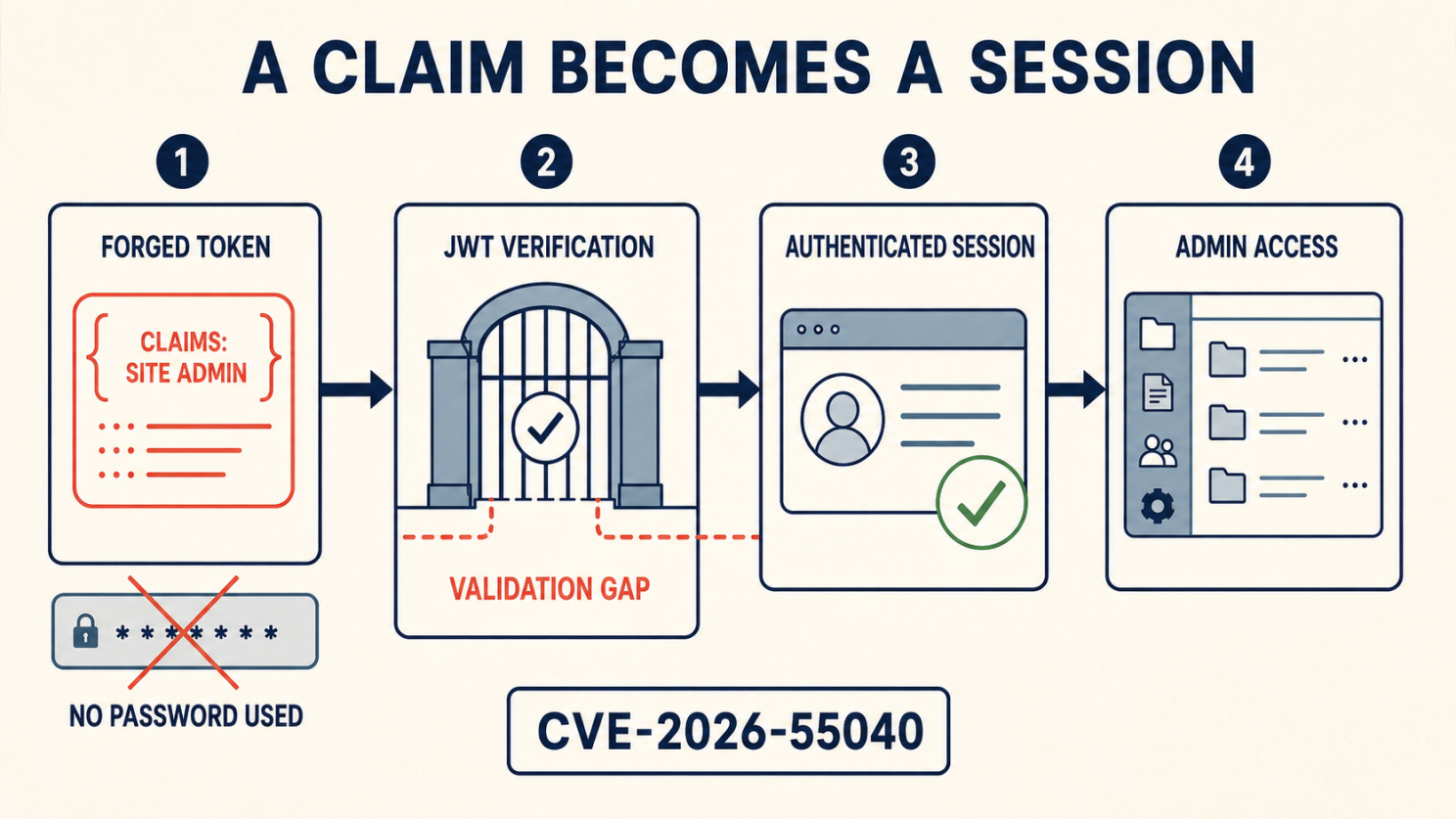
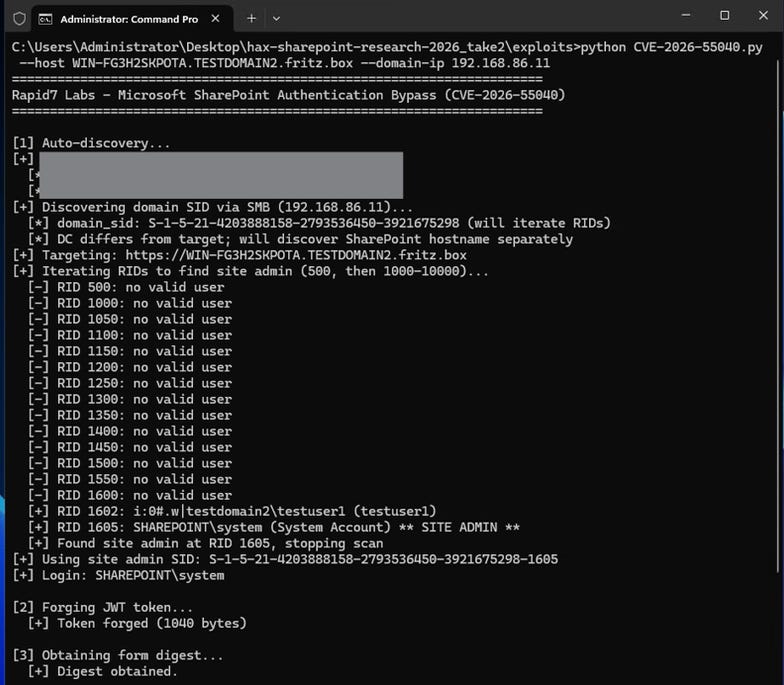
There’s one precondition: the attacker has to already know who they want to impersonate. In practice that’s a low bar — usernames are often discoverable through routine reconnaissance (AD enumeration, OSINT, prior breach data) and aren’t secret in the way a password is. What the vulnerability does is take “I know a username” and turn it into “I am that user, fully authenticated, with whatever access that user has.” If the chosen identity is a site administrator, the attacker inherits admin-level SharePoint operations without ever touching that admin’s credentials.
The exposed surface makes this worse than a typical internal-only flaw: the relevant endpoints sit under paths like vtibin and _layouts, which are reachable remotely without authentication in default SharePoint configurations. This isn’t a niche internal API an attacker needs a foothold to reach — it’s exposed on any internet-facing deployment by default.
Why this doesn’t end at “unauthorized access”
Here’s the part that should make this newsletter section, not just a patch-notes bullet: Rapid7’s research didn’t stop at the authentication bypass. Their team found that CVE-2026-55040 can be chained with a second, currently unpatched vulnerability to reach full unauthenticated remote code execution — no login, no credentials, no user interaction, no admin identity even required. The pair was developed and demonstrated together as a Pwn2Own Berlin entry, then responsibly disclosed to Microsoft in May. (Note: this unpatched RCE component is a separate, distinct issue from CVE-2026-58644, a deserialization RCE Microsoft also patched on July 14 — the two should not be conflated.)
Microsoft’s disclosure timeline is worth including, because it shows how deliberately this was staged:
May 18, 2026: Rapid7 discloses the full unauthenticated RCE exploit chain to Microsoft
May 20, 2026: Microsoft confirms the findings and splits remediation across two update cycles — the authentication bypass in July, the RCE component in August
May 29, 2026: Rapid7 agrees to a 30-day embargo on technical details after the July disclosure, with the caveat that they’ll publish early if exploitation in the wild or third-party disclosure happens first
July 14, 2026: Public disclosure of CVE-2026-55040 and the patch ship together on Patch Tuesday
That means the July patch doesn’t close the story — it interrupts it. It breaks the chain at the first link, before the second link is even fixed. Any organization that patches CVE-2026-55040 today is protected against the currently known chain, since the RCE half can’t be reached without a valid forged identity first. But the underlying lesson — that a forged identity, once accepted, is functionally indistinguishable from a real one — doesn’t go away with one patch cycle, and the August RCE patch is effectively a second deadline already on the calendar.
Exploitation status: as of this writing, CISA and Microsoft have not listed CVE-2026-55040 as actively exploited in the wild — Microsoft has tagged it “Exploitation More Likely” rather than confirmed-exploited. That’s a meaningfully different status from three other SharePoint CVEs patched in the same cycle (CVE-2026-32201, CVE-2026-45659, CVE-2026-56164), which CISA confirmed are under active exploitation, used for unauthorized access, RCE, IIS machine key theft, and malware persistence. No public proof-of-concept for CVE-2026-55040 is available yet; Rapid7 has withheld full technical detail under its 30-day embargo. Security teams shouldn’t read the quiet period as a grace period — it’s a scheduled countdown to August.
What we’re watching for
CISA’s current SharePoint hardening alert is written for the sibling CVEs that are already under active exploitation, not CVE-2026-55040 specifically — but the behaviors it describes (IIS machine key theft, deserialization abuse, persistence, malware deployment) are the same categories of post-exploitation activity we’d expect once the RCE half of this chain becomes public. If your SharePoint instance was internet-facing before July 14, patching answers “am I still vulnerable” — it doesn’t answer “was I already used.” Worth pulling for any exposed instance, based on our own read of the threat pattern:
Admin actions or content/permission changes from sessions that don’t correlate with a real login event
New site collection admins or elevated role grants with no matching help-desk or change-management ticket
Unusual or anomalous requests to vtibin / _layouts in IIS logs predating the patch
Any lateral movement or authentication attempts originating from the SharePoint service account or app pool identity
Outbound connections or new scheduled tasks initiated from the SharePoint server itself
The pattern, again
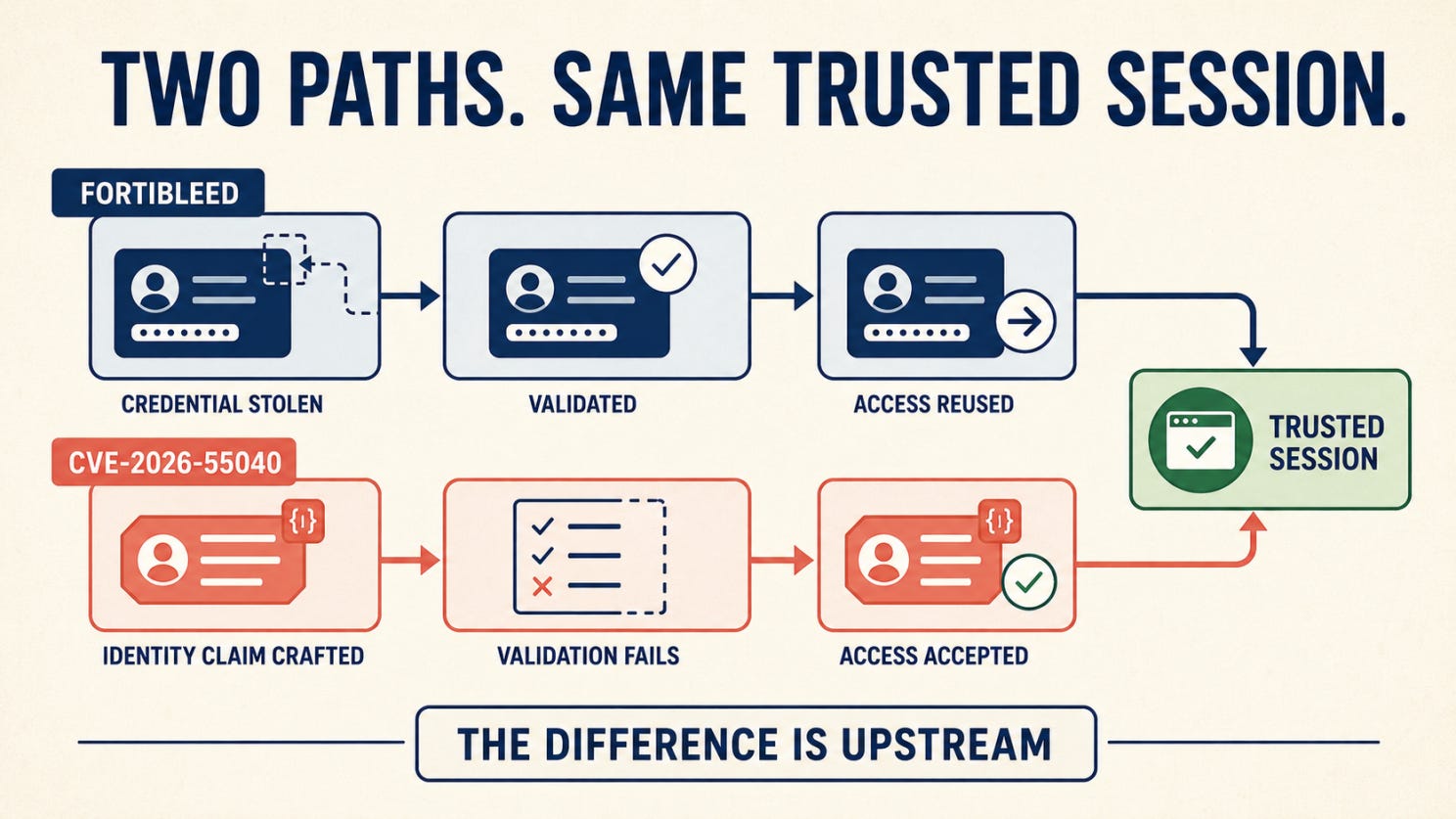
FortiBleed was about access changing hands — credentials harvested, verified, and sold as inventory. This is about access never really existing in the first place — a session the server was tricked into believing was legitimate, with no theft required at all. Different mechanism, same conclusion: by the time there’s something visible to respond to, the meaningful compromise may already have happened quietly, upstream of it. And in this case, the second half of the chain is still coming.
🛠️ Tool of the Week
Tor
Tor is often associated with anonymous browsing, but for security teams, one of its most useful roles is controlled investigation.

Where it fits
Imagine a company name appears on a ransomware leak site. The post claims that internal files were stolen and gives the organization a deadline to respond.
Before treating the claim as a confirmed breach, an analyst needs to inspect the page, record what was published and determine whether any sample data is genuine. Doing that from a normal corporate browser may reveal the organization’s public IP address to the infrastructure being investigated.
The browser can disclose more than an IP address. Cookies, extensions, fonts and other characteristics may help distinguish one visitor from another. Research activity can also become mixed with the analyst’s regular accounts and browsing history.
Tor Browser creates separation between the investigation and the organization’s normal browsing environment. It routes traffic through multiple relays, conceals the original IP address from the destination and includes protections designed to make browser fingerprinting more difficult.
How the connection works
A regular browser usually connects directly to the destination. The website can therefore see the public IP address from which the request originated.
Tor sends the connection through several relays before it reaches the destination. Each relay knows only the previous and next step in the route. The destination sees the address of the final Tor relay rather than the analyst’s corporate or home IP address.
This design also makes it possible to access onion services. These services operate inside the Tor network and are commonly used for legitimate privacy focused publishing, secure communication and, in some cases, criminal leak sites and underground forums.
A practical workflow
Open Tor Browser inside a dedicated research environment that is separated from ordinary corporate browsing. Visit the relevant onion service and record the claim, publication time, affected organization and any stated deadline. Capture the page and preserve the original URL so the evidence can be reviewed even if the post changes or disappears. Examine any visible samples carefully. Compare filenames, document structures or non sensitive markers with internal information before concluding that the data is authentic. Record what has been verified, what remains an attacker claim and what cannot yet be confirmed. Pass the findings into the incident response process without downloading or redistributing unnecessary exposed data.
This workflow can give the response team an early answer to a useful question: is the post recycled noise, a claim with no supporting evidence or a credible sign that requires immediate investigation?
Beyond ransomware monitoring
Tor can support other forms of security research. Analysts may use it to examine phishing infrastructure, follow threat intelligence leads, monitor references to company domains or study how stolen credentials and access are being advertised.
It can also help researchers reach security resources that are unavailable or restricted in their location. In each case, its purpose is the same: creating distance between the investigation and the identity or network of the person conducting it.
What it does not replace
Tor does not guarantee complete anonymity. Signing into a personal account, reusing a familiar username, revealing identifying information or interacting with a familiar communication pattern can identify the researcher regardless of the network route.
Downloaded files introduce another risk. Opening a document in an external application may create a connection outside Tor or expose information about the device. Suspicious files should be handled in an isolated analysis environment, not opened directly from the research session.
Tor also protects only applications configured to send their traffic through it. It does not automatically protect every connection from the device, and routing another browser through the Tor network does not provide the privacy protections built into Tor Browser.
It does not replace an isolated research workstation, endpoint protection, careful evidence handling, legal guidance or clear investigation procedures. Tor protects the route to the destination. The safety of the investigation still depends on what happens before, during and after the connection.
👏 Person of the Week
Romain Thomas is a security engineer known for his work in reverse engineering, software protection and obfuscation across Android, iOS, macOS and Windows.
What makes Romain T contribution especially valuable is that he shares what he builds with the wider security community.
Romain created LIEF, an open source library that helps researchers and developers analyze and modify executable formats such as PE, ELF and Mach-O. Today, LIEF supports many reverse engineering, instrumentation and security projects.
His open source work also includes contributions to QBDI and QBDL, along with Open Obfuscator, a project he started to advance mobile application protection.
This recognition is not only for one successful tool. It is for years spent making complex security work more accessible and giving other researchers a stronger foundation to build on.
This week, that work—and the person behind it—deserves the spotlight.
📅 Event of the Week
Event of the Week: Black Hat USA 2026
Black Hat USA begins Saturday, August 1, opening with four days of technical training before the summits, research briefings and Arsenal demonstrations continue the following week.
Even without a trip to Las Vegas, this is a useful week to watch the agenda. Research disclosed at Black Hat often shapes the vulnerability, detection and tooling conversations that follow. This year’s program puts particular attention on autonomous AI threats, identity and trust, infrastructure security, and open source defensive tools.
📚 Book of the Week
Spycraft: The Secret History of the CIA’s Spytechs, from Communism to al-Qaeda
By Robert Wallace, H. Keith Melton and Henry R. Schlesinger

Spycraft reveals how the engineers behind the CIA’s Office of Technical Service built cameras, disguises, concealment devices and communication systems for hostile environments. Its lesson still applies to cybersecurity: technology changes, but effective security depends on understanding the adversary, the environment and the person using the tool.
😅 The Meme
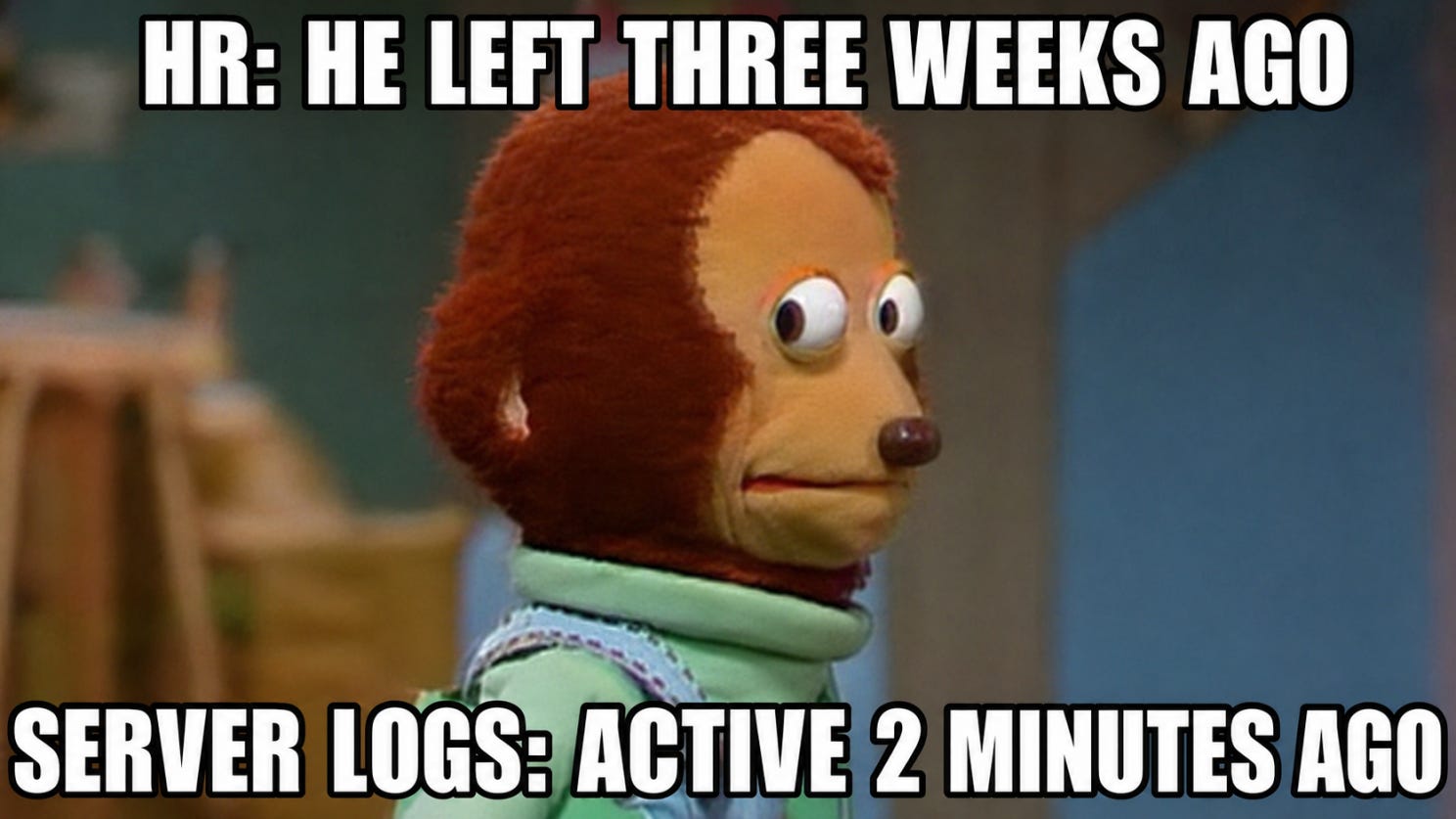
If someone left your organization today, could you prove—without checking each system manually—that every account, session, token, key and shared credential connected to them had stopped working?
The Breach Brief, Ostorlab Team: They Didn’t Steal a Password. They Forged One.