查找并验证硬编码的密钥与机密信息
硬编码密钥很容易被找到,并可能为攻击者打开通往敏感数据或特权访问的大门。这使它们成为漏洞赏金猎人和攻击者的理想目标。
硬编码密钥是漏洞赏金猎人和攻击者的便利目标。它们很容易被发现,并且可能为访问敏感数据和获取特权访问敞开大门。
过去,硬编码密钥曾导致多起备受关注的数据泄露事件,其中值得注意的有:
-
MyCar:MyCar 是一套车载远程信息处理系统。其制造商在 Android 和 iOS 移动应用中留下了硬编码凭据。这使数以万计的汽车暴露在黑客面前,黑客可以定位汽车、识别车辆、解锁车门、启动汽车或触发警报。
-
Uber:一名 Uber 员工在源代码中发布了明文凭据,这些源代码随后被发布到 Github 上。一名攻击者在 GitHub 上发现了这些内嵌的凭据,并利用它们获取了 Uber 的 Amazon AWS 实例的特权访问权限。随后,攻击者索要 100k$ 的赎金,而 Uber 确实支付了这笔钱。 Uber 数据泄露事件导致 57 million 名客户以及大约 600,000 名司机的信息遭到泄露。事件公开后,Uber 支付了 148M$ 的和解金,并不得不推迟 IPO。
-
Uniguest:Uniguest 提供放置在酒店大堂(以及其他场所)的自助终端(PC、iMac、平板电脑)。用户可以使用它们执行简单任务,例如浏览网页或打印登机牌。API 凭据被硬编码在应用中,并被用来导出 Uniguest 云数据库中的全部数据。这些数据包括管理员凭据、路由器和 BIOS 密码、产品密钥以及其他各种敏感信息。
硬编码密钥也是漏洞赏金猎人经常报告的问题。如果您查看任何一个漏洞赏金计划,都会发现许多已披露的报告指向 AndroidManifest.xml、Info.plist 或某个资源文件中的硬编码密钥。
根据密钥的权限和用途,这类漏洞可能获得最高 1k$ 的奖励。其严重程度从权限提升、访问敏感信息、服务超额计费/盗用,到发起拒绝服务攻击不等。
如何查找和验证密钥?
密钥可以通过静态或动态的方式找到。一种常见的静态方法是搜索已知模式,例如搜索与以下正则表达式 AIza[0-9A-Za-z\\-_]{35} 匹配的字符串:
$ app8 egrep -r 'AIza[0-9A-Za-z\\-_]{35}' .
Binary file ./resources.arsc correspondent
Binary file ./app.apk correspondent
Binary file ./classes.dex correspondent
./assets/google-services-desktop.json:          "current_key": "AIzaSy....................."
您可以在 l4yton/RegHex 这个仓库中找到一份可供使用的正则表达式列表。
由于并非所有 API 密钥和机密信息都是有害或危险的,也并非所有模式匹配的输出都是正确的,因此必须对这些密钥进行检查,并对其权限、角色、作用域和限制(稍后会详细介绍)进行枚举和验证。streaak 发布了一个仓库 streaak/keyhacks,其中列出了用于检查各种密钥的 curl 命令。
以下是针对 Firebase 密钥和 Facebook 密钥的一些示例:
$ curl -s -X POST --header "Authorization: key=AIzaS........." --header "Content-Type:application/json" 'https://fcm.googleapis.com/fcm/send' -d '{"registration_ids":["1"]}'
<HTML>
<HEAD>
<TITLE>INVALID_KEY_TYPE</TITLE>
</HEAD>
<BODY BGCOLOR="#FFFFFF" TEXT="#000000">
<H1>INVALID_KEY_TYPE</H1>
<H2>Error 401</H2>
</BODY>
</HTML>
$ curl https://graph.facebook.com/oauth/access_token\?client_id\=51XXXX\&client_secret\=0cbd4XXXXX\&redirect_uri\=\&grant_type\=client_credentials
{"access_token":"5181XXXXXXXXXXXXXX","token_type":"bearer"}%
一旦找到密钥,API 文档就应该成为您最好的朋友,用来确定该密钥拥有哪些权限以及可以执行哪些操作。以 Facebook 应用为例,您可以使用 https://graph.facebook.com/v8.0/{applicationId}/permissions 端点列出其权限:
$ curl "https://graph.facebook.com/v8.0/51XXXXXXXX/permissions?access_token=51XXXXXXXXXXXXXXXXXXXXXXXXXXXXXXXXXX"
{"data":[{"permission":"email","status":"live"},{"permission":"pages_show_list","status":"live"},{"permission":"pages_messaging","status":"live"},{"permission":"groups_show_list","status":"live"},{"permission":"pages_read_engagement","status":"live"},{"permission":"public_profile","status":"live"}]}%
另一个便于在命令行中使用的工具是 Yelp 的 detect-secret:Yelp/detect-secrets。该工具能检测的密钥种类较少,但也对其中一部分实现了验证。
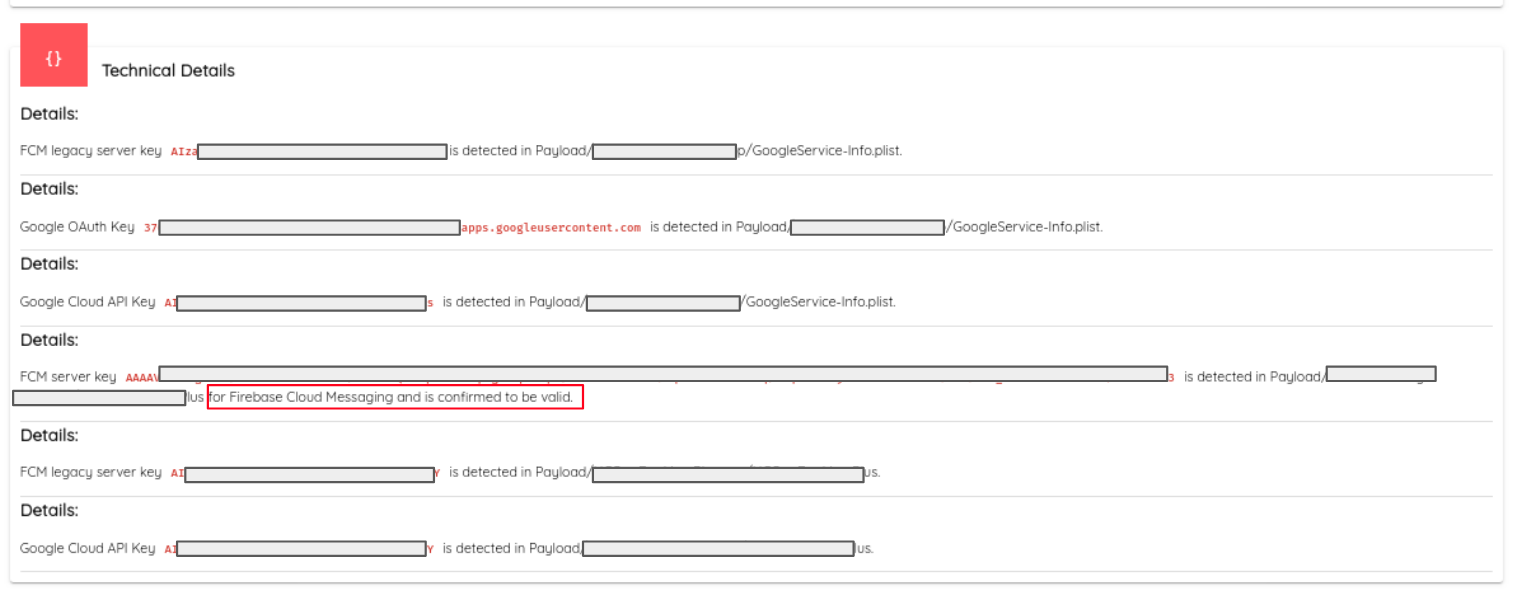
Ostorlab 将查找和检查密钥及机密信息的过程自动化,在撰写本文时已覆盖 53 种密钥类型。一个密钥 Agent 会收集与模式匹配的密钥、被特定 API 动态使用的密钥或在网络传输中被拦截的密钥。随后,该 Agent 会遍历所有已知服务来检查这些密钥,以确认其是否有效。
下面的截图展示了一个确认有效密钥及其对应服务的示例**。
仅在最近扫描的 10k 个应用中,我们就报告了 200 多个有效密钥,这些密钥可用于访问高度敏感的数据或支付、源代码等关键服务。以下是按服务统计的发现密钥数量:
| 服务名称 | 数量 |
|---|---|
| Firebase | 35/1000 |
| Google Cloud Platform | 31/1000 |
| 22/1000 | |
| 21/1000 | |
| 18/1000 | |
| AWS | 18/1000 |
| GitHub | 14/1000 |
| PayPal | 5/1000 |
| slack | 1/1000 |
如何修复?
- 内嵌是可以接受的,无需处理:大多数服务都提供了关于如何使用 API 或密钥的最佳实践。有些 API 内嵌在应用中是可以接受的,Firebase 就是一个例子:
Unlike how API keys are typically used, API keys for Firebase services are not used to control access to backend resources;
that can only be done with Firebase Security Rules.
Usually, you need to fastidiously guard API keys (for example, by using a vault service or setting the keys as environment variables);
however, API keys for Firebase services are ok to include in code or checked-in config files.
- 鼓励使用替代方案,应当切换:有些服务提供了比内嵌凭据更安全的替代方案(例如 Amazon 和 Google,以下示例来自 AWS 的建议):
You have a mobile app. Do not embed access keys with the app, even in encrypted storage.
Instead, use Amazon Cognito to manage user identities in your app. This service lets you authenticate users using Login with Amazon, Facebook, Google, or any OpenID Connect (OIDC)–compatible identity provider.
You can then use the Amazon Cognito credentials provider to manage credentials that your app uses to make requests to AWS. For more information, see Using the Amazon Cognito Credentials Provider on the AWS Mobile Blog.
- 内嵌是危险的,应将操作委托给服务器:对于某些服务,内嵌密钥无异于引狼入室,例如请参阅 Stripe 文档。在这些情况下,必须由服务器来执行与该服务的交互。
Your secret API key can be used to make any API call on behalf of your account, such as creating charges or performing refunds.
Treat your secret API key as you would any other password. Grant access only to those who need it.
Ensure it is kept out of any version control system you may be using.
Control access to your key using a password manager or secrets management service.

In live mode, new secret keys are only visible the first time you access them.
After that, the Dashboard redacts the API key. When the key is revealed, you can leave a note on the Dashboard describing the location on your own systems where you’ve copied it.
If you lose your secret key, you can’t recover it from the Dashboard and must roll the key or create another one.
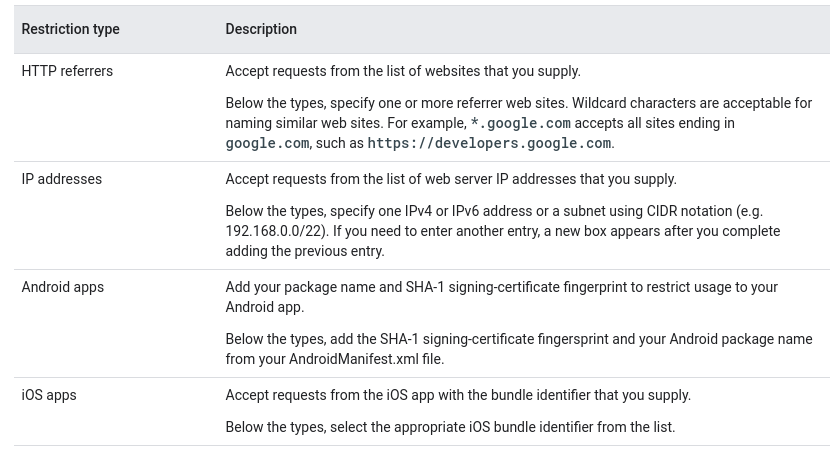
- 通过远程获取密钥和密钥绑定进行加固:对于不提供按用户身份验证服务、且需要内嵌在应用中的服务,建议从服务器获取密钥。限制密钥的权限(最小权限原则)也是最佳实践。有些服务支持将密钥绑定(PIN)到某个应用或域名。由于这种保护并不完美,建议轮换密钥以限制暴露范围。