
Introducing HarmonyOS App Scans + Huawei AppGallery Scans
Find a vulnerability scanner for HarmonyOS apps and Huawei AppGallery releases: Ostorlab adds automated, repeatable security scans so teams can continuously assess Huawei-distributed mobile apps and fix issues faster.
Ostorlab now supports HarmonyOS app scanning and Huawei AppGallery scans, so teams can assess Huawei-distributed apps with the same security mindset they already apply to Android and iOS. The goal is simple: reduce exposure by finding actionable issues earlier, validating risk with stronger evidence, and helping teams fix faster.
HarmonyOS apps share many vulnerability classes with Android and iOS but also introduce platform-specific attack surfaces. Scans target the most critical risks: exported Ability hijacking and implicit Want interception that let malicious apps invoke privileged components, Distributed Soft Bus abuse including cross-device data leakage, remote Ability invocation, and unauthorized task migration, JavaScript interface injection through ArkUI WebView exposing native APIs to untrusted web content, insecure data storage in Preferences or RDB without encryption, broken biometric authentication with weak trust levels and missing server-side verification, hardcoded keys and weak cryptography bypassing HUKS, buffer overflows and use-after-free in native NAPI modules, and vulnerable third-party HAR/HAP packages in the supply chain. Findings come with proof-grade evidence so teams can verify risk quickly and prioritize fixes with confidence.
Get started
- Scan an app now (no login required): https://ostorlab.co/
- Create an account: https://report.ostorlab.co/account/new/
Why this matters for HarmonyOS and AppGallery
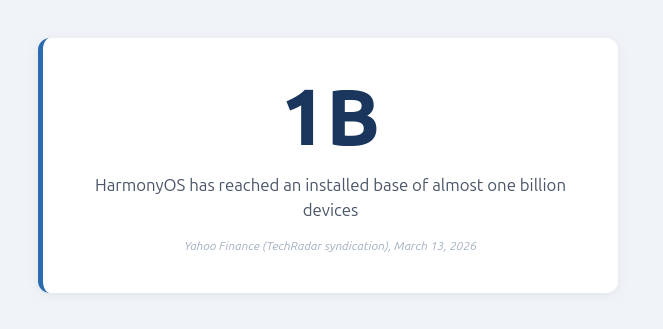
HarmonyOS has reached an installed base of almost one billion devices, and Huawei AppGallery continues to grow as a distribution channel that teams can no longer afford to overlook. Several of our clients have directly requested HarmonyOS and AppGallery scanning support, and that demand reflects a broader shift: if you ship to this ecosystem (or assess apps that do), you need the same standard of visibility you expect on Android and iOS. That means identifying risky patterns, insecure configurations, dependency risk, and other issues that can become real incidents if they reach production.
Two ways to get started
Option 1: Free scan from the homepage (no login): scan via Huawei AppGallery search
If you want a quick check, you can run a free scan directly from the homepage, no account required.
Start here: https://ostorlab.co/
- Open the homepage (Create a Free Mobile Scan form)
- Select AppGallery
- Choose the app country/region
- Search for the app (as if you are searching on Huawei AppGallery)
- Enter your email and click Scan to receive results
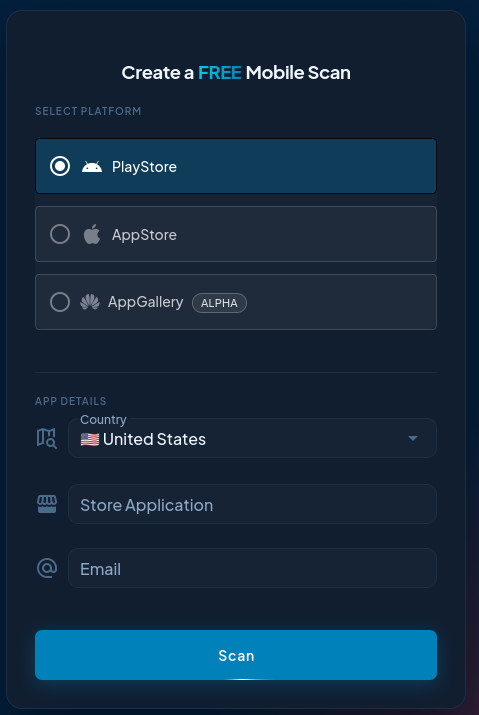
This is ideal for spot checks and fast feedback on an AppGallery-listed app.
Option 2: Create an account to run scans on the platform and upload HarmonyOS packages
If you want a repeatable workflow with saved history, reruns across versions, and consistent reporting, create an account and run scans from the Ostorlab platform.
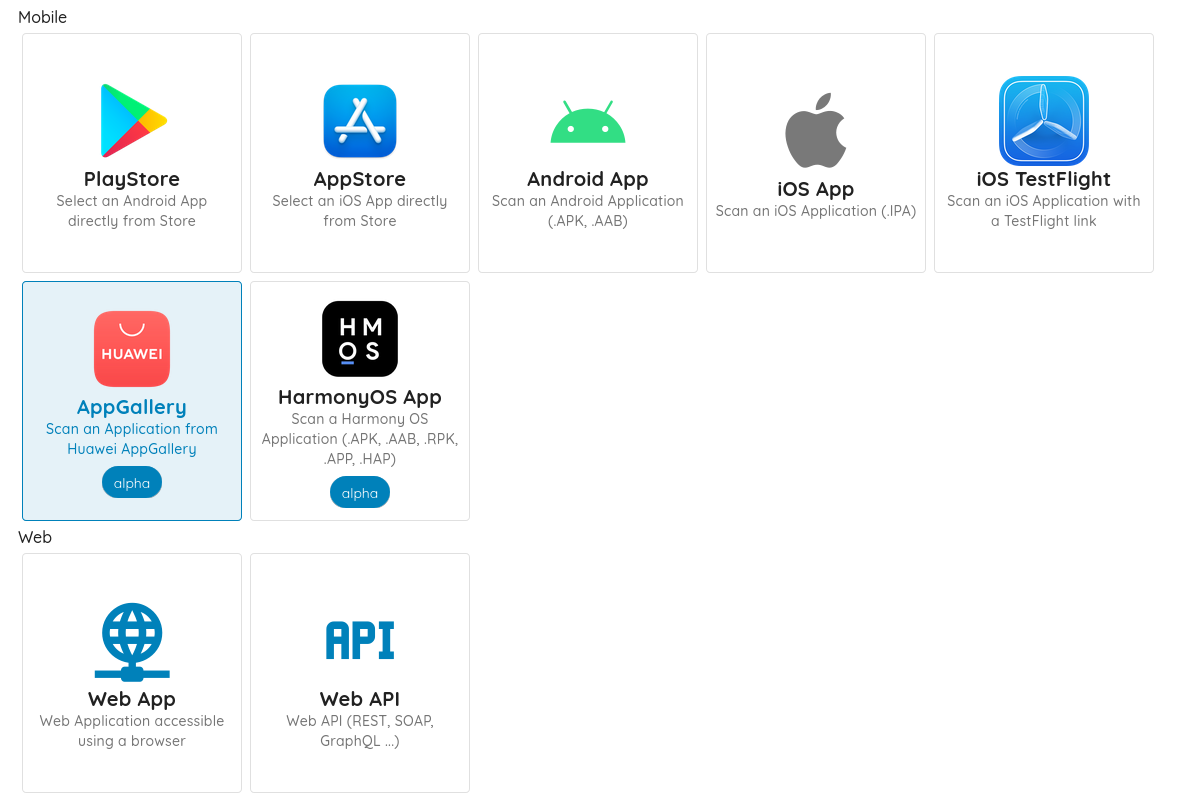
If you are already an Ostorlab user, you will find these options when you start a new scan from the dashboard after signing in:
https://report.ostorlab.co/scan/new
Create your account:
https://report.ostorlab.co/account/new/
Creating an account also enables direct package scanning, so you can assess pre-release builds by uploading supported artifacts, in addition to store search. Supported package formats include .APK, .AAB, .RPK, .APP, .HAP.