
Introducing Ostorlab Source Code Scanning
Source Code Scanning helps you identify security vulnerabilities directly in your source code before they reach production. Connect your repositories, run scans on demand, and review actionable findings from within Ostorlab.
You merge a PR. Tests pass, review looks good, everyone moves on.
Three weeks later, security finds a hardcoded API key that's been sitting in that file since before the merge.
Security scanning usually lives somewhere else: a separate tool, a separate pipeline, a separate team's backlog. By the time it catches up with your code, the code is already live.
Today we're launching Source Code Scanning to close that gap.
What is Source Code Scanning
Source Code Scanning is the process of analyzing source code to identify security vulnerabilities, insecure coding practices, and other potential risks before an application is deployed.
For example, it can detect hardcoded API keys, SQL injection risks, insecure cryptographic implementations, or other flaws that are easier to fix before the code reaches production.
How to Run a Source Code Scan
1. Connect your repository:
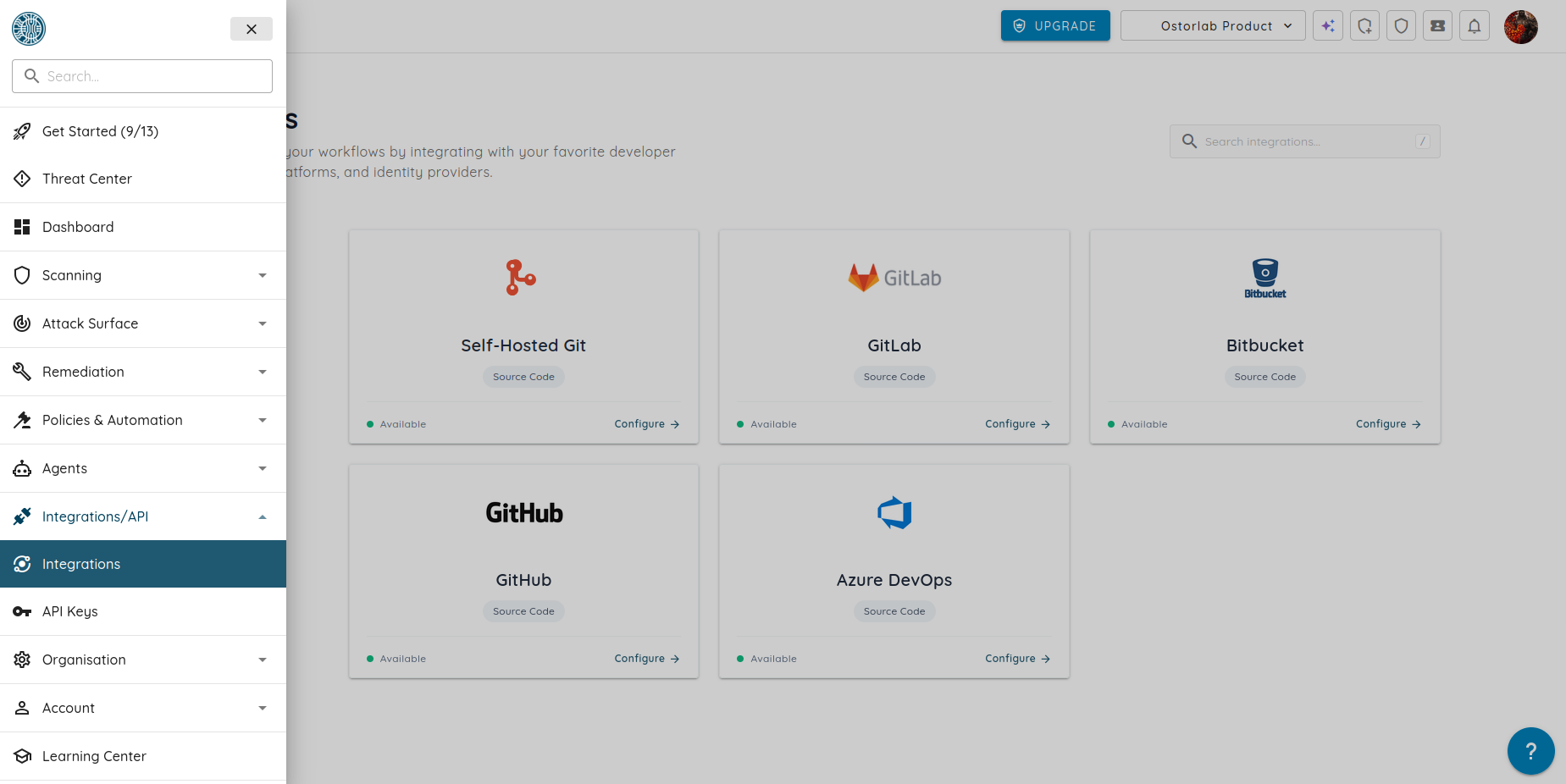
From your Dashboard, open the Integrations page from the left-hand menu. Select your Git provider, such as GitHub, GitLab, Azure DevOps, Bitbucket, or a Self-Hosted Git server, then click Configure to connect your repository.
2. Create a scan:
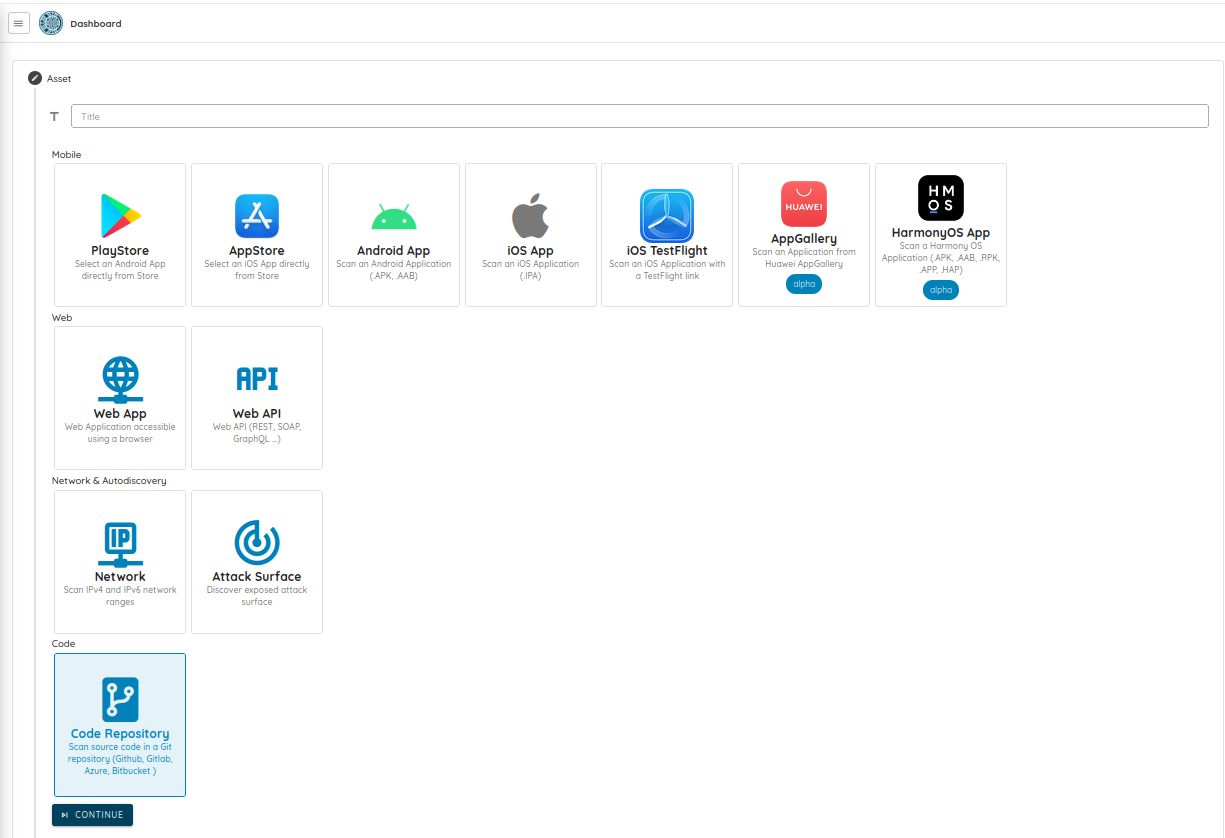
Select Code Repository as your asset type, choose the repository you want to scan, then specify the branch, commit, or tag. Once you start the scan, Ostorlab analyzes the selected code and reports any security findings.
3. Review the results:
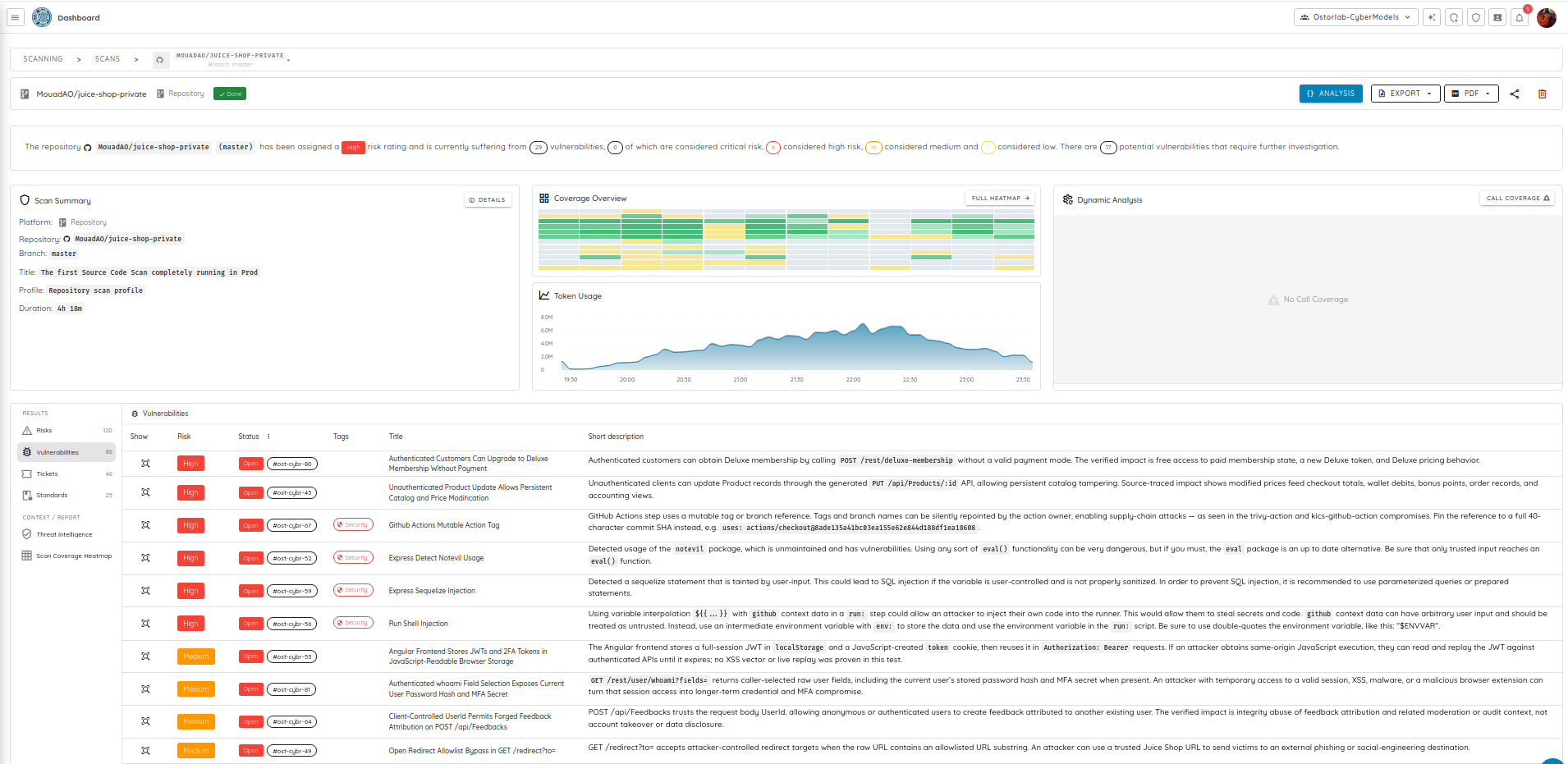
Once the scan is complete, Ostorlab presents the findings in a clear, actionable report. Review each vulnerability, understand its impact, and navigate directly to the affected code to start remediation.
Why Source Code Scanning matters
Security issues are easier and less expensive to fix before they reach production. By scanning your source code early, you can identify vulnerabilities during development, reduce remediation time, and prevent issues from making their way into releases.
With Source Code Scanning in Ostorlab, you can:
- Catch issues earlier. Find vulnerabilities before they become production incidents or are discovered during a penetration test.
- Work from a single platform. Review source code findings alongside your other Ostorlab security results without switching tools.
- Scan when you need to. Analyze any branch, commit, or tag on demand, whether you're reviewing a pull request, validating a release, or investigating a change.
- Prioritize remediation. Every finding includes the context you need to understand the issue and start fixing it quickly.
Try Source Code Scanning today
Connect your repository and start identifying vulnerabilities in your source code before they reach production.
Tags:
Source Code Scanning