
Security Testing Behind Login Walls: 2FA and MFA
Why scanners stop at the login page and how Ostorlab automates testing behind SMS, email and TOTP 2FA, with a manual fallback and secured credentials.
The Core Challenges of Testing Behind Authentication
Authentication mechanisms introduce structural limitations that traditional security tools are not designed to handle.
Multi-step verification flows prevent scanners from accessing the core functionality of applications. At the same time, authentication disrupts automation. In DevSecOps environments, security scans integrated into CI/CD pipelines often require manual intervention, making them unreliable and difficult to scale.
This is not only a technical limitation but also a strategic one. When authenticated areas are excluded, organizations operate with an incomplete understanding of their risk exposure.
Automated 2FA Scanning with Ostorlab
Automated security testing with 2FA removes these barriers by enabling scanners to complete authentication flows and access protected areas of an application.
Ostorlab implements this capability by handling multi-step authentication workflows automatically, minimizing the need for user input.
Ostorlab is the only platform that provides full automation support across all major 2FA methods, including SMS, Email OTP, TOTP, and manual fallback.
These capabilities are trusted by one of the world’s leading 2FA providers.
Once authentication is completed, the scanner can navigate user flows and continue testing across the application, enabling full end-to-end coverage.
What You Can Test with Automated 2FA Scanning
By extending testing beyond the login stage, security teams can assess:
- Complete authentication workflows
- Authenticated user journeys and session-based interactions
- Sensitive operations such as payments and data modifications
- Business logic that exists exclusively behind authentication
This ensures that testing reflects how the application is actually used, rather than only what is publicly exposed.
How Automated 2FA Authentication Works in Practice
Ostorlab integrates authentication handling directly into the scanning engine, allowing it to behave like a real user during login.
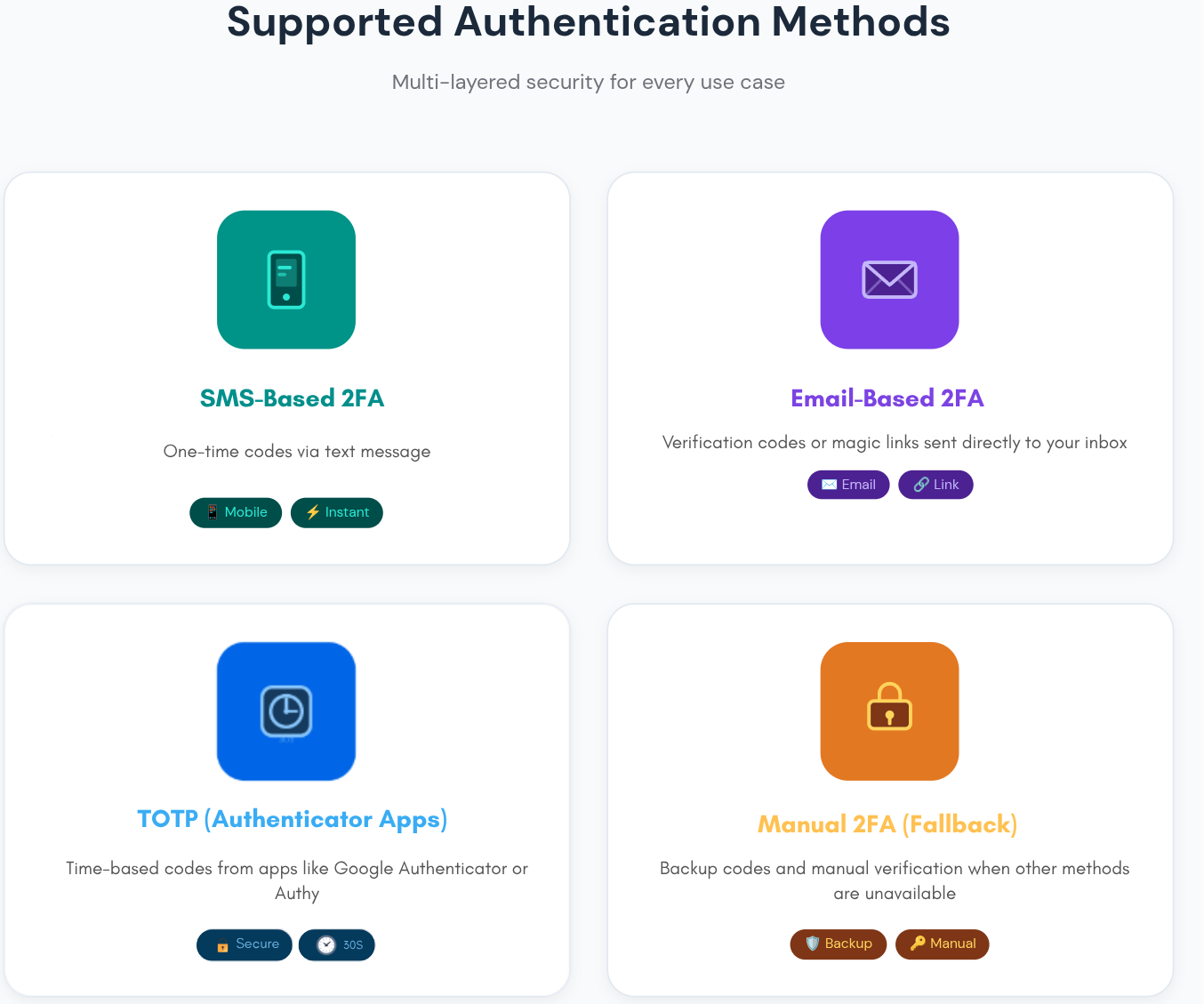
SMS-Based 2FA
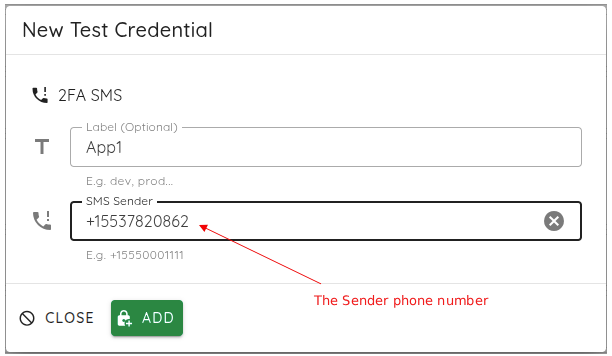
The scanner intercepts OTP messages sent via SMS using a dedicated testing number and automatically injects the code into the login flow.
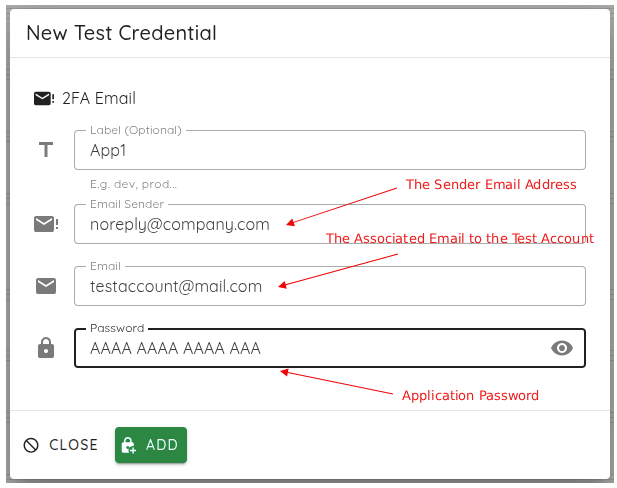
Email-Based 2FA
A dedicated test mailbox is monitored in real time. The platform extracts the OTP from incoming emails and completes authentication automatically.
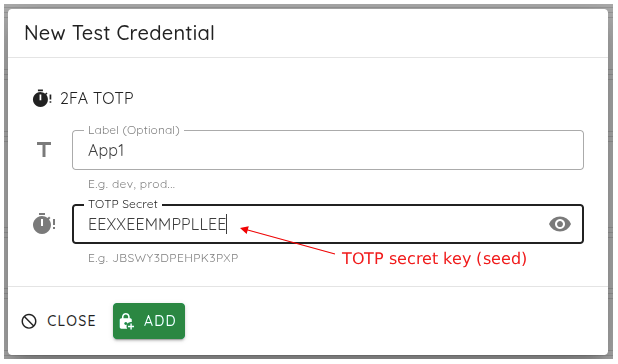
TOTP (Authenticator Apps)
Ostorlab acts as a virtual authenticator, generating valid time-based codes using the shared secret, fully aligned with industry standards such as RFC 6238.
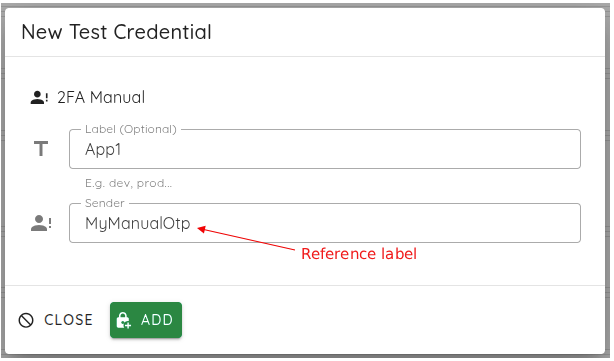
Manual 2FA (Fallback Mode)
For complex or proprietary authentication flows, the scan pauses and allows manual code input before resuming.
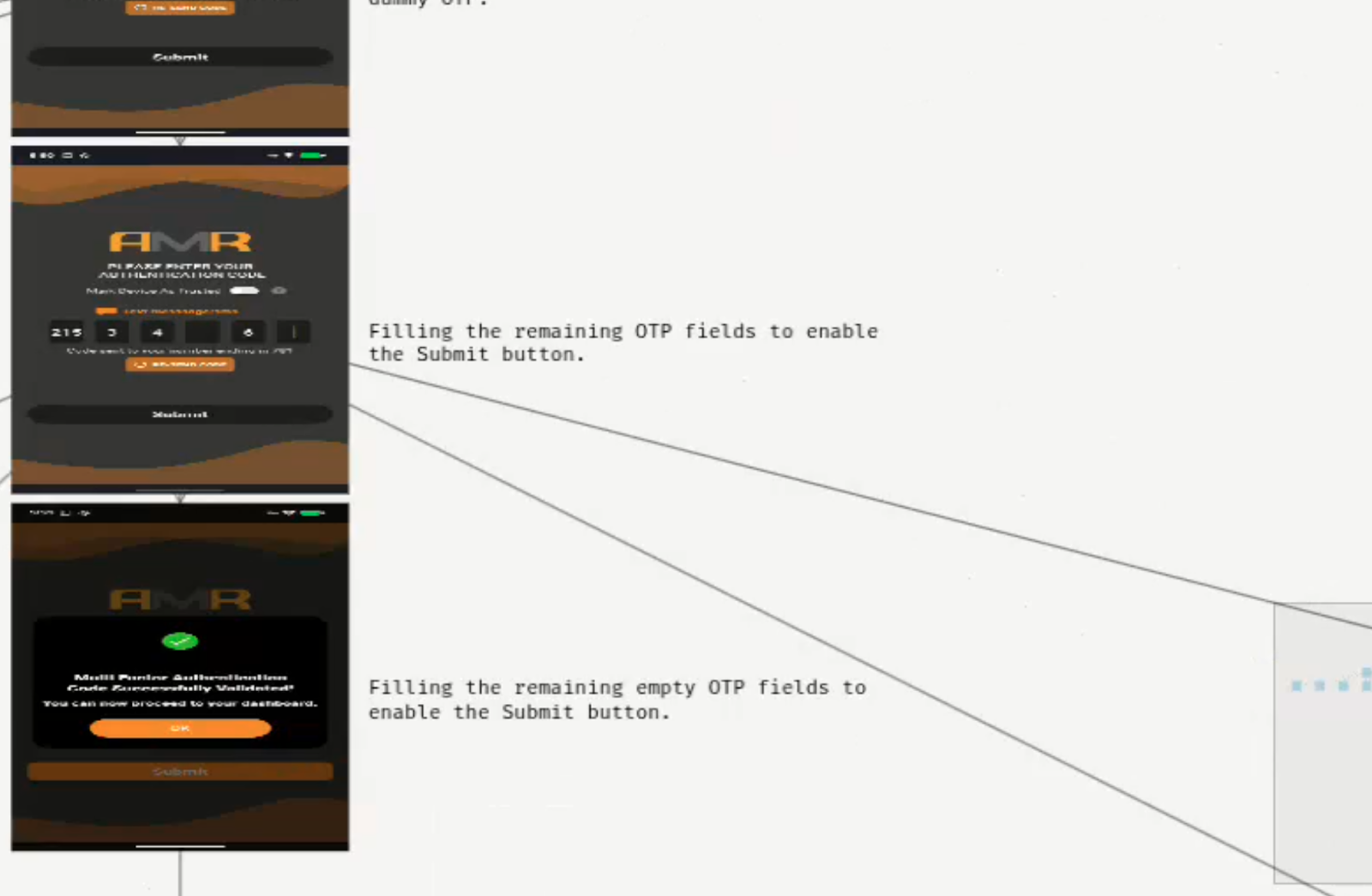
The result is a fully authenticated scan that successfully navigates the login flow and accesses protected areas of the application, as illustrated below.
How Authentication Data Is Secured During Scans
Authentication data is handled securely throughout the scanning process.
- TOTP secrets are encrypted at rest
- Sensitive credentials are never exposed in logs or results
This ensures that automation enhances security without introducing new risks.
Key Benefits of Automated 2FA Security Testing
Extending testing into authenticated areas enables organizations to:
- Gain full visibility across the application
- Identify vulnerabilities in real user flows
- Maintain continuous security testing within CI/CD pipelines
- Reduce reliance on manual intervention
- Scale security practices alongside development
Security becomes embedded into the development lifecycle rather than treated as a separate step.
Real-World Use Cases of Automated 2FA Security Testing
Automated 2FA security testing becomes critical in industries where authentication protects the most sensitive user flows.
FinTech and Banking
Banking applications rely heavily on multi-factor authentication for operations such as login, payments, and beneficiary management.
For example, a security team may need to test:
- A user logging in with SMS OTP
- Accessing account balances
- Performing a money transfer
Without automated 2FA handling, these flows cannot be tested end to end.
With Ostorlab, the scanner can authenticate, navigate these critical workflows, and detect vulnerabilities directly in real transaction scenarios.
Healthcare Applications
Healthcare platforms protect sensitive patient data behind strict authentication layers.
A typical use case includes:
- Logging into a patient portal with email OTP
- Accessing medical records
- Updating personal or insurance information
These authenticated flows are often the most sensitive and the least tested.
Automated 2FA scanning ensures vulnerabilities in patient data access and manipulation flows are identified.
E-commerce and Retail
E-commerce platforms secure user accounts, payment methods, and order histories with 2FA.
Security teams need to test flows such as:
- User login with OTP
- Accessing saved payment methods
- Completing a checkout process
Without authenticated scanning, vulnerabilities in payment flows or account takeover scenarios remain undetected.
Where This Makes a Difference in Practice
In application security workflows, testing authenticated user journeys allows teams to assess how the application behaves under real usage conditions.
In DevSecOps environments, removing manual authentication steps ensures that security scans can run reliably within automated pipelines.
From a risk perspective, including protected operations such as payments or data access provides a more accurate assessment of exposure.
In testing environments, automating authentication improves consistency, reduces execution time, and simplifies test management.
Why Security Testing Must Go Beyond the Login Page
Authentication protects access, but security testing must reflect how applications are actually used.
To accurately assess modern systems, testing needs to cover real user interactions and critical workflows, not just publicly accessible surfaces.
Start Testing Your Authenticated Applications
Start testing your authenticated applications by running your first automated security test with 2FA. Extend your scans to authenticated areas within your CI/CD pipeline to gain full visibility into real user interactions, identify vulnerabilities where they actually occur, and eliminate blind spots in your application security.
Ready to enable it? Follow the step-by-step setup guide for SMS, Email OTP, TOTP, and manual authentication to get started with 2FA for Authenticated Scans
Tags:
MFA